Introduction
This manual provides essential information for the safe and effective use of your Disney Chatty Stitch Deluxe Puppetronic. Please read it thoroughly before operation and retain it for future reference.
The Disney Chatty Stitch Deluxe Puppetronic is an interactive plush toy designed to bring the beloved character Stitch to life. It features over 50 unique sounds and movements, responding to touch and movement, and can also be operated as a puppet for imaginative play.
Safety Information
WARNING: Contains small parts that can be swallowed or inhaled. Not suitable for children under 3 years due to choking hazard. Recommended for ages 6 years and up.
- Always supervise children during play.
- Keep away from open flames or direct heat sources.
- Do not immerse the product in water. Clean only as directed in the Maintenance section.
- Ensure batteries are inserted correctly with the proper polarity.
- Remove batteries if the product will not be used for an extended period.
What's in the Box
Your Disney Chatty Stitch Deluxe Puppetronic package should contain the following items:
- 1 x Chatty Stitch Puppetronic Plush
- Instruction Manual (this document)

Image: The Chatty Stitch Puppetronic plush toy displayed alongside its retail packaging.
Setup
Battery Installation
- Locate the battery compartment on the back of the Stitch plush. It is typically secured with a hook-and-loop fastener or a small screw.
- If a screw is present, use a small Phillips head screwdriver to open the compartment.
- Insert the required batteries (e.g., AA or AAA, check the compartment for specific type and quantity) ensuring correct polarity (+/-).
- Close the battery compartment securely.

Image: A detailed view of the Stitch plush's back, illustrating the battery compartment and its opening mechanism.
Operating Instructions
Interactive Play
The Chatty Stitch Puppetronic is equipped with intelligent sensors that allow it to react to touch and movement, producing over 50 unique sounds and reactions.
- Touch Response: Gently touch or stroke Stitch's head, ears, or body to trigger various sounds and movements. Experiment with different areas to discover all reactions.
- Movement Response: Shake Stitch gently or move him around to activate additional sounds and phrases.

Image: The Stitch plush highlighting its interactive features, including over 50 sounds and reactions, and its ability to respond to touch.
Puppet Operation
In addition to its interactive features, Stitch can be used as a hand puppet, allowing you to control his mouth and ears for expressive storytelling.
- Insert your hand into the opening on Stitch's back, typically through the battery compartment access point.
- Position your fingers to control Stitch's mouth. Moving your hand will open and close his mouth, often triggering additional sounds.
- Some models may allow for ear movement by manipulating internal mechanisms with your fingers.
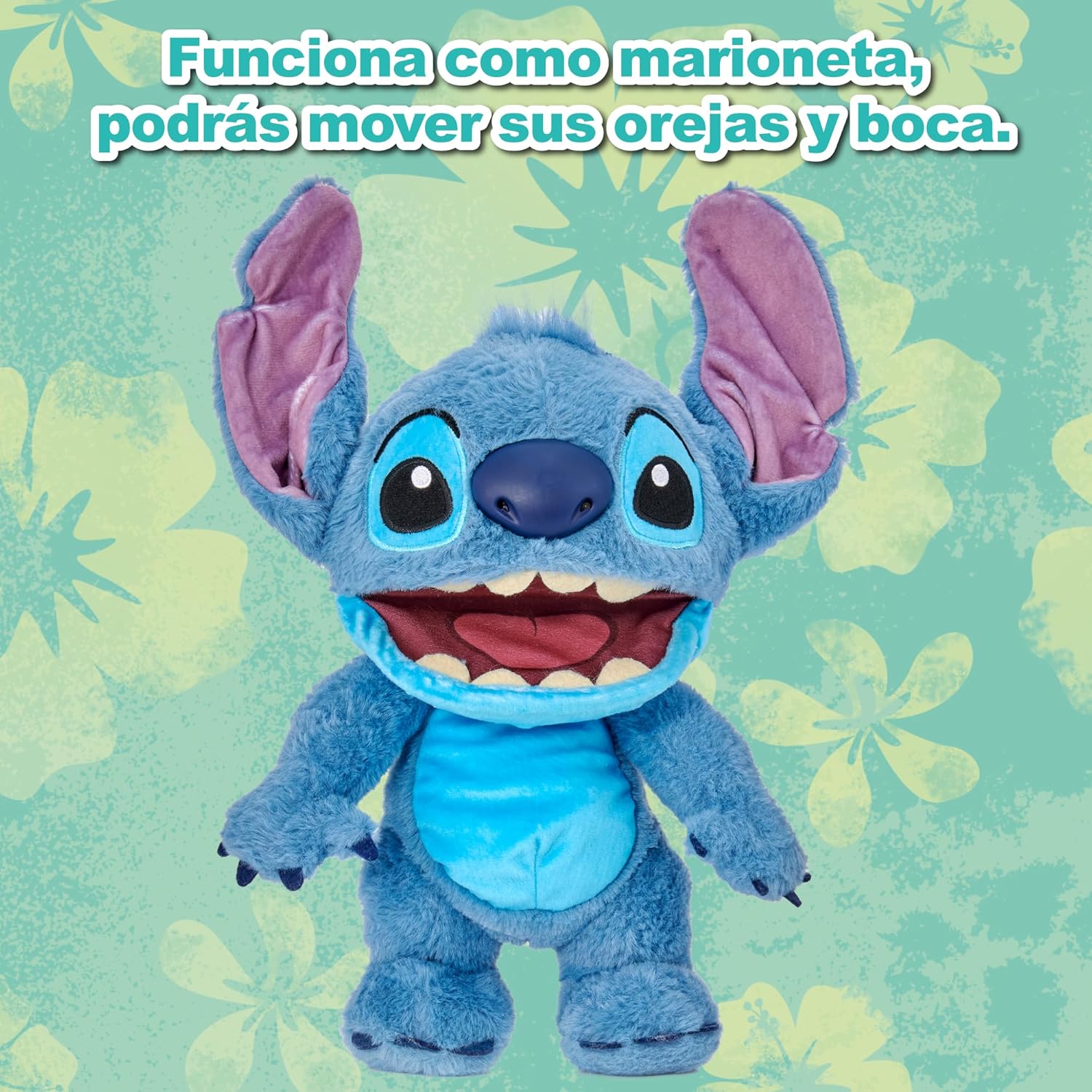
Image: The Stitch plush emphasizing its puppet functionality, allowing users to control its ears and mouth for interactive play.
Maintenance
Cleaning
To maintain the quality and longevity of your Chatty Stitch Puppetronic:
- Surface Clean Only: Do not machine wash or immerse in water. Use a damp cloth with mild soap to gently wipe soiled areas.
- Allow to air dry completely before storing or further use.
- Do not use harsh chemicals or abrasive cleaners.
Storage
Store the plush in a clean, dry place away from direct sunlight and extreme temperatures to prevent damage to the electronic components and fabric.
Troubleshooting
| Problem | Possible Cause | Solution |
|---|---|---|
| Stitch is not making sounds or moving. |
|
|
| Sounds are distorted or intermittent. |
|
|
| Puppet mouth/ears not moving smoothly. |
|
|
Specifications
- Product Dimensions: 5.51 x 9.84 x 13.19 inches
- Item Weight: 14.1 ounces
- Model Number: RE001000
- ASIN: B0DY896828
- Manufacturer Recommended Age: 6 years and up
- Manufacturer: Famosa
- Interactive Features: Over 50 sounds and movements, touch and motion activated.
- Power Source: Batteries (type and quantity not specified in product data, typically AA or AAA)

Image: The Chatty Stitch Puppetronic shown with its approximate dimensions, including packaging height and plush height.
Warranty and Support
For warranty information or technical support, please contact the manufacturer, Famosa, or refer to their official website. Keep your proof of purchase for any warranty claims.
For general inquiries or further assistance, you may also visit the Disney Store on Amazon.