
VINGLI MC0WLED
VINGLI Lighted Medicine Cabinet User Manual
Model: MC0WLED
1. Introduction
Thank you for choosing the VINGLI Lighted Medicine Cabinet. This manual provides essential information for the safe and efficient installation, operation, and maintenance of your new medicine cabinet. Please read this manual thoroughly before installation and keep it for future reference.

Image 1.1: The VINGLI Lighted Medicine Cabinet, showcasing its illuminated mirror and sleek design above a bathroom sink.
2. Safety Information
WARNING: To reduce the risk of burns, fire, electric shock, or injury to persons:
- Always disconnect power before servicing.
- Do not use this product near water, such as a bathtub, washbowl, kitchen sink, laundry tub, or in a wet basement.
- Use this product only for its intended use as described in this manual. Do not use attachments not recommended by the manufacturer.
- Never operate this product if it has a damaged cord or plug, if it is not working properly, or if it has been dropped or damaged.
- Keep the cord away from heated surfaces.
- Do not drop or insert any object into any opening.
- Do not use outdoors.
- Do not operate where aerosol (spray) products are being used or where oxygen is being administered.
- Always turn off the appliance before plugging or unplugging from the outlet.
3. Package Contents
Please verify that all components are present and undamaged before beginning installation.
- Lighted Medicine Cabinet Unit
- Adjustable Glass Shelves (2)
- Mounting Hardware Kit
- User Manual
4. Specifications
| Feature | Detail |
|---|---|
| Brand | VINGLI |
| Model Number | MC0WLED |
| Dimensions (D x W x H) | 5.9"D x 31.5"W x 27.58"H |
| Item Weight | 44.6 Pounds |
| Material | Aluminum, Engineered Wood |
| Mounting Type | Wall Mounted & Recessed |
| LED Lighting | 3 Color Temperatures (3000K Warm, 4500K Natural, 6000K White), Stepless Dimming |
| Special Features | Built-In Charging Station (Outlet & USB), Defogger, Memory Function, Inner Mirror, Hairdryer Slot, Tissue Slot |
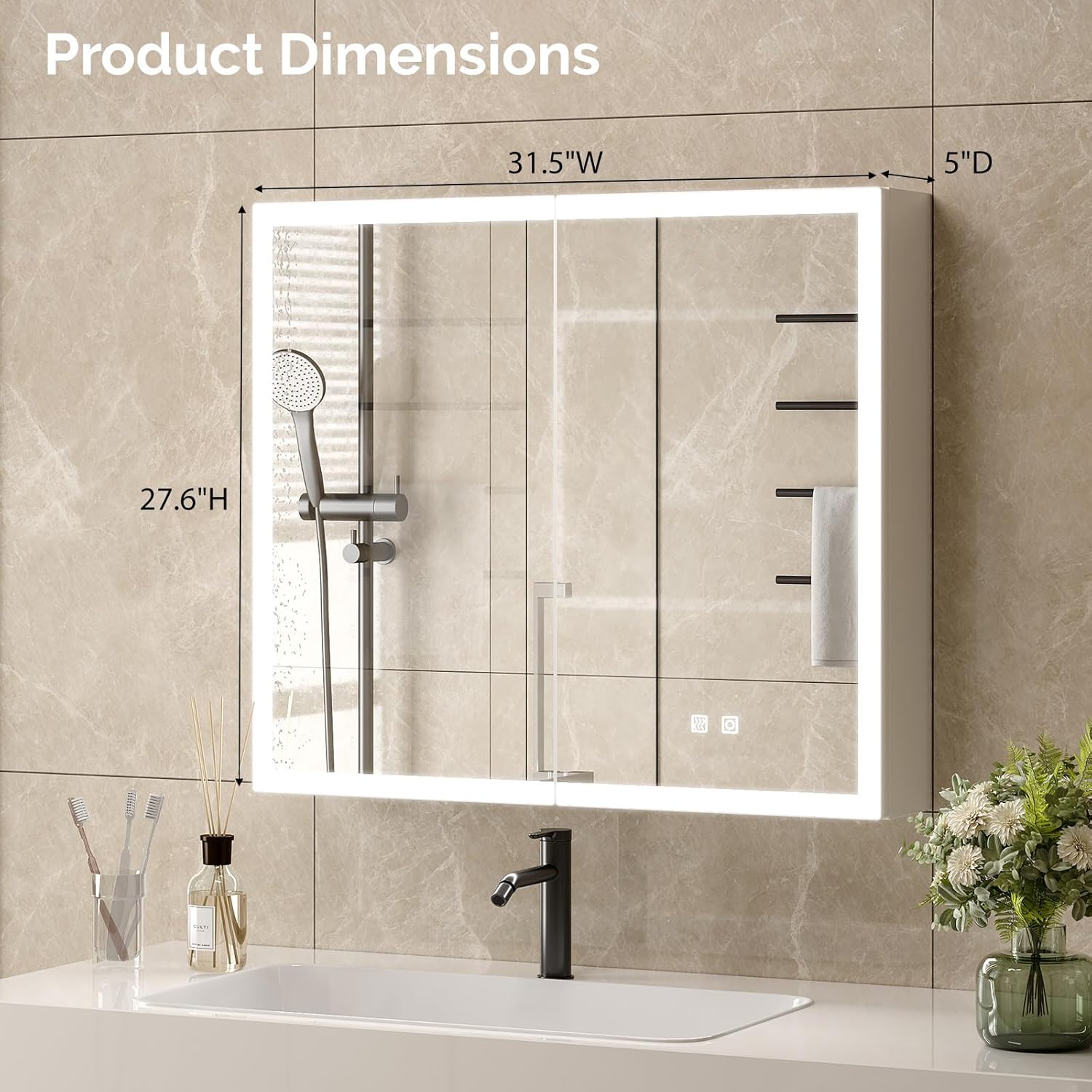
Image 4.1: Detailed product dimensions for installation planning.
5. Setup & Installation
This medicine cabinet can be installed as either wall-mounted or recessed. Professional installation is recommended for electrical connections.
5.1 Pre-Installation Checklist
- Ensure power is turned off at the circuit breaker before any electrical work.
- Verify wall structure can support the cabinet's weight (44.6 lbs).
- Gather necessary tools: drill, level, measuring tape, screwdriver, wire strippers.
5.2 Wall-Mounted Installation Steps
- Marking: Measure and mark the desired mounting height and width on the wall, ensuring it is level.
- Drilling: Drill pilot holes at the marked locations. Insert wall anchors if necessary.
- Wiring: Connect the cabinet's electrical wires to your home's electrical supply according to local electrical codes. Ensure proper grounding.
- Mounting: Secure the cabinet to the wall using the provided screws and mounting hardware.
- Shelves: Install the adjustable glass shelves inside the cabinet to your preferred height.
5.3 Recessed Installation Steps
- Opening Preparation: Create a wall opening that matches the recessed dimensions of the cabinet. Consult the product specifications for exact measurements.
- Wiring: Route electrical wiring into the wall opening for connection.
- Insertion: Carefully insert the cabinet into the wall opening.
- Securing: Secure the cabinet to the wall studs or framing using appropriate fasteners.
- Shelves: Install the adjustable glass shelves inside the cabinet.
6. Operating Instructions
Your VINGLI medicine cabinet features intuitive touch controls for various functions.

Image 6.1: Overview of the cabinet's multifunctional design and features.
6.1 LED Lighting Control
- Power On/Off: Tap the power icon on the mirror surface to turn the LED lights on or off.
- Color Temperature Adjustment: Tap the color temperature icon to cycle through 3000K (Warm Light), 4500K (Natural Light), and 6000K (White Light).
- Stepless Dimming: Press and hold the brightness icon to adjust the light intensity from bright to dim, or vice versa. Release when desired brightness is reached.
- Memory Function: The cabinet will remember your last used brightness and color temperature settings when powered off and on.

Image 6.2: Demonstrates the three available color temperatures and dimming functionality.
6.2 Anti-Fog Function
- Activation: Tap the defogger icon on the mirror surface to activate the anti-fog function.
- The defogger will clear condensation from the mirror surface within seconds, providing a clear reflection.
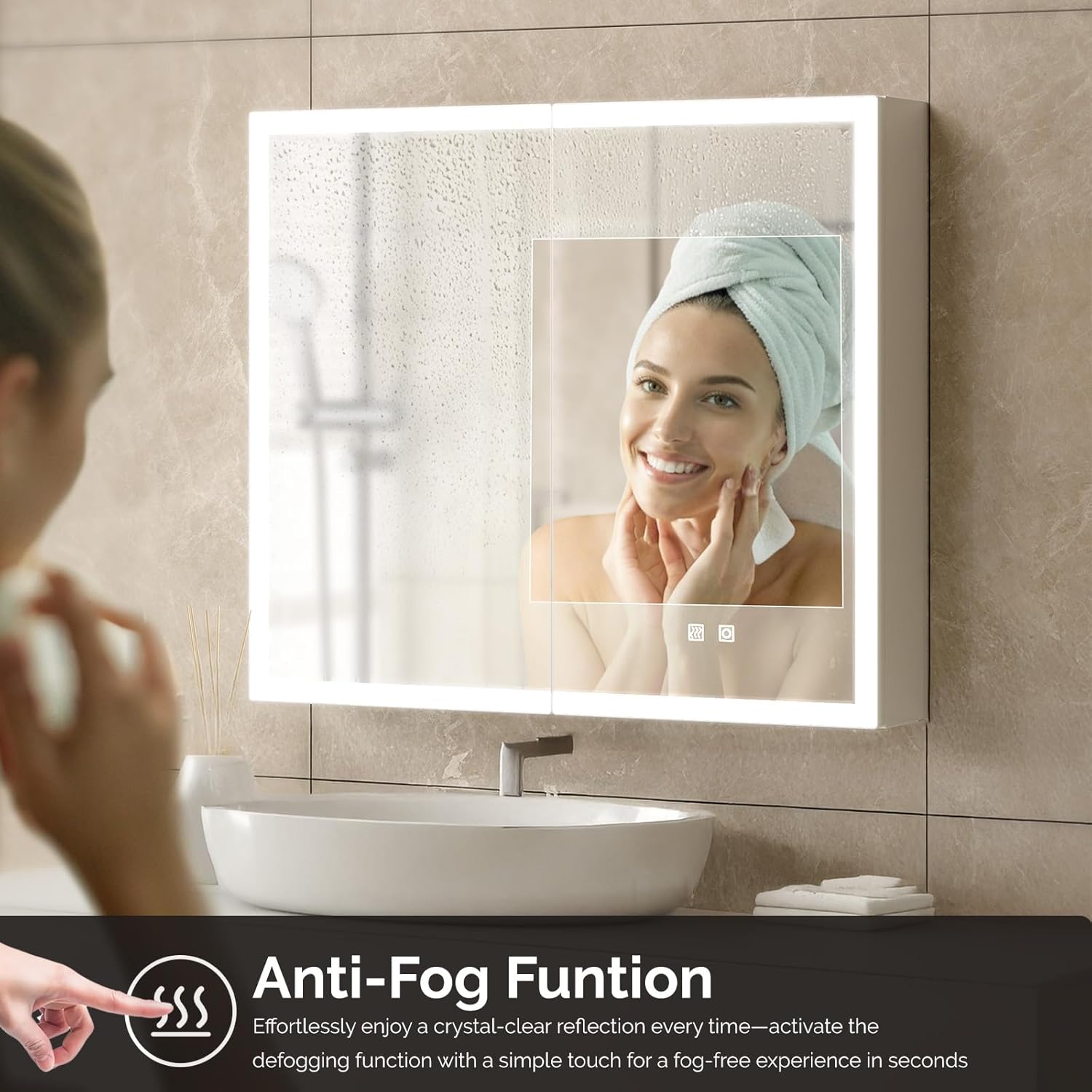
Image 6.3: The anti-fog function ensures a clear mirror surface, even in humid conditions.
6.3 Charging Station
- The cabinet includes a built-in outlet and USB ports located inside for convenient charging of small electronic devices.
- Ensure the cabinet is properly powered for the charging station to function.
7. Storage Features
The VINGLI medicine cabinet is designed for optimal organization and accessibility.

Image 7.1: Thoughtful design elements for enhanced user convenience and organization.
7.1 Adjustable Shelves
- The cabinet features two adjustable glass shelves with five height options, allowing you to customize storage space for various items.

Image 7.2: The interior of the cabinet with adjustable shelves and high-quality soft-close hinges.
7.2 Integrated Organizers
- A dedicated jewelry/makeup organizer is located behind the left door for small accessories.
- A hairdryer slot and tissue slot are integrated for quick access and tidy storage of these common bathroom items.
7.3 Dual-Mirror Functionality
- The right door features a mirrored surface, providing additional reflection space.
- An inner HD mirror offers a clear, distortion-free reflection for precise grooming and makeup application.
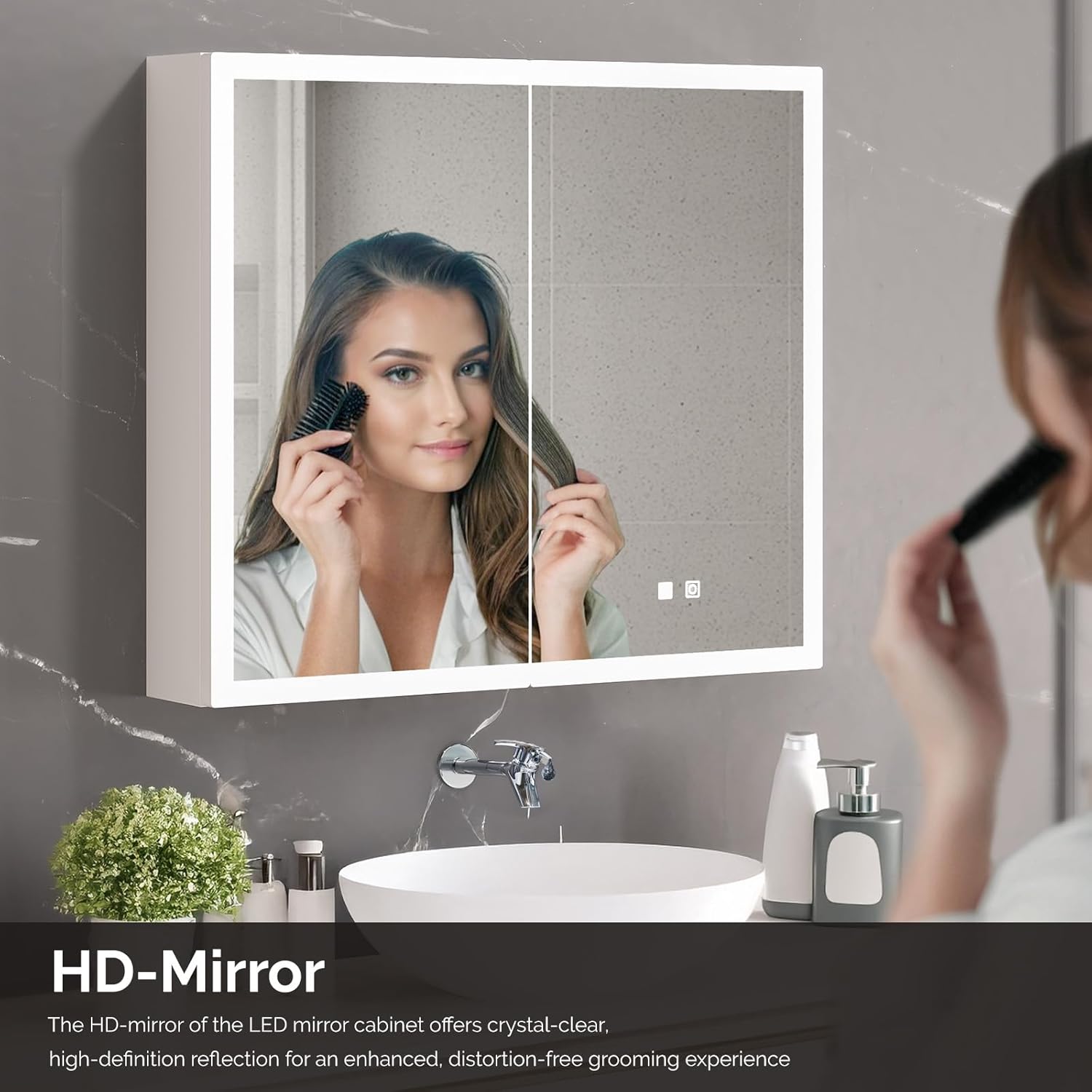
Image 7.3: The high-definition mirror provides excellent clarity for grooming.
8. Maintenance & Care
Proper care will ensure the longevity and optimal performance of your medicine cabinet.
- Cleaning the Mirror: Use a soft, lint-free cloth and a non-abrasive glass cleaner. Do not spray cleaner directly onto the mirror; apply it to the cloth first.
- Cleaning the Cabinet: Wipe surfaces with a soft, damp cloth. Avoid harsh chemicals or abrasive cleaners that may damage the finish.
- Hinges: The soft-close hinges are designed for durability. Avoid forcing the doors open or closed.
- Electrical Components: Ensure all electrical connections remain dry. Do not immerse any part of the cabinet in water.
9. Troubleshooting
Refer to this section for common issues and their solutions.
| Problem | Possible Cause | Solution |
|---|---|---|
| LED lights do not turn on. | No power supply; loose electrical connection; faulty LED driver. | Check circuit breaker. Ensure all electrical connections are secure. Contact a qualified electrician if issues persist. |
| Anti-fog function not working. | Function not activated; electrical issue. | Ensure the anti-fog icon is tapped. Verify power supply to the unit. |
| Charging station (outlet/USB) not working. | No power supply; device not properly connected. | Confirm the cabinet has power. Ensure devices are fully plugged in. |
| Mirror appears distorted. | Surface not clean; manufacturing defect. | Clean the mirror surface thoroughly. If distortion persists, contact customer support. |
10. Customer Support
For further assistance, technical support, or warranty inquiries, please contact VINGLI customer service. Refer to your purchase documentation for contact details or visit the official VINGLI website.
You can visit the VINGLI Store at https://www.amazon.com/stores/VINGLI/page/73C8DC20-C77C-401F-A472-5E102C3BFEE2
Ask a question about this manual
Ask about setup, troubleshooting, compatibility, parts, safety, or missing instructions. Manuals+ will review the question and use this page’s manual context to help answer it.