
wansview H6
Contents
wansview H6 Video Doorbell Camera User Manual
Model: H6
1. Introduction
Thank you for choosing the wansview H6 Video Doorbell Camera. This wireless security device is designed to enhance your home's safety with advanced features such as 2K video resolution, PIR human detection, night vision, two-way audio, and flexible storage options. This manual provides comprehensive instructions for setup, operation, maintenance, and troubleshooting to ensure optimal performance and a secure environment.
2. Product Overview
2.1. Package Contents
Please verify that all items listed below are included in your package:
- Doorbell camera x 1
- Base bracket x 1
- Chime x 1
- Screw pack x 1
- Type-C cable x 1
- AAA battery x 3 (for chime)
- 24V AC cable x 2 (for wired power option)
- Template sticker x 1
- Quick Installation Guide x 1

2.2. Key Features
The wansview H6 Video Doorbell Camera offers a range of features for comprehensive home security:
- 2K Video Resolution: Provides clear and detailed visuals.
- PIR Human Detection: Advanced motion sensing to reduce false alarms by distinguishing human activity.
- Infrared Night Vision: Ensures clear visibility in low-light conditions up to 8 meters.
- Two-Way Audio: Communicate with visitors from anywhere using the built-in microphone and speaker.
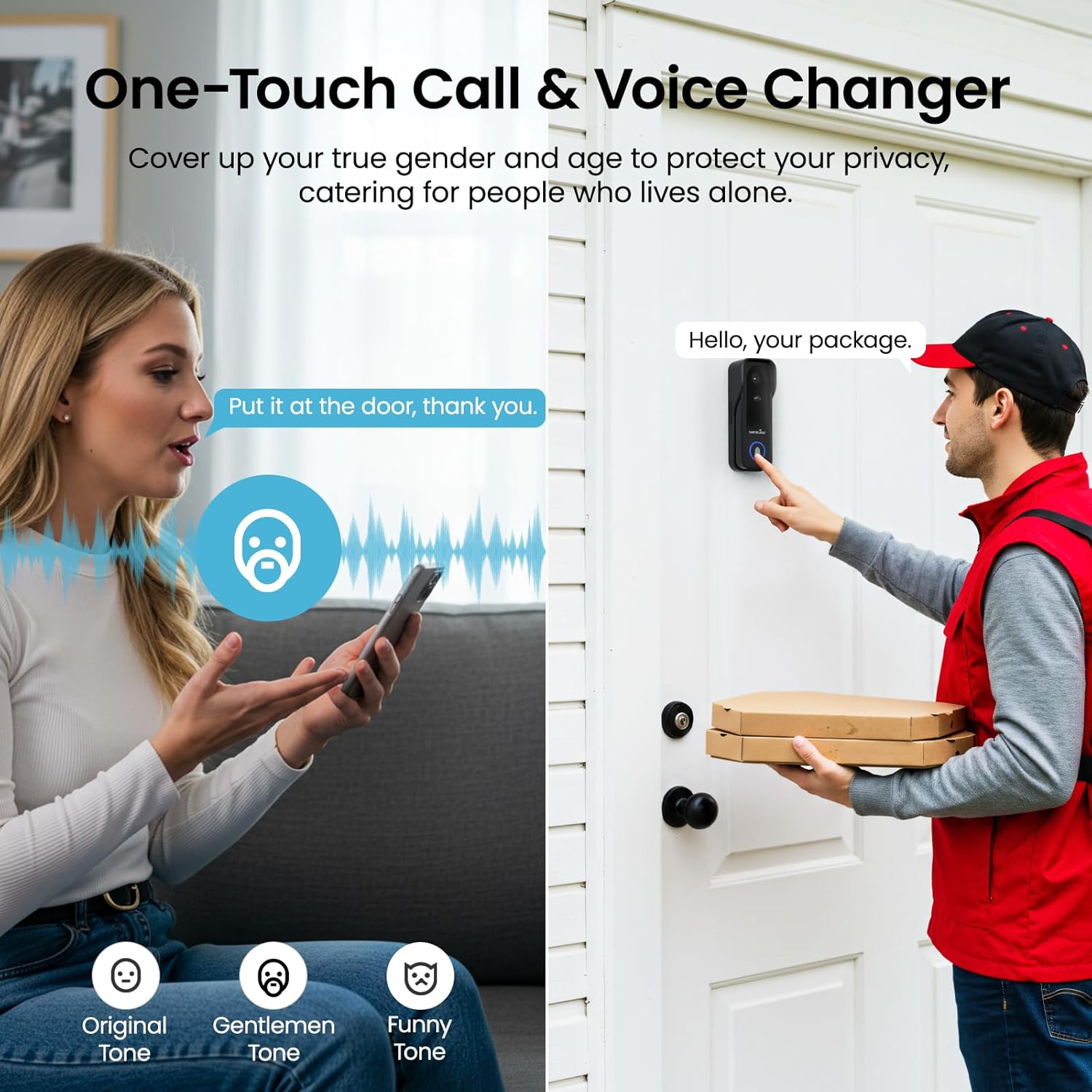
- One-Touch Call: Visitors can initiate a call to your smartphone directly from the doorbell.
- Voice Changer: Option to alter your voice for privacy during two-way communication.
- Flexible Power Options: Operates on a built-in 5200mAh rechargeable battery or can be wired to a 24V AC power supply for continuous operation.
- IP65 Waterproof Rating: Designed for outdoor use, resistant to rain and dust.
- Local & Cloud Storage: Supports up to 128GB Micro SD card (not included) and optional cloud storage for video recordings.
- Tamper-proof Alert: Triggers an alarm and sends a notification if the doorbell is tampered with.
- 2.4GHz Wi-Fi Connectivity: Stable wireless connection (5GHz Wi-Fi is not supported).

3. Setup
3.1. Charging the Doorbell
Before initial use, fully charge the doorbell camera using the provided Type-C cable. A full charge typically takes 4-5 hours. The doorbell can also be continuously powered by a 24V AC wired connection.

3.2. Installing the Doorbell
The doorbell offers two installation methods:
- 3M Tape Mounting: For a quick, no-drill installation, ideal for renters. Ensure the surface is clean and dry before applying the strong adhesive tape to the base bracket.
- Screw Mounting: For a more permanent and secure installation. Use the provided screw pack to fix the base bracket to your desired location.
The doorbell is IP65 waterproof, allowing installation in exposed outdoor areas.

3.3. App Installation and Pairing
To use your wansview H6 doorbell, download the "Wansview Cloud" app and pair the device:
- Download the App: Search for "Wansview Cloud" on the App Store (iOS) or Google Play Store (Android) and install it. Register for a new account if you don't have one.
- Power On: Ensure the doorbell camera is fully charged or connected to a 24V AC power source.
- Connect to Wi-Fi: Connect your phone to a 2.4GHz Wi-Fi network. The doorbell only supports 2.4GHz Wi-Fi.
- Add Device: Follow the in-app instructions to add your H6 doorbell. Ensure the doorbell's indicator light is flashing as instructed.
- Pair Chime:
- Insert 3 AAA batteries into the chime unit.
- Press the pairing button on the chime; it will slowly flash a red light.
- Press the call button on the doorbell camera.
- The chime and doorbell camera will sound "Ding-dong" indicating successful pairing.


4. Operating Instructions
4.1. Two-Way Audio and One-Touch Call
When a visitor presses the doorbell button, you will receive a call notification on your Wansview Cloud app. You can then answer the call to speak with the visitor. The voice changer feature allows you to modify your voice for privacy.
4.2. PIR Human Detection and Alerts
The doorbell utilizes PIR (Passive Infrared) and human detection to accurately identify human activity and send real-time alerts to your phone, minimizing false alarms from pets or environmental factors.

4.3. Night Vision
Equipped with infrared lights, the H6 doorbell provides clear 2K visuals even in complete darkness, ensuring 24/7 monitoring of your doorstep.

4.4. Storage Options
The doorbell supports two storage methods for recorded video:
- Micro SD Card: Insert a Micro SD card (up to 128GB, not included) into the designated slot for local storage.
- Cloud Storage: An optional cloud storage service is available, often with a 30-day free trial. This provides off-site backup of your recordings.

4.5. Tamper-proof Alert
If someone attempts to remove or tamper with the doorbell, it will automatically trigger a local alarm and send an immediate notification to your smartphone, deterring potential theft and preserving evidence.

5. Maintenance
- Battery Charging: Regularly check the battery level via the Wansview Cloud app. Recharge the doorbell promptly when the battery is low to ensure continuous operation.
- Cleaning: Periodically wipe the camera lens and the doorbell's exterior with a soft, damp cloth to remove dust and dirt. Avoid using harsh chemicals or abrasive materials.
- Firmware Updates: Check the Wansview Cloud app for available firmware updates. Keeping your device's firmware updated ensures optimal performance and access to new features.
6. Troubleshooting
| Problem | Possible Cause | Solution |
|---|---|---|
| Doorbell not connecting to Wi-Fi | Incorrect Wi-Fi password; 5GHz network used; too far from router. | Ensure correct 2.4GHz Wi-Fi password. Move doorbell closer to the router. Reset and re-pair. |
| No motion detection alerts | PIR sensitivity too low; app notifications disabled; battery low. | Adjust PIR sensitivity in app settings. Enable notifications for the Wansview Cloud app. Charge the doorbell. |
| Poor video quality | Dirty lens; weak Wi-Fi signal; low light conditions. | Clean the camera lens. Improve Wi-Fi signal strength. Ensure sufficient lighting for optimal night vision. |
| Chime not ringing | Chime batteries dead; chime not paired; chime too far from doorbell. | Replace AAA batteries in the chime. Re-pair the chime with the doorbell. Move chime closer to the doorbell. |
| False alarms from motion detection | PIR sensitivity too high; environmental factors (e.g., trees, pets). | Lower PIR sensitivity in app settings. Adjust detection zones if available. |
For detailed notification settings in the app, refer to the following steps:

7. Specifications
| Feature | Detail |
|---|---|
| Model | H6 |
| Display Resolution | 3 MP (2K) |
| Viewing Angle | 126 Degrees |
| Wi-Fi Frequency | 2.4GHz Wi-Fi Only |
| Waterproof Grade | IP65 |
| Working Temperature | -10°C to 50°C |
| Working Humidity | 20% - 95% |
| Data Storage | Cloud & Micro SD Card Storage (Not Included, up to 128GB) |
| Power Supply | 5V Type-C Cable & 24V AC Doorbell Adapter |
| Input Voltage Current | 5V DC (USB-C), 24V AC (Wired) |
| Output Power | 10 watts |
| Battery | 5200mAh Lithium Ion (2 included) |
| Charging Time | 4-5 hours |
| Dimensions (Doorbell) | 12.4 x 6 x 3.6 cm |
| Dimensions (Chime) | 6.6 x 6.2 x 2.7 cm |
| Night-vision Range | 8 Metres |
| Material | Plastic |
| Item Weight | 400 g |
8. Warranty and Support
wansview provides customer support for its products. For any technical assistance, warranty claims, or inquiries, please contact wansview customer service:
- Manufacturer: wansview
- US After-sales Service Email: service03@wansview.com
- EU After-sales Service Email: info.de@wansview.com
- UK After-sales Service Email: info.uk@wansview.com
Please retain your proof of purchase for warranty purposes.
Documents and downloads
Ask a question about this manual
Ask about setup, troubleshooting, compatibility, parts, safety, or missing instructions. Manuals+ will review the question and use this page’s manual context to help answer it.