
1. Introduction
Thank you for choosing the Casaottima L Shaped Desk. This manual provides essential information for the safe assembly, operation, and maintenance of your new desk. Please read these instructions carefully before beginning assembly and retain them for future reference.
Important Safety Information
- Ensure the desk is properly anchored to the wall to prevent tipping.
- Do not exceed the weight limit of 150 lbs on the desktop.
- Keep all small parts and packaging materials away from children during assembly.
- Assemble the desk on a soft, clean surface to prevent scratches.
- Periodically check all connections to ensure they remain tight.
2. Package Contents
Before assembly, verify that all components listed below are present. If any parts are missing or damaged, please contact customer support.
- L-shaped desktop panels
- Metal frame components (legs, support bars)
- Fabric drawers (2 units)
- File cabinet frame
- CPU stand
- Built-in power outlet unit (3 AC outlets, 2 USB ports)
- Storage shelves (2 units)
- Assembly hardware (screws, bolts, Allen wrench)
- Instruction manual
3. Assembly Instructions
The Casaottima L Shaped Desk is designed for straightforward assembly. All parts are labeled, and necessary tools are included. For detailed diagrams, please refer to the separate assembly guide provided in your package.
General Assembly Steps:
- Unpack and Identify Parts: Lay out all components and hardware. Match them against the parts list in your assembly guide.
- Assemble the Metal Frame: Connect the main desk frame components using the provided screws and Allen wrench. Ensure all connections are secure but do not overtighten initially.
- Attach Desktop Panels: Secure the L-shaped desktop panels to the assembled metal frame. Pay attention to the orientation for your desired left or right configuration.
- Install Storage Shelves: Attach the dual-layer storage shelves to the designated section of the desk frame.
- Assemble and Insert Fabric Drawers: Construct the fabric drawers and insert them into the file cabinet frame. Place the file cabinet in its designated position.
- Position CPU Stand: Place the CPU stand under the desk in your preferred location.
- Install Power Outlet: Carefully insert the built-in power outlet unit into the pre-cut slot on the desktop. Connect the power cord.
- Final Tightening: Once all components are in place and aligned, fully tighten all screws.
- Adjust Leveling Feet: Adjust the desk's leveling feet to ensure stability on uneven floors.
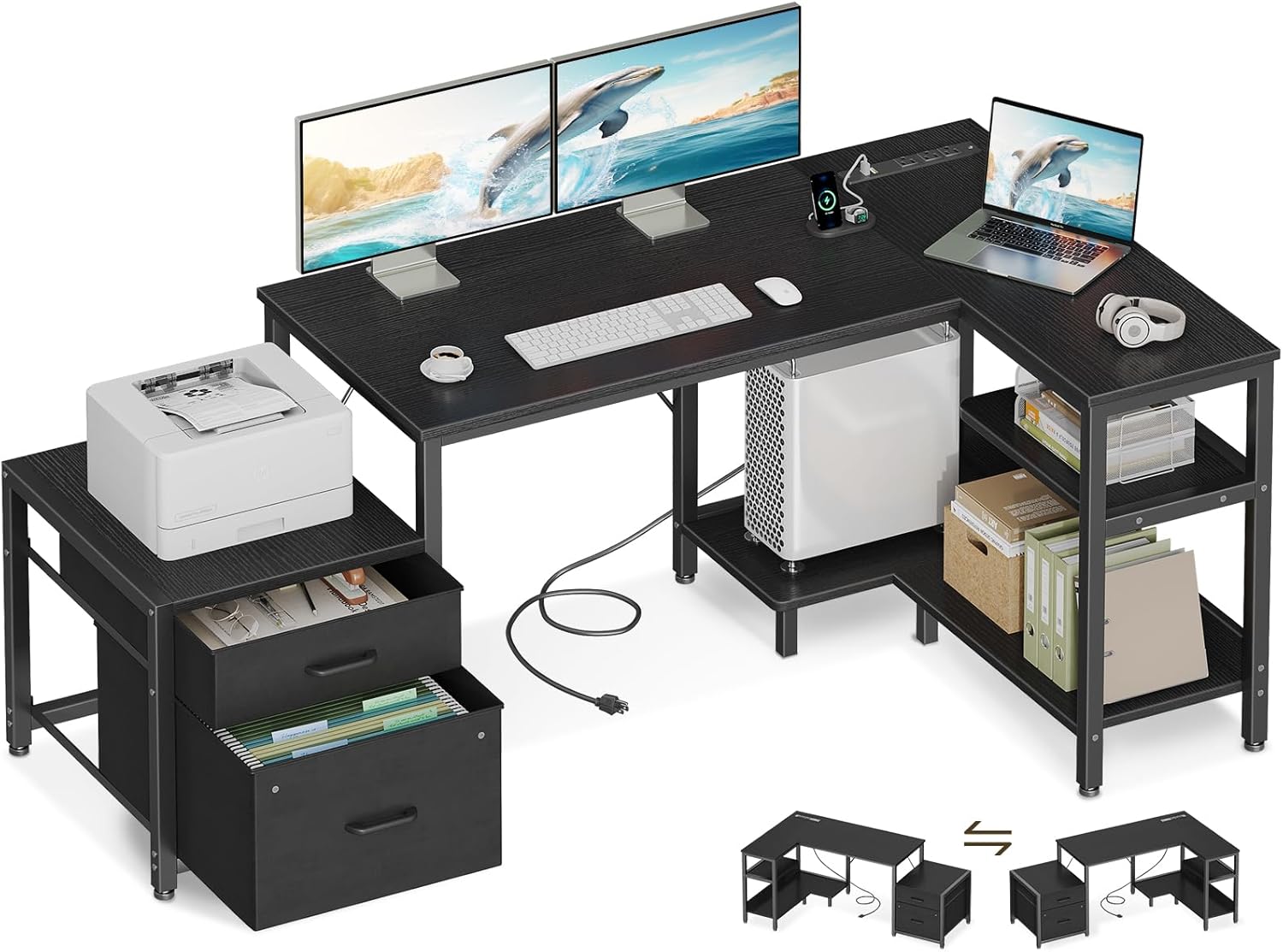
Image: Fully assembled Casaottima L Shaped Desk, showcasing its spacious design with monitors, keyboard, mouse, and a printer on the integrated file cabinet.
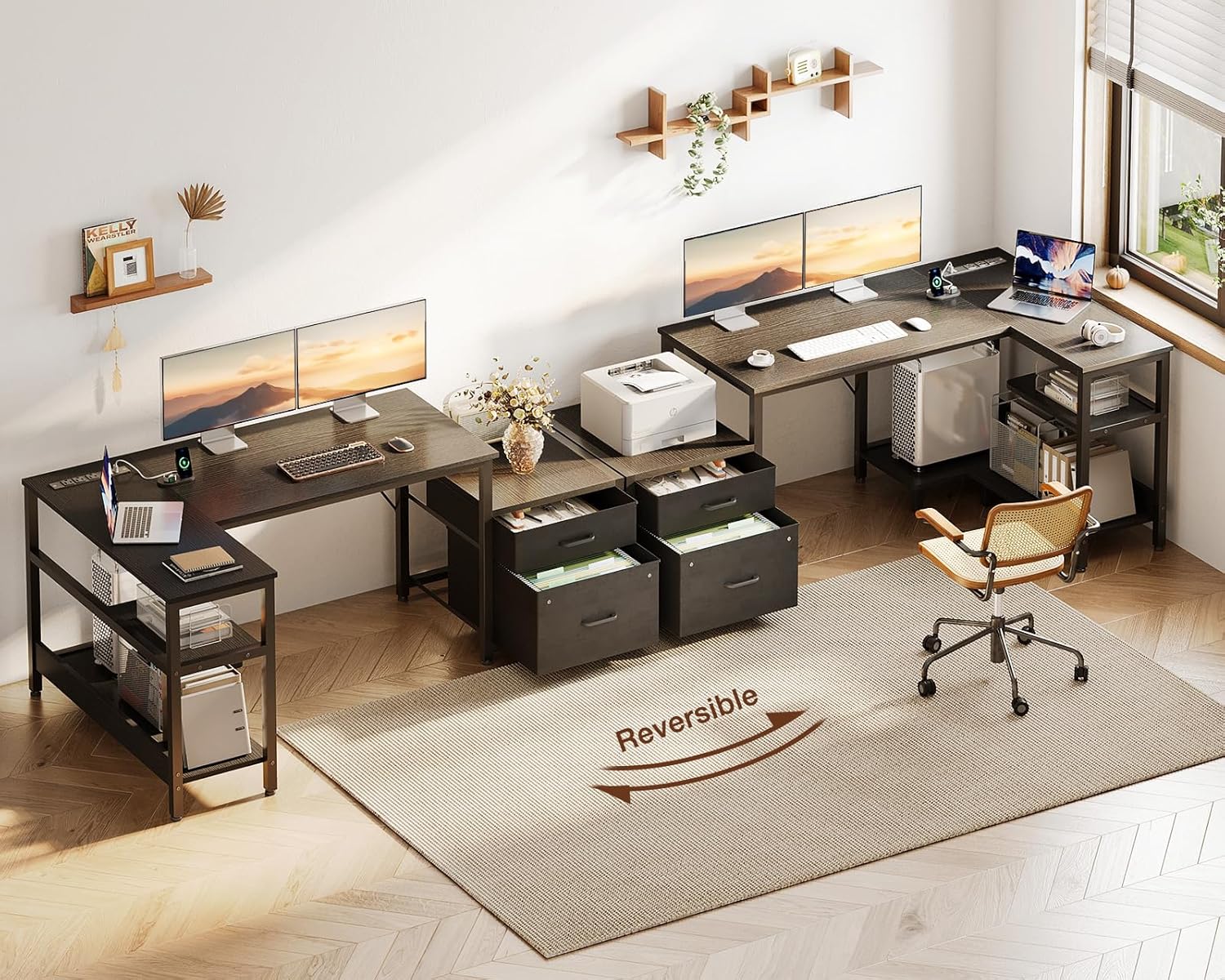
Image: Diagram illustrating the reversible L-shape configuration, allowing the user to choose between left or right orientation for the storage and L-section.
4. Features and Operation
Reversible L-Shape Design
The desk's L-shape can be configured to either a left-hand or right-hand orientation during assembly. This flexibility allows the desk to adapt to various room layouts and personal preferences. Refer to the assembly guide for specific steps on reversing the layout.
Built-in Power Outlet
The desktop features a recessed power strip for convenient access to power. It includes:
- 3 AC Outlets (125V/12A)
- 2 USB Ports (5V/2A)
To use, simply plug the desk's main power cord into a wall outlet. You can then connect your devices directly to the integrated outlets and USB ports.

Image: Close-up view of the recessed power strip, showing 3 AC outlets and 2 USB ports for convenient device charging and power access.
Integrated Storage Solutions
- Fabric Drawers: The desk includes a file cabinet with two spacious fabric drawers, suitable for daily essentials and organizing letter and A4 size files. The breathable fabric helps prevent dust accumulation.
- Printer Shelf: A dedicated shelf (14.2'' x 17.3'') is designed to accommodate most standard printers or other office supplies.
- Dual-Layer Shelves: The L-section of the desk features two open shelves, providing additional space for books, decor, or other items.
- CPU Stand: A movable CPU stand elevates your computer tower, promoting better airflow and reducing dust buildup.

Image: Detailed view of the fabric file cabinet, demonstrating its capacity for both general storage and organized hanging files.

Image: The printer cabinet section, illustrating its use for a printer or as a versatile storage area for office essentials.
5. Maintenance
- Cleaning: Wipe surfaces with a soft, damp cloth. Avoid harsh chemicals or abrasive cleaners that may damage the finish.
- Dusting: Regularly dust all surfaces to prevent buildup.
- Hardware Check: Periodically inspect all screws and bolts to ensure they are tight. Retighten if necessary to maintain stability.
- Power Outlet Care: Ensure the power cord is not pinched or damaged. Do not overload the power outlets.
6. Troubleshooting
- Desk is Wobbly: Check that all screws are fully tightened. Adjust the leveling feet on the bottom of the desk legs to compensate for uneven floors.
- Power Outlets Not Working: Ensure the desk's main power cord is securely plugged into a functional wall outlet. Check if the wall outlet itself is receiving power.
- Drawers Not Sliding Smoothly: Ensure the fabric drawers are correctly assembled and inserted into their frame. Check for any obstructions.
- Missing Parts: If any parts are missing upon unboxing, refer to the 'Warranty and Support' section to contact customer service for assistance.
7. Specifications

Image: Detailed product dimensions diagram, illustrating the overall size and specific measurements of various components.
| Feature | Detail |
|---|---|
| Brand | Casaottima |
| Model Number | CasaottimaB01061601004 |
| Product Dimensions (D x W x H) | 31.5" x 55.12" x 29.8" |
| Color | Black |
| Material | Engineered Wood (Top), Metal (Frame) |
| Item Weight | 35.3 Pounds |
| Maximum Weight Capacity | 150 lbs (Desktop) |
| Power Outlets | 3 AC Outlets (125V/12A) |
| USB Ports | 2 USB Ports (5V/2A) |
| Number of Storage Shelves | 2 |
| Number of Fabric Drawers | 2 (within 1 cabinet) |
| Assembly Required | Yes (Tools included) |
8. Warranty and Support
The Casaottima L Shaped Desk comes with a limited warranty. For specific warranty details, please refer to the documentation included with your purchase.
Should you have any questions, concerns, or require assistance with assembly or parts, our dedicated customer service team is available to provide support within 24 hours. Please contact us via the information provided on your purchase receipt or through the Casaottima official website.