
Introduction
Thank you for choosing the Wkzay Wireless RV Backup Camera S21 Monitor. This manual provides essential information for the proper installation, operation, and maintenance of your new backup camera system. Please read these instructions carefully before use and retain them for future reference.
Product Overview
The Wkzay Wireless RV Backup Camera S21 is designed to enhance safety and convenience when maneuvering your RV. It features HD 1080P resolution, a robust waterproof design, and advanced night vision capabilities. This camera is specifically compatible with the 2025 version of the S21 Monitor and is suitable for Furrion pre-mount systems.
Safety Information
- Ensure the camera is connected to a 12 Volts DC power source only. Incorrect voltage can damage the device.
- Professional installation is recommended to ensure proper wiring and secure mounting.
- Keep all cables and wires away from moving parts, high-heat areas, and sharp edges.
- Do not obstruct the camera's view with stickers, dirt, or other objects.
- Always perform a functional test after installation to confirm correct operation.
Package Contents
- Backup Camera x 1
Setup
1. Mounting the Camera
The Wkzay Wireless RV Backup Camera supports both surface mount and dashboard mount installations. Choose a location at the rear of your RV that provides the widest and most unobstructed view. Secure the camera firmly using appropriate mounting hardware (not included unless specified in package contents) to prevent vibration or detachment during travel.
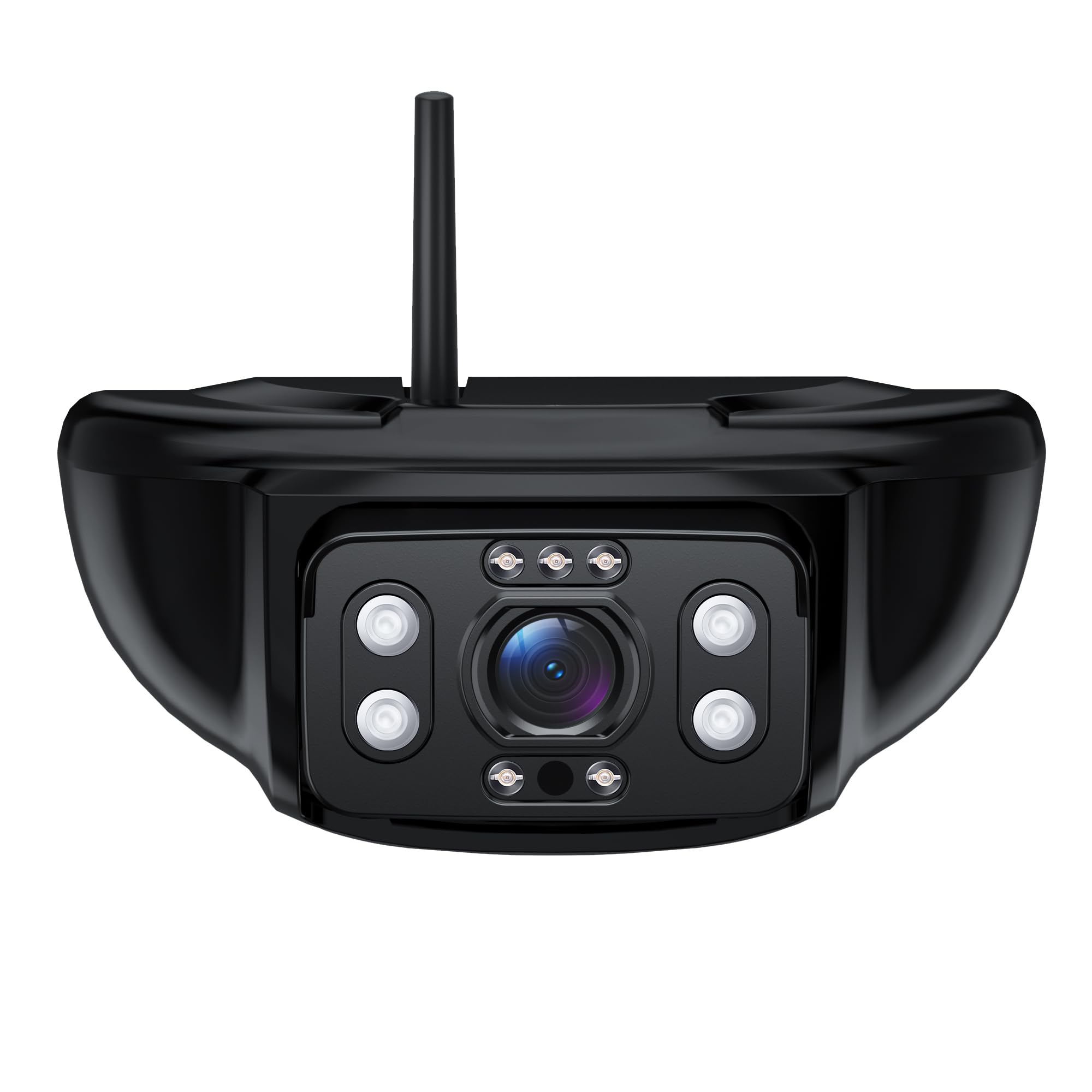
Image: The Wkzay Wireless RV Backup Camera S21, showing its compact design and antenna for wireless connectivity. This camera is designed for easy integration into RV systems.
2. Power Connection
Connect the camera to a stable 12 Volts DC power source. Ensure that the power connection is secure and properly insulated to prevent short circuits or power interruptions. It is often recommended to connect the camera's power to the RV's reverse light circuit so it activates automatically when reversing.
3. Pairing with S21 Monitor
This camera is exclusively compatible with the 2025 version of the S21 Monitor. For pairing instructions, please refer to the specific user manual provided with your S21 Monitor. Generally, the process involves powering on both the camera and the monitor, then initiating a pairing sequence on the monitor to establish a wireless connection.
Operating Instructions
1. Basic Operation
Once the camera is installed, powered, and successfully paired with your S21 Monitor, the live video feed should automatically display on the monitor when the RV is in reverse or when the camera system is manually activated. Consult your S21 Monitor's manual for detailed information on display settings, viewing modes, and controls.
2. Night Vision
The camera is equipped with integrated night vision technology. This feature automatically activates in low-light conditions, providing a clear and enhanced view to assist with maneuvering in the dark.
Maintenance
- Cleaning the Lens: Regularly clean the camera lens with a soft, damp cloth to remove dirt, dust, or water spots. Avoid using abrasive cleaners or harsh chemicals that could scratch the lens.
- Cable and Connection Inspection: Periodically inspect all power cables and connections for any signs of wear, fraying, or corrosion. Ensure all connections remain secure.
- Mounting Security: Check that the camera remains securely mounted to your RV. Tighten any loose screws or mounting hardware as needed.
Troubleshooting
| Problem | Possible Cause | Solution |
|---|---|---|
| No image on S21 Monitor | No power to camera or monitor; Camera not paired; Incompatible monitor version. | Check power connections; Re-pair camera with monitor; Ensure monitor is the 2025 S21 version. |
| Flickering or unstable image | Loose connections; Power fluctuations; Wireless interference. | Secure all connections; Ensure stable 12V DC power; Minimize other wireless device usage nearby. |
| Poor image quality | Dirty lens; Obstruction; Low light (if night vision not active). | Clean camera lens; Remove any obstructions; Verify night vision is functioning. |
| Camera not turning on | No power connection; Blown fuse. | Check power wiring; Inspect and replace fuse if necessary. |
Specifications
| Feature | Detail |
|---|---|
| Product Dimensions | 4 x 3 x 6 inches (4"L x 3"W x 6"H) |
| Item Weight | 2.7 pounds |
| Item Model Number | S21 |
| Other Display Features | Wireless |
| Color | Black |
| Manufacturer | SHENZHEN LONGHUI ELECTRONIC BUSINESSES |
| Compatible Devices | Compatible with Furrion RVs (and 2025 S21 Monitor) |
| Installation Type | Surface Mount, Dashboard Mount |
| Voltage | 12 Volts (DC) |
| Optical Sensor Technology | CMOS |
| Lens Type | Wide Angle |
| Real Angle of View | 150 Degrees |
| Connector Type | Wireless |
| Optical Sensor Size | 1/3 inch |
Warranty and Support
This Wkzay product comes with a standard manufacturer's warranty. For specific warranty terms, duration, and conditions, please refer to the documentation included with your purchase or visit the official Wkzay website. For technical support, troubleshooting assistance, or warranty claims, please contact Wkzay customer service through the contact information provided on your purchase receipt or the brand's official channels.