1. Introduction
Thank you for choosing the IDE11 M3 Adjustable Noise Cancelling Ear Plugs. This manual provides essential information for the proper use, maintenance, and care of your earplugs. Please read it thoroughly before use to ensure optimal performance and safety.
2. Safety Information
- Always ensure earplugs are clean before insertion to prevent ear infections.
- Do not push earplugs too deep into the ear canal.
- Keep out of reach of small children to prevent choking hazards.
- If you experience discomfort, pain, or hearing changes, discontinue use and consult a medical professional.
- These earplugs are designed to reduce noise, not eliminate it entirely. Be aware of your surroundings, especially in situations requiring attention to warning signals.
3. Package Contents
The IDE11 M3 package includes the following items:
- 1 pair of IDE11 M3 Ear Plugs
- 1 Magnetic Carry Case
- 4 pairs of single-layer silicone tips (XS/S/M/L)
- 3 pairs of double-layer silicone tips (S/M/L)
- 1 Lanyard
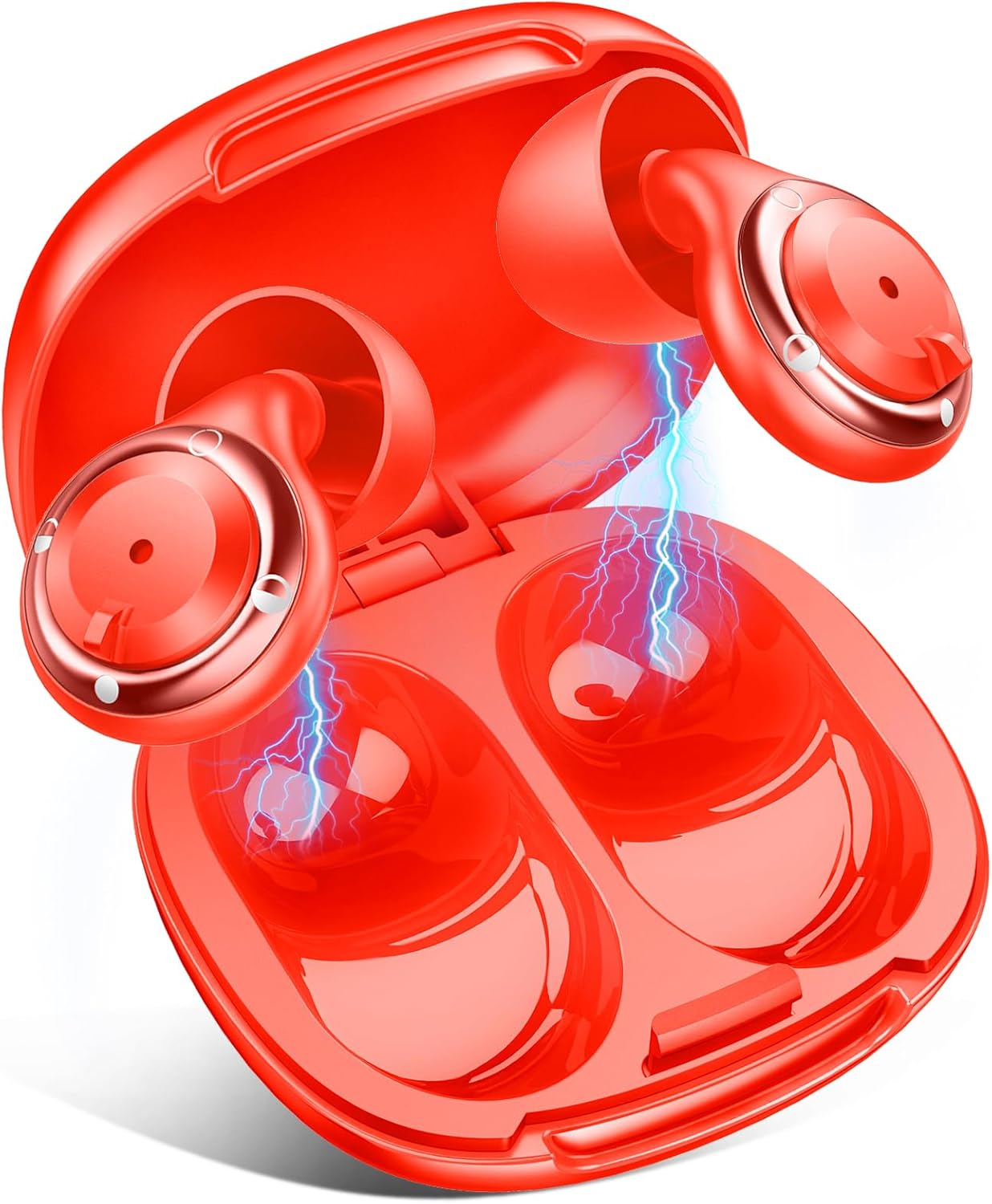
Image: The IDE11 M3 earplugs shown inside their magnetic carry case, illustrating the product and its storage solution.
4. Product Overview
The IDE11 M3 earplugs feature a sophisticated design for adjustable noise reduction and comfort. Key components include:
- Adjustable Dial: Allows switching between noise reduction modes.
- Pressure Relief Vents: Designed to minimize ear pressure during extended wear.
- Soundproof Cotton: Internal component for enhanced noise isolation.
- Silicone Tips: Interchangeable tips for a customized fit and comfort.
- Magnetic Design: Ensures secure storage within the carry case.
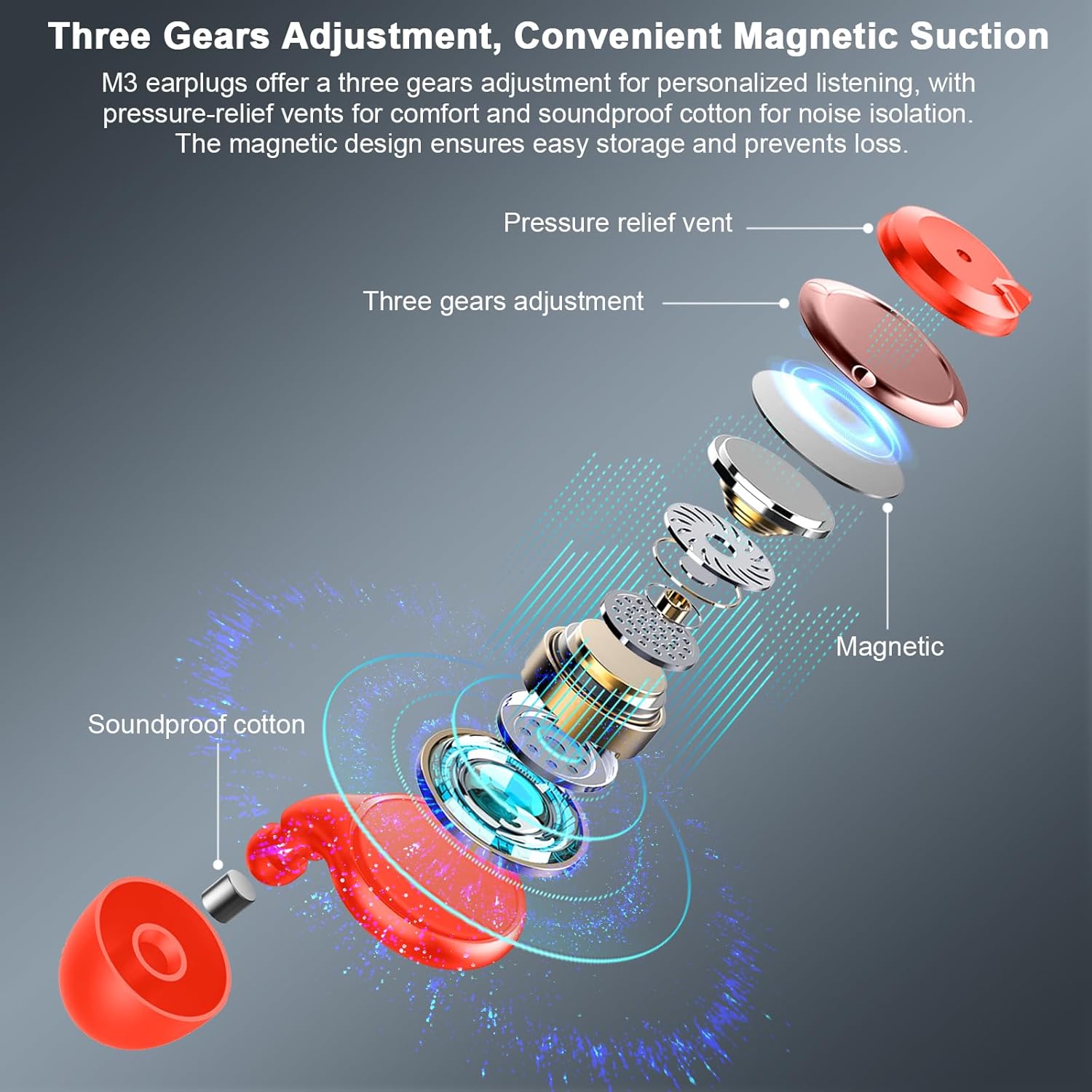
Image: An exploded diagram of the IDE11 M3 earplug, detailing its internal structure including the pressure relief vent, three-gear adjustment mechanism, magnetic components, and soundproof cotton.
5. Setup
5.1 Choosing the Correct Ear Tips
The IDE11 M3 comes with 7 pairs of silicone tips (4 single-layer, 3 double-layer) in various sizes (XS/S/M/L) to ensure a comfortable and effective seal. Experiment with different sizes and types to find the best fit for your ear canal. A proper fit is crucial for optimal noise reduction.

Image: A display of the IDE11 M3 earplugs alongside various sizes of interchangeable silicone ear tips, emphasizing the customization options for fit.
5.2 Inserting the Ear Plugs
- Gently pull your earlobe downwards to straighten the ear canal.
- Insert the earplug into your ear canal until it feels snug. Approximately 80% depth is recommended for most users.
- Release your earlobe and allow the earplug to settle.
- Check for a secure fit. If you experience noise leakage or the earplug feels loose, try a larger tip size.
6. Operating Instructions
6.1 Adjusting Noise Control Modes
The IDE11 M3 earplugs feature a twistable dial to switch between three distinct noise reduction modes:
- 17dB Mode (Leisure Noise Reduction): Suitable for office conversations, keyboard clicks, and general casual environments.
- 21dB Mode (Concerts and Parties Noise Reduction): Ideal for moderate noise environments such as concerts, parties, and gatherings.
- 35dB Mode (Focused Work Noise Reduction): Provides maximum noise reduction for sleeping, snoring, subway travel, or tasks requiring high concentration.
To change the mode, gently twist the outer dial on each earplug until you feel it click into the desired setting.

Image: A visual representation of the three adjustable noise cancellation levels (17dB, 21dB, 35dB) and their recommended uses, demonstrating how to select the appropriate setting.
6.2 Using the Magnetic Carry Case
The magnetic carry case is designed for convenient and secure storage of your earplugs. The earplugs will snap into place magnetically, preventing loss and tangles. The case is IPX7 water-resistant and crush-proof, making it suitable for travel and daily commutes.

Image: The IDE11 M3 earplugs are shown magnetically attaching to their open carry case, highlighting the secure and practical magnetic suction design.
7. Maintenance
7.1 Cleaning and Reusability
The IDE11 M3 earplugs are designed for reusability. The silicone tips and main body can be washed to maintain hygiene. Use mild soap and water, then rinse thoroughly and allow to air dry completely before next use or storage.

Image: A visual demonstrating the washable and reusable nature of the IDE11 M3 earplugs, showing them being rinsed and highlighting the soundproof cotton and eco-friendly silicone materials.
7.2 Storage
When not in use, always store your earplugs in the provided magnetic carry case. This protects them from dust, dirt, and physical damage, ensuring their longevity and hygiene.
8. Troubleshooting
- Insufficient Noise Reduction: Ensure the earplugs are inserted correctly and snugly. Try a different size or type of silicone tip to achieve a better seal. Verify the adjustable dial is set to the desired noise reduction level.
- Discomfort or Pain: If you experience discomfort, try a smaller tip size. If pain persists, discontinue use and consult a medical professional.
- Earplugs Falling Out: This indicates an improper fit. Try a larger tip size or ensure the earplug is inserted deeply enough to create a secure seal.
9. Specifications
| Feature | Detail |
|---|---|
| Model Number | M3 |
| Brand | IDE11 |
| Noise Reduction Rating (SNR) | Adjustable 17dB, 21dB, 35dB |
| Material | Silicone |
| Product Dimensions | 0.75 x 0.75 x 0.75 inches |
| Item Weight | 1.06 ounces (total package) |
| Ear Tip Sizes Included | XS, S, M, L (single-layer); S, M, L (double-layer) |
| Carry Case Features | Magnetic, IPX7 Water Resistant, Crush-proof |
10. Warranty and Support
The IDE11 M3 earplugs are designed for durability and reusability. For any product-related inquiries, technical support, or warranty information, please visit the official IDE11 store or contact customer service.
Official Store Link: IDE11 Store on Amazon

Image: Customer support representatives wearing headsets, symbolizing available assistance for product inquiries.


