
1. Introduction and Overview
Welcome to the world of advanced wearable technology with your new SUNKTA Military Smart Watch. This robust and feature-rich device is designed to keep you connected, informed, and on track with your health and fitness goals. Boasting a large 1.85-inch HD display, an impressive 800mAh battery for extended use, and military-grade durability, it's built to withstand challenging environments while offering comprehensive smart functionalities.
This manual will guide you through the setup, operation, and maintenance of your smartwatch, ensuring you get the most out of its extensive capabilities.

Figure 1.1: Overview of the SUNKTA Military Smart Watch showcasing its large display and key features.
2. Package Contents
Upon opening your SUNKTA Military Smart Watch package, you should find the following items:
- Smartwatch ×1
- Stainless steel band ×1
- Silicone band ×1
- Magnetic charger ×1
- 2-year warranty card ×1
3. Setup and Initial Use
3.1 App Installation and Pairing
To unlock the full potential of your smartwatch, you need to pair it with your smartphone using the dedicated application. The smartwatch is compatible with iOS 9.0 or higher and Android 6.0 or higher.
- Scan the QR code provided in the manual or on the watch screen to download the FitCloudPro app from your device's app store.
- Open the FitCloudPro app and follow the on-screen instructions to create an account or sign in.
- Enable Bluetooth on your smartphone.
- In the FitCloudPro app, navigate to the device pairing section and search for your smartwatch (e.g., "AK75").
- Confirm the pairing request on both your smartphone and the smartwatch.
- Allow necessary permissions for notifications, location, and other features as prompted by the app.
Video 3.1: Demonstrates the process of installing the companion app and pairing the smartwatch with a smartphone, including setting up notifications and personal information.
3.2 Strap Adjustment
The smartwatch comes with both a stainless steel band and a silicone strap. You can easily switch between them using the provided strap replacement tool. For the stainless steel band, use the tool to adjust the length by removing or adding links as needed to ensure a comfortable and secure fit on your wrist.
Video 3.2: Shows the unboxing of the smartwatch and how to change between the silicone and stainless steel bands, including adjusting the metal band length.
4. Key Features
4.1 Display and Interface
The smartwatch features a 1.85-inch HD touchscreen with 360*360 pixels, providing vivid and clear visuals. You can customize the watch face with over 120 UI watch dials available through the FitCloudPro app.

Figure 4.1: The smartwatch interface showing diverse watch face options and integrated functions.
4.2 Battery Life
Equipped with an 800mAh battery, the smartwatch offers exceptional battery life. A full charge takes approximately 2.5 hours, providing 20-30 days of typical usage depending on feature frequency. This extended battery performance minimizes the need for frequent charging.

Figure 4.2: Visual representation of the smartwatch's long-lasting battery capabilities.
4.3 Health Monitoring
The smartwatch serves as your personal health assistant, offering comprehensive monitoring features:
- Heart Rate Monitoring: 24-hour continuous heart rate tracking.
- Blood Oxygen (SpO2) Detection: Real-time blood oxygen level measurements.
- Blood Pressure Measurement: Direct blood pressure readings from your wrist.
- Sleep Monitoring: Automatically tracks sleep time and status (deep sleep, light sleep, REM).
- Activity Tracking: Pedometer, distance calculation, and calorie burn tracking.

Figure 4.3: Sleep monitoring interface on the smartwatch.
4.4 Communication Features
Stay connected with Bluetooth 5.2 for faster and more stable connections. The watch features a 60dB speaker and noise-cancelling microphone for clear calls.
- Bluetooth Calling: Answer, make, and hang up calls directly from your wrist when paired with your smartphone.
- Message Notifications: Receive alerts for SMS, Facebook, WhatsApp, TikTok, and other apps.
- Voice Assistant: Use voice commands for various functions.

Figure 4.4: Bluetooth calling and message notification features.
Video 4.1: Demonstrates the Bluetooth calling functionality of the smartwatch, including dialing and receiving calls.
4.5 Sports Modes
With over 100 sports modes, the smartwatch covers almost all daily physical activities. It tracks total exercise time, calorie burn, exercise heart rate, steps, and distance, providing a comprehensive overview of your workout performance.

Figure 4.5: Overview of the extensive sports tracking capabilities.
4.6 LED Flashlight
The smartwatch is equipped with a powerful LED flashlight with an illumination range of 6-8 meters, offering bright, flash, and SOS modes. This feature is highly useful for outdoor activities, power outages, or emergencies.
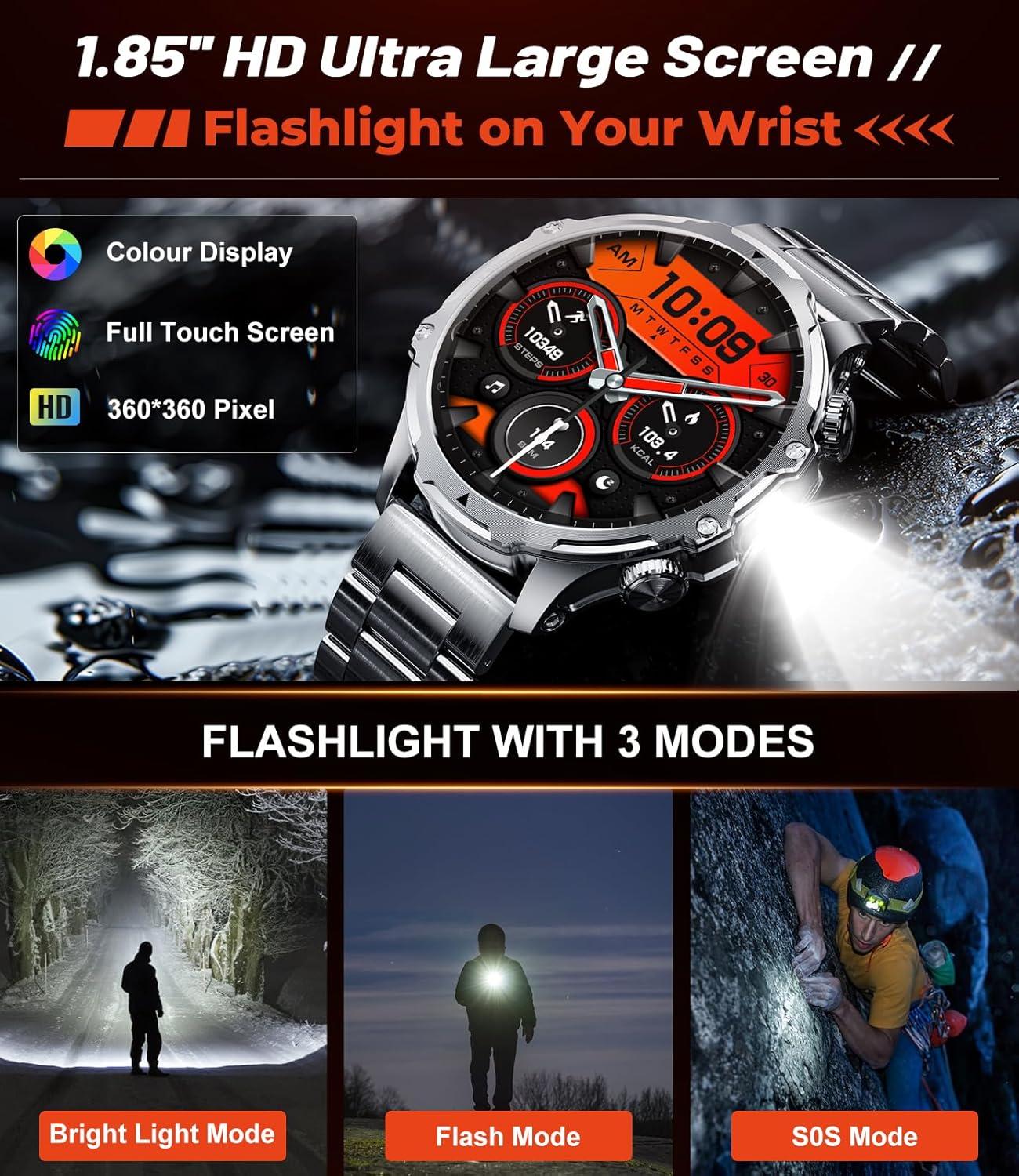
Figure 4.6: The smartwatch's integrated LED flashlight feature.
4.7 Durability (Military-Grade & IP68 Waterproof)
Constructed from special composite materials and a metal case, the smartwatch is built for toughness. It has passed various tests including salt spray, rain, and impact. With an IP68 waterproof rating, it can withstand splashes and brief immersion, making it suitable for daily use and outdoor adventures. However, it is not recommended for showering due to potential steam damage.

Figure 4.7: The smartwatch's military-grade durability features.
Video 4.2: Highlights the ruggedness and IP68 waterproof capabilities of the smartwatch, including impact resistance and water immersion tests.
5. Operating Instructions
5.1 Navigating the Watch
- Touchscreen: Swipe left/right, up/down to navigate through menus and features. Tap to select.
- Buttons: Use the physical buttons on the side for quick access to specific functions or to return to the home screen.
5.2 Using Health Features
Access health monitoring features (Heart Rate, SpO2, Blood Pressure, Sleep) directly from the watch's menu. Ensure the watch is worn snugly on your wrist for accurate readings. Data is synchronized with the FitCloudPro app for detailed analysis and historical tracking.
5.3 Making/Receiving Calls
Once paired via Bluetooth, you can use the watch to manage calls. Tap the phone icon on the watch face or navigate to the call menu to dial numbers or answer incoming calls. The integrated speaker and microphone allow for hands-free communication.
5.4 Music Control
Control music playback on your smartphone directly from your watch. Access the music control feature to play, pause, skip tracks, and adjust volume.
5.5 Using Sports Modes
Select your desired sports mode from the watch's menu before starting an activity. The watch will track relevant metrics for that specific activity. End the workout when finished to save data.
5.6 Flashlight Operation
Activate the LED flashlight from the quick settings or dedicated flashlight app on the watch. Cycle through different modes (bright, flash, SOS) by tapping the screen or pressing a designated button.
6. Maintenance
- Cleaning: Wipe the watch and strap regularly with a soft, dry cloth. For stubborn dirt, use a slightly damp cloth and mild soap, then dry thoroughly.
- Charging: Use only the provided magnetic charger. Ensure the charging pins align correctly with the watch's charging points. Charge fully before initial use and whenever the battery is low.
- Water Resistance: The watch is IP68 waterproof, suitable for splashes and brief immersion. However, avoid wearing it during hot showers, saunas, or diving, as steam and high water pressure can compromise the seal.
7. Troubleshooting
- Watch not turning on: Ensure the watch is fully charged. Connect it to the magnetic charger and wait a few minutes before attempting to power on.
- Cannot pair with phone: Ensure Bluetooth is enabled on your phone and the watch is within range. Restart both the watch and your phone, then try pairing again. Check the FitCloudPro app for specific pairing instructions.
- Inaccurate health readings: Ensure the watch is worn snugly on your wrist, not too loose or too tight. Clean the sensors on the back of the watch. Avoid excessive movement during readings.
- Notifications not received: Check app permissions in your phone's settings to ensure FitCloudPro has access to notifications. Verify that notifications are enabled within the FitCloudPro app for specific applications.
- Short battery life: Reduce screen brightness, disable unnecessary features like continuous heart rate monitoring if not needed, and limit frequent notifications.
8. Specifications
| Feature | Specification |
|---|---|
| Model Number | FV15-B |
| Screen Size | 1.85 Inches |
| Display Resolution | 360*360 pixels |
| Battery Capacity | 800 mAh Lithium Polymer |
| Connectivity | Bluetooth 5.2 |
| Operating System Compatibility | Android 6.0+ / iOS 9.0+ |
| Water Resistance | IP68 |
| Health Monitoring | Heart Rate, Blood Oxygen, Blood Pressure, Sleep Tracking |
| Sports Modes | 100+ |
| Special Features | LED Flashlight, Bluetooth Calls, Notifications, Voice Assistant, Music & Camera Control |
| Item Weight | 9.6 ounces |
9. Warranty and Support
Your SUNKTA Military Smart Watch comes with a 2-year warranty. If you have any questions, encounter issues, or require technical assistance, please do not hesitate to reach out to our dedicated service team. Contact information can typically be found on the warranty card included in your package or on the official SUNKTA website. Our team is committed to responding within 24 hours and providing the best possible solution.


