
1. Introduction and Product Overview
The LUOTWO V1-DG8000 is a robust national intercom walkie talkie designed for reliable, long-range communication. It integrates WiFi and Bluetooth connectivity, features an IP67 waterproof rating, and offers convenient Type-C recharging. Equipped with GPS functionality, this handheld transceiver is suitable for diverse professional environments such as property management, construction sites, logistics, transportation, and hotel management, where extensive and secure communication is essential.
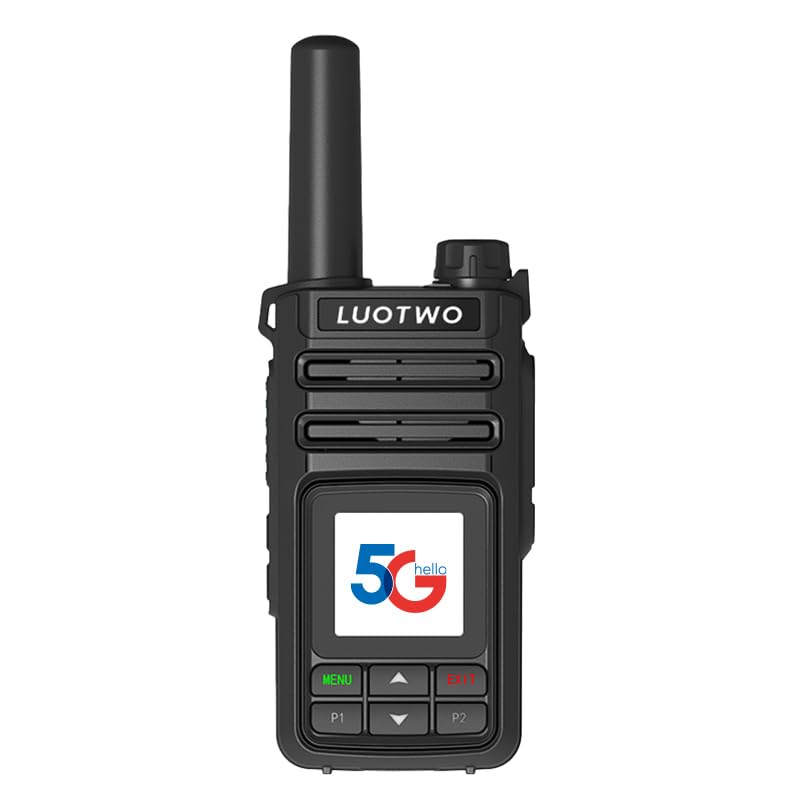
This image illustrates the LUOTWO V1-DG8000 walkie talkie's capability to connect with Starlink ground receiver equipment, enabling delivery network communication between the Starlink equipment and the space Starlink network for long-distance intercom.
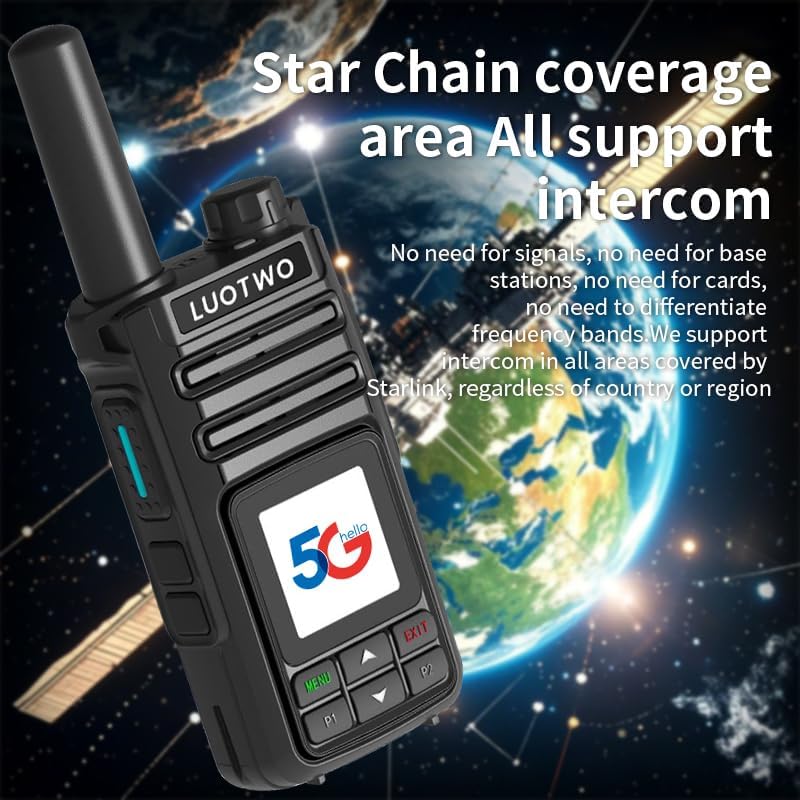
This image shows the LUOTWO V1-DG8000 walkie talkie with the Earth in the background, signifying its 'Star Chain' coverage area that supports intercom communication globally, without reliance on traditional signals or base stations.
2. Package Contents
Please check the box for the following items:
- 1 LUOTWO V1-DG8000 National Intercom Walkie Talkie
- 1 Battery
- 1 Back Clip
- 1 Charger
- 1 Lanyard
- 1 User Manual
3. Product Features
- Long-Range Connectivity: Provides a communication range of up to 5000 km through national intercom networks, ensuring seamless communication over vast distances.
- IP67 Waterproof Rating: Designed to withstand extreme conditions, making it suitable for outdoor use and challenging environments.
- High-Capacity Rechargeable Battery: Features a 15000 mAh battery for extended operation, easily rechargeable via Type-C or seat charging.
- Integrated GPS Navigation: Equipped with national intercom positioning for easy and accurate location tracking.
- Versatile Applications: Ideal for property management, construction sites, logistics, transportation, and hotel operations.
- Digital Encryption Processor: Incorporates a Star Chain Digital Encryption Processor for military-grade confidentiality and intelligent noise reduction.

An exploded view of the LUOTWO V1-DG8000 walkie talkie's internal components, illustrating the 'Star Chain Digital Encryption Processor' and upgraded speaker, designed for military-grade confidentiality, intelligent noise reduction, and clear sound quality.
4. Device Layout and Controls

This diagram provides a detailed view of the LUOTWO V1-DG8000 walkie talkie, with labels pointing to its key components.
- Aerial: For transmitting and receiving signals.
- Indicator Light: Displays device status (e.g., charging, transmitting, receiving).
- Power Switch: Turns the device on or off.
- Type-C Interface: For charging the device.
- Speaker: Outputs audio.
- Headphone Jack: For connecting external audio accessories.
- PTT Key (Push-to-Talk): Press and hold to transmit voice.
- Side Key 1: Programmable function key.
- Side Key 2: Programmable function key.
- LCD Display Screen: Shows status, menu, and other information.
- Menu Button: Accesses the device menu.
- Return Key: Navigates back in menus or cancels operations.
- Member Key (P1): Dedicated key for member-specific functions.
- Group Key (P2): Dedicated key for group-specific functions.
- Select Key: Used for navigating and confirming selections within menus.
5. Setup
5.1 Charging the Battery
Before first use, fully charge the battery. Connect the Type-C charger to the device or place the battery in the charging seat. The indicator light will show charging status. A full charge typically takes several hours.
5.2 Installing the Battery and Back Clip
- Ensure the device is powered off.
- Align the battery with the battery compartment on the back of the walkie talkie and gently push until it clicks into place.
- Attach the back clip by sliding it into the designated grooves until it locks securely.
5.3 Powering On/Off
To power on the device, rotate the Power Switch clockwise until you hear a click and the screen illuminates. To power off, rotate the Power Switch counter-clockwise until it clicks off.
6. Operating Instructions
6.1 Basic Communication
To transmit, press and hold the PTT (Push-to-Talk) key. Speak clearly into the microphone. Release the PTT key to listen for a response. Ensure you are within a network coverage area for national intercom functionality.
6.2 Network Connectivity
The V1-DG8000 supports 4G full network connectivity, WiFi, and Bluetooth. Access the 'Menu' to configure network settings, connect to available WiFi networks, or pair with Bluetooth devices.
6.3 GPS Functionality
The device utilizes national intercom positioning for location tracking. Refer to the menu for GPS status and location services. Ensure location services are enabled for accurate tracking.
6.4 Menu Navigation
Use the 'Menu' button to enter the main menu. Use the 'Select' key and arrow keys (P1/P2 or up/down) to navigate through options. Press the 'Return' key to go back to the previous screen or exit the menu.
6.5 Group and Member Calls
The P1 (Member Key) and P2 (Group Key) can be configured for quick access to specific members or communication groups. Consult the device's menu settings to assign these keys to your desired contacts or groups.
7. Maintenance
7.1 Cleaning
Wipe the device with a soft, damp cloth. Do not use harsh chemicals or abrasive cleaners. Ensure all ports are dry before charging.
7.2 Water Resistance
The V1-DG8000 is IP67 waterproof, meaning it is protected against dust ingress and immersion in water up to 1 meter for 30 minutes. While robust, avoid prolonged submersion or exposure to high-pressure water jets.
7.3 Battery Care
To prolong battery life, avoid fully discharging the battery frequently. Store the device in a cool, dry place when not in use for extended periods. Do not expose the battery to extreme temperatures.
8. Troubleshooting
- Device does not power on: Ensure the battery is correctly installed and fully charged. Check the power switch position.
- No signal or poor communication: Verify you are within a network coverage area. Check network settings in the menu. Ensure the aerial is securely attached.
- Poor audio quality: Adjust the volume. Ensure the speaker and microphone are not obstructed. Check for any connected headphones or external audio devices.
- GPS not working: Ensure location services are enabled in the device settings. Move to an open area with a clear view of the sky.
9. Specifications

A table detailing the key specifications of the LUOTWO V1-DG8000 walkie talkie.
| Model | V1-DG8000 |
| Brand | LUOTWO |
| Color | Black |
| Weight | 225 g |
| Battery Capacity | 15000 mAh |
| Charging Mode | Type-C, Seat Charging |
| Call Distance | Unlimited (National Intercom) |
| Network Connectivity | 4G Full Network, WiFi, Bluetooth |
| Standby Time | 6-7 Days |
| Product Size | 90 x 52 x 32 mm |
| Water Resistance | IP67 |
| Special Features | GPS, Long Range, Digital Encryption |
| Tuner Type | UHF |
10. Warranty and Support
For warranty information, technical support, and service inquiries, please refer to the official LUOTWO website or contact your authorized retailer. Keep your purchase receipt as proof of purchase for warranty claims.