Introduction
The IDE11 M3 Adjustable Noise Cancelling Ear Plugs are designed to provide effective noise reduction across various environments, from quiet concentration to loud events. Featuring a unique three-mode noise control system and ergonomic design, these earplugs aim to enhance comfort and auditory clarity while protecting your hearing. This manual provides detailed instructions for proper use, maintenance, and care.
What's Included
Your IDE11 M3 earplugs package contains the following items:
- 1 pair of IDE11 M3 Noise Cancelling Ear Plugs
- 1 Magnetic Carry Case
- 4 pairs of single-layer silicone tips (XS/S/M/L)
- 3 pairs of double-layer silicone tips (S/M/L)

Image: The complete package contents, showing the earplugs, magnetic case, and multiple sizes of silicone ear tips.
Setup
1. Choosing the Right Ear Tips
The IDE11 M3 earplugs come with 7 pairs of silicone tips (4 single-layer: XS/S/M/L and 3 double-layer: S/M/L) to ensure a comfortable and secure fit for various ear shapes and sizes. A proper fit is crucial for effective noise reduction.
- Experiment with different tip sizes to find the one that feels snug and creates a good seal in your ear canal without causing discomfort.
- If noise leaks or the earplugs shift, try a larger tip size.
2. Inserting the Ear Plugs (3-Second Fit System)
Follow these steps for optimal insertion and fit:
- Gently pull your earlobe downwards to straighten the ear canal.
- Insert the earplug into your ear canal until it feels snug. Approximately 80% depth is recommended for best performance.
- Adjust the earplug to a comfortable position and release your earlobe.
- Ensure a tight seal. If you can still hear significant ambient noise, adjust the position or try a different tip size.

Image: Proper placement of the earplug in the ear for a secure and comfortable fit.
Operating
Adjustable Noise Control Modes
The IDE11 M3 earplugs feature a twistable dial that allows you to switch between three distinct noise reduction modes:
- 17dB Noise Reduction: Suitable for office conversations, keyboard clicks, and other casual environments where some awareness is desired.
- 21dB Noise Reduction: Ideal for sleeping, reducing snoring, and moderately noisy environments.
- 35dB Noise Reduction: Provides maximum noise cancellation for very loud environments such as subways, concerts, or heavy machinery.
To change the mode, gently twist the outer dial on the earplug until you reach the desired noise reduction level. Airflow vents are integrated to eliminate ear pressure during extended wear.

Image: Visual representation of the three noise reduction settings and their corresponding decibel levels.
Crystal-Clear Sound
Unlike traditional earplugs that can muffle sound, the IDE11 M3 earplugs incorporate acoustic channel technology. This technology boosts voice clarity by 40% even in the 35dB mode, allowing you to hear important announcements or conversations without needing to remove the earplugs. The materials used are safe for individuals with allergies, tinnitus, and sensitive ears.

Image: Examples of environments where the earplugs can be used to improve concentration and protect hearing, such as bars, concerts, travel, and study/work.
Maintenance
Cleaning and Reusability
The IDE11 M3 earplugs are designed for durability and reusability. The silicone tips can be easily removed, washed, and reattached. This washable design helps reduce waste compared to disposable options.
- To clean, gently remove the silicone tips from the earplug body.
- Wash the silicone tips with mild soap and warm water. Rinse thoroughly.
- Allow the tips to air dry completely before reattaching them to the earplug body.
- The earplug body can be wiped clean with a damp cloth.

Image: The earplugs and their components, emphasizing their washable and reusable nature.
Magnetic Carry Case
The included magnetic carry case is designed for convenient storage and protection. It features IPX7 water resistance and crush-proof silicone slots, making it suitable for gym bags, backpacks, or travel. The magnetic design keeps the earplugs securely in place, preventing loss and tangles.
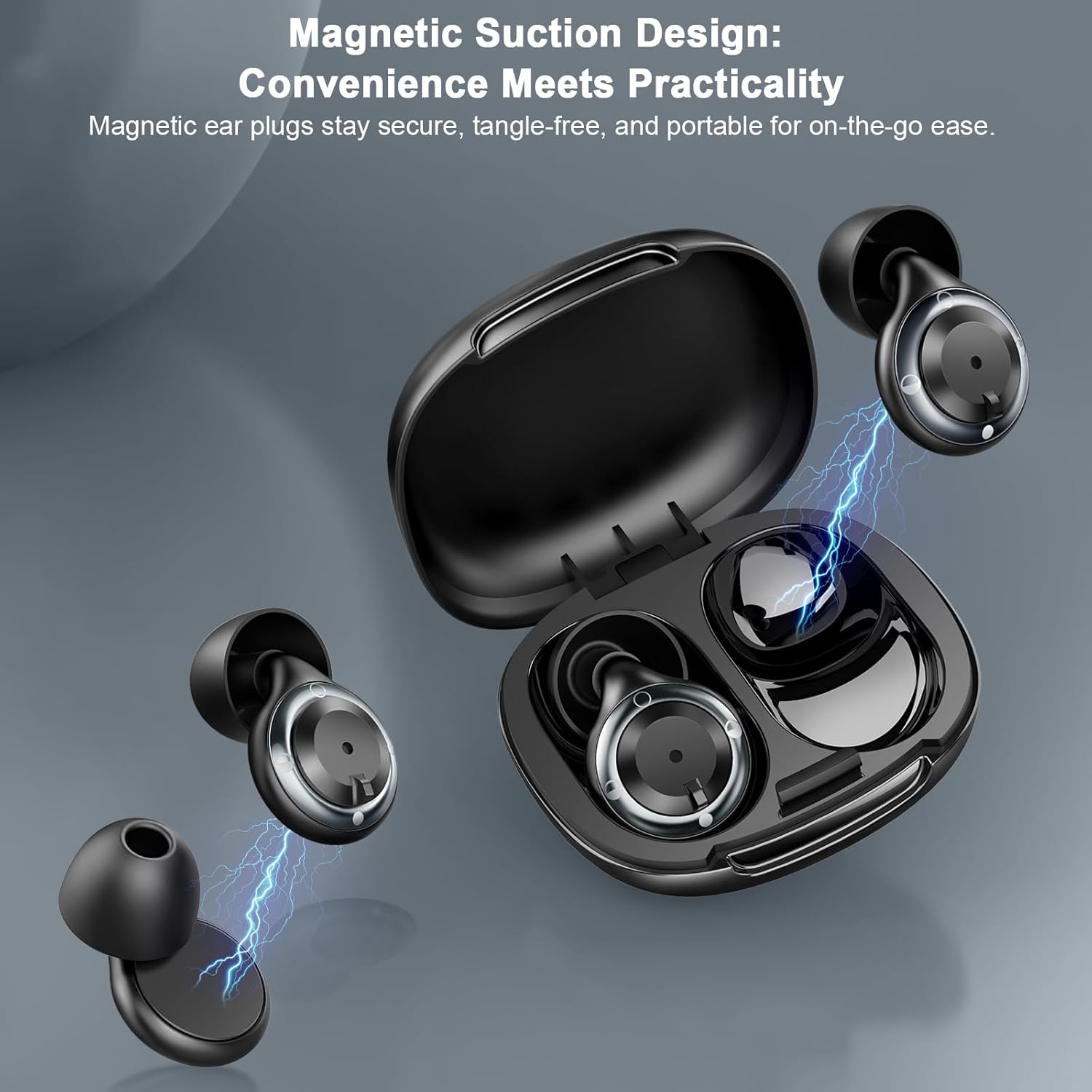
Image: The earplugs being stored in their magnetic carry case, highlighting the secure and practical design.
Troubleshooting
Poor Noise Reduction or Loose Fit
- Check Ear Tip Size: Ensure you are using the correct size ear tips. A tip that is too small will not create an adequate seal, leading to poor noise reduction. Try a larger size.
- Proper Insertion: Re-insert the earplugs following the '3-Second Fit System' instructions. Make sure to gently pull your earlobe down and insert the earplug until snug.
- Mode Selection: Verify that the earplug dial is set to the appropriate noise reduction mode for your environment (e.g., 35dB for maximum cancellation).
Discomfort During Wear
- Check Ear Tip Size: If the earplugs feel too tight or cause pressure, try a smaller ear tip size.
- Re-adjust Position: Gently adjust the earplug's position in your ear canal until it feels comfortable. The ergonomic design is intended for extended wear without discomfort.
Specifications
| Brand | IDE11 |
| Model Number | M3 |
| Color | Black |
| Material | Silicone |
| Noise Reduction (SNR) | 17dB, 21dB, 35dB (adjustable) |
| Package Dimensions | 3.27 x 3.19 x 0.75 inches |
| Item Weight | 1.13 ounces |
| Recommended Uses | Noise Protection (Sleeping, Snoring, Office, Travel, Concerts) |
Support
For any questions, concerns, or assistance with your IDE11 M3 earplugs, please contact our customer support team. We are available 24/7 to assist you.
Please refer to the product packaging or the retailer's website for specific contact information.

Image: Customer support team ready to assist with product inquiries.


