
1. Introduction
This document serves as an instruction manual for the Fortinet FortiGuard 1 Year Advanced Threat Protection service, designed for use with the FortiWiFi-80F-2R-3G4G-DSL appliance. It provides essential information regarding the service's features, operational principles, and support resources to help you effectively utilize and manage your cybersecurity protection.
2. Product Overview
FortiGuard Advanced Threat Protection (ATP) is a comprehensive security bundle designed to safeguard your network from a wide array of cyber threats. This service integrates with your FortiWiFi-80F-2R-3G4G-DSL to provide AI-powered protection against known, unknown, zero-day, and emerging AI-based threats. It focuses on preventing malicious content from breaching your defenses, protecting against web-based threats, securing devices across IT/OT/IoT environments, and ensuring the safety of applications, users, and data.
The Advanced Threat Protection bundle specifically includes:
- Intrusion Prevention System (IPS)
- Anti-Malware (Antivirus + Cloud-based Sandbox)
- Application Control
- FortiCare Premium Support

Image: FortiGuard Advanced Threat Protection 1 Year License box.
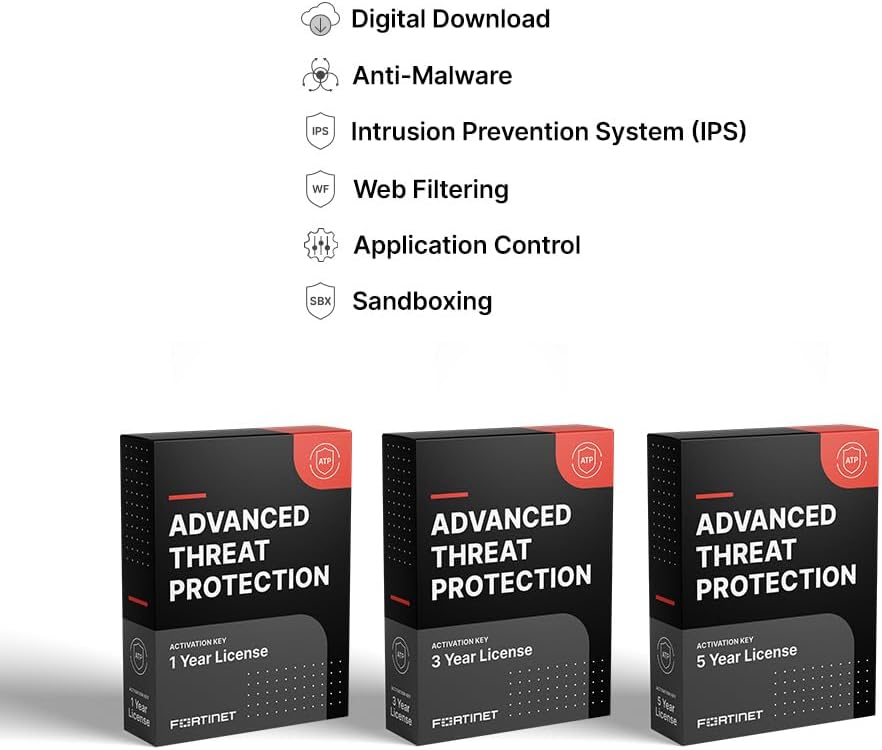
Image: Icons representing key features of FortiGuard Advanced Threat Protection: Digital Download, Anti-Malware, Intrusion Prevention System (IPS), Web Filtering, Application Control, and Sandboxing.
3. Key Features and Protection Layers
FortiGuard Security Services provide robust, multi-layered protection. The Advanced Threat Protection bundle focuses on critical areas to secure your network and data:
- Intrusion Prevention System (IPS): Blocks vulnerabilities and exploits through deep network traffic inspection, preventing unauthorized access and malicious activities.
- Advanced Malware Protection: Combines traditional antivirus with cloud-based sandboxing to detect and neutralize both known and unknown malware, including sophisticated ransomware and zero-day threats.
- Application Control: Provides granular control over network applications, allowing administrators to enforce policies that permit, block, or limit application usage based on security requirements and organizational policies.
- FortiCare Premium: Ensures continuous operation and support with 24x7x365 access to Fortinet experts.
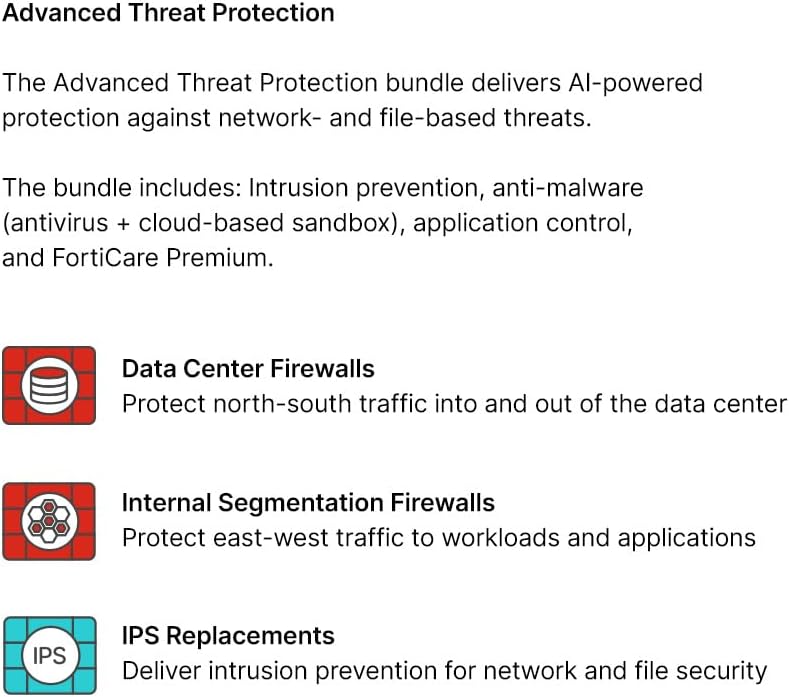
Image: Diagram illustrating the scope of Advanced Threat Protection, including protection for Data Center Firewalls, Internal Segmentation Firewalls, and IPS Replacements.

Image: A table detailing various FortiGuard Security Services subscriptions, including service categories, offerings, and bundle inclusions for Enterprise Protection, Unified Threat Protection, and Advanced Threat Protection.

Image: A diagram illustrating the layered protection provided by FortiGuard, showing Advanced Threat Protection as the base layer for Network & File Security (IPS, Anti-Malware, Application Control), building up to Unified Threat Protection (Web/DNS Security) and Enterprise Protection (SaaS & Data Security, Zero-Day Prevention), all underpinned by FortiCare Premium.

Image: A pyramid diagram illustrating FortiGuard Security Services addressing different layers of the attack surface, from Vulnerability/Exploit (Intrusion Prevention System) to Malware/Ransomware (Advanced Malware Prevention), Web Security, Inline Malware Prevention, and Data Loss Prevention.
4. Setup and Activation
The FortiGuard Advanced Threat Protection service is a subscription-based license. Activation typically involves registering the license key with your FortiWiFi-80F-2R-3G4G-DSL appliance through the Fortinet support portal or the device's administrative interface.
Activation Steps (General Guidance):
- Locate your FortiGuard license key, which is typically provided upon purchase.
- Access the administrative interface of your FortiWiFi-80F-2R-3G4G-DSL appliance or log in to the Fortinet Support Portal (support.fortinet.com).
- Navigate to the license registration or service activation section.
- Enter your license key and follow the on-screen prompts to complete the activation process.
- Ensure your FortiWiFi appliance has internet connectivity to synchronize with FortiGuard services.
Refer to the official Fortinet documentation specific to your FortiWiFi-80F-2R-3G4G-DSL model for detailed, step-by-step instructions on license registration and activation, as procedures may vary slightly.
5. Operating Principles
The FortiGuard Advanced Threat Protection service operates by leveraging real-time threat intelligence from FortiGuard Labs, a global threat research organization. This intelligence continuously updates the various security engines on your FortiWiFi appliance:
- Intrusion Prevention: The IPS engine actively monitors network traffic for malicious patterns, known exploit signatures, and anomalous behavior. When a threat is detected, it is immediately blocked to prevent compromise.
- Anti-Malware: This component scans files and data streams for viruses, worms, Trojans, and other malicious software. The cloud-based sandbox provides an isolated environment to analyze suspicious files for zero-day threats, ensuring new and unknown malware is identified without risking your live network.
- Application Control: By identifying and categorizing network applications, this feature allows administrators to define and enforce policies. This enables control over which applications can run, when they can run, and how much bandwidth they can consume, enhancing overall security and productivity.
6. Maintenance
FortiGuard services are designed for continuous, automated protection. FortiGuard Labs constantly researches and updates threat intelligence, which is then automatically delivered to your FortiWiFi-80F-2R-3G4G-DSL appliance.
- Automated Updates: Ensure your FortiWiFi appliance has a stable internet connection to receive the latest FortiGuard updates. These updates are crucial for maintaining protection against the newest cyber threats.
- Firmware Upgrades: FortiCare Premium includes access to firmware upgrades for your FortiWiFi appliance, which often contain security enhancements and new features. Regularly check for and apply recommended firmware updates.
- Monitoring: Periodically review the security logs and reports generated by your FortiWiFi appliance to understand network activity and identify any potential security events.
7. Troubleshooting
If you encounter issues with your FortiGuard Advanced Threat Protection service, consider the following troubleshooting steps:
- License Status: Verify that your FortiGuard license is active and has not expired. You can check this through your FortiWiFi appliance's interface or the Fortinet Support Portal.
- Internet Connectivity: Ensure your FortiWiFi-80F-2R-3G4G-DSL appliance has a stable and active internet connection. FortiGuard services require connectivity for updates and threat intelligence synchronization.
- Configuration Review: Check the security policies and FortiGuard settings on your FortiWiFi appliance to ensure they are correctly configured according to your network requirements.
- Device Logs: Examine the system and security logs on your FortiWiFi appliance for error messages or indications of service issues.
- Fortinet Documentation: Consult the official Fortinet documentation and knowledge base for your specific FortiWiFi model for detailed troubleshooting guides.
- Contact Support: For persistent or complex issues, leverage your FortiCare Premium support for expert assistance.
8. Specifications
| Specification | Detail |
|---|---|
| Service Type | Advanced Threat Protection (ATP) |
| Associated Appliance Model | FortiWiFi-80F-2R-3G4G-DSL |
| Part Number | FC-10-W80FS-928-02-12 |
| Service Duration | 1 Year |
| Manufacturer | FORTINET |
| ASIN | B0DY48YYH8 |
9. Support and Warranty
Your FortiGuard 1 Year Advanced Threat Protection bundle includes FortiCare Premium Support Services, ensuring you have access to expert assistance when needed.
FortiCare Premium Benefits:
- 24x7x365 Support: Access to technical support via phone, chat, and web.
- Rapid Response Times: One-hour response times for Priority 1 and Priority 2 inquiries, ensuring critical issues are addressed promptly.
- Firmware Upgrades: Access to the latest firmware for your FortiWiFi appliance.
- Asset Management Portal: Tools for managing your Fortinet assets and licenses.
- Core Services: Includes Application Control, Inline CASB database, Internet service (SaaS) database updates, GeoIP database updates, Device/OS detection, Trusted certificate database updates, DDNS (v4/v6) service, and Anti-Phishing.

Image: A comparison table detailing the features and response times for FortiCare Premium and FortiCare Elite support services, including 24x7 support channels, response times for different priority inquiries, firmware support, console access, and RMA support.
For detailed terms and conditions of your FortiCare Premium service, please refer to your service agreement or the official Fortinet website.
10. Fortinet Resources
For additional information, comprehensive documentation, and the latest updates regarding Fortinet products and services, please visit the official Fortinet website:

Image: The Fortinet company logo with the tagline 'Fortify Your Cybersecurity'.