
1. Introduction
Thank you for choosing the Fuzion HW-50 Digital Fishing Scale. This manual provides detailed instructions for the proper setup, operation, and maintenance of your new fishing scale. Please read this manual thoroughly before use to ensure optimal performance and longevity of the device.
2. Product Overview
The Fuzion HW-50 is a portable digital fishing scale designed for accurate weight measurement of fish. It features a durable construction, multiple measurement units, a memory function, and integrated tools for convenience.

Figure 1: Fuzion HW-50 Digital Fishing Scale Components
This image displays the Fuzion HW-50 Digital Fishing Scale with its main components clearly labeled. Key parts include the Hanging Rings, LCD Display, MEM Key, UNIT Key, ON-OFF/TARE Key, Soft Rubber Handle, Night Lighting, Tape Measure, Light Switch, and Lip Gripper.
Key Features:
- High Accuracy: Measures weights up to 50 kg (110 lbs) with a precision of 0.12 lb.
- Multiple Units: Easily switch between kilograms (kg), pounds (lb), ounces (oz), and pounds:ounces (lb:oz).
- Memory Function: Stores up to 10 weight measurements (M0-M9).
- Integrated Tools: Features a built-in tape measure (up to 60 inches/150 cm) and a stainless steel lip gripper.
- Night Lighting: Equipped with an LED light for visibility in low-light conditions.
- Durable Design: Waterproof and fully washable for easy cleaning and resilience against outdoor elements.
- Comfortable Grip: Soft rubber handle for secure and comfortable use.
3. Setup
3.1 Battery Installation
- Locate the battery compartment cover on the back of the scale.
- Use a small screwdriver (often included) to open the battery compartment.
- Insert two (2) AAA batteries, ensuring correct polarity (+/-).
- Replace the battery compartment cover and secure it with the screw.
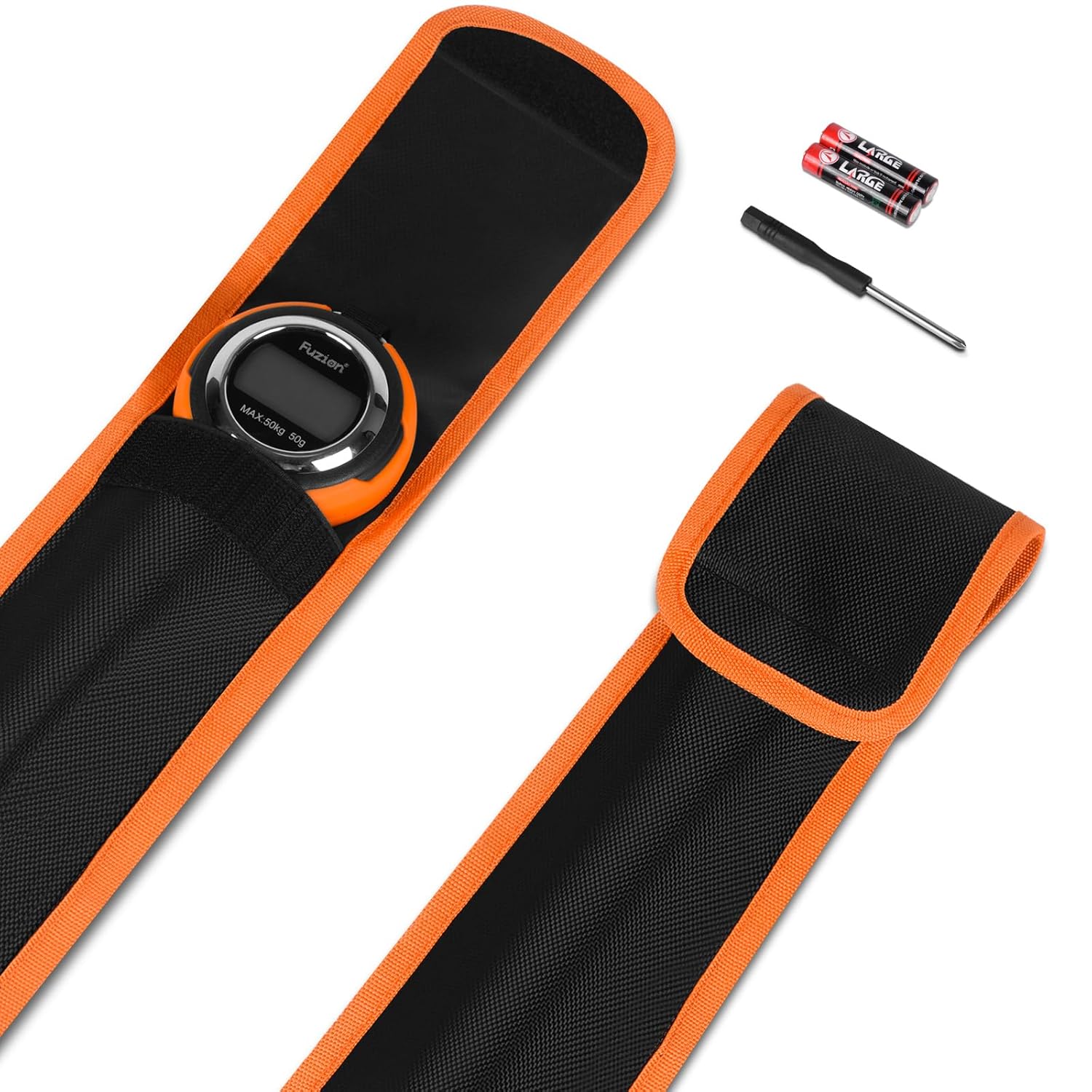
Figure 2: Included Accessories
This image shows the Fuzion HW-50 Digital Fishing Scale along with its accessories, including a protective carrying pouch, two AAA batteries, and a small screwdriver for battery compartment access.
4. Operating Instructions
4.1 Power On/Off
- To power on the scale, press the ON-OFF/TARE button.
- To power off the scale, press and hold the ON-OFF/TARE button for a few seconds until the display turns off. The scale also features an automatic shut-off function to conserve battery life.
4.2 Weighing Procedure
- Ensure the scale is powered on and displaying "0.00".
- Attach the fish to the stainless steel lip gripper.
- Hold the scale by the soft rubber handle or hanging rings and lift the fish steadily.
- Wait for the weight reading to stabilize on the LCD display.
- Record the weight if desired.
4.3 Tare Function
The Tare function allows you to subtract the weight of a container or holding device, so only the net weight of the item is measured.
- Hang the empty container or holding device onto the lip gripper.
- Press the ON-OFF/TARE button. The display will reset to "0.00".
- Place the item to be weighed into the container. The display will show only the weight of the item.
4.4 Night Lighting
The scale includes a built-in LED light for use in dark conditions.
- To activate the night light, press the Light Switch button located on the side of the scale.
- Press the button again to turn off the light.

Figure 3: Night Lighting Feature
This image demonstrates the night lighting feature of the Fuzion HW-50 Digital Fishing Scale, showing the LED light illuminating a fish during low-light conditions.
4.5 Tape Measure
A retractable tape measure is integrated into the scale for convenient length measurements.
- Pull out the tape measure from the bottom of the scale.
- Measure the length of your catch.
- To retract the tape measure, press the button located on the side of the scale near the tape measure opening.

Figure 4: Integrated Tools
This image highlights the robust features of the Fuzion HW-50, including the stainless steel lip gripper, the non-slip rubber handle, and the built-in retractable tape measure, which extends up to 60 inches (150 cm).
5. Memory Function
The Fuzion HW-50 scale can store up to 10 individual weight measurements (M0-M9).
5.1 Saving a Weight
- After a stable weight reading is displayed, press the MEM button.
- The display will show "M" followed by a number (e.g., "M0") indicating the memory slot where the weight is saved.
- The scale will automatically advance to the next available memory slot for the next save.
5.2 Recalling Stored Weights
- Press the MEM button repeatedly to cycle through the stored weights (M0, M1, M2, etc.).
- Each press will display the weight stored in the corresponding memory slot.

Figure 5: Memory Function Display
This image illustrates the memory function of the Fuzion HW-50, showing how up to 10 different weight measurements (M0-M9) can be stored and displayed on the LCD screen.
6. Unit Conversion
The Fuzion HW-50 scale supports four different units of measurement: kilograms (kg), pounds (lb), ounces (oz), and pounds:ounces (lb:oz).
- To change the unit of measurement, press the UNIT button.
- Each press will cycle through the available units: kg → lb → oz → lb:oz → kg.
- The selected unit will be displayed on the LCD screen.

Figure 6: Unit Conversion Options
This image demonstrates the four unit conversion options available on the Fuzion HW-50 Digital Fishing Scale, showing the display in pounds (lb), ounces (oz), pounds and ounces (lb:oz), and kilograms (kg).
7. Maintenance
7.1 Cleaning
The Fuzion HW-50 is waterproof and fully washable, making cleaning simple.
- After each use, especially in saltwater environments, rinse the scale thoroughly with fresh water.
- Use a soft cloth to wipe down the scale. Avoid abrasive cleaners or harsh chemicals.
- Ensure the scale is completely dry before storing.

Figure 7: Waterproof and Washable Design
This image illustrates the waterproof capability of the Fuzion HW-50 Digital Fishing Scale, showing it being rinsed under running water, highlighting its ease of cleaning after use.
7.2 Storage
- Store the scale in a dry place, away from extreme temperatures and direct sunlight.
- If storing for an extended period, remove the batteries to prevent leakage.
- Utilize the included carrying pouch for protection during storage and transport.
7.3 Battery Replacement
When the battery indicator appears on the LCD display, or if the scale fails to power on, replace the batteries following the instructions in Section 3.1.
8. Troubleshooting
| Problem | Possible Cause | Solution |
|---|---|---|
| Scale does not power on. | Dead or incorrectly installed batteries. | Replace batteries with new AAA batteries, ensuring correct polarity. |
| Inaccurate or inconsistent readings. |
|
|
| Night light not working. | Low batteries or internal issue. | Check and replace batteries. If the issue persists, contact customer support. |
| Display shows "Err" or "O_Ld". | Overload. | Remove the item immediately. The weight exceeds the maximum capacity of 50 kg. |
9. Specifications
| Model | HW-50 |
| Brand | Fuzion |
| Maximum Weight Capacity | 50 Kilograms (110 lbs) |
| Reading Precision | 0.12 lb (approximately 50 grams) |
| Measurement Units | kg, lb, oz, lb:oz |
| Display Type | LCD |
| Power Source | 2 x AAA batteries (included) |
| Dimensions (Package) | 34.1 x 9.8 x 4.8 cm |
| Weight (Product) | 771 g |
| Special Features | Waterproof, Night Lighting, Built-in Tape Measure, Memory Function, Stainless Steel Lip Gripper, Non-slip Rubber Handle |
10. Warranty and Support
Fuzion products are manufactured to high-quality standards. For any questions, technical support, or warranty claims, please contact Fuzion customer service through the retailer where the product was purchased or visit the official Fuzion website for contact information. Please retain your proof of purchase for warranty purposes.