
1. Introduction
This manual provides essential information for the safe and efficient operation, maintenance, and setup of your wheelfun UDI RC UCX2405PRO 1/24 4x4 RC Rock Crawler. This remote-controlled off-road vehicle features a brushless motor, LED lights, and a robust design for various terrains. Please read this manual thoroughly before first use.

Figure 1: Front view of the UCX2405PRO RC Rock Crawler.
2. Safety Information
WARNING: This product is not suitable for children under 14 years of age. Adult supervision is recommended for all users. Always operate the vehicle in a safe environment, away from people, pets, and obstacles. Do not operate near water unless the product is specifically designed for waterproof use. Keep hands, face, and loose clothing away from moving parts.
3. What's Included
- UDI RC UCX2405PRO RC Rock Crawler
- 2.4GHz 4CH Remote Control
- Rechargeable Battery
- USB Charging Cable
- Instruction Manual
4. Product Overview
The UCX2405PRO features a durable PVC shell with a reinforced PA+fiber roll cage, metal gears, and advanced suspension for superior off-road performance.

Figure 2: Detailed cockpit view with driver figure.
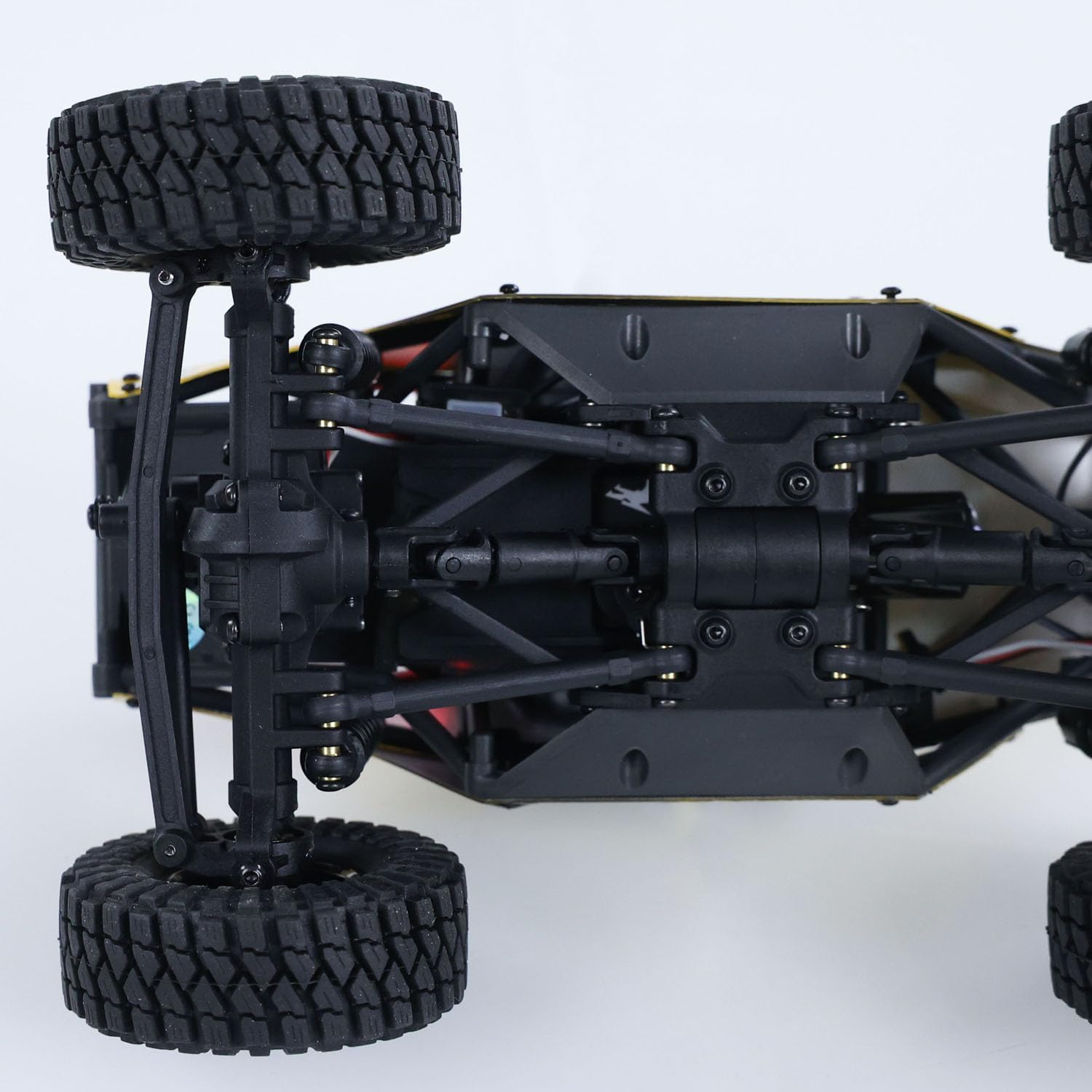
Figure 3: Underbody chassis with multi-link suspension and metal gears.
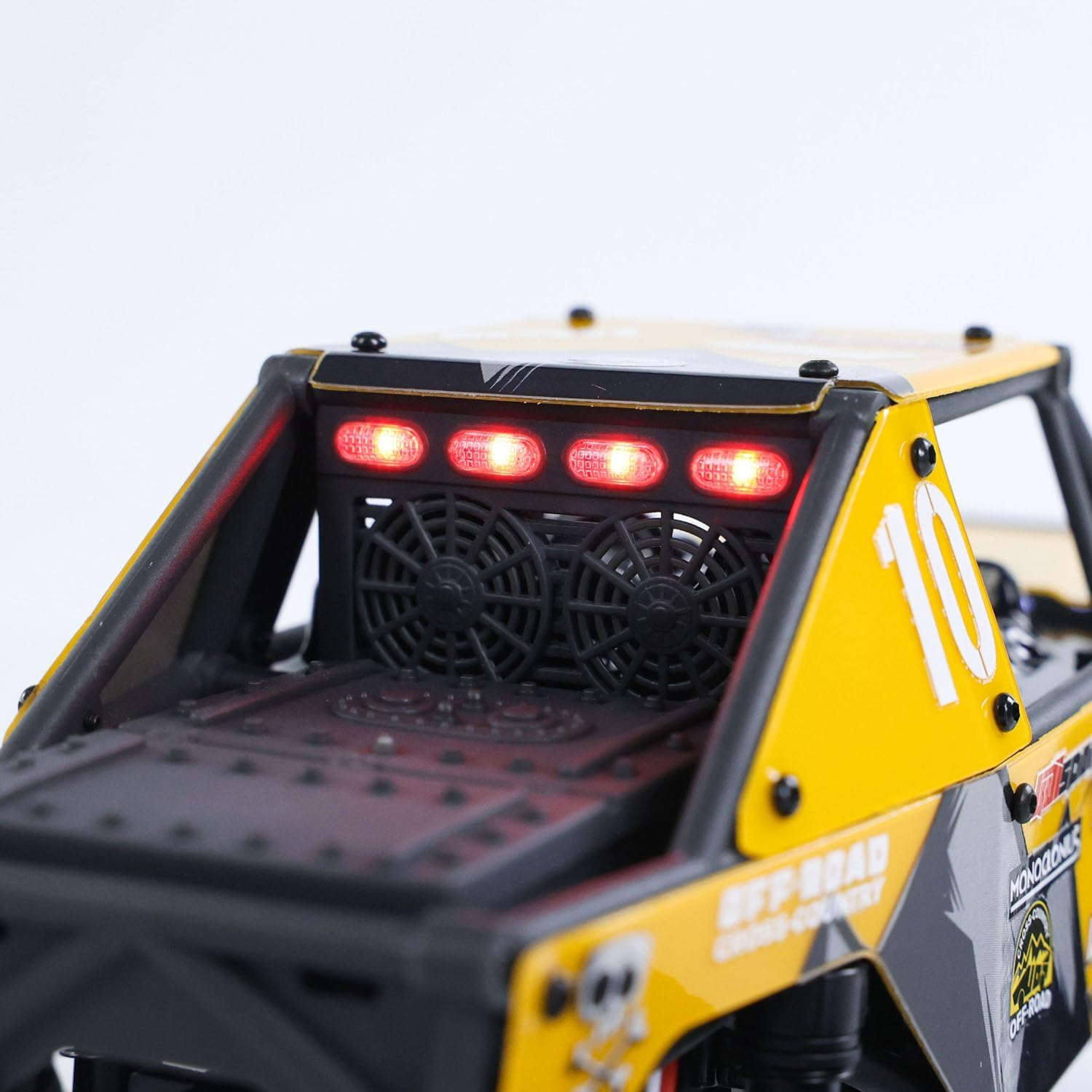
Figure 4: Rear view showcasing the functional LED lights.

Figure 5: Close-up of the high-grip tire and wheel design.
5. Setup
5.1 Battery Installation (Vehicle)
- Locate the battery compartment on the vehicle.
- Carefully connect the vehicle's battery connector to the rechargeable battery.
- Securely place the battery into its compartment and close the cover.
5.2 Remote Control Battery Installation
- Open the battery cover on the back of the remote control.
- Insert 4 'AA' batteries (not included) into the compartment, ensuring correct polarity.
- Close the battery cover.
5.3 Pairing the Remote Control
- Turn on the vehicle's power switch.
- Turn on the remote control's power switch.
- The remote control and vehicle should automatically pair. A solid light on the remote indicates successful pairing.
Video 1: Unboxing and initial setup of the UCX2405PRO RC Rock Crawler, demonstrating battery installation and remote pairing.
6. Operating Instructions
6.1 Basic Controls
- Throttle Trigger: Pull to move forward, push to brake/reverse.
- Steering Wheel: Turn left or right to steer the vehicle.
6.2 Speed Modes
The vehicle offers switchable high and low-speed modes with gear ratios of 9.3 for high speed and 58.6 for low speed. Use the speed switch on the remote control to adjust for different driving experiences, from delicate maneuvering to high-speed runs.

Figure 6: Illustration of low speed (climbing) and high speed modes.
6.3 Four-Wheel Steering Modes
The PRO version comes standard with four steering modes, allowing for enhanced maneuverability on challenging terrains. Use the mode switching button on the remote control to cycle through these options:
- Front Wheel Steering: Standard steering with front wheels only.
- Rear Wheel Steering: Steers with rear wheels only.
- Forward and Backward in the Same Direction: All four wheels steer in the same direction for diagonal movement.
- Forward and Backward in Opposite Directions: Front and rear wheels steer in opposite directions for tighter turns.

Figure 7: Visual representation of the four available steering modes.
7. Maintenance
- Cleaning: After each use, gently clean the vehicle to remove dirt, dust, and debris. Use a soft brush or cloth. Avoid using water directly on electronic components.
- Battery Care: Always fully charge the battery before storage and discharge it to about 50% if storing for extended periods. Do not overcharge or over-discharge.
- Storage: Store the vehicle and remote control in a cool, dry place away from direct sunlight and extreme temperatures.
- Inspection: Regularly inspect all parts for wear and tear, especially the tires, shocks, and gears. Replace damaged parts as needed.
8. Troubleshooting
- Vehicle not responding: Ensure both the vehicle and remote control are powered on and properly paired. Check battery levels in both devices.
- Weak performance: Fully charge the vehicle's battery. Inspect wheels and drivetrain for obstructions.
- Steering issues: Check the steering trim settings on the remote control. Ensure no debris is obstructing the steering mechanism.
9. Specifications
| Feature | Detail |
|---|---|
| Model Number | UCX2405PRO |
| Scale | 1/24 |
| Motor | Brushless 1212 Motor |
| ESC | Integrated Brushless ESC |
| Remote Control | 2.4GHz 4CH |
| Steering Servo | 9G 3-wire |
| Gear Ratio (High Speed) | 9.3 |
| Gear Ratio (Low Speed) | 58.6 |
| Shell Material | PVC |
| Roll Cage Material | Reinforced PA+Fiber |
| Gears | Metal |
| Product Dimensions | 12.4 x 8.8 x 7.2 inches |
| Battery | 1 D battery required (included) |
10. Warranty and Support
For warranty information and technical support, please refer to the contact details provided by your retailer or visit the official wheelfun website. Our professional after-sales team and technical maintenance team are available to provide guidance through video or text for repairs and inquiries.