
Introduction
The Bracketron MagAlign Max is a magnetic car phone holder designed for secure mounting of MagSafe-compatible smartphones on your vehicle's air vent. It features a dual-powered magnetic and vacuum suction hold, combined with a robust metal J-hook attachment for enhanced stability. This manual provides instructions for proper installation, operation, and maintenance to ensure optimal performance.
- Exclusive MagSafe Vent Mount: Part of the premium MagAlign Series, this car vent mount combines high-end style with advanced functionality. This specialized design utilizes a vacuum suction head for a secure, non-adhesive grip.
- Dual-Powered Magnetic & Suction Hold: Features a top-tier magnetic attraction coupled with a vacuum suction cup for maximum security. This MagSafe car mount keeps your iPhone 12–17 steady during sharp turns or sudden stops.
- Advanced Vacuum Technology: Equipped with a soft silicone vacuum head that creates an airtight seal when you press your phone against the mount. Simply press the side buttons for a quick, one-handed release.
- Secure Metal J-Hook Attachment: Unlike flimsy clips, this car vent phone mount uses a heavy-duty metal J-hook to lock firmly onto your air vent slats. This ensures the mount stays anchored even on the bumpiest roads.
- MagSafe-Compatible Mount & Case Recommended: Designed for MagSafe-compatible iPhones and smartphones, this mount provides convenient mounting without side arms or clamps when used with a built-in magnetic alignment or a MagSafe-compatible case.
Setup and Installation
Follow these steps to properly install your Bracketron MagAlign Max Vent Mount:
- Identify a Suitable Vent: Choose a horizontal or vertical air vent slat in your vehicle that provides a clear view and easy access to your phone. Avoid circular vents as they may not provide a secure fit.
- Attach the J-Hook: Insert the metal J-hook of the mount into one of your chosen vent slats.
- Secure the Mount: Twist the barrel of the mount to extend and retract the J-hook, tightening it firmly around the vent slat. Ensure the mount is stable and does not wobble.
- Adjust Viewing Angle: Once secured, adjust the ball joint to achieve your desired viewing angle.

For a visual guide on installation, please refer to the official video below:
Video: Official Bracketron guide demonstrating the installation of MagAlign Max mounts.
Operating Instructions
Using your MagAlign Max mount is simple and designed for one-handed operation:
- Attaching Your Phone: Ensure your smartphone is MagSafe-compatible or has a MagSafe-compatible case. Gently press your phone against the magnetic surface of the mount. The strong magnets and vacuum suction will secure your device.
- Releasing Your Phone: To remove your phone, press the release buttons located on the sides of the mount. This will release the vacuum seal, allowing you to easily pull your phone away.


See the mount in action:
Video: Official Bracketron video showcasing the MagAlign Phone Mount in use.
Maintenance
To ensure the longevity and optimal performance of your MagAlign Max mount:
- Clean the Suction Cup: If the vacuum suction feels less effective, gently wipe the silicone suction head with a damp, lint-free cloth to remove any dust or debris. Allow it to air dry completely before re-use.
- Keep Magnets Clear: Ensure the magnetic surface on the mount and your phone/case is free from obstructions or metallic particles that could interfere with the magnetic connection.
- Avoid Extreme Temperatures: While designed to be cold and heat resistant, prolonged exposure to extreme temperatures may affect material integrity.
Troubleshooting
| Problem | Possible Cause | Solution |
|---|---|---|
| Phone does not attach securely. | Not MagSafe compatible; dirty magnetic surface; weak vacuum seal. | Ensure your phone or case is MagSafe compatible. Clean the magnetic surface on both the mount and your phone/case. Clean the silicone suction head as per maintenance instructions. |
| Mount is not stable in the vent. | J-hook not tightened sufficiently; incompatible vent type. | Twist the barrel to tighten the J-hook more securely onto the vent slat. Ensure your vent is a horizontal or vertical slat type, not circular. |
| Difficulty removing phone. | Vacuum seal is very strong; release buttons not fully pressed. | Ensure you are pressing both side release buttons fully to break the vacuum seal before pulling your phone away. |
Specifications
- Brand: Bracketron
- Model Name: MagAlign Max
- Model Number: MagAlign Max
- Color: Black
- Mounting Type: Vent
- Compatible Devices: Smartphones (MagSafe-compatible)
- Compatible Phone Models: Apple iPhone Series (iPhone 12, 13, 14, 15, 16, 17 models), compatible with MagSafe cases and accessories.
- Material: Plastic (Enclosure)
- Additional Features: Adjustable, Cold Resistant, Hand Free, Heat Resistant, One-Hand Operation
- Water Resistance Level: Not Water Resistant
- UPC: 874688002355
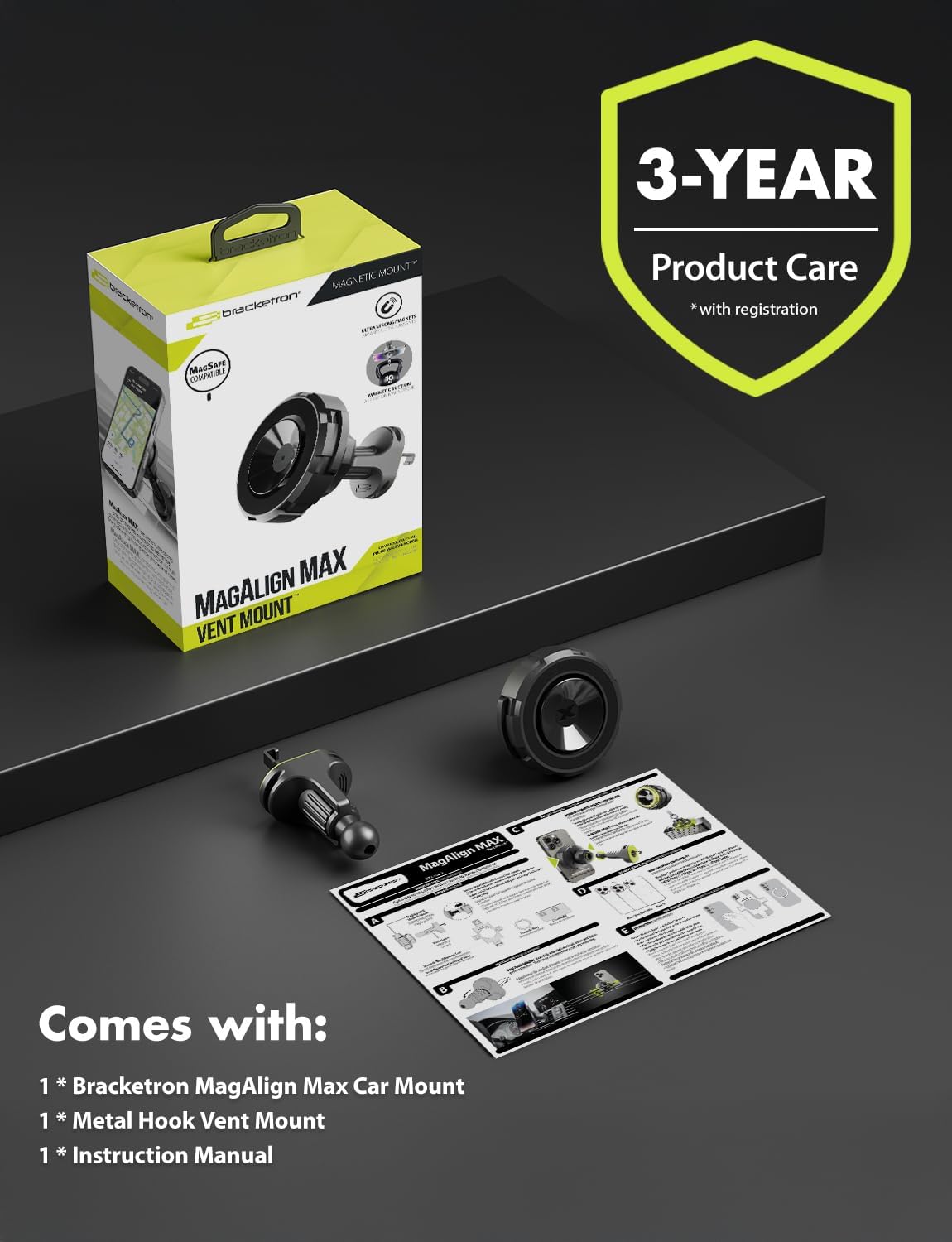
What's Included
The package includes the following components:
- 1 x Bracketron MagAlign Max Car Mount
- 1 x Instruction Manual
Warranty Information
This Bracketron MagAlign Max Magnetic Car Phone Holder is covered by a 1 Year Limited Manufacturer Warranty. Please retain your proof of purchase for warranty claims. For details regarding warranty terms and conditions, please refer to the official Bracketron website or contact customer support.
Support
For further assistance, product registration, or to view additional products, please visit the official Bracketron website or contact their customer service department. Contact information can typically be found on the product packaging or the company's website.