
mophie PS-2025-5K
Mophie Powerstation Mini 5,000mAh Portable Power Bank (Gen 3) User Manual
Model: PS-2025-5K | Brand: mophie
1. Introduction
The Mophie Powerstation Mini (2025) is a compact and reliable portable power bank designed to keep your devices charged on the go. With a 5,000mAh internal battery, it provides sufficient power for up to one full phone charge. Its fast-charging USB-C PD technology delivers 20W output, enabling a 50% charge in just 30 minutes for compatible devices. This pocket-sized power bank is ideal for charging smartphones, headphones, and other small electronics, offering a quick and efficient power boost wherever you are. The Powerstation Mini features a sleek, lipstick-sized form factor for easy portability and a durable anodized aluminum body with a soft-touch finish. An integrated LED indicator allows for quick battery life checks. The versatile USB-C port supports both device charging and recharging of the power bank itself, and it includes a 9-inch USB-C silicone cable for immediate use.

Figure 1: Mophie Powerstation Mini and its retail packaging.
2. Key Features
- Pocket-Sized Power: 5,000mAh internal battery provides up to one full phone charge in a compact, lipstick-sized design that fits easily in your pocket or bag, making it the perfect travel companion for everyday carry.
- Ultra-Fast Charging: USB-C PD 20W output delivers up to 50% charge in just 30 minutes for compatible devices, ensuring quick power-ups on the go.
- Versatile USB-C Port: The single USB-C port allows for both charging your device and quickly recharging the Powerstation Mini.
- Premium Materials & Smart Design: Features a durable anodized aluminum body with a soft-touch finish for a sleek, scratch-resistant build. An LED indicator allows you to check remaining battery life at a glance.
- USB-C Cable Included: Comes with a 9-inch USB-C silicone cable for fast and reliable charging right out of the box.
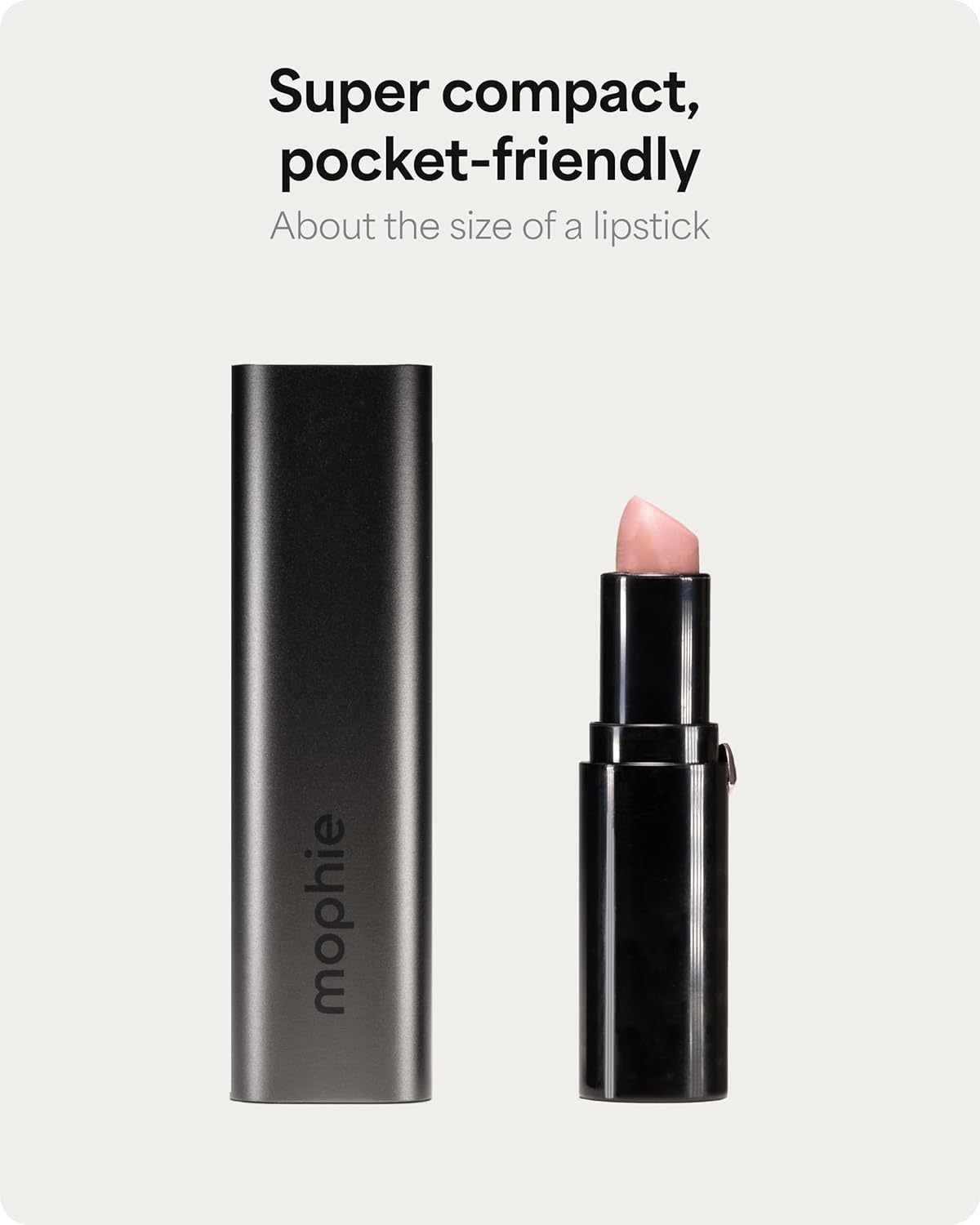
Figure 2: Compact, pocket-friendly design.

Figure 3: Easily fits in a pocket.
3. Package Contents
The Mophie Powerstation Mini package includes:
- Mophie Powerstation Mini 5,000mAh Portable Power Bank (Gen 3)
- 9-inch USB-C to USB-C silicone cable
- Quick Start Guide (not included in this digital manual)
4. Setup
4.1 Initial Charge
Before first use, it is recommended to fully charge your Powerstation Mini. This ensures optimal performance and battery longevity.
- Connect the included USB-C cable to the USB-C port on the Powerstation Mini.
- Connect the other end of the USB-C cable to a compatible USB-C wall adapter (not included) or a powered USB-C port. For fastest charging, use a 20W or higher USB-C PD adapter.
- The LED indicator lights on the Powerstation Mini will illuminate to show the charging progress. All four LEDs will be solid white when fully charged.

Figure 4: USB-C port and LED indicators on the Powerstation Mini.
5. Operating Instructions
5.1 Charging Your Devices
The Powerstation Mini is designed to charge a variety of USB-C compatible devices, including smartphones, tablets, and other small electronics.
- Connect one end of your device's charging cable (USB-C to USB-C, or USB-C to Lightning for iPhones) to the USB-C port on the Powerstation Mini.
- Connect the other end of the charging cable to your device.
- The Powerstation Mini will automatically begin charging your device. The LED indicators will show the remaining battery level of the power bank.

Figure 5: Charging a device on the go.

Figure 6: Powerstation Mini charging an iPhone.
6. LED Indicator Guide
The Powerstation Mini features four LED lights that indicate the power bank's battery level and charging status.
- Checking Battery Level: Press the small button next to the USB-C port once. The LEDs will light up to show the current charge level.
- Charging Status:
- One solid LED: 0-25% charged
- Two solid LEDs: 25-50% charged
- Three solid LEDs: 50-75% charged
- Four solid LEDs: 75-100% charged (fully charged)
- Flashing LED: Indicates the current charging segment.

Figure 7: LED indicators showing battery status.
7. Maintenance
To ensure the longevity and optimal performance of your Mophie Powerstation Mini, follow these maintenance guidelines:
- Keep the power bank dry and away from moisture.
- Avoid extreme temperatures. Do not expose to direct sunlight or very cold environments.
- Clean the surface with a soft, dry cloth. Do not use harsh chemicals or abrasive materials.
- Store in a cool, dry place when not in use for extended periods.
- Avoid dropping or subjecting the power bank to strong impacts.
8. Troubleshooting
If you encounter issues with your Powerstation Mini, try the following solutions:
| Problem | Possible Cause | Solution |
|---|---|---|
| Power bank not charging | Cable not properly connected; Faulty cable or adapter; Power bank fully discharged. | Ensure cable is securely connected at both ends. Try a different USB-C cable or wall adapter. Allow the power bank to charge for a longer period, especially if completely drained. |
| Device not charging from power bank | Power bank is out of charge; Device cable not properly connected; Device incompatibility. | Recharge the Powerstation Mini. Ensure the charging cable is securely connected to both the power bank and your device. Try a different charging cable. Verify your device is compatible with USB-C charging. |
| Slow charging | Using a non-PD charger; Cable quality; Device drawing less power. | Ensure you are using a USB-C PD compatible wall adapter (20W or higher) to charge the power bank. Use the included Mophie USB-C cable or a high-quality alternative. Some devices may limit charging speed. |
If the issue persists after trying these steps, please contact Mophie customer support for further assistance.
9. Specifications
| Feature | Detail |
|---|---|
| Model Number | PS-2025-5K |
| Battery Capacity | 5,000 mAh |
| Output | USB-C PD 20W |
| Connector Type | USB Type C |
| Product Dimensions | 5.91 x 3.34 x 1.26 inches |
| Item Weight | 6.2 ounces |
| Color | Black |
| Manufacturer | Mophie |
10. Warranty and Support
For warranty information and customer support, please visit the official mophie website or contact their customer service directly. Keep your proof of purchase for any warranty claims.
You can also visit the mophie Store on Amazon for more product information and support resources.
Related documentsPS-2025-5K

Ask a question about this manual
Ask about setup, troubleshooting, compatibility, parts, safety, or missing instructions. Manuals+ will review the question and use this page’s manual context to help answer it.