
1. Product Overview
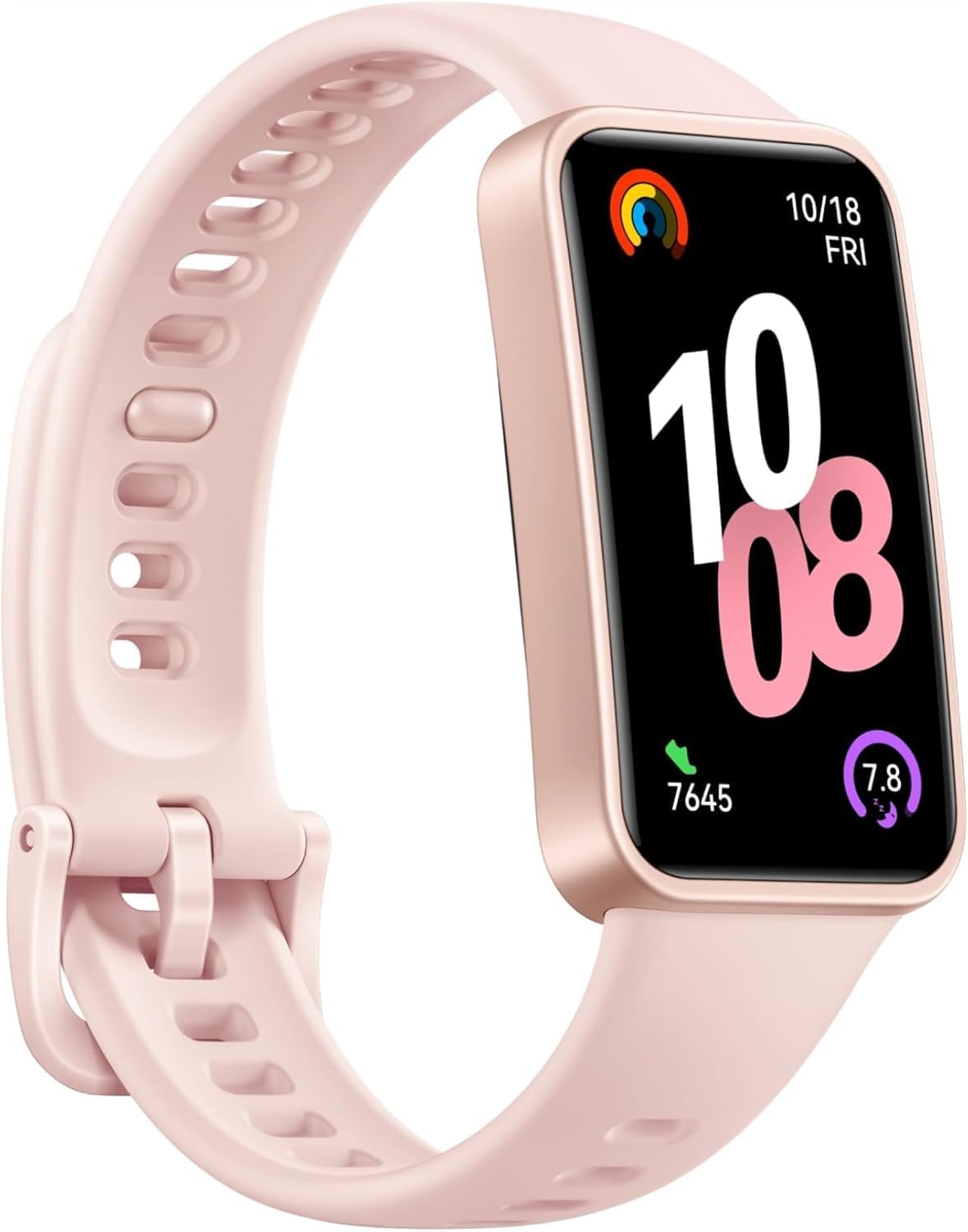
The HUAWEI Band 10 is a slim and lightweight smartwatch designed for all-day wear, offering advanced fitness and health monitoring capabilities. It features a streamlined metallic design and skin-friendly fluoroelastomer straps for comfort.
- Comfortable All-day Wearing: Ultra-thin at 8.99 mm, weighing just 15g, with skin-friendly fluoroelastomer straps.
- Pro-Level Sleep Analysis: Tracks heart rate, SpO2, respiratory rate, and abnormal breathing, providing insights into sleep duration, quality, and deep sleep ratio.
- Emotional Wellbeing Assistant: Displays mental wellness with timely tips and perceptive pet-themed watch faces.
- AI-powered Fitness Monitoring: Utilizes an advanced 9-axis sensor and AI-enhanced stroke identification for 100 sports modes, including ultra-accurate swimming data.
- Robust Battery Life: Offers up to 8 days of typical use, and up to 14 days when necessary. Fast charging provides 2 days of use from a 5-minute charge.
2. Setup
2.1 Initial Charging
Before first use, fully charge your HUAWEI Band 10. Connect the magnetic charging cable to the charging port on the back of the device and plug the USB end into a power adapter (not included) or a computer's USB port. A full charge takes approximately 45 minutes.
2.2 App Installation and Pairing
- Download the Huawei Health app from your smartphone's app store (available for iOS and Android).
- Open the Huawei Health app and follow the on-screen instructions to create an account or log in.
- In the app, navigate to the 'Devices' section and tap '+' to add a new device. Select 'Smart Bands' and choose 'HUAWEI Band 10'.
- Follow the app's instructions to pair your Band 10 via Bluetooth. Ensure Bluetooth is enabled on your smartphone.

3. Operating Instructions
3.1 Basic Navigation
The HUAWEI Band 10 features a responsive touchscreen for navigation:
- Swipe Up/Down: Scroll through menus and notifications.
- Swipe Left/Right: Access quick widgets or return to the previous screen.
- Tap: Select an item or confirm an action.
3.2 Health Monitoring
The Band 10 offers comprehensive health tracking:
- Heart Rate & SpO2: Continuously monitors heart rate and blood oxygen saturation. Access these features from the main menu or dedicated widgets.
- Sleep Analysis: Provides detailed insights into sleep stages (deep, light, REM), heart rate, SpO2, and respiratory rate during sleep. View analysis in the Huawei Health app.
- Emotional Wellbeing Assistant: Tracks stress levels and offers guidance.
- Women's Health Features: Utilize the cycle calendar and other features available through the Huawei Health app.


3.3 Fitness Monitoring
Engage in various sports activities with AI-powered tracking:
- 100 Sports Modes: Select your desired workout from the extensive list of sports modes. The band provides real-time data and post-workout analysis.
- Swimming Data: Features ultra-accurate swimming data with 5 ATM water resistance.
- GPS: The device uses GPS via your connected smartphone for outdoor activity tracking.


4. Maintenance
- Cleaning: Regularly clean your band and strap with a soft, damp cloth. Ensure the device is dry before charging or wearing.
- Proper Wear: Wear the device slightly above your wrist bone, with the strap fastened snugly (about 1.5-2 cm from the wrist bone) to ensure accurate heart rate measurements. It should not slide around.
- Avoid Extreme Conditions: Do not expose the device to extreme temperatures or harsh chemicals.
5. Troubleshooting
- Device Not Turning On: Ensure the device is fully charged.
- Pairing Issues: Check if Bluetooth is enabled on your phone and the band is within range. Restart both devices and try pairing again.
- Inaccurate Readings: Ensure the band is worn correctly and snugly. Clean the sensors on the back of the device.
- Battery Draining Quickly: Adjust settings for continuous monitoring (e.g., heart rate, SpO2) to a less frequent interval to conserve battery.
6. Specifications
| Feature | Detail |
|---|---|
| Model Number | Nora-B19F |
| Display Size | 1.47 Inches |
| Operating System | HarmonyOS |
| Connectivity | Bluetooth |
| Battery Capacity | 330 Milliamp Hours (Lithium Polymer) |
| Item Weight | 3.52 ounces |
| Water Resistance | 5 ATM (as per swimming data image) |
| GPS | GPS Via Smartphone |
7. Warranty and Support
The HUAWEI Band 10 includes a user manual in its packaging. For specific warranty details, please refer to the warranty card included with your product or contact HUAWEI customer support directly. Information regarding protection plans is available from your retailer at the time of purchase.


