
Product Overview
The iPlay, iLearn Plush Magic Unicorn Toy is an interactive stuffed animal designed to provide engaging play with lights, sounds, and music. It features a soft, plush body, a glowing horn, and light-up hooves. The unicorn interacts with a remote-controlled fairy wand and responds to touch.

Image: The interactive plush unicorn toy with its remote control wand.
Setup Instructions
1. Battery Installation
The unicorn and the magic wand both require batteries for operation. Locate the battery compartments on each item.
- Unicorn: The battery compartment is located on the underside of the unicorn, typically secured with a zipper or Velcro closure. Open the compartment, insert the required batteries (refer to packaging for battery type and quantity), and close securely.
- Magic Wand: The battery compartment for the wand is usually located on the handle. Open the compartment, insert the required batteries, and close securely.
2. Activating the Unicorn and Connecting the Wand
- Turn on the Unicorn: Locate the power switch inside the unicorn's battery compartment and slide it to the 'ON' position.
- Activate the Wand: Press and hold the button on the magic wand for approximately 3 seconds until it lights up. This indicates the wand is active and attempting to connect.
- Pairing: Once the wand lights up, it should automatically connect to the unicorn. The unicorn's lights and sounds will activate to confirm a successful connection.
Video: This video demonstrates how to open the unicorn, turn on its internal switch, and connect the magic wand.
Operating Instructions
1. Interactive Play with the Magic Wand
Once the wand is connected to the unicorn:
- Wave the Wand: Wave the fairy wand towards the unicorn to activate colorful lights, magical sound effects, and classic nursery rhymes. The lights and sounds will change with wand movements.
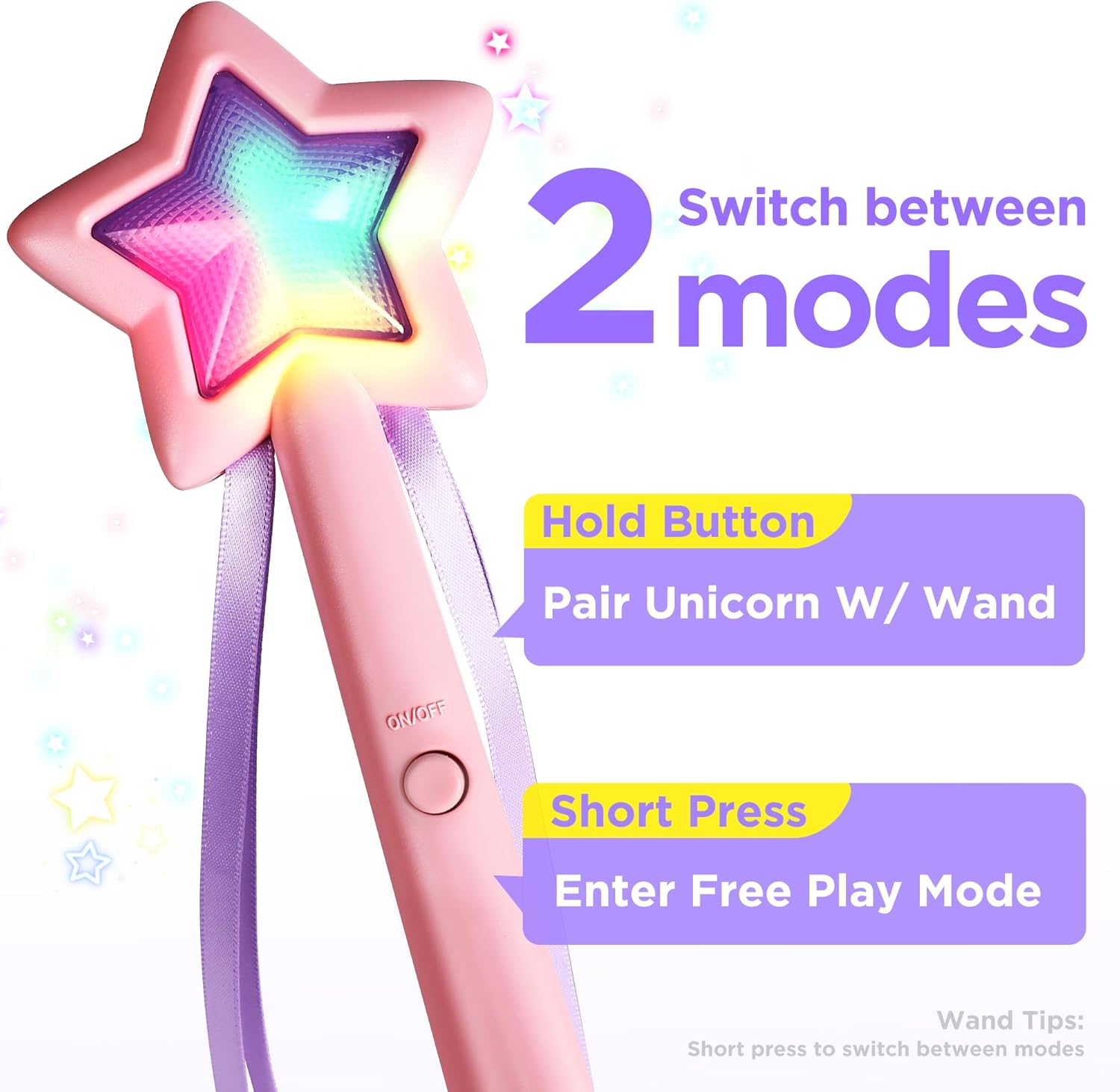
Image: The magic wand showing its button for mode switching.
2. Interactive Play with the Unicorn (Touch Mode)
The unicorn also responds to touch:
- Petting the Mane: Gently pet the unicorn's mane to reawaken it from sleep mode or to switch between different sound effects and music.
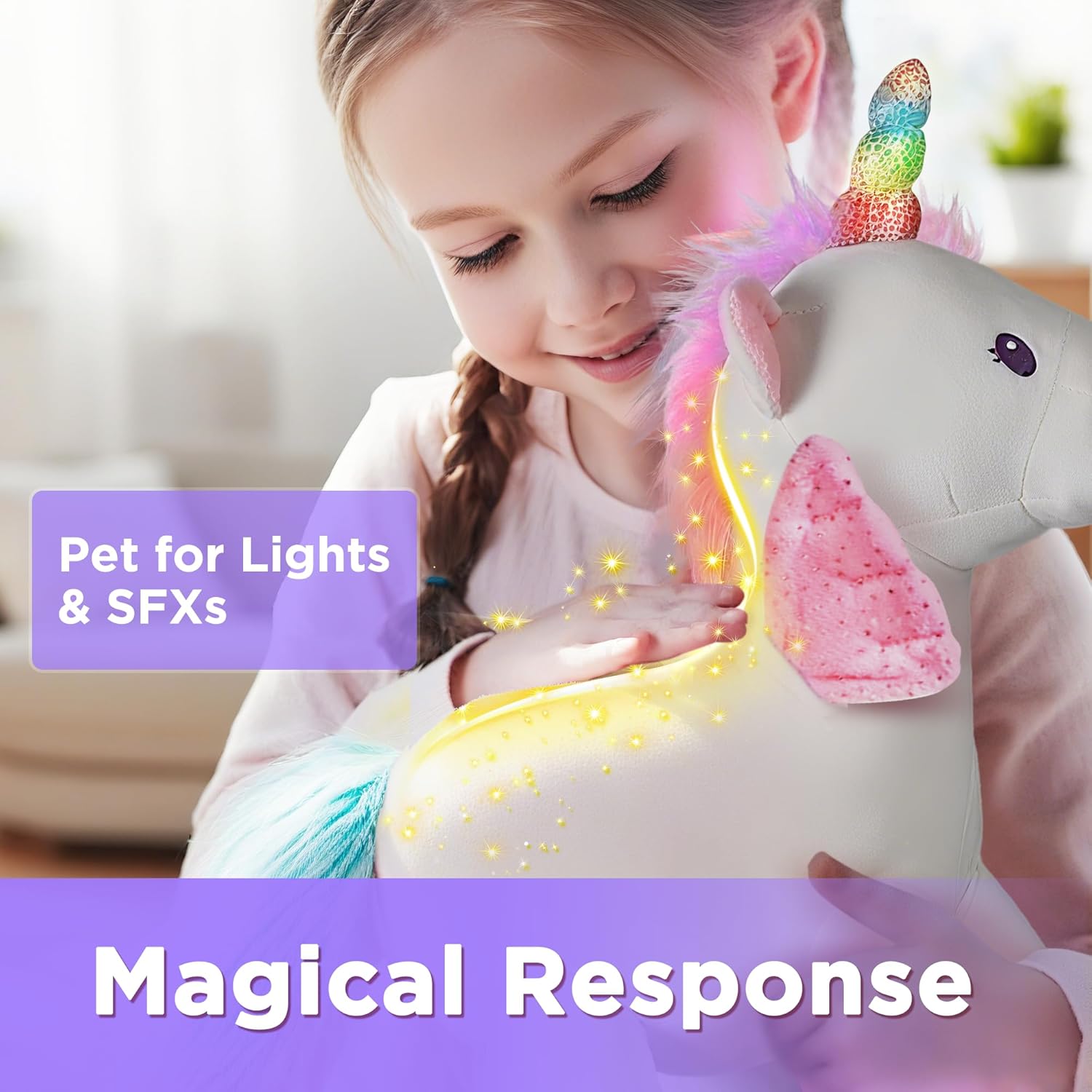
Image: A hand gently petting the unicorn's mane, illustrating touch interaction.
3. Independent Wand Use
The magic wand can be used separately from the unicorn:
- Disconnect: To disable the unicorn connection, short press the button on the wand. The wand can then be used independently to change its own light effects and music.
4. Automatic Sleep Mode
To conserve battery life, the unicorn toy will enter an automatic sleep mode after 3 minutes of inactivity. To re-awaken it, simply pet its mane or wave the connected wand.

Image: The unicorn toy serving as a comforting presence, highlighting its suitability as a bedtime companion.
Maintenance
Cleaning Method
To clean the iPlay, iLearn Plush Magic Unicorn Toy:
- Use wet wipes, a damp cloth, or a soft brush with clean water.
- Do not machine wash.
Troubleshooting
Unicorn or Wand Not Responding
- Check Batteries: Ensure both the unicorn and the magic wand have fresh batteries and are inserted correctly.
- Re-pair Devices: If the unicorn and wand are not interacting, try re-pairing them by holding the wand button for 3 seconds until it lights up and connects to the unicorn.
- Unicorn Power Switch: Verify that the power switch inside the unicorn's battery compartment is in the 'ON' position.
Wand Shuts Off Prematurely
- Battery Check: Low batteries in the wand can cause it to shut off unexpectedly. Replace with fresh batteries.
- Re-pairing: If the issue persists, try re-pairing the wand with the unicorn.
Specifications
| Feature | Detail |
|---|---|
| Product Dimensions | 11 x 5.9 x 15 inches |
| Item Weight | 1.2 pounds |
| Item Model Number | 850073080092 |
| Manufacturer Recommended Age | 18 months - 7 years |
| Manufacturer | iPlay, iLearn |
Warranty and Support
For any product-related inquiries, technical support, or warranty information, please contact the manufacturer directly. Specific warranty details were not provided in the product information.
Manufacturer: iPlay, iLearn