1. Introduction
The Bodywel T16PRO electric bike is designed for urban commuting, offering a blend of portability, comfort, and safety. This manual provides essential information for assembling, operating, and maintaining your e-bike to ensure a safe and enjoyable riding experience.
Key features include 14-inch anti-shock tires, a powerful 350W motor, a 36V 7.8Ah lithium battery for a range of 25-35KM, and a top speed of 25 km/h. Its foldable design allows for easy storage and transport. Enhanced safety features include dual disc brakes, a bright front lamp, tail light, and a cycle bell. The smart LED display provides real-time information on speed, battery level, and riding mode.
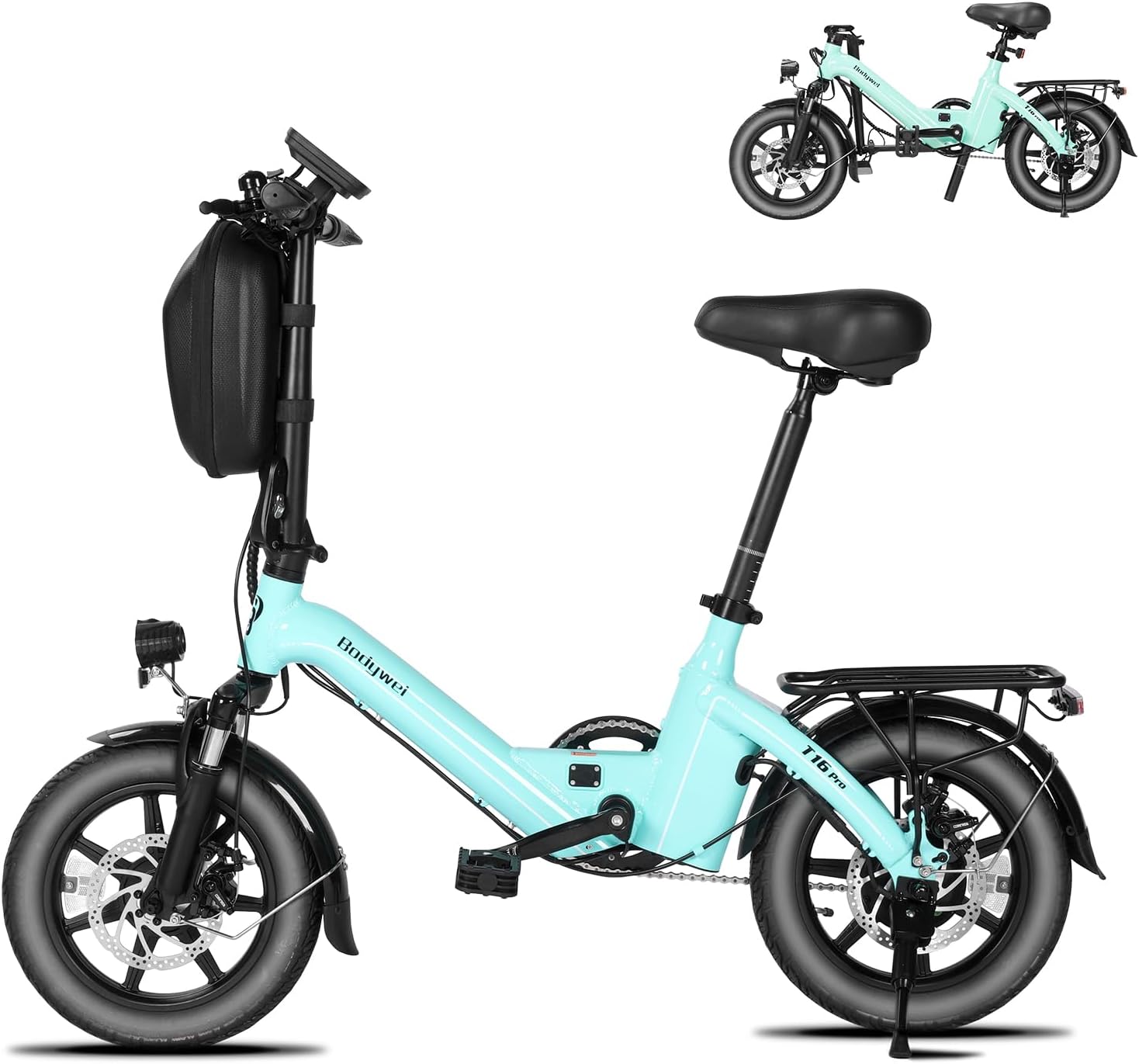
Figure 1.1: Bodywel T16PRO Folding Electric Bike.
2. Setup and Assembly
Your T16PRO electric bike arrives 90% pre-assembled. Follow these steps to complete the assembly and prepare your bike for its first ride.
2.1 Unboxing and Initial Inspection
Carefully open the packaging and remove all protective materials. Ensure all components are present and undamaged. Refer to the included user manual for a complete parts list.

Figure 2.1: Key components of the T16PRO, including pre-installed features.
2.2 Assembly Video Guide
For a visual guide on assembly, please watch the official installation video below:
Video 2.1: Official Bodywel T16PRO Electric Bike Installation Guide. This video demonstrates the unboxing, component identification, and step-by-step assembly process for the handlepost, front wheel, pedals, and accessories.
2.3 Handlepost Installation
- Remove the handlepost protective foam and align the handlepost with the frame.
- Remove handlebar protective foam.
- Loosen the handlepost clamp plate using the M5 Allen key.
- Secure the handlebar on the clamp plate and tighten with the M5 Allen key.
2.4 Front Wheel Installation
- Use a 15mm wrench to loosen the front fork protector rod.
- Remove the front fork protective foam and fit the front wheel onto the fork blades.
- Insert the quick release through the front wheel axle, tighten, and spin the wheel to check rotation.
2.5 Front Light and Fender Installation
- Use an M5 Allen key to loosen the front light screw.
- Use an M5 Allen key to loosen the fender support screws on both fork blades.
- Install the fender onto the fork blades and tighten the support screws using the M5 Allen key.
- Secure the front light by connecting its bracket to the fender mounting eye, then tighten the screw with the M5 Allen key.
2.6 Pedal Installation
- Install the R pedal (marked "R") clockwise using a 15mm wrench.
- Install the L pedal (marked "L") counter-clockwise using a 15mm wrench.
2.7 Front Basket Installation
Secure the basket straps to the handlebars and handlepost. Rotate the handlebars to check for clearance and ensure proper fit.
3. Operating Your E-Bike
3.1 Turning On/Off and Display Functions
To turn on the bike, press the power button for 3 seconds. The smart LED display will illuminate, showing your speed, battery level, and current riding mode. Test all controls, including the lights and bell, before riding.

Figure 3.1: Smart LED Display with various indicators.
3.2 Riding Modes
The T16PRO offers dual riding modes:
- Electric Assist Mode: Provides motor assistance as you pedal, making rides easier, especially on inclines.
- Normal Electric Cycle Mode: Full electric power without pedaling, controlled by the throttle.
Switch between modes using the controls on the handlebar to suit your riding preference and terrain.
4. Maintenance
Regular maintenance ensures the longevity and optimal performance of your electric bike.
4.1 Charging the Battery
To charge the 36V 7.8Ah lithium battery:
- Connect the AC cable to the charger. The charger light will turn green.
- Insert the DC plug into the charging port on the bike. A red light on the charger indicates normal charging.
- Once fully charged, the charger light will turn green. Disconnect the charger from the bike and then from the power outlet.
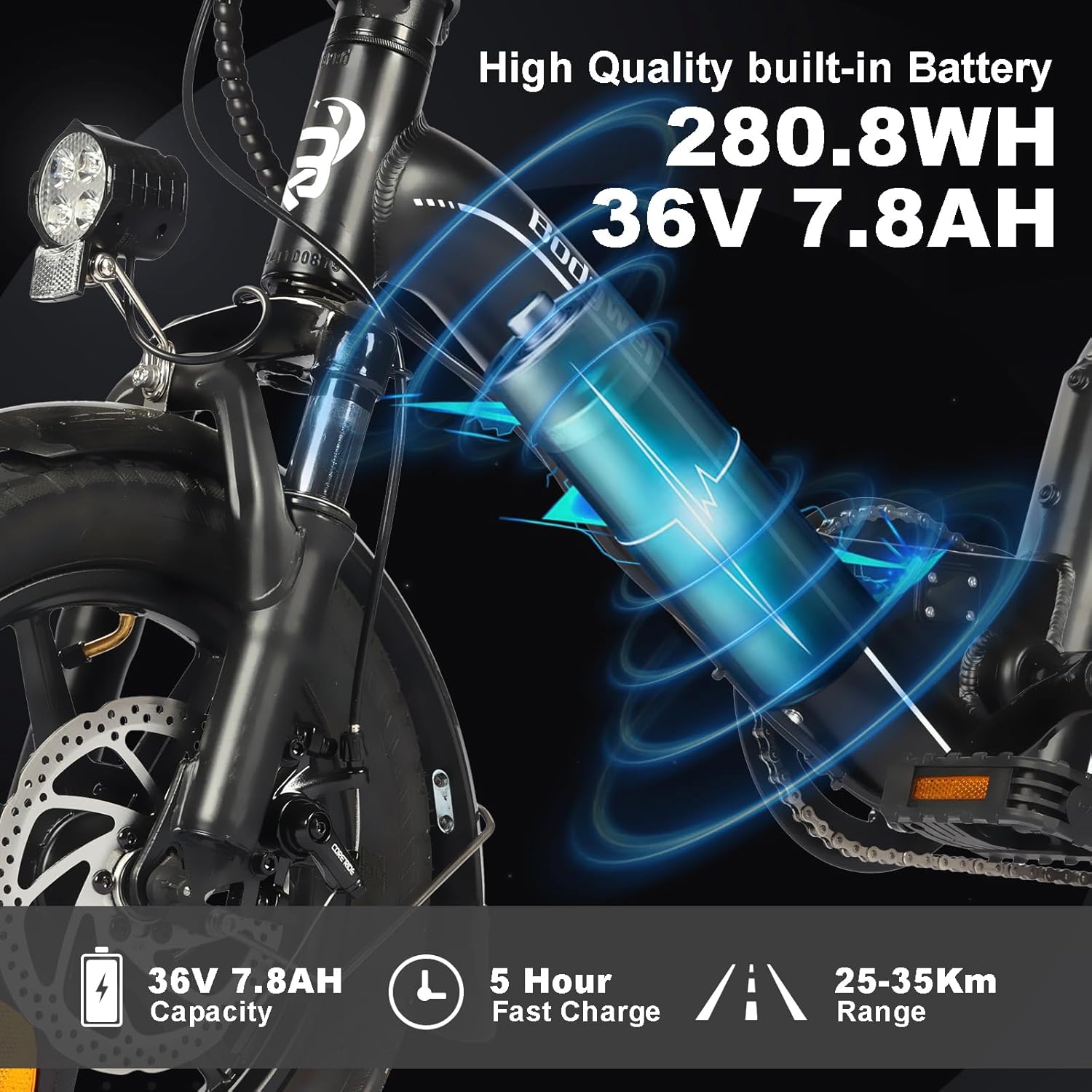
Figure 4.1: Battery specifications and charging indicators.
It is recommended to charge the battery after each ride and avoid completely draining it to prolong its lifespan.
4.2 General Maintenance Tips
- Regularly check tire pressure and inflate to the recommended PSI.
- Inspect brake pads and discs for wear and tear. Adjust or replace as needed.
- Keep the chain clean and lubricated.
- Periodically check all bolts and fasteners for tightness.
- Clean the bike with a damp cloth and mild detergent. Avoid high-pressure washing directly on electrical components.
5. Troubleshooting
This section covers common issues you might encounter with your T16PRO electric bike. For more complex problems, please contact customer support.
- Bike does not turn on: Ensure the battery is charged and properly seated. Check all electrical connections.
- Motor not assisting: Verify that the pedal assist level is set correctly on the display. Check for any error codes on the LED display.
- Brakes feel loose: Inspect brake cables for tension and adjust as necessary. Check brake pads for wear.
- Unusual noises: Inspect the chain, wheels, and motor for any obstructions or loose parts.
Always consult a qualified technician for repairs beyond basic adjustments.
6. Product Specifications
| Feature | Specification |
|---|
| Bike Type | Electric Bike |
| Model Name | T16PRO |
| Brand | Bodywel |
| Motor | Peak 350W Brushless Motor |
| Battery | 36V 7.8Ah Lithium Battery |
| Max Speed | 25 km/h |
| Travel Range | 25-35 KM (on a single charge) |
| Tire Size | 14-inch Anti-shock Tires |
| Brakes | Dual Disc Brakes |
| Suspension Type | Front Suspension Fork and Central Shock Absorber |
| Adjustable Saddle Height | 83-91cm |
| Recommended Rider Height | 140-185cm |
| Max Load Capacity | 120kg (264lbs) |
| Folded Size | 130 x 61 cm (approximate) |
| Frame Material | Aluminum |
| Safety Certification | UL 2849 Tested |

Figure 6.1: Visual summary of key specifications.
7. Warranty and Support
The Bodywel T16PRO Electric Bike comes with a 1-year limited warranty from the manufacturer. For detailed warranty information, please refer to the official user manual included in your product packaging or contact Bodywel customer support.
For any technical assistance, troubleshooting, or parts inquiries, please contact Bodywel customer service through the contact information provided in your product documentation or on the official Bodywel website.
Additional protection plans may be available for purchase, such as 2-Year Protection Plans or Complete Protect plans, offering extended coverage for your product.
You can also refer to the official User Manual PDF for more detailed information: User Manual (PDF)


