
iNVItop AP-2088
iNVItop AP-2088 Air Purifier User Manual
Model: AP-2088
1. Introduction
Thank you for purchasing the iNVItop AP-2088 Air Purifier. This manual provides essential information for the safe and efficient operation, maintenance, and troubleshooting of your device. Please read it thoroughly before use and retain it for future reference.
The iNVItop AP-2088 is designed to improve indoor air quality by filtering dust, pollen, odors, and other airborne particles. It features a HEPA filter, LED touch panel controls, and multiple operating modes.
2. Package Contents
Verify that all items are present in the package:
- iNVItop AP-2088 Air Purifier Unit
- USB Data Cable
- Power Adapter (PSE certified)
- User Manual (this document)
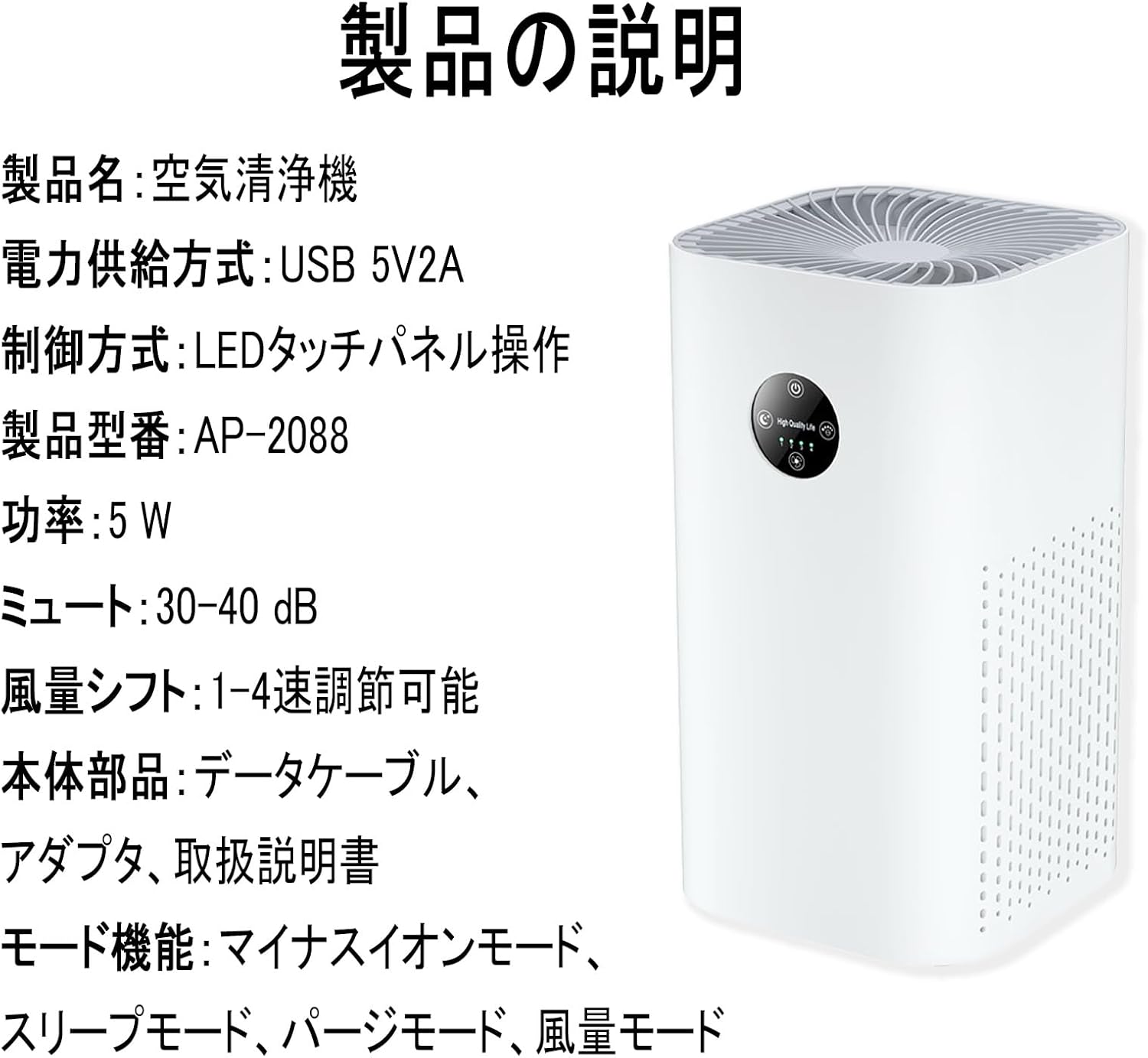
Image: The iNVItop AP-2088 Air Purifier unit shown with its power cable and adapter.
3. Safety Instructions
To reduce the risk of electric shock, fire, or injury, always follow these basic safety precautions:
- Do not operate the air purifier with a damaged cord or plug.
- Do not place the unit near heat sources or in direct sunlight.
- Keep the air inlet and outlet clear of obstructions.
- Do not immerse the unit in water or other liquids.
- Unplug the unit before cleaning or performing any maintenance.
- This appliance is not intended for use by persons (including children) with reduced physical, sensory or mental capabilities, or lack of experience and knowledge, unless they have been given supervision or instruction concerning use of the appliance by a person responsible for their safety.
4. Product Overview
The iNVItop AP-2088 Air Purifier features a compact design with an intuitive LED touch display for easy operation.

Image: A detailed view of the LED touch panel, showing power, mode, and fan speed indicators.
Key Features:
- HEPA Filtration System: Effectively captures 99.97% of airborne particles.
- Activated Carbon Filter: Removes odors from pets, cooking, and smoke.
- Negative Ion Mode: Releases negative ions to further purify the air.
- Quiet Operation: Noise level as low as 30 dB in sleep mode.
- Compact and Portable: Lightweight design suitable for various rooms.
- LED Touch Panel: Intuitive controls for fan speed and operating modes.
5. Setup
- Unpack the Unit: Carefully remove the air purifier from its packaging.
- Remove Filter Packaging: Before first use, open the filter compartment and remove any plastic packaging from the HEPA filter. Reinsert the filter securely.
- Placement: Place the air purifier on a flat, stable surface. Ensure there is at least 15 cm (6 inches) of space around all sides for optimal airflow.
- Connect Power: Connect the USB data cable to the air purifier and then to the provided power adapter. Plug the adapter into a standard electrical outlet.

Image: Illustration of the three-layer filtration system, including the pre-filter, HEPA filter, and activated carbon filter, demonstrating air purification flow.
6. Operating Instructions
The air purifier is controlled via the LED touch panel on the top of the unit.
Power On/Off:
- Touch the Power button () to turn the unit on or off.
Fan Speed Adjustment:
- Touch the Fan Speed button () to cycle through 4 fan speed settings (1-4).
Mode Selection:
Touch the Mode button () to select from the following modes:
- Negative Ion Mode: Releases negative ions for enhanced air purification.
- Sleep Mode: Operates at the lowest fan speed with reduced noise (approx. 30 dB) and dimmed LED lights for undisturbed sleep.
- Purification Mode: Standard operating mode for general air cleaning.
- Air Volume Mode: Allows manual adjustment of fan speed.

Image: The air purifier in a bedroom setting, demonstrating its quiet operation suitable for sleep.
7. Maintenance
Regular maintenance ensures optimal performance and extends the lifespan of your air purifier.
Cleaning the Exterior:
- Unplug the unit before cleaning.
- Wipe the exterior with a soft, damp cloth. Do not use abrasive cleaners or solvents.
Filter Replacement:
The HEPA filter should be replaced every 6-8 months, depending on usage and air quality. A filter indicator light may illuminate when replacement is due.
- Unplug the air purifier.
- Open the filter compartment cover (usually located at the bottom or back of the unit).
- Remove the old filter and dispose of it properly.
- Insert a new iNVItop AP-2088 replacement filter, ensuring it is correctly oriented.
- Close the filter compartment cover.
- Plug in the unit and reset the filter indicator (refer to the troubleshooting section if unsure how to reset).

Image: A visual guide demonstrating the process of replacing the air filter within the unit.
8. Troubleshooting
| Problem | Possible Cause | Solution |
|---|---|---|
| Unit does not turn on. | No power supply; power adapter not connected; power button not pressed. | Ensure the power adapter is securely plugged into both the unit and the outlet. Press the power button. |
| Weak airflow or poor purification. | Filter is dirty or clogged; filter packaging not removed; air inlets/outlets blocked. | Check and replace the filter if necessary. Ensure all filter packaging is removed. Clear any obstructions from air vents. |
| Unusual noise during operation. | Unit not on a flat surface; foreign object inside; filter not installed correctly. | Place the unit on a stable, flat surface. Unplug and check for any foreign objects. Reinstall the filter correctly. |
| Filter replacement indicator remains on after changing filter. | Filter reset not performed. | With the unit powered on, press and hold the filter reset button (often the power button or a dedicated filter button) for 3-5 seconds until the indicator light turns off. |
9. Specifications
| Feature | Detail |
|---|---|
| Product Name | Air Purifier |
| Model Number | AP-2088 |
| Brand | iNVItop |
| Power Supply | USB (5V2A) |
| Rated Power | 5 W |
| Control Method | LED Touch Panel |
| Noise Level | 30-40 dB |
| Fan Speed Settings | 4 (Adjustable) |
| Applicable Area | Approx. 130 sq ft (12.08 sq meters) |
| Product Dimensions (D x W x H) | 20.5 cm x 20.5 cm x 36.5 cm (8.07 in x 8.07 in x 14.37 in) |
| Product Weight | 2.35 kg (5.18 lbs) |
| Color | White |

Image: A diagram illustrating the physical dimensions (height, width, depth) of the air purifier unit.
10. Warranty and Support
For warranty information or technical support, please contact iNVItop customer service through the retailer where you purchased the product. Please have your model number (AP-2088) and purchase date available when contacting support.
For more information about iNVItop products, visit the official brand store: iNVItop Brand Store.
Related documentsAP-2088


Ask a question about this manual
Ask about setup, troubleshooting, compatibility, parts, safety, or missing instructions. Manuals+ will review the question and use this page’s manual context to help answer it.