
LEXGO HOVERBOARD PHANTOM BLACK
Contents
Lexgo PHANTOM Electric Hoverboard User Manual
Model: HOVERBOARD PHANTOM BLACK
Introduction
This user manual provides essential information for the safe and efficient operation, maintenance, and troubleshooting of your Lexgo PHANTOM Electric Hoverboard. Please read this manual thoroughly before using the product to ensure proper handling and to prevent damage or injury.
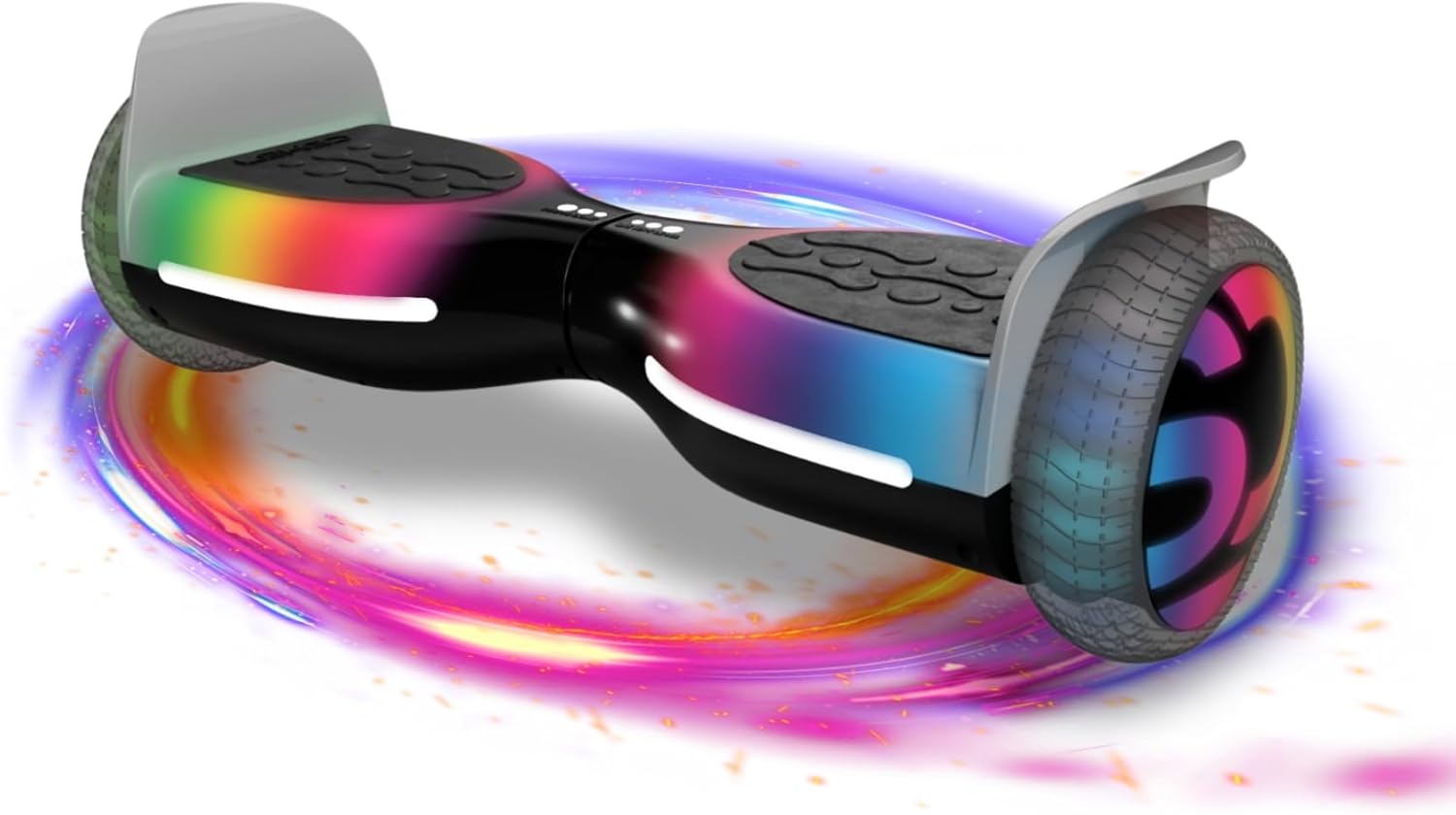
Image: The Lexgo PHANTOM Electric Hoverboard, showcasing its sleek design and vibrant LED wheel lights.
General Safety Information
Your safety is paramount. Always adhere to the following safety guidelines:
- Always wear a helmet and appropriate protective gear (knee pads, elbow pads, wrist guards) when riding.
- Ensure the hoverboard is fully charged before each use.
- Do not ride under the influence of alcohol or drugs.
- Observe all local traffic laws and regulations.
- Avoid riding on wet, slippery, or uneven surfaces.
- Do not exceed the maximum weight limit of 75 kg.
- Children should only operate the hoverboard under direct adult supervision.
- Do not make sudden turns or stops at high speeds.
- Avoid riding in crowded areas or near pedestrians.
- Regularly inspect the hoverboard for any signs of damage or wear before each use.
Setup
Unboxing and Initial Inspection
Carefully remove the hoverboard and all accessories from the packaging. Check for any visible damage during transit. The package should include the hoverboard, a charger, and this instruction manual.
Initial Charging
Before first use, fully charge the hoverboard. Connect the charger to the charging port on the hoverboard, then plug the charger into a standard electrical outlet. The indicator light on the charger will change (e.g., from red to green) when charging is complete. The initial charge may take several hours.

Image: Visual representation of the hoverboard's battery specifications (36V, 2Ah) and fast charging capability, indicating its power source.
Operating Instructions
Powering On/Off
To turn on the hoverboard, press the power button located on the device. You will hear an audible prompt, and the indicator lights will illuminate. To turn off, press and hold the power button until the lights turn off.
Riding the Hoverboard
- Place one foot on a footpad, ensuring the hoverboard is level.
- Quickly step up with your second foot onto the other footpad. Maintain balance by keeping your body upright and relaxed.
- To move forward, gently lean your body slightly forward. To move backward, lean slightly backward.
- To turn, apply more pressure with one foot than the other. For example, to turn left, press down slightly more with your right foot.
- To stop, slowly return to an upright position, allowing the hoverboard to come to a complete stop. Step off one foot at a time, ensuring the hoverboard remains stable.
LED Lights Operation
The Lexgo PHANTOM is equipped with colorful LED lights on its wheels, as well as front and rear lights for enhanced visibility and aesthetics. These lights activate automatically when the hoverboard is powered on and in motion, providing increased safety during nighttime use.

Image: The hoverboard demonstrating its front directed light, rear headlight, and RGB LED wheels, highlighting its visibility features.
Maintenance
Cleaning
Wipe the hoverboard with a damp cloth after each use to remove dirt and dust. Do not use harsh chemicals or abrasive cleaners. Ensure the charging port cover is securely closed to prevent water ingress.
Battery Care and Storage
- Charge the battery regularly, even if the hoverboard is not in use, to maintain battery health.
- Store the hoverboard in a cool, dry place, away from direct sunlight and extreme temperatures.
- If storing for an extended period, charge the battery to approximately 50% every 2-3 months.
General Inspection
Before each ride, check the hoverboard for any loose parts, unusual noises, or signs of damage. Ensure the footpads are clean and provide good grip.
Troubleshooting
| Problem | Possible Cause | Solution |
|---|---|---|
| Hoverboard does not turn on. | Low battery or power button issue. | Charge the hoverboard fully. Ensure the power button is pressed firmly. |
| Hoverboard is not balancing correctly. | Calibration issue or uneven surface. | Ensure you are on a flat, level surface. Recalibrate the hoverboard (refer to manufacturer's specific calibration steps if available, generally involves turning off, leveling, and turning on while holding power). |
| Lights are not working. | Power issue or LED malfunction. | Check battery level. If problem persists, contact customer support. |
| Reduced range or speed. | Low battery, heavy load, or riding conditions. | Ensure full charge. Reduce load. Avoid steep inclines or rough terrain. |
Specifications
| Feature | Detail |
|---|---|
| Brand | LEXGO |
| Model Name | HOVERBOARD PHANTOM BLACK |
| Color | Black |
| Max Speed | 12 Kilometers per hour |
| Recommended Use | Indoor |
| Item Weight | 7 Kilograms |
| Included Components | Charger, Instruction Manual |
| Material | Stainless Steel |
| Wheel Size | 6.5 Inches |
| Power | 400 Watts |
| Motor Power | 2 x 250W Brushless Motors |
| Battery Capacity | 36V, 2Ah |
| Max Autonomy | Up to 10 km |
| Max Load | 75 kg |

Image: Diagram illustrating the dimensions of the Lexgo PHANTOM Hoverboard, showing its height (240mm) and width (640mm).

Image: Infographic detailing the high-performance features of the hoverboard, including battery range, motor power, maximum speed, and wheel dimensions.
Warranty and Support
Warranty Information
Specific warranty terms and conditions for the Lexgo PHANTOM Electric Hoverboard are typically provided with the product packaging or can be found on the official Lexgo website. Please retain your proof of purchase for warranty claims.
Customer Support
For technical assistance, troubleshooting beyond this manual, or warranty inquiries, please contact Lexgo customer support. Contact details are usually available on the manufacturer's website or in the product documentation. Lexgo is committed to providing reliable support for their products.
Documents and downloads
Ask a question about this manual
Ask about setup, troubleshooting, compatibility, parts, safety, or missing instructions. Manuals+ will review the question and use this page’s manual context to help answer it.