
1. Introduction
This manual provides comprehensive instructions for the setup, operation, and maintenance of your HITELLARCAM CB54 2K Wireless Outdoor Security Camera. Please read this manual thoroughly before using the product to ensure proper functionality and safety.
Package Contents:
- HITELLARCAM CB54 2K Wireless Outdoor Security Camera (2 Pack)
- Instruction Manual
- Mounting Screws
- Stand

Image 1.1: Two HITELLARCAM CB54 2K Wireless Outdoor Security Cameras. These cameras are designed for outdoor surveillance, featuring a compact, white casing with a dark lens area.
2. Setup
2.1 Initial Charging
Before initial use, fully charge the camera for at least 5 hours. This ensures optimal battery performance from the start.
2.2 App Download and Account Creation
- Download the free O-KAM Pro app from your device's app store.
- Open the app and follow the on-screen instructions to create a new user account.
2.3 Connecting to Wi-Fi
Within the O-KAM Pro app, follow the prompts to connect your camera to your home Wi-Fi network. The camera supports dual-band Wi-Fi for stable connections.
2.4 Mounting the Camera
Select a desired outdoor location for optimal surveillance coverage. Ensure the area provides a clear view and is within Wi-Fi range.
- Attach the mounting plate to your desired surface using the provided screws.
- Secure the camera stand to the mounting plate.
- Position the camera to cover the intended area and tighten the nut to secure its angle.

Image 2.1: Diagram illustrating the wall-mounting process for the HITELLARCAM CB54 camera. The camera is shown attached to a wall bracket, providing a stable installation.
3. Operating the Camera
3.1 Video Clarity and Night Vision
The camera provides 2K UHD video resolution during the day. For nighttime surveillance, it features full-color night vision, utilizing built-in infrared and starlight sensors to capture vivid images even in low-light conditions. The 150° wide-angle lens minimizes blind spots.

Image 3.1: A comparison showing the camera's 2K FHD video quality during the day and its full-color night vision capability, highlighting clear details in both scenarios.
3.2 AI Motion Detection and Siren
Equipped with AI-powered PIR sensors, the camera detects motion and sends instant alerts to your phone. A built-in siren can be activated to deter intruders, enhancing security.
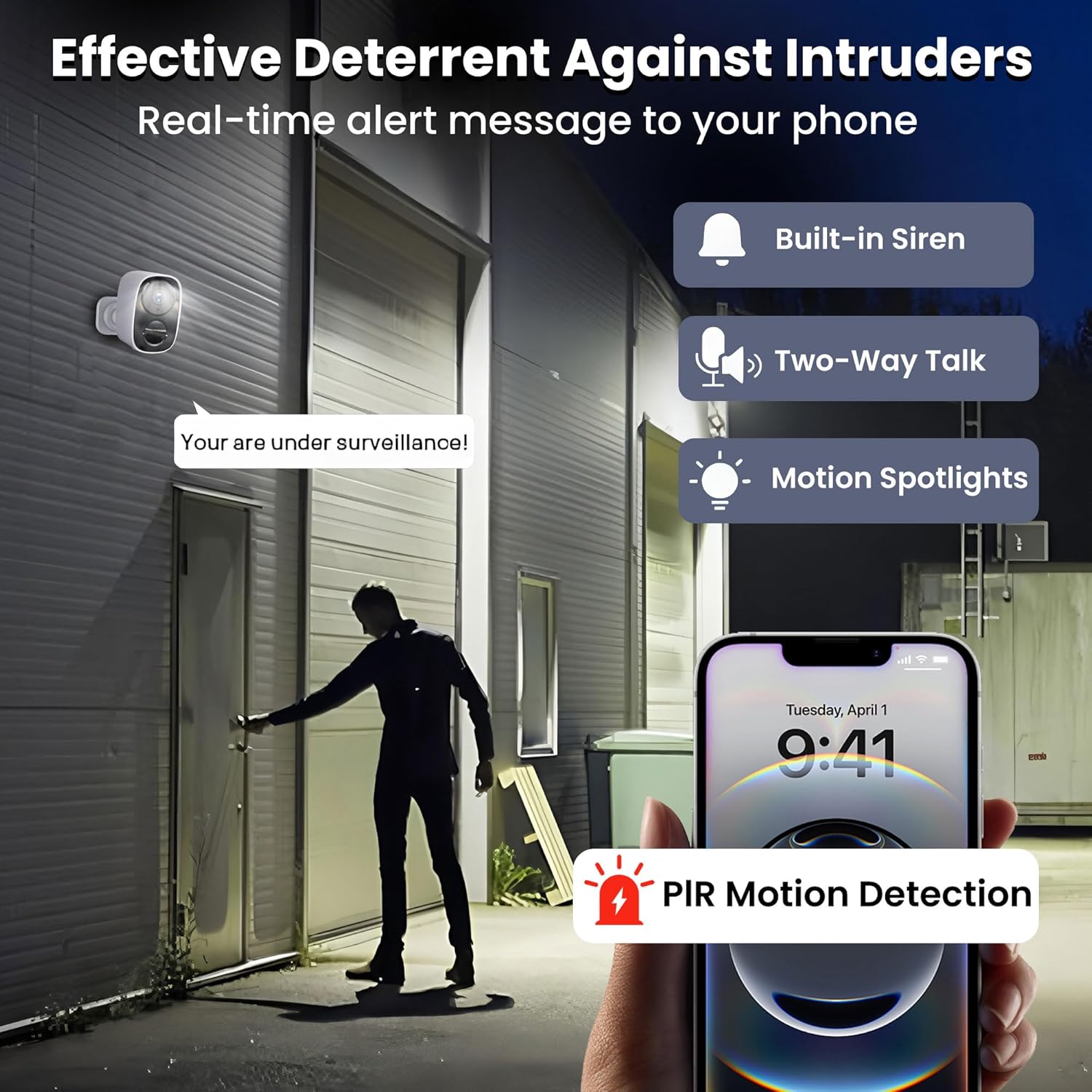
Image 3.2: The camera's deterrent features in action, showing an alert on a smartphone, a built-in siren, and motion spotlights activating when an individual approaches a monitored area.
3.3 Two-Way Talk
Utilize the integrated microphone and speaker for two-way audio communication. This allows you to interact with visitors or deter unwanted individuals remotely via the app.

Image 3.3: A visual representation of the two-way audio feature, depicting a delivery person speaking into the camera and a user responding via their smartphone.
3.4 Storage Options
The camera offers flexible storage solutions:
- Free Cloud Storage: Enjoy 3 days of encrypted cloud storage for event recordings (saved in 720p for faster access) without a subscription.
- Local Storage: Supports a microSD card up to 256GB (not included) for continuous high-resolution recording.

Image 3.4: An illustration detailing the camera's dual storage capabilities, including free cloud storage and local storage via an optional microSD card.
3.5 Battery Life and Solar Power Option
The camera features a high-performance battery and smart power-saving technology, providing 1 to 5 months of battery life on a full charge, depending on usage. For continuous operation without manual recharging, a solar panel (sold separately) can be connected.

Image 3.5: An internal diagram of the camera showcasing its battery compartment, emphasizing the extended battery life feature.
4. Maintenance
4.1 Weather Resistance
The HITELLARCAM CB54 camera is IP66-rated, making it waterproof and dustproof. This design ensures reliable performance in various weather conditions, including rain, wind, and dust.
Image 4.1: The camera shown mounted outdoors during rainfall, illustrating its IP66 waterproof and dustproof capabilities for harsh environments.
4.2 Cleaning
Periodically clean the camera lens and casing with a soft, damp cloth to remove dirt or debris that may obstruct the view or affect performance. Avoid using harsh chemicals.
4.3 Battery Management
Monitor the battery level via the O-KAM Pro app. Recharge the camera when the battery is low. If using a solar panel, ensure it is clean and positioned for maximum sunlight exposure.
5. Troubleshooting
5.1 Connectivity Issues
- Ensure your Wi-Fi network is active and the camera is within range.
- Verify that the Wi-Fi password entered in the app is correct.
- Restart your Wi-Fi router and the camera.
5.2 Short Battery Life
- Adjust motion detection sensitivity and recording duration in the app to reduce frequent activations.
- If the camera is in a high-traffic area, consider purchasing a solar panel (sold separately) for continuous charging.
- Ensure the camera is fully charged before deployment.
5.3 Image Quality Issues
- Clean the camera lens to remove any smudges or dirt.
- Ensure adequate lighting for optimal night vision performance.
6. Specifications
| Feature | Detail |
|---|---|
| Model Name | CB54 |
| Brand | HITELLARCAM |
| Indoor/Outdoor Usage | Outdoor |
| Power Source | Battery Powered |
| Connectivity Protocol | Wi-Fi |
| Controller Type | O-KAM Pro |
| Mounting Type | Wall Mount |
| Video Capture Resolution | 2K |
| Wireless Communication Technology | Bluetooth |
| Item Dimensions (L x W x H) | 2.23 x 3 x 2.25 inches |
| Battery Power | 5000 Watt Hours |
| Item Weight | 1.76 pounds |
| Special Feature | 2K Resolution |
7. Support
For any questions, technical assistance, or support regarding your HITELLARCAM CB54 camera, please contact our professional customer service. We are available 24/7 to assist you.
For more information, you may visit the HITELLARCAM brand page.