1. Introduction
The TUNAI WP-618H Slim Hanging Filter is a compact and efficient filtration system designed for aquarium fish tanks. It mounts on the rim of your aquarium, providing comprehensive water purification without occupying valuable internal tank space. This filter performs mechanical, chemical, and biological filtration to maintain a healthy aquatic environment.
Its primary purpose is to remove debris, toxins, and harmful substances from the water, contributing to the nitrogen cycle and enhancing oxygenation. This is crucial for the well-being of fish and other aquatic organisms.

Image 1: Illustration of the filter's multi-stage filtration capabilities.
2. Safety Instructions
- Always disconnect the power supply before performing any maintenance, installation, or cleaning.
- Ensure your hands are dry before handling the power plug or electrical components.
- Do not operate the filter if the power cord or plug is damaged.
- This appliance is for indoor use only and must not be used in wet outdoor conditions.
- Ensure the filter is securely mounted on the aquarium rim before operation.
- Do not allow the filter to run dry; always ensure the water level in the aquarium is sufficient for proper operation.
- Keep out of reach of children.
3. Package Contents
Verify that all components are present and undamaged upon opening the package.
- 1 x TUNAI WP-618H Slim Hanging Filter Unit

Image 2: The TUNAI WP-618H filter and its packaging.
4. Setup Instructions
- Unpack: Carefully remove all components from the packaging.
- Assemble Intake Tube: Connect the intake tube sections together. Ensure the strainer is attached to the bottom of the intake tube.
- Attach Intake Tube: Insert the assembled intake tube into the designated opening on the bottom of the filter unit.
- Mount Filter: Hang the filter unit securely on the rim of your aquarium. Ensure it is level and stable. The intake tube should extend into the water to the desired depth, typically near the bottom of the tank.
- Prime Filter: Before plugging in, fill the filter chamber with aquarium water until it overflows into the tank. This primes the pump and prevents it from running dry.
- Connect Power: Once the filter is primed and securely mounted, plug the power cord into a suitable electrical outlet.
- Adjust Flow Rate: The filter features an adjustable flow rate. Locate the flow adjustment knob (if present) and set it to your desired water flow.
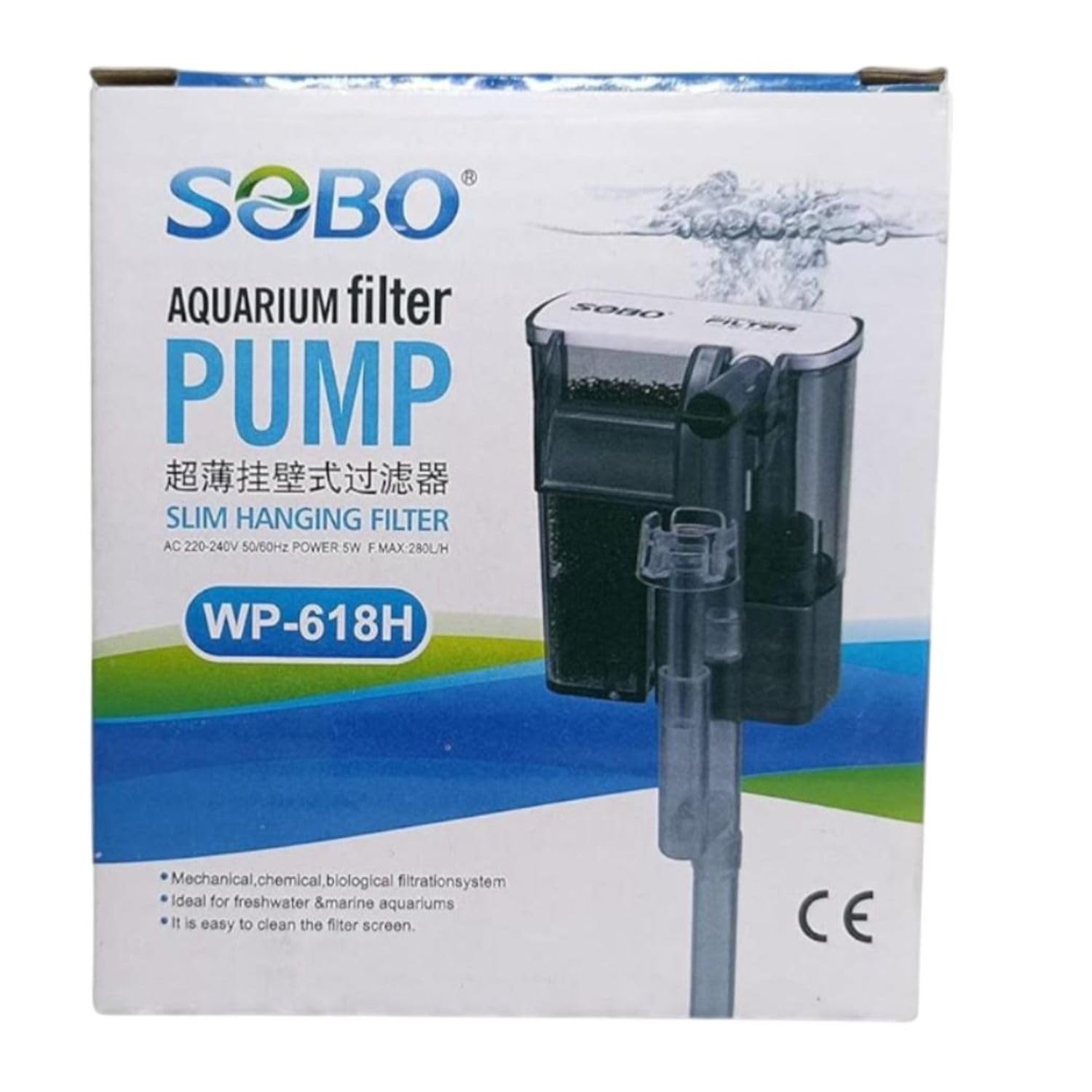
Image 3: The TUNAI WP-618H filter assembled.
5. Operating Instructions
Once installed and primed, the TUNAI WP-618H filter will begin operating automatically when plugged in. The filter is designed for continuous operation to maintain optimal water quality.
- Continuous Operation: For best results, allow the filter to run 24/7.
- Adjustable Flow Rate: Use the flow adjustment mechanism to control the water output. A higher flow rate provides more circulation and filtration, while a lower rate is suitable for tanks with delicate fish or plants.
- Water Level: Ensure the aquarium water level remains above the minimum intake level of the filter to prevent the pump from running dry and causing damage.

Image 4: Key operational features including adjustable flow rate.
6. Maintenance
Regular maintenance is essential for the efficient operation and longevity of your filter. Disconnect power before any maintenance.
- Filter Media Cleaning/Replacement: The filter media (sponge, carbon, bio-media) should be cleaned or replaced regularly.
- Mechanical Media (Sponge): Rinse the sponge in old aquarium water (not tap water) during water changes to preserve beneficial bacteria. Replace when it becomes too clogged to clean effectively, typically every 1-3 months.
- Chemical Media (Activated Carbon): Replace activated carbon every 2-4 weeks as it becomes saturated and loses effectiveness.
- Biological Media: Rinse biological media gently in old aquarium water only if absolutely necessary, to avoid disturbing beneficial bacteria.
- Impeller Cleaning: Periodically remove the impeller from the pump housing and clean it with a small brush to remove any debris or mineral buildup that can reduce performance or cause noise.
- Intake Tube Cleaning: Clean the intake tube and strainer to ensure unobstructed water flow.
- Filter Screen Cleaning: The filter screen is designed for easy cleaning. Regularly remove any accumulated debris to maintain optimal flow.
7. Troubleshooting
| Problem | Possible Cause | Solution |
|---|---|---|
| Filter not starting/no water flow |
|
|
| Reduced water flow |
|
|
| Excessive noise |
|
|
8. Specifications
| Feature | Detail |
|---|---|
| Model | WP-618H |
| Voltage | AC 220-240V |
| Frequency | 50/60Hz |
| Wattage | 5W |
| Maximum Flow Rate (F.Max) | 280 L/H |
| Product Dimensions (LxWxH) | 25 x 15 x 15 cm |
| Item Weight | 900 g |
| Filtration Type | Mechanical, Chemical, Biological |

Image 5: Technical specifications of the WP-618H filter.
9. Warranty and Support
For warranty information or technical support, please contact the manufacturer, Chapman Enterprises Private Limited, or the retailer where the product was purchased. Keep your proof of purchase for any warranty claims.