
1. Introduction
Thank you for purchasing the HOMCOM 42-inch 3-in-1 Evaporative Air Cooler. This appliance is designed to provide cooling, humidification, and fan functions for your home or office. To ensure safe and efficient operation, please read this manual thoroughly before use and retain it for future reference.
Important Safety Information
- Always place the unit on a stable, level surface.
- Do not operate the unit with a damaged cord or plug.
- Keep the unit away from water sources and direct sunlight.
- Ensure the power supply matches the voltage specified on the rating label.
- Do not insert objects into the air inlets or outlets.
- Unplug the unit before cleaning, maintenance, or when not in use.
- This appliance is not intended for use by persons with reduced physical, sensory, or mental capabilities, or lack of experience and knowledge, unless they have been given supervision or instruction concerning use of the appliance by a person responsible for their safety.
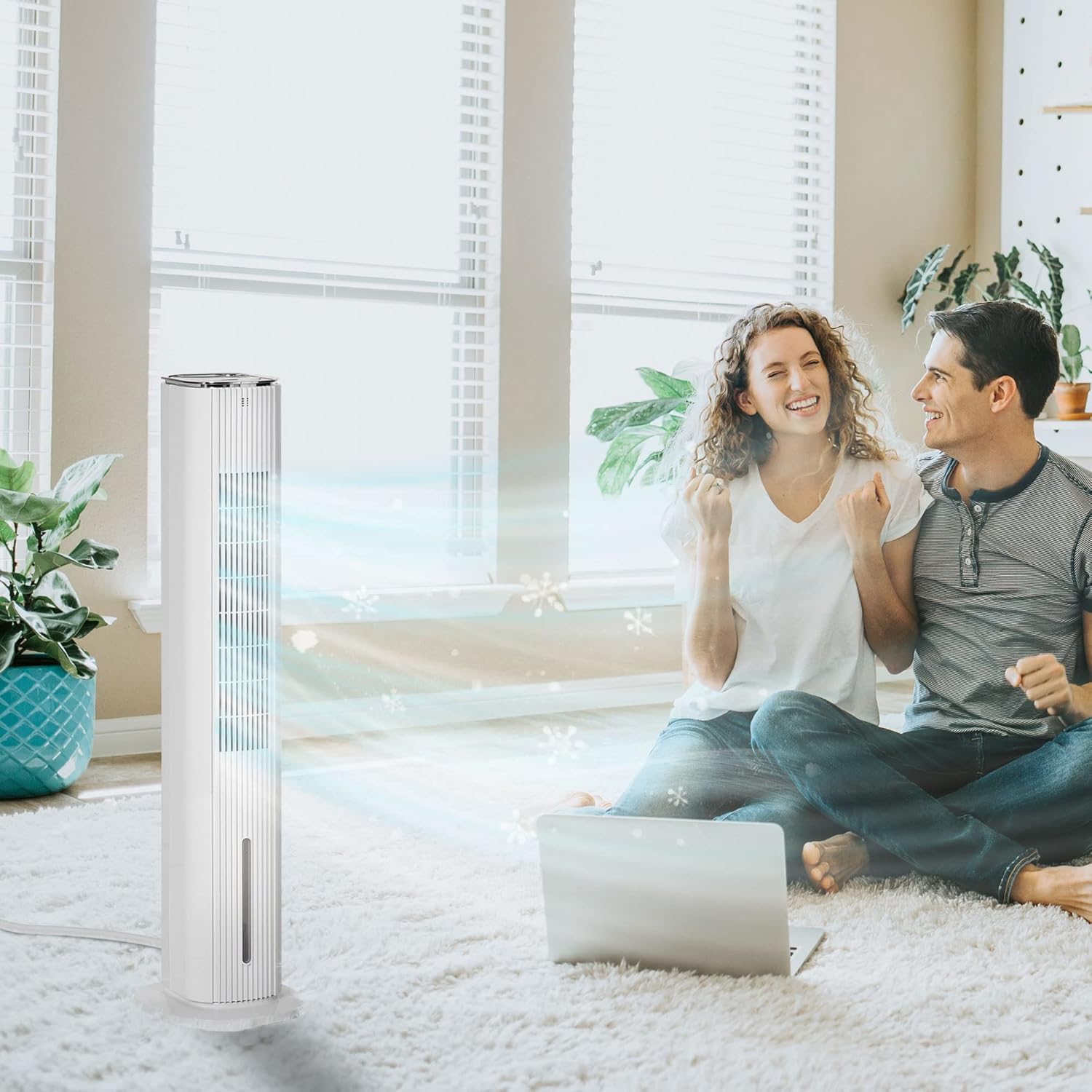
Figure 1: The HOMCOM 42-inch 3-in-1 Evaporative Air Cooler in operation, providing cooling airflow in a room.
2. Product Overview
The HOMCOM Evaporative Air Cooler combines three essential functions to enhance your indoor comfort:
- Fan Mode: Circulates air without water, acting as a standard fan.
- Humidifier Mode: Adds moisture to the air, ideal for dry environments, by using cool water.
- Air Cooler Mode: Provides enhanced cooling by evaporating water and utilizing ice packs.
The unit features a 60° oscillation for wide area coverage, an integrated air filter system for cleaner air, and a user-friendly control panel with remote access.

Figure 2: Illustration of the 3-in-1 functionality: Fan, Humidifier, and Air Cooler modes.
3. Setup
Unpacking and Placement
- Carefully remove the air cooler from its packaging.
- Place the unit on a firm, level, and dry surface. Ensure there is at least 20 cm (8 inches) of clear space around the unit for proper airflow.
- Do not place the unit near heat sources or in direct sunlight.
Filling the Water Tank
The unit features a large, dual water tank for easy refilling.
- Ensure the unit is unplugged from the power outlet.
- Locate the water tank access point, typically at the bottom rear or side of the unit.
- Carefully pull out or open the water tank.
- Fill the tank with clean, cool water. Do not exceed the maximum fill line indicated on the tank.
- Securely close or reinsert the water tank.
Using Ice Packs (for enhanced cooling)
For a stronger cooling effect, use the included ice packs.
- Place the ice packs in a freezer until completely frozen.
- Ensure the unit is unplugged.
- Open the top cover of the unit.
- Place the frozen ice packs into the designated compartment within the water tank or top reservoir.
- Close the top cover securely.
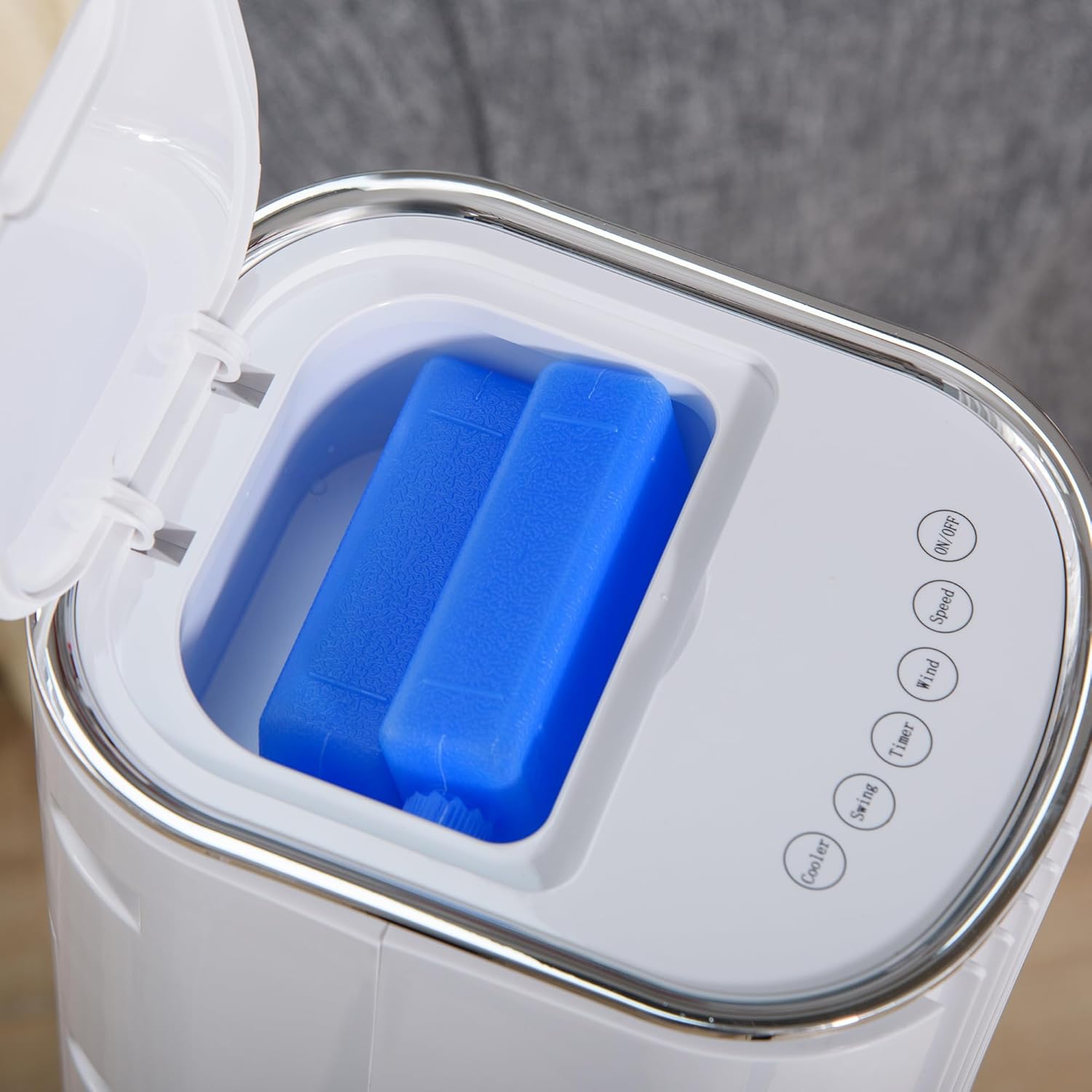
Figure 3: Placing ice packs into the top compartment for enhanced cooling.
4. Operating Instructions
The air cooler can be operated using the LED display control panel on the unit or the included remote control.
Control Panel and Remote Control Functions
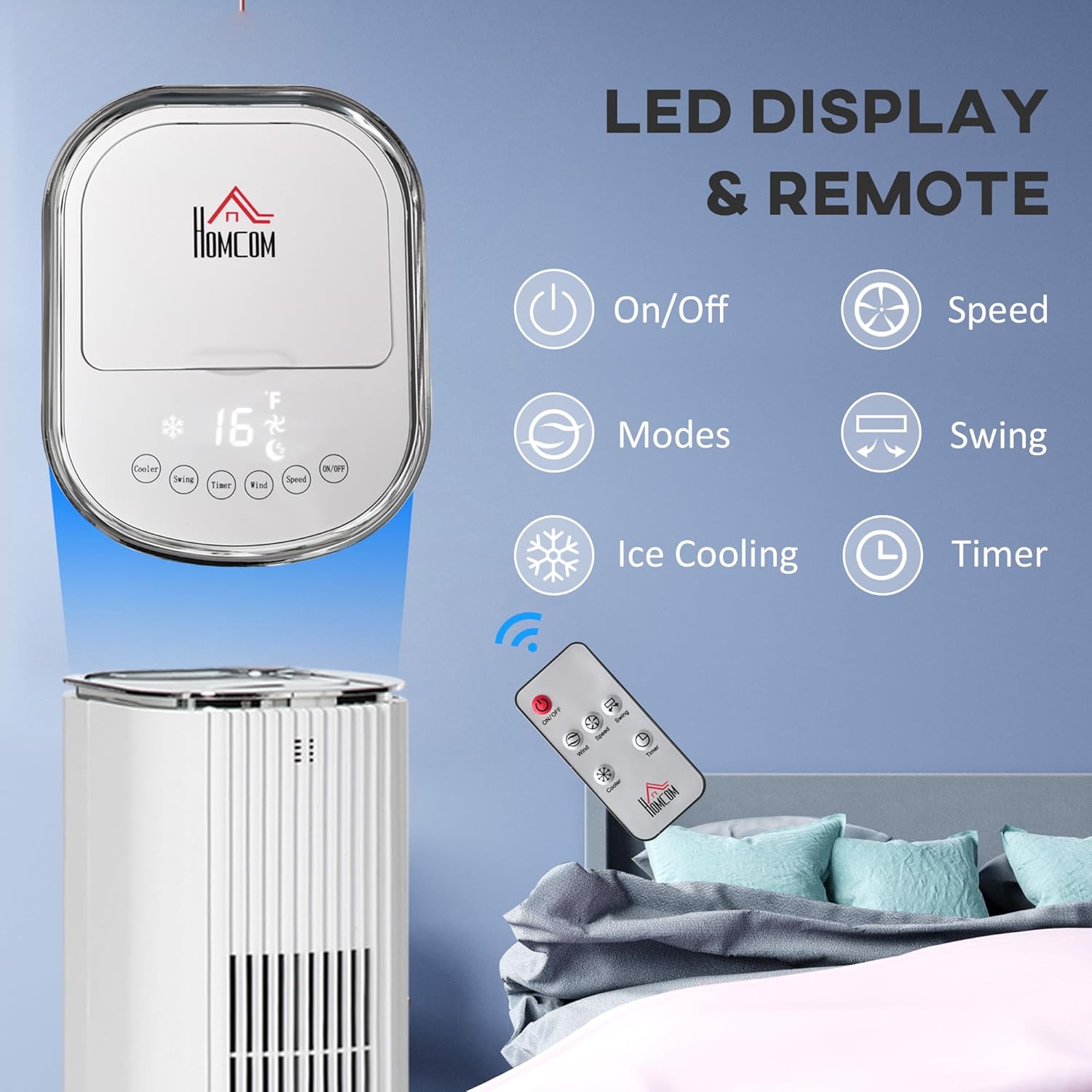
Figure 4: LED Display Control Panel and Remote Control.
- On/Off Button: Powers the unit on or off.
- Speed Button: Cycles through fan speeds: Low, Medium, High.
- Modes Button: Selects operating modes: Normal, Natural, Sleep.
- Swing Button: Activates or deactivates the 60° oscillation function.
- Cooler Button (Ice Cooling): Engages or disengages the evaporative cooling function. Requires water in the tank.
- Timer Button: Sets the operating timer for up to 12 hours in hourly intervals.
Operating Modes
- Normal Mode: Provides a constant airflow at the selected speed.
- Natural Mode: Simulates natural breeze by varying fan speeds intermittently.
- Sleep Mode: Operates at a lower, quieter speed, often gradually decreasing speed over time to promote comfortable sleep.

Figure 5: Available fan speeds and operating modes.
5. Maintenance
Regular cleaning and maintenance will ensure optimal performance and extend the lifespan of your air cooler.
Cleaning the Exterior
- Always unplug the unit before cleaning.
- Wipe the exterior surfaces with a soft, damp cloth. Do not use abrasive cleaners or solvents.
- Ensure no water enters the control panel or other electrical components.
Cleaning the Air Filter
The air filter system helps maintain fresh and clean circulating air. It is washable and does not require replacement.
- Unplug the unit.
- Locate and carefully remove the air filter from the back or side of the unit.
- Rinse the filter under running water until clean. For stubborn dirt, use a soft brush and mild detergent.
- Allow the filter to air dry completely before reinserting it into the unit.

Figure 6: Air filter system, illustrating how to remove and clean the filter.
Draining and Cleaning the Water Tank
To prevent mold and mildew, regularly drain and clean the water tank, especially if the unit will not be used for an extended period.
- Unplug the unit.
- Remove the water tank as described in the Setup section.
- Empty any remaining water.
- Clean the inside of the tank with a soft cloth and mild soap, then rinse thoroughly.
- Allow the tank to air dry completely before reinserting.
Storage
When storing the unit, ensure the water tank is empty and clean, and the air filter is dry. Store the unit in a cool, dry place, preferably in its original packaging, away from direct sunlight and extreme temperatures.
6. Troubleshooting
If you encounter issues with your air cooler, please refer to the following table for common problems and solutions.
| Problem | Possible Cause | Solution |
|---|---|---|
| Unit does not turn on | No power supply | Check if the power cord is securely plugged into a working outlet. |
| Weak or no airflow | Air filter is dirty | Clean the air filter as described in the Maintenance section. |
| No cooling effect | Water tank is empty or low | Fill the water tank to the appropriate level. |
| Cooler function not activated | Press the 'Cooler' button on the control panel or remote. | |
| Unusual noise | Unit not on a level surface | Ensure the unit is placed on a stable, flat surface. |
| Obstruction in fan blades | Unplug the unit and check for any obstructions. |
If the problem persists after trying these solutions, please contact customer support.
7. Specifications
Technical specifications for the HOMCOM 42-inch 3-in-1 Evaporative Air Cooler (Model 824-040V81).

Figure 7: Product Dimensions.
| Feature | Detail |
|---|---|
| Model Number | 824-040V81 |
| Product Dimensions | 11.25"D x 10.25"W x 41.75"H |
| Item Weight | 14 pounds |
| Material | Plastic |
| Color | White |
| Power Output | 80 Watts |
| Voltage | 120 Volts |
| Amperage | 0.3 Amps |
| Air Flow Capacity | 350 Cubic Feet Per Minute |
| Reservoir Capacity | 1.32 Gallons |
| Number of Speeds | 3 (Low, Medium, High) |
| Operation Modes | Normal, Natural, Sleep |
| Timer | 12-hour |
| Oscillation | 60° |
| Controls Type | LED Display, Remote Control |
| Recommended Room Size | Up to 215 ft² |
| Included Components | Ice Pack |
| Manufacturer | Aosom LLC |
8. Warranty and Support
Warranty Information
This HOMCOM Evaporative Air Cooler (Model 824-040V81) comes with a 1 Year Warranty Against Manufacturer Defects from the date of purchase. This warranty covers defects in materials and workmanship under normal use. It does not cover damage resulting from misuse, accident, unauthorized modification, or improper installation.
Customer Support
For technical assistance, warranty claims, or any questions regarding your product, please contact HOMCOM customer support. Please have your model number (824-040V81) and proof of purchase ready when contacting support.
Contact Information:
Please refer to your purchase documentation or the HOMCOM official website for the most current customer service contact details.