1. Introduction
Thank you for choosing the METAK WD61 Water Leak Detector. This device is designed to provide early warning of water leaks and floods in your home, helping to prevent potential water damage. Its compact design and loud alarm make it an essential tool for safeguarding your property.
Key Features:
- Drip & Flood Detection: Equipped with a top drip sensor and four bottom flood probes for comprehensive leak detection.
- Loud 100dB Alarm: Emits a powerful alarm to ensure you are alerted quickly, even from a distance.
- AAA Battery Powered: Operates on 2 AAA batteries for long-lasting, reliable performance.
- Low Battery Alert: Provides visual and audible warnings when batteries are low.
- Versatile Placement: Ideal for kitchens, bathrooms, basements, and utility rooms.
- Optional Gateway Compatibility: Can be paired with the METAK W13 WiFi gateway (sold separately) for remote app notifications.
2. Product Overview

Figure 2.1: Front view of the METAK WD61 Water Leak Detector.

Figure 2.2: Component diagram showing the horn, drip detector, test button, and four bottom flood probes.
The METAK WD61 features a compact, oval design. On the top surface, you will find the drip detector, the main alarm horn, and a 'TEST' button. The underside of the device is equipped with four metal flood probes that detect water on surfaces.
3. Setup
3.1 Battery Installation
- Locate the battery compartment on the underside of the device.
- Gently twist and remove the battery cover.
- Insert 2 AAA batteries, ensuring correct polarity (+/-).
- Replace the battery cover, twisting it securely until it clicks into place.
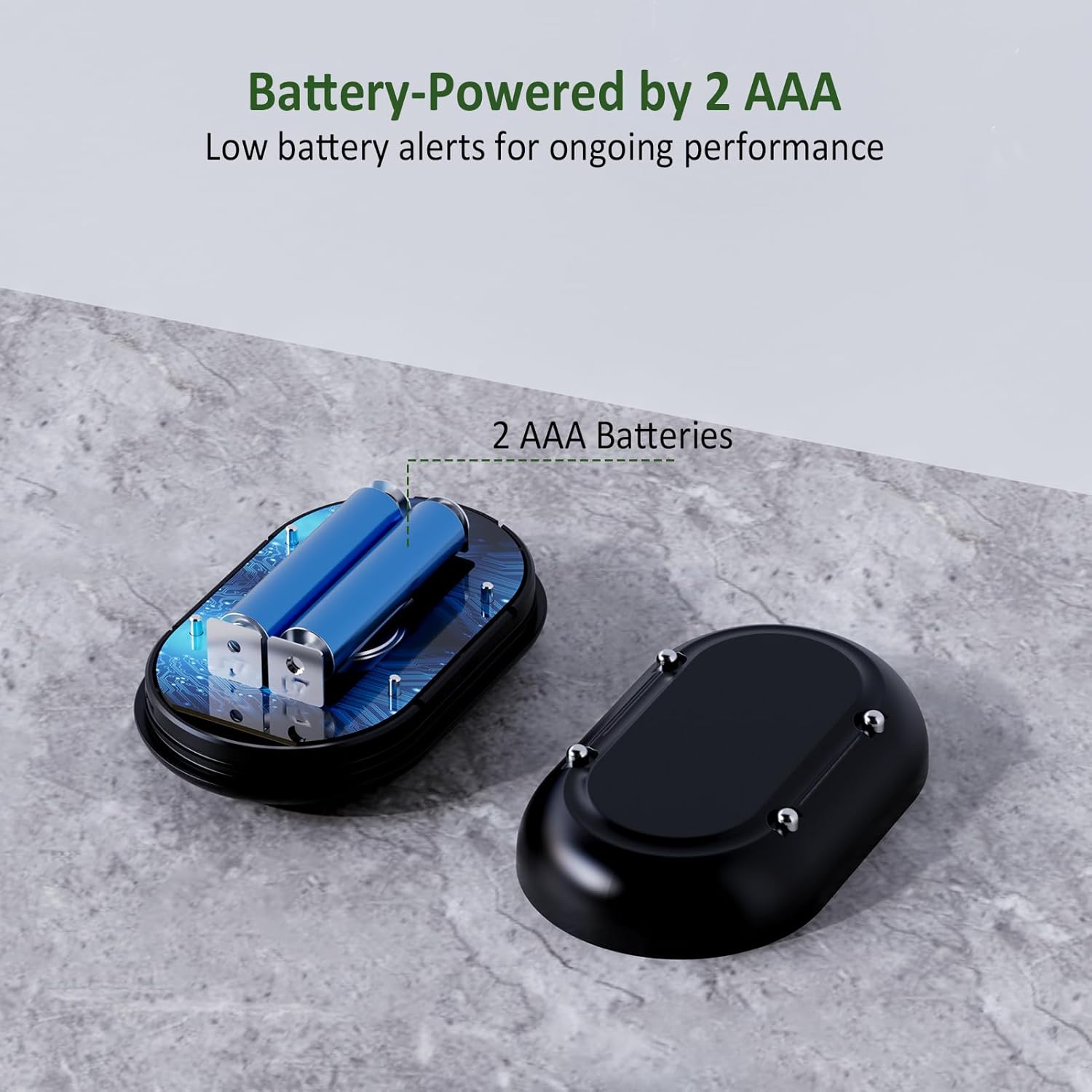
Figure 3.1: Battery compartment for 2 AAA batteries.
3.2 Placement
Place the water leak detector in areas prone to water leaks or flooding. Ensure the bottom flood probes are in direct contact with the surface where water might accumulate. For drip detection, position the device so that potential drips fall onto the top sensor.
- Under sinks (kitchen, bathroom)
- Near washing machines or dishwashers
- Behind toilets
- In basements or utility rooms
- Near water heaters or sump pumps

Figure 3.2: Recommended placement locations for the water leak detector.
3.3 Optional Gateway Pairing (METAK W13)
The WD61 sensor can be paired with the METAK W13 WiFi gateway (sold separately) for real-time leak alerts to your smartphone via the TUYA app. Refer to the METAK W13 gateway manual for detailed pairing instructions. Up to 24 sensors can be connected to one gateway for comprehensive home coverage.

Figure 3.3: The WD61 sensor can be paired with the METAK W13 WiFi gateway for app notifications.
4. Operating the Device
4.1 Leak Detection
The WD61 detector is designed to sense water through two mechanisms:
- Top Drip Sensor: Detects small drips falling directly onto the top surface of the device.
- Bottom Flood Probes: Four metal probes on the underside detect water puddles or flooding when they come into contact with water.
Upon detecting water, the device will immediately sound a loud 100dB alarm and the built-in indicator will flash red.

Figure 4.1: The detector alerts for both top drips and bottom floods.
4.2 Testing the Alarm
To ensure your detector is functioning correctly, press the 'TEST' button located on the front of the device. The alarm should sound, confirming its operational status. You can also test the water detection by placing a small amount of water on the top sensor or by placing the device in a shallow puddle of water to activate the bottom probes.
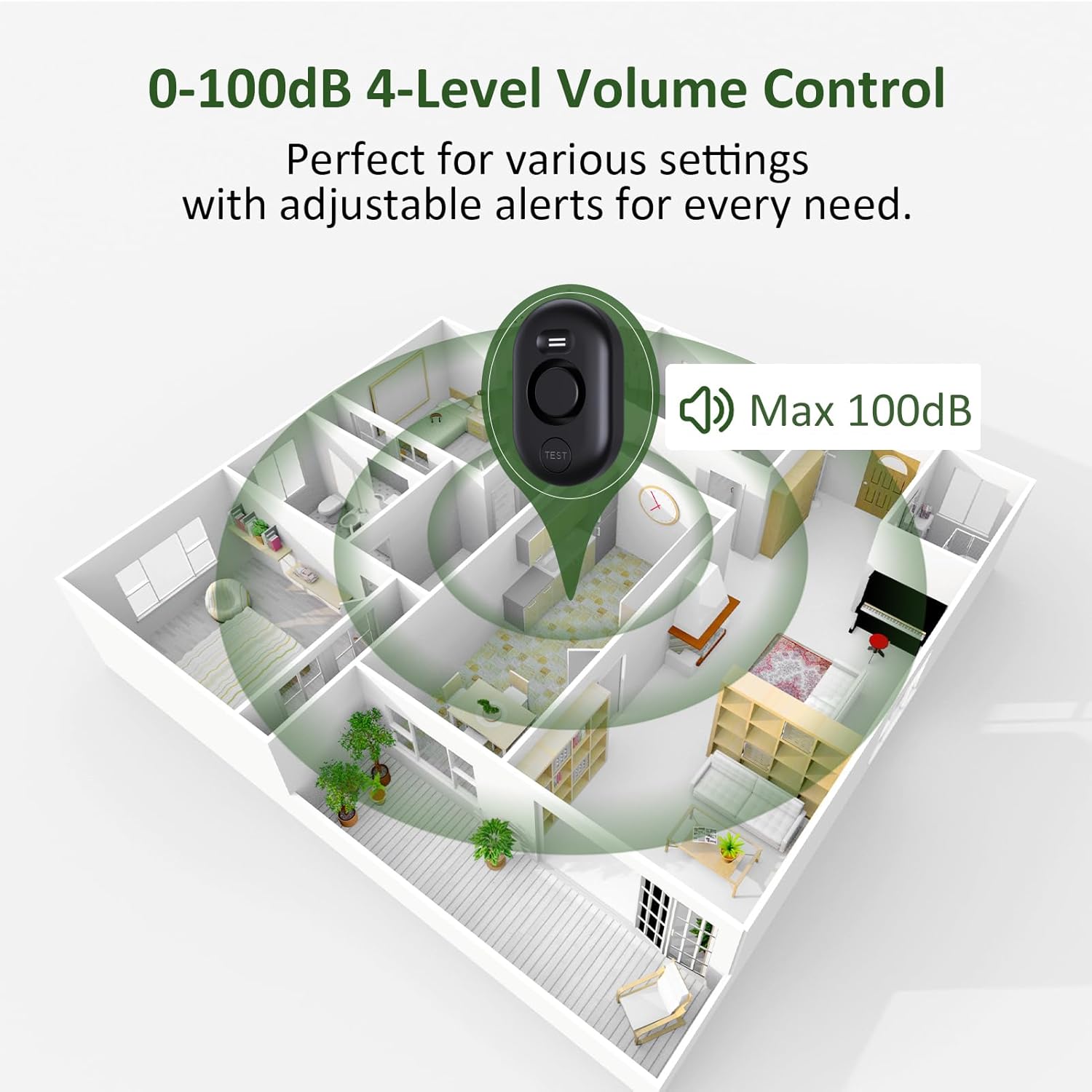
Figure 4.2: The 100dB alarm is designed to be heard across large areas.
4.3 Low Battery Alert
When the battery level is low, the built-in indicator will flash red and the device will emit an audible alert, signaling that the batteries need to be replaced soon to maintain continuous protection.
5. Maintenance
- Cleaning: Periodically wipe the device with a soft, dry cloth to remove dust and debris. Do not use harsh chemicals or abrasive cleaners.
- Battery Replacement: Replace batteries promptly when the low battery alert is activated. Always use 2 new AAA alkaline batteries.
- Regular Testing: It is recommended to test the alarm function monthly to ensure proper operation.
6. Troubleshooting
| Problem | Possible Cause | Solution |
|---|---|---|
| Alarm does not sound when water is detected. | Low or dead batteries. Incorrect placement (sensors not in contact with water). Device malfunction. | Replace batteries. Reposition the detector to ensure sensors make contact with water. Contact customer support. |
| Alarm sounds continuously without water. | Sensors are wet or dirty. High humidity causing condensation on sensors. | Clean and dry the sensors thoroughly. Move the device to a less humid environment. |
| Low battery alert is active shortly after battery replacement. | Used or low-quality batteries. | Ensure new, high-quality AAA alkaline batteries are used. |
7. Specifications
| Attribute | Value |
|---|---|
| Model Number | WD61x1-Black |
| Brand | METAK |
| Power Source | 2 AAA Batteries (included) |
| Voltage | 3 Volts (DC) |
| Noise Level | 100 dB |
| Product Dimensions | 3.2 x 1.92 x 1 inches |
| Item Weight | 2.4 ounces |
| Mounting Type | Tabletop Mount |
| Sensor Technology | Contact Sensor |
| Compatible Devices | METAK W13 WiFi Gateway (Sold Separately) |
8. Warranty and Support
METAK products are designed for reliability and performance. For warranty information, technical support, or any inquiries regarding your WD61 Water Leak Detector, please refer to the contact information provided on the product packaging or visit the official METAK website. Keep your purchase receipt for warranty claims.


