
1. Introduction
The TUNAI S0B0 SB-638 Aquarium Air Pump is designed to introduce air into aquarium water, creating bubbles and increasing essential oxygen levels for aquatic life. This device plays a critical role in sustaining and enhancing the aquatic environment by facilitating gas exchange processes necessary for maintaining healthy fish and plant life.
This air pump promotes oxygenation, improves water circulation, and assists in the filtration process by helping to distribute water evenly throughout the aquarium. Proper oxygenation is vital for the survival and well-being of aquatic organisms, and enhanced water movement contributes to effective filtration.
2. Product Overview
2.1 Features
- Dual Outlet Design: Provides two air outputs for versatile use in different aquarium setups.
- Multi-gear Stepless Speed Regulation: Allows precise adjustment of air volume to suit specific aquarium needs.
- Dynamic Display of Gas Volume: Offers visual feedback on the current air output level.
- Microcomputer Chip Control: Ensures stable and efficient operation.
- Mute and Shockproof Design: Engineered for quiet operation and durability.
- Compact & Lightweight: Easy to place and move as needed.
- Easy Maintenance: Designed for straightforward upkeep.

Image: The S0B0 SB-638 air pump highlighting its key features: easy maintenance, compact and lightweight design, and quiet operation.

Image: A graphic illustrating advanced features of the S0B0 SB-638 air pump, including multi-gear stepless speed regulation, dynamic gas volume display, microcomputer chip control, and mute/shockproof characteristics.
2.2 Specifications
| Specification | Value |
|---|---|
| Model | SB-638 |
| Voltage | AC 220-240V |
| Frequency | 50/60Hz |
| Power | 6W |
| Output | 2 x 4.5L/min (Total 9 Liters Per Minute) |
| Pressure | 0.02 Mpa |
| Item Weight | 750 Grams |
| Power Source | Corded Electric |
| Color | Rose Gold |
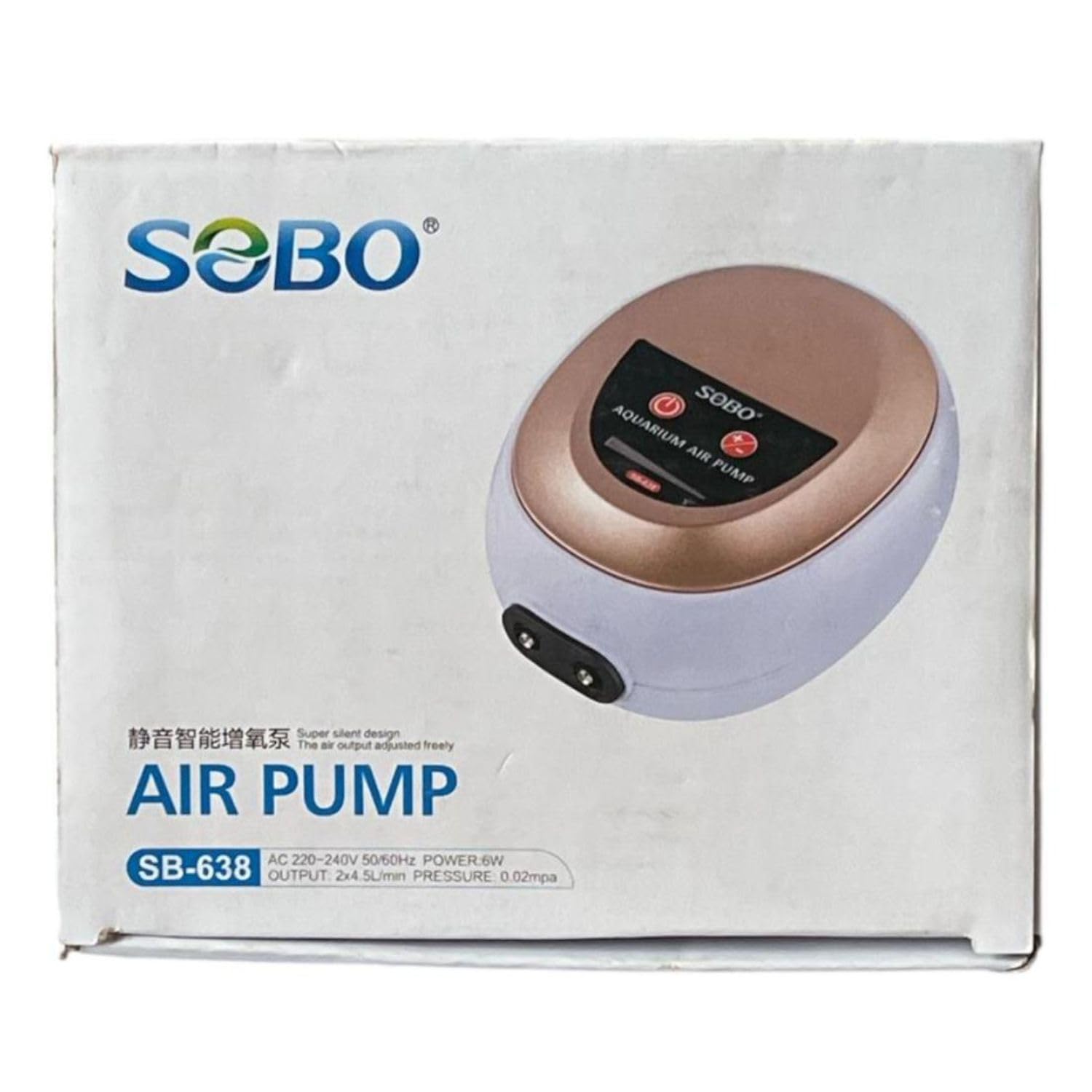
Image: Front view of the S0B0 SB-638 air pump, with an overlay of its key specifications including model, voltage, frequency, power, output, and pressure.

Image: A graphic detailing the technical specifications of the S0B0 SB-638 air pump, including voltage (AC 220-240V), frequency (50/60 Hz), power (6W), and maximum output (2 x 4.5L/Min).
3. Setup Instructions
- Unpack the Air Pump: Carefully remove the air pump and all accessories from the packaging. Inspect for any damage.
- Placement: Position the air pump above the water level of your aquarium to prevent water backflow in case of a power outage. If placing below water level, a check valve (not included) is essential to prevent water from siphoning into the pump.
- Connect Air Tubing: Attach standard aquarium air tubing (not included) to the dual outlets on the air pump.
- Connect Air Stones/Accessories: Connect the other end of the air tubing to air stones, bubble wands, or other air-driven aquarium accessories (not included) and place them in your aquarium.
- Power Connection: Ensure your hands are dry. Plug the power cord into a suitable electrical outlet (AC 220-240V, 50/60Hz).

Image: Front view of the S0B0 SB-638 air pump, showing the control panel and dual air outlets at the bottom, where air tubing will be connected.

Image: Side view of the S0B0 SB-638 air pump, illustrating the air output adjustment knob and the power cord connection point.
4. Operating Instructions
- Power On: Once the pump is plugged in, press the power button on the control panel to turn on the air pump. The indicator lights will illuminate.
- Adjust Air Volume: Use the stepless speed regulation knob located on the side of the pump to adjust the air output. Turn the knob clockwise to increase air flow and counter-clockwise to decrease it.
- Monitor Air Flow: Observe the dynamic display of gas volume on the control panel and the bubble output in your aquarium to achieve the desired oxygenation level.
- Power Off: Press the power button again to turn off the air pump when not in use or during maintenance.

Image: A close-up view of the air output adjustment knob on the side of the S0B0 SB-638 air pump, indicating that the air output can be freely adjusted.
5. Maintenance
Regular maintenance ensures optimal performance and longevity of your air pump.
- Clean Air Filter: Periodically check and clean or replace the air filter (if applicable) to prevent dust and debris from entering the pump and reducing efficiency.
- Inspect Air Tubing: Check air tubing for kinks, blockages, or damage. Replace any brittle or cracked tubing.
- Clean Air Stones/Accessories: Over time, air stones can become clogged with algae or mineral deposits, reducing bubble output. Clean or replace them as needed.
- Keep Pump Dry: Ensure the air pump remains dry and away from water splashes. Do not submerge the pump.
- Power Off Before Maintenance: Always unplug the air pump from the power outlet before performing any maintenance.
6. Troubleshooting
If you encounter issues with your air pump, refer to the following common troubleshooting steps:
- No Air Output:
- Check if the power cord is securely plugged in and the power button is on.
- Ensure the air tubing is not kinked or blocked.
- Verify that air stones or accessories are not clogged.
- Adjust the air volume knob to a higher setting.
- Weak Air Output:
- Clean or replace clogged air stones/accessories.
- Check for leaks in the air tubing connections.
- Ensure the air filter is clean.
- Confirm the air volume knob is set appropriately.
- Excessive Noise:
- Ensure the pump is placed on a stable, flat surface to minimize vibrations.
- Check if any part of the pump is touching other objects, causing rattling.
- Verify that the air tubing is not vibrating against the aquarium or stand.
7. Warranty and Support
Warranty: This product does not come with a manufacturer's warranty as per the product specifications.
Manufacturer Contact Information:
Zhongshan Electric Appliance Co., Ltd.
Lianfeng Road, Xiaolan Town, Zhongshan, Guangdong, China.
For any product-related inquiries or assistance, please contact the manufacturer directly using the provided information.