Introduction
This manual provides essential instructions for the proper use and maintenance of your Casio G-Shock GMA-P2100 wristwatch. Please read this manual thoroughly to ensure optimal performance and longevity of your watch.
The GMA-P2100 series features a compact design with an octagonal bezel, combining analog and digital displays. Key features include an impact-resistant structure and 20-bar water resistance, making it suitable for various activities.
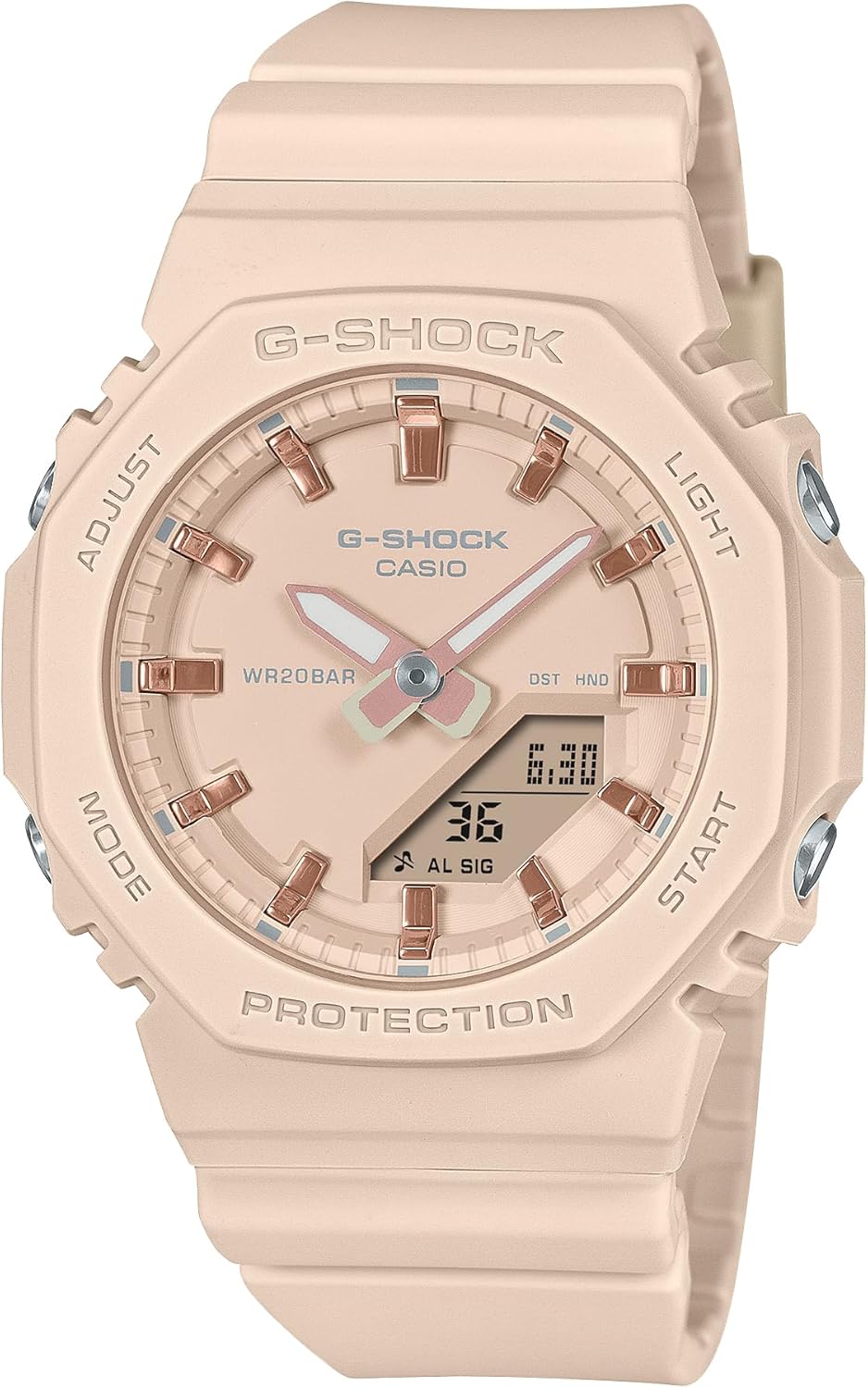
Front view of the Casio G-Shock GMA-P2100 wristwatch in a light pink/beige color, showcasing its octagonal bezel, analog hands, and digital display. The watch features four buttons labeled 'ADJUST', 'MODE', 'LIGHT', and 'START'.
Getting Started (Setup)
Before using your watch, it is recommended to set the current time and date. The GMA-P2100 typically features four buttons: ADJUST (top left), MODE (bottom left), LIGHT (top right), and START (bottom right).
Time and Date Adjustment
- In the Timekeeping Mode, press and hold the ADJUST button until the city code starts to flash, indicating the setting mode.
- Use the MODE button to cycle through the settings (city code, DST, hour, minute, year, month, day).
- Use the START and LIGHT buttons to change the selected value.
- Once all settings are correct, press the ADJUST button to exit the setting mode.
Daylight Saving Time (DST)
To enable or disable DST, navigate to the DST setting during time adjustment and use the START or LIGHT button to toggle it on or off.
Operating Modes
Your G-Shock GMA-P2100 watch includes several operational modes. Press the MODE button to cycle through them.
- Timekeeping Mode: Displays the current time and date.
- Stopwatch Mode: Measures elapsed time. Use the START button to start/stop and the ADJUST button to reset.
- Timer Mode: A countdown timer. Set the desired time using the ADJUST and START/LIGHT buttons, then use START to begin the countdown.
- Alarm Mode: Set daily alarms. Use the ADJUST button to enter setting mode and START/LIGHT to set the alarm time.
- World Time Mode: Displays the current time in various cities around the world. (Note: Specific availability of World Time may vary by model variant.)
Using the Light
Press the LIGHT button to illuminate the watch face for better visibility in low-light conditions.
Care and Maintenance
Proper care ensures the longevity and performance of your G-Shock watch.
Water Resistance
The GMA-P2100 features 20-bar water resistance. This means it is suitable for everyday use, showering, swimming, and snorkeling. Do not operate buttons while the watch is submerged in water.
Cleaning
Wipe the watch regularly with a soft, dry cloth. For stubborn dirt, use a soft cloth dampened with water and a mild neutral detergent, then wipe dry. Avoid using volatile agents like thinner or benzine.
Battery Replacement
The watch is powered by an internal battery. When the display becomes dim or functions become erratic, it may be time for a battery replacement. It is recommended to have battery replacement performed by an authorized Casio service center to ensure proper sealing and water resistance.
Biomass Plastic Components
The watch band and other resin parts utilize biomass plastic, contributing to environmental sustainability.

A close-up image of small, clear plastic pellets, representing the biomass plastic material used in the watch band and other resin parts, emphasizing the product's commitment to sustainable materials.
Troubleshooting
- Watch not displaying correctly: Check battery level. If low, consider battery replacement.
- Time is incorrect: Re-adjust the time and date settings as described in the 'Getting Started' section. Ensure DST is set correctly for your region.
- Buttons are unresponsive: Ensure the watch is not in a locked mode (if applicable) or submerged in water. If issues persist, contact support.
Specifications
- Model Number: GMA-P2100M-4AJF (Note: Specific suffix may vary by color/region)
- Case Size: 46.0 x 40.2 x 11.2 mm
- Weight: 40g
- Band Material: Resin band (Biomass Plastic)
- Band Length: 145-190mm / 22.7mm
- Water Resistance: 20 Atmospheric Bars (200 meters)
- Structure: Impact-resistant
- Clasp Type: Buckle
- Battery: 1 Unknown battery (included)

An image comparing the dimensions of three G-Shock models: GA-2100, GMA-S2100, and GMA-P2100. The GMA-P2100 is shown with a case size of 46.0 mm x 40.2 mm x 11.2 mm, highlighting its compact profile.

An image displaying three Casio G-Shock GMA-P2100 watches in navy blue, light pink/beige, and white. Each watch features pink gold metallic indices, highlighting the design variation across different color options.

A Casio G-Shock GMA-P2100 wristwatch in light pink/beige worn on a wrist, demonstrating its compact size and how it fits comfortably.
Warranty and Support
Your Casio G-Shock GMA-P2100 wristwatch is covered by a manufacturer's warranty. Please refer to the warranty card included with your purchase for specific terms and conditions.
For technical support, service, or inquiries regarding your watch, please visit the official Casio website or contact your local authorized Casio service center. Keep your proof of purchase for warranty claims.
For more information, you may visit the official G-Shock website: www.gshock.com


