
Introduction
The FITKS360 Under Desk Elliptical & Mini Exercise Bike is designed to provide a convenient and low-impact exercise solution for both arm and leg workouts. This compact device is suitable for use at home or in the office, offering benefits such as muscle strengthening, tension relief, increased circulation, and support for injury recovery. Its quiet operation and portable design make it an ideal choice for maintaining physical activity throughout the day.
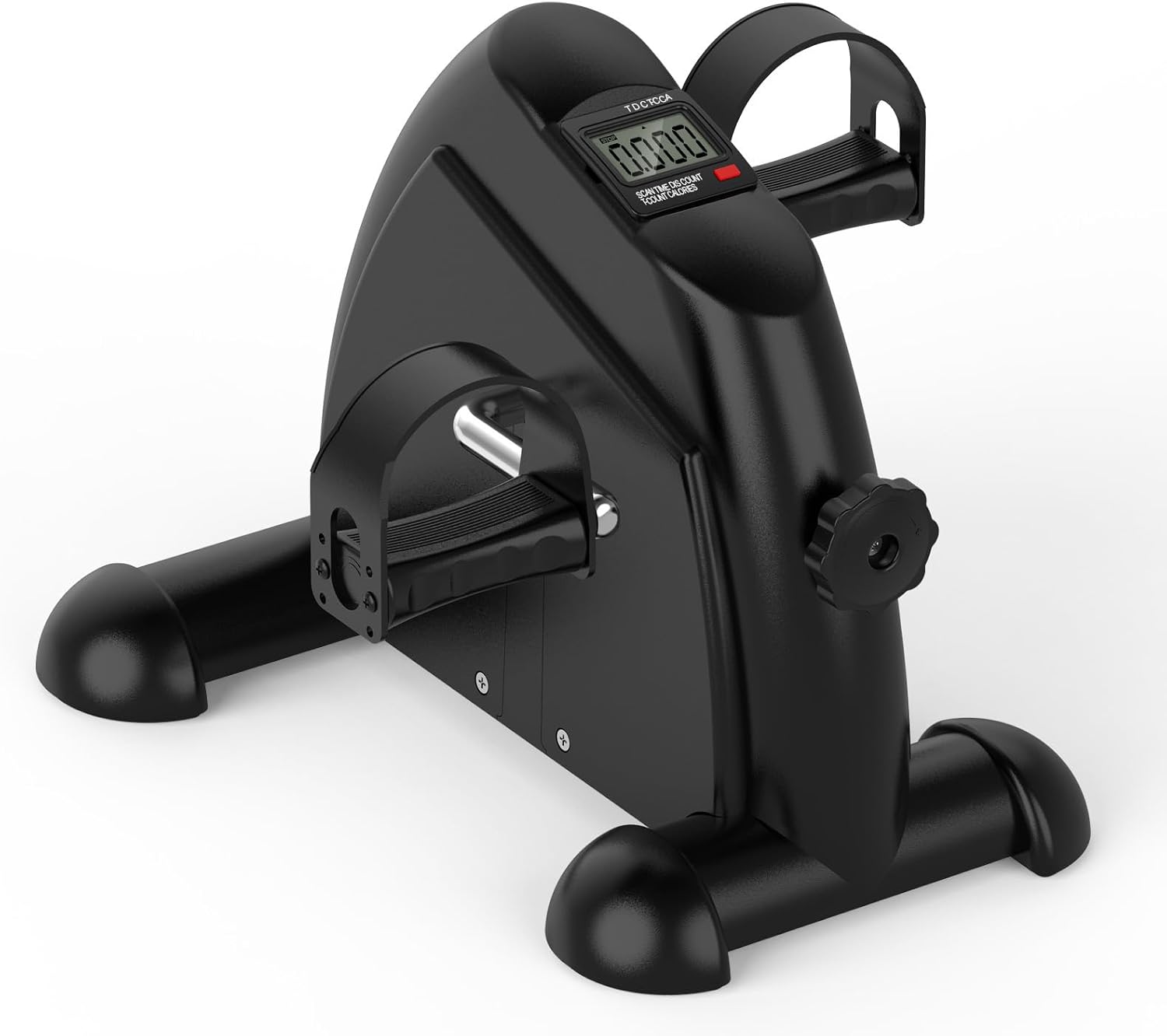
Image: The FITKS360 Under Desk Elliptical and Mini Exercise Bike, a compact black unit with pedals and an LCD display.
Safety Information
- Consult with a healthcare professional before starting any new exercise program, especially if you have pre-existing medical conditions or are recovering from an injury.
- Ensure the exercise bike is placed on a stable, flat surface during use to prevent tipping or movement. A non-slip mat is recommended.
- Keep children and pets away from the exercise bike during operation.
- Do not stand on the pedals. This device is designed for seated use only.
- Inspect the unit regularly for any signs of wear or damage. Do not use if damaged.
- Wear appropriate footwear or ensure straps are securely fastened when using the pedals.
Package Contents
Please verify that all components are present in the package:
- Main Unit (FITKS360 Under Desk Elliptical & Mini Exercise Bike)
- User Manual
- Tools for stabilizer installation (if required)
- 1 AAA battery (for LCD monitor)
Setup
- Unpack the Unit: Carefully remove all components from the packaging.
- Install Stabilizers: If your unit requires stabilizer bars, attach them to the base of the main unit using the provided tools and hardware. Ensure they are securely fastened.
- Insert Battery: Locate the battery compartment for the LCD monitor. Insert one AAA battery, ensuring correct polarity. The display should activate.
- Position the Unit: Place the exercise bike on a flat, stable surface. For leg exercises, position it under a desk or in front of a chair. For arm exercises, place it on a sturdy table.
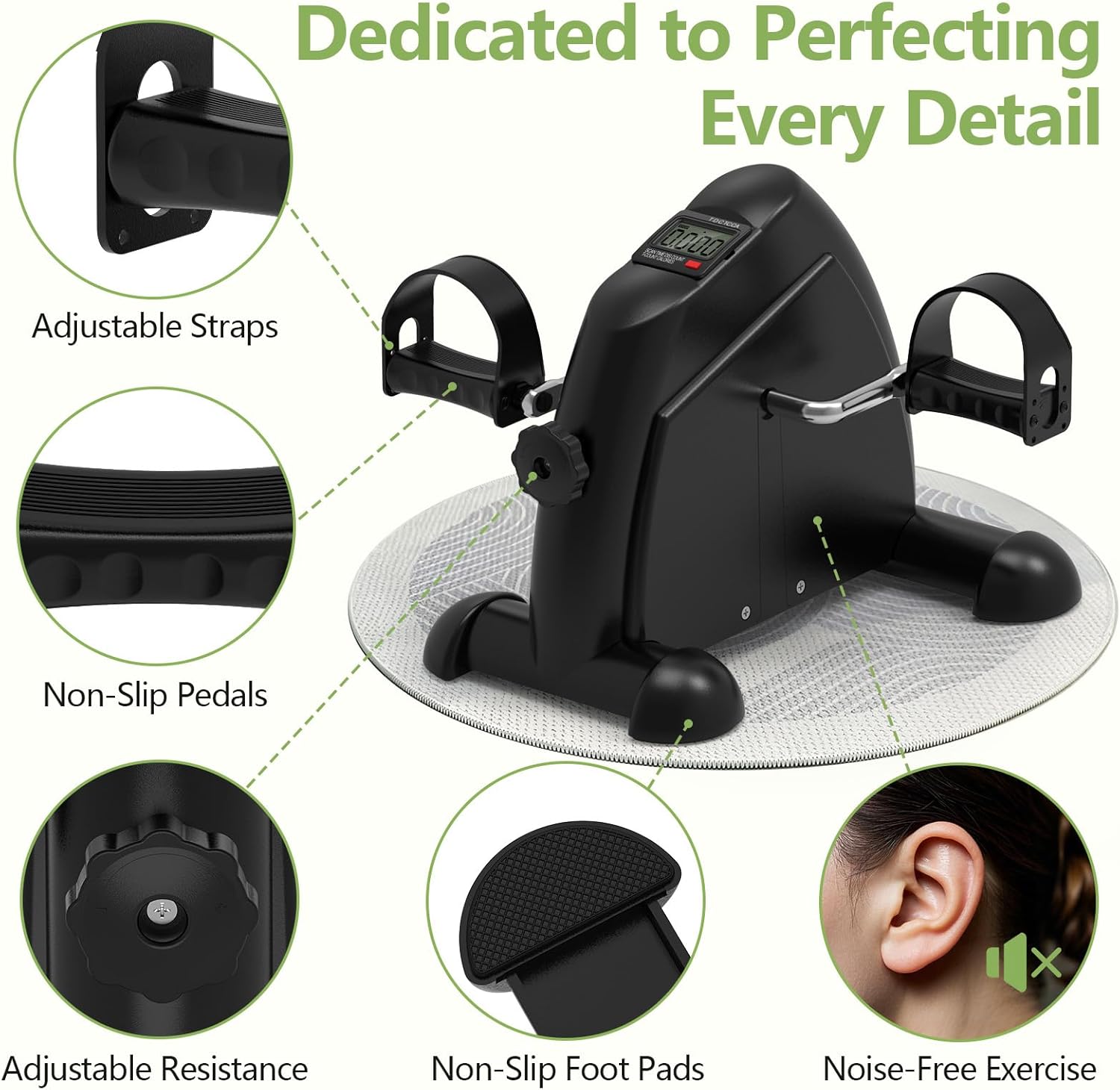
Image: A detailed view highlighting the adjustable straps, non-slip pedals, adjustable resistance knob, non-slip foot pads, and the quiet operation of the FITKS360.
Operating Instructions
Using for Leg Exercise
- Place the FITKS360 on the floor in front of your chair or under your desk.
- Sit comfortably with your feet positioned on the pedals.
- Adjust the pedal straps to securely hold your feet in place. Ensure they are snug but not too tight.
- Begin pedaling in a smooth, controlled motion.
Using for Arm Exercise
- Place the FITKS360 on a stable table or desk at a comfortable height.
- Sit in front of the unit and place your hands on the pedals.
- Adjust the pedal straps to securely hold your hands.
- Begin pedaling with your arms in a smooth, controlled motion.
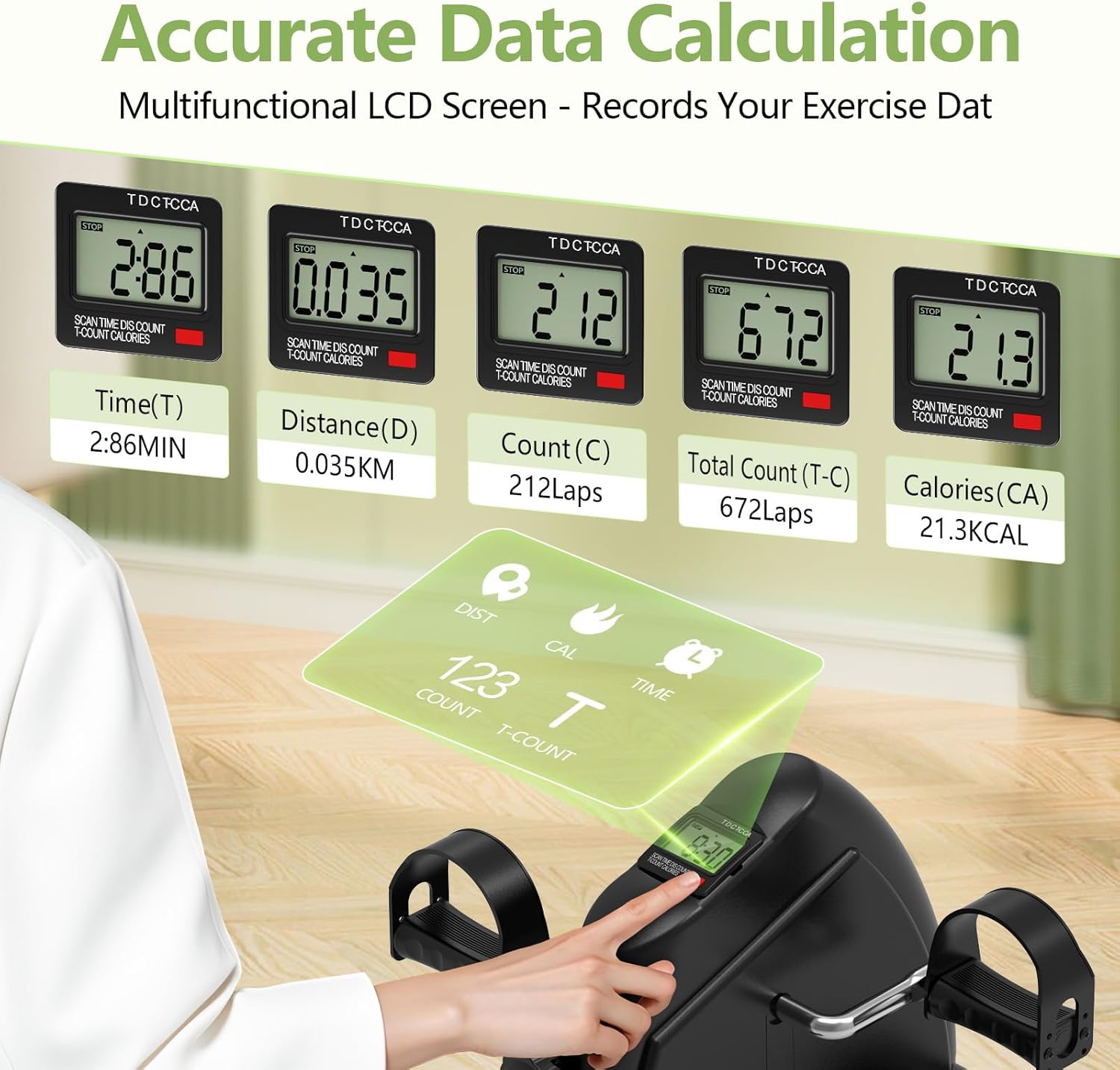
Image: A person demonstrating the use of the FITKS360 for arm exercises on a table and leg exercises while seated on a couch.
Adjusting Resistance
The FITKS360 features an adjustable tension knob to customize your workout intensity. Turn the knob clockwise to increase resistance and make pedaling harder. Turn it counter-clockwise to decrease resistance for an easier workout.

Image: A hand turning the resistance knob on the FITKS360 to adjust the workout intensity.
Using the LCD Monitor
The built-in multi-function LCD monitor tracks your progress. Press the button to cycle through the following display modes:
- TIME (T): Displays the duration of your current exercise session.
- DISTANCE (D): Shows the estimated distance covered during your session.
- COUNT (C): Displays the number of pedal rotations in the current session.
- TOTAL COUNT (T-C): Shows the cumulative total number of pedal rotations across all sessions.
- CALORIES (CA): Estimates the calories burned during your current session.
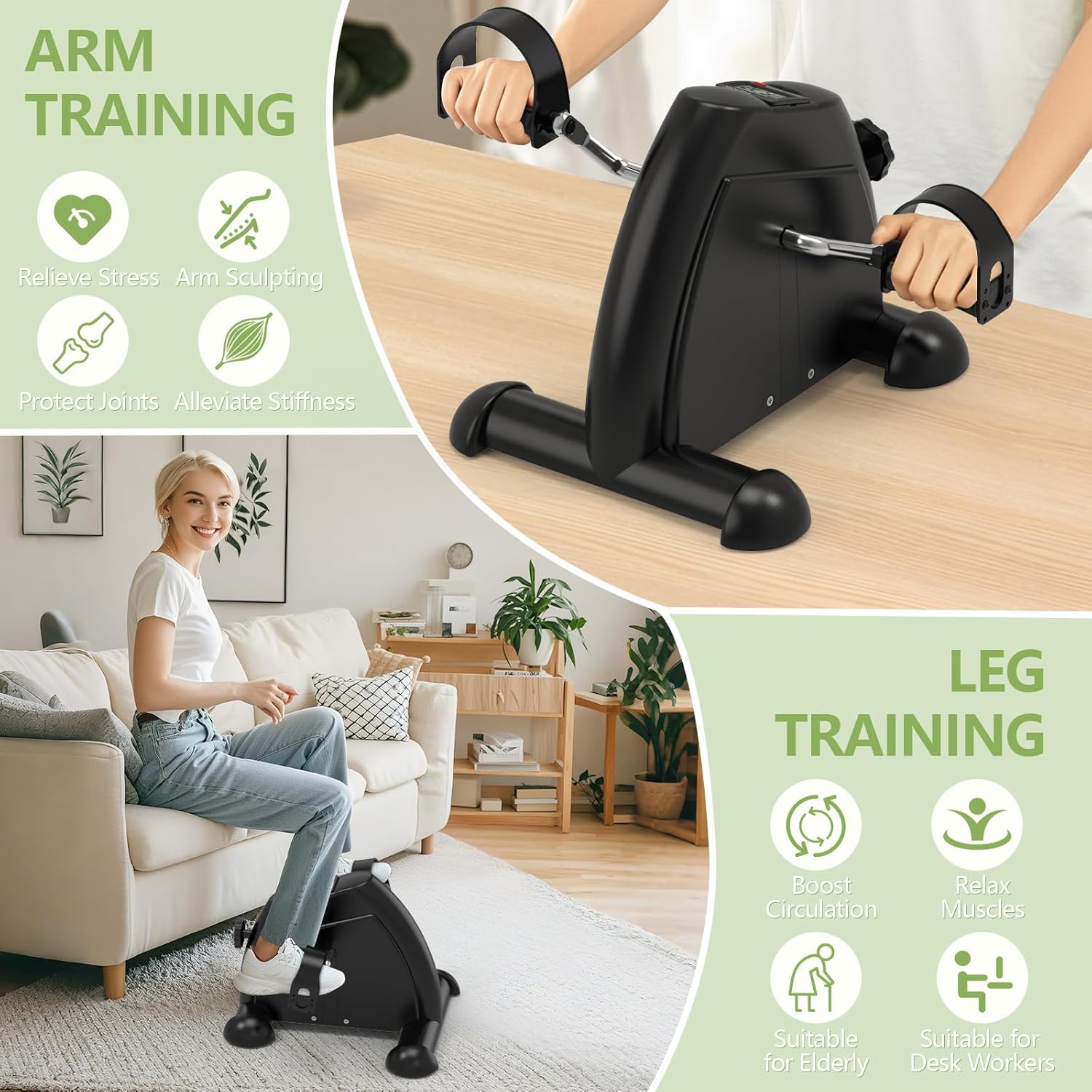
Image: A close-up view of the FITKS360's LCD monitor, showing various exercise metrics such as time, distance, count, total count, and calories.
Maintenance
- Cleaning: Wipe the unit with a damp cloth after use. Avoid abrasive cleaners or solvents.
- Lubrication: If you notice a clicking sound from the pedals, it may indicate a need for lubrication. Remove the pedal and apply a small amount of bicycle grease or white lithium grease to the pedal threads. Re-attach and tighten the pedal securely with a wrench.
- Battery Replacement: When the LCD display becomes dim or unresponsive, replace the AAA battery in the monitor compartment.
- Storage: Store the exercise bike in a cool, dry place away from direct sunlight and extreme temperatures.
Troubleshooting
| Problem | Possible Cause | Solution |
|---|---|---|
| Clicking sound during pedaling | Loose or unlubricated pedal threads | Remove pedal, apply bicycle grease to threads, and re-tighten securely with a wrench. |
| Unit wobbles during use | Uneven surface; stabilizers not fully tightened | Ensure the unit is on a flat, stable surface. Tighten all stabilizer bolts. Consider using a non-slip mat underneath. |
| Pedal straps are uncomfortable or do not fit | Incorrect adjustment; unsuitable footwear | Adjust the four-hole straps for a comfortable and secure fit. Try different footwear or use barefoot if preferred and comfortable. |
| LCD monitor is blank or dim | Dead battery; incorrect battery installation | Replace the AAA battery, ensuring correct polarity. |
Specifications
| Feature | Detail |
|---|---|
| Brand | FITKS360 |
| Model Number | mk-01 |
| Color | Black |
| Material | Plastic |
| Product Dimensions (D x W x H) | 11.7" x 15.7" x 11.7" |
| Controls Type | Push Button (for LCD) |
| Number of Batteries | 1 AAA (included) |
| Number of Resistance Levels | Adjustable via tension knob |
| Operation Mode | Manual Pedal with Automatic LCD Display |
| UPC | 607601764685 |
| Included Components | Main Unit, User Manual |
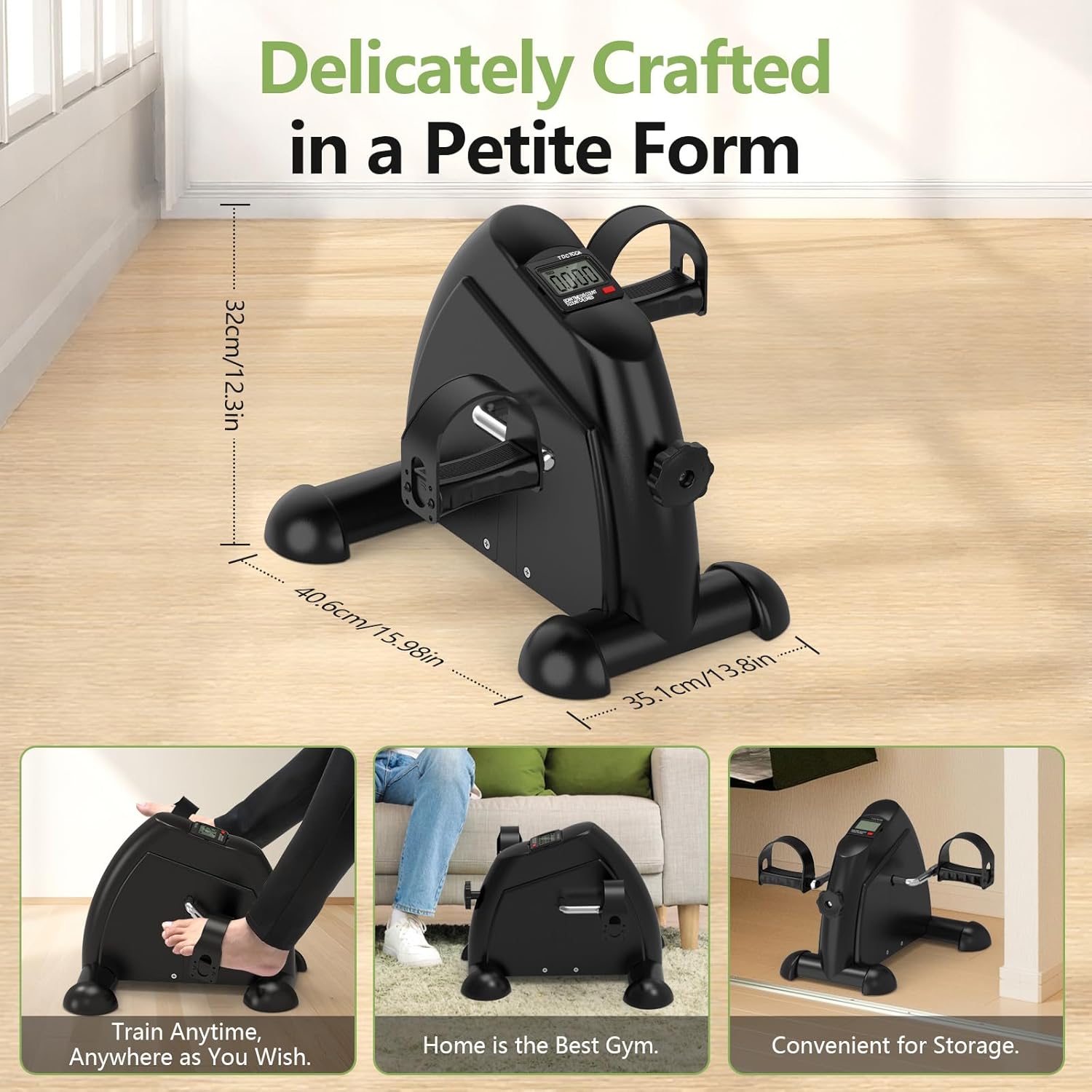
Image: Visual representation of the FITKS360's dimensions and its compact, portable design suitable for various home and office settings.
Warranty and Support
The FITKS360 Under Desk Elliptical & Mini Exercise Bike comes with a limited manufacturer's warranty. Please refer to the product packaging or contact the seller for specific warranty terms and conditions.
For technical support, troubleshooting assistance, or warranty claims, please contact the manufacturer or the seller through your purchase platform. Keep your purchase receipt or order number handy for faster service.