1. Overview
The AccuGPS 4G LTE GPS Bracelet (Model V48) is an advanced personal safety and monitoring device designed for elderly individuals, disabled persons, and workers requiring constant supervision or immediate assistance. This bracelet integrates real-time GPS tracking, emergency alert capabilities, and two-way communication to ensure the safety and well-being of the wearer.
It features a prominent SOS button for emergencies, comprehensive health monitoring, and a long-lasting battery. Compatible with both iPhone and Android devices, it allows caregivers and supervisors to monitor location and health metrics through a user-friendly mobile application. The 4G LTE connectivity ensures reliable and accurate tracking across wide coverage areas.
2. What's in the Box
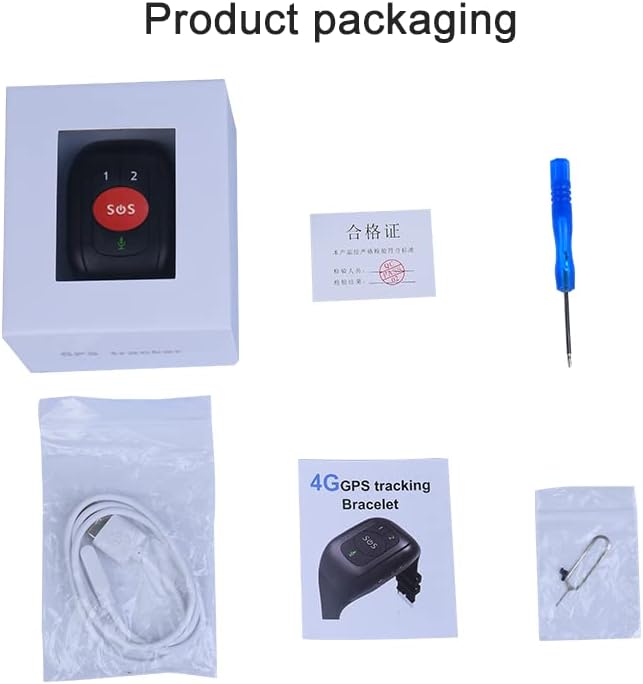
Image: The product packaging showing the GPS bracelet, charging cable, user manual, and a small screwdriver tool.
Upon unboxing your AccuGPS 4G LTE GPS Bracelet, please verify that all the following items are included:
- AccuGPS 4G LTE GPS Bracelet (Model V48)
- Magnetic Charging Cable
- User Manual (this document)
- Small Screwdriver Tool (for SIM card installation)
If any items are missing or damaged, please contact AccuGPS customer support immediately.
3. Key Features and Functions

Image: A visual representation of the bracelet's main functions, including 4G LTE GPS, Multi-tracking ways, HR&BP, Pill reminder, Step counting, IP67 waterproof, Geo-fence, Motion route, SOS alarm, Voice chat, Temperature detection, Ringtone search, Remove the alarm, Fall alarm, Talking clock, and Speed Dial.
The AccuGPS 4G LTE GPS Bracelet is equipped with a comprehensive set of features designed for safety, monitoring, and communication:
- 4G LTE Connectivity: Ensures reliable, high-speed communication and accurate location tracking.
- Real-time GPS Tracking: Provides 24/7 continuous monitoring via secure cellular networks with enhanced GPS coverage.
- SOS Emergency Button: Allows instant alerts to designated contacts with precise location details during emergencies.
- Two-Way Communication: Features easy-to-use two-way calling with voice-assisted speakerphone and auto-answer functions.
- Health Monitoring: Tracks vital health metrics such as heart rate (HR), blood pressure (BP), body temperature, and blood oxygen saturation.
- Medication Reminders: Customizable alerts with voice notifications for timely medication or other tasks.
- Geo-fencing: Set customizable safety zones and receive alerts when the wearer enters or exits these predefined areas.
- Location History: Detailed logs of location history for up to 90 days.
- Fall Detection: Automatic alerts in case of a fall (if enabled and supported by the device's sensors).
- IP67 Waterproof: Designed to withstand water exposure, suitable for daily use and accidental splashes.
- Long Battery Life: Provides 4 to 7 days of operation on a single charge, depending on usage.
4. Setup Guide
4.1 Charging the Device

Image: A close-up of the magnetic charging port on the back of the bracelet and the corresponding magnetic charging cable, illustrating how they connect.
Before first use, fully charge your AccuGPS bracelet. The device uses a magnetic charging method for ease of use, especially for individuals with poor eyesight or limited dexterity.
- Connect the USB end of the magnetic charging cable to a standard USB power adapter (not included) or a computer's USB port.
- Align the magnetic end of the charging cable with the charging contacts on the back of the bracelet. The magnets will automatically snap into place.
- Ensure the charging indicator on the bracelet (if available) or the app confirms that charging has begun.
- Allow approximately 2-3 hours for a full charge. A full charge provides 4 to 7 days of battery life, depending on usage patterns.
4.2 SIM Card Installation
The AccuGPS bracelet requires a 4G LTE Nano SIM card for cellular connectivity and GPS tracking. A monthly service fee applies for cellular service.
- Locate the SIM card slot on the side of the bracelet. It is usually covered by a small rubber plug or a screw-secured tray.
- If there is a screw, use the provided small screwdriver tool to carefully open the SIM card tray.
- Insert the Nano SIM card into the tray, ensuring the gold contacts face downwards and the notched corner aligns correctly with the slot.
- Gently push the SIM card tray back into the slot until it clicks into place or secure it with the screw. Ensure the cover is properly sealed to maintain water resistance.
- Power on the device after SIM card installation.
4.3 App Installation and Device Pairing
To manage and monitor the AccuGPS bracelet, you need to download and install the companion mobile application on your smartphone (compatible with iPhone and Android).
- Search for the "AccuGPS" app (or the app specified in the packaging) on the Apple App Store (for iPhone) or Google Play Store (for Android).
- Download and install the application.
- Open the app and create a new account or log in if you already have one.
- Follow the in-app instructions to add your device. This typically involves scanning a QR code on the device or entering its unique ID number.
- Once paired, you can configure emergency contacts, geo-fencing zones, health monitoring settings, and other preferences through the app.
5. Operating Instructions
5.1 Power On/Off
- Power On: Press and hold the power button (often integrated with the SOS button or a dedicated side button) for a few seconds until the device vibrates or an indicator light turns on.
- Power Off: Press and hold the power button for several seconds. The device may prompt you to confirm power off, or it will simply shut down. For remote power off, use the mobile application.

Image: A direct front view of the AccuGPS bracelet, highlighting the "1", "2", "SOS", and microphone buttons.
5.2 SOS Emergency Function
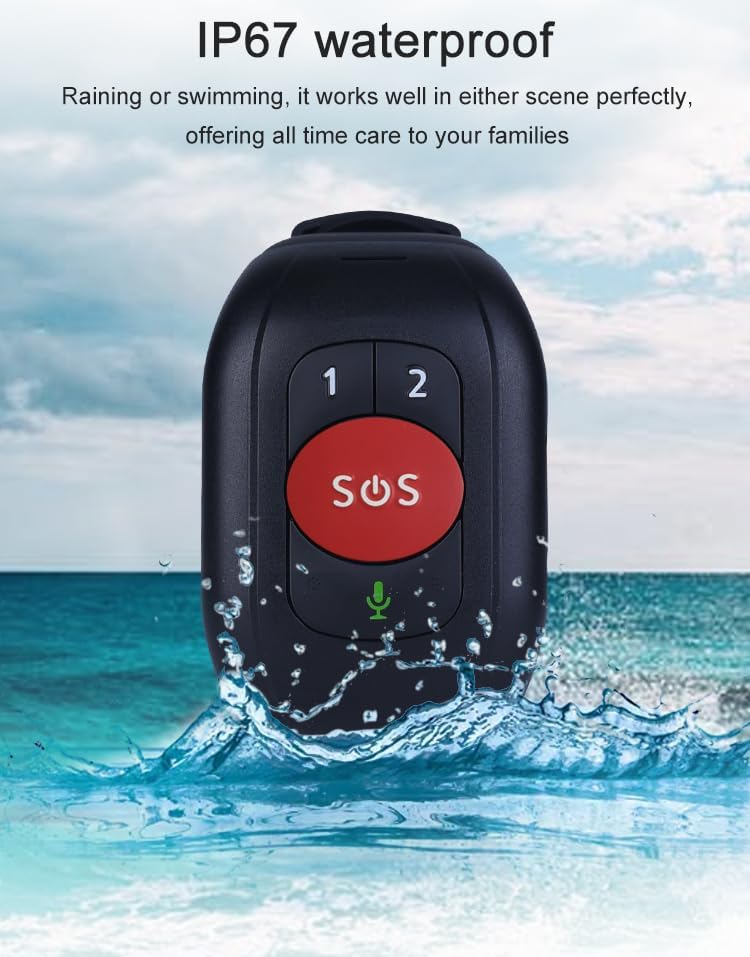
Image: A hand pressing the large red SOS button on the AccuGPS bracelet, with a blurred background of two elderly individuals walking, illustrating the ease of use for urgent calls.
In an emergency, the SOS button provides immediate assistance:
- Activation: Press and hold the large SOS button (typically red or clearly marked) for 3-5 seconds.
- Alerts: The device will automatically send an alert message with the wearer's precise GPS location to pre-set emergency contacts (up to 3 numbers can be configured in the app).
- Calling: The device will then automatically dial the emergency contacts in a pre-defined sequence until one answers, initiating a two-way call.
5.3 Two-Way Communication
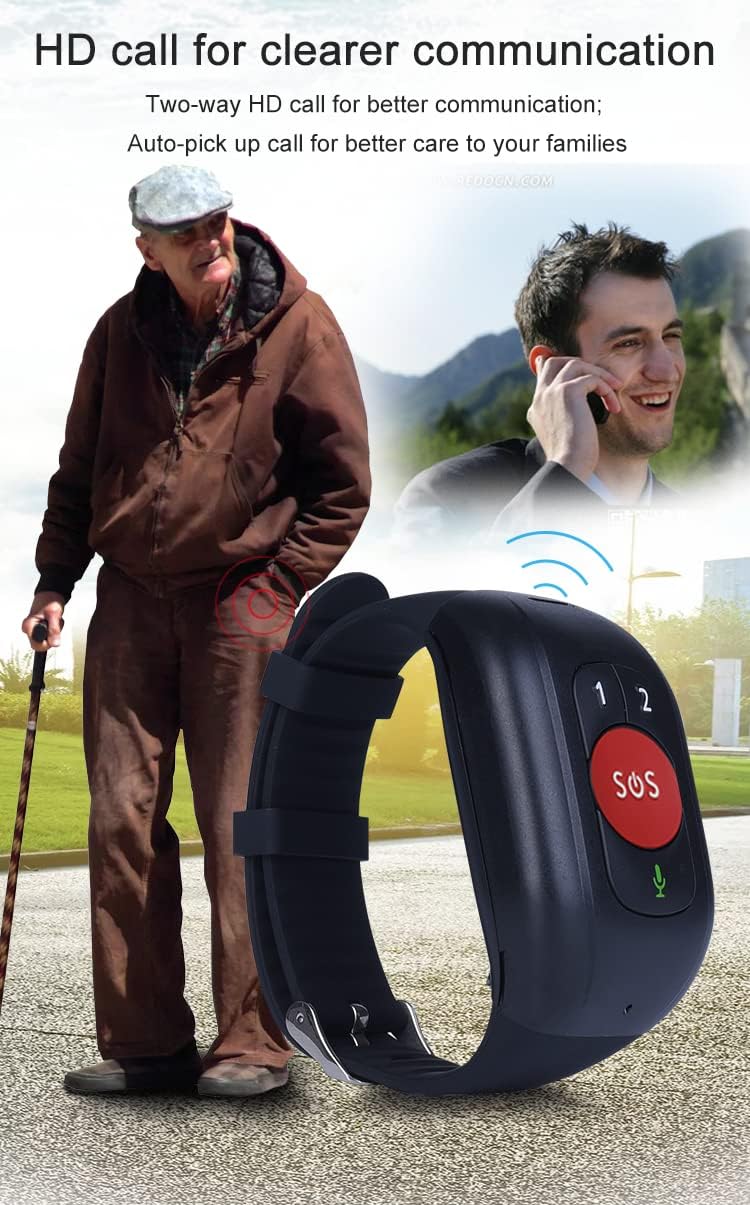
Image: An elderly man walking with a cane, and an inset image of a younger man talking on a phone, with the AccuGPS bracelet in the foreground, symbolizing clear two-way communication.
The bracelet supports two-way voice calls, allowing communication between the wearer and authorized contacts.
- Receiving Calls: The device can be set to auto-answer calls from authorized numbers, or the wearer can press a designated button (e.g., the microphone button or one of the "1" or "2" buttons) to answer.
- Making Calls: The "1" and "2" buttons can be pre-programmed with speed dial numbers. Pressing and holding these buttons will dial the respective contact. The microphone button allows for voice chat.
5.4 GPS Tracking and Geo-fencing
The AccuGPS bracelet provides continuous location monitoring.
- Real-time Tracking: View the wearer's current location on a map within the mobile application.
- Location History: Access detailed logs of past locations for up to 90 days.
- Geo-fencing: Set up virtual boundaries (safe zones) on the map. You will receive instant alerts if the wearer enters or exits these predefined areas.
5.5 Health Monitoring

Image: The AccuGPS bracelet next to a graphic showing heart rate and blood pressure readings, with smaller images below depicting pill reminders and step counting, illustrating the health monitoring capabilities.
The bracelet can monitor several vital health metrics:
- Heart Rate (HR) & Blood Pressure (BP): Monitor these metrics through the companion app. Readings are taken periodically or on demand.
- Body Temperature & Blood Oxygen Saturation: Track these additional health indicators.
- Medication Reminders: Set up custom reminders for medication or other tasks via the app. The watch will provide voice notifications.
- Step Counting: Track daily steps and activity levels.
5.6 Waterproof Feature (IP67)

Image: The AccuGPS bracelet partially submerged in water with splashes, indicating its IP67 waterproof rating, suitable for rain or swimming.
The AccuGPS bracelet is rated IP67 waterproof, meaning it is protected from dust and can withstand immersion in water up to 1 meter for up to 30 minutes. It is suitable for daily activities like hand washing, showering, or being caught in the rain. However, it is not recommended for prolonged submersion or high-pressure water activities like diving.
6. Maintenance
Proper maintenance ensures the longevity and optimal performance of your AccuGPS bracelet.
- Cleaning: Regularly wipe the bracelet with a soft, damp cloth. Avoid using harsh chemicals or abrasive cleaners. Ensure the charging contacts are clean and dry before charging.
- Battery Care: To maximize battery life, avoid fully discharging the battery frequently. Charge the device when the battery level is low. If storing the device for an extended period, charge it to about 50% and store in a cool, dry place.
- Water Resistance: While IP67 rated, always ensure the SIM card slot cover is securely closed to maintain water resistance. Avoid exposing the device to hot water, steam, or high-pressure water jets.
- Storage: Store the device in a cool, dry place away from direct sunlight and extreme temperatures.
7. Troubleshooting
If you encounter issues with your AccuGPS bracelet, refer to the following common problems and solutions:
| Problem | Possible Cause | Solution |
|---|---|---|
| Device does not power on. | Low battery; device frozen. | Charge the device for at least 30 minutes. If still unresponsive, perform a hard reset (refer to specific device instructions or contact support). |
| No GPS signal or inaccurate location. | Poor cellular coverage; device indoors; SIM card issue. | Move to an open outdoor area. Ensure SIM card is properly installed and active. Check cellular signal strength in the app. |
| Cannot make or receive calls. | No cellular service; incorrect contact numbers; SIM card not active. | Verify SIM card activation and sufficient balance/plan. Check if emergency contacts are correctly set in the app. Ensure good cellular signal. |
| App shows device offline. | Device powered off; no cellular data; app connectivity issue. | Ensure device is powered on and has cellular signal. Check SIM card data plan. Restart the app or your smartphone. |
| Health monitoring readings are inconsistent. | Improper wearing; sensor obstruction; movement during reading. | Ensure the bracelet is worn snugly on the wrist. Clean the sensor area on the back of the device. Remain still during readings. Note that these are for monitoring purposes and not medical diagnostics. |
If the problem persists after trying these solutions, please contact AccuGPS customer support for further assistance.
8. Specifications
| Feature | Detail |
|---|---|
| Model Number | V48 |
| Connectivity | 4G LTE, Cellular, GPS |
| Supported Application | Android, iPhone |
| Special Features | Emergency Alerts, GPS Tracking, Health Monitoring (HR, BP, Temp, SpO2), Long Battery Life, Two-Way Calling, Fall Detection, Geo-fencing, Medication Reminders |
| Battery | 1 Lithium Ion battery required (included) |
| Battery Life | 4-7 days (typical usage) |
| Water Resistance | IP67 (Dust tight, immersion up to 1m for 30 min) |
| Item Weight | 6 ounces |
| Package Dimensions | 3.78 x 3.27 x 2.72 inches |
| Color | Black |
| Manufacturer | Shenzhen Reachfar Technology CO.,Ltd. |
9. Warranty and Support
For specific warranty information regarding your AccuGPS 4G LTE GPS Bracelet, please refer to the documentation provided at the time of purchase or contact your retailer. AccuGPS may offer additional protection plans, which can be purchased separately.
Customer Support:
- For technical assistance, troubleshooting, or inquiries about your device, please visit the official AccuGPS website or contact their customer service department.
- Refer to the contact information provided in your product packaging or on the AccuGPS brand store page on Amazon: AccuGPS Store.
Please have your model number (V48) and purchase details ready when contacting support.


