
Introduction
The NJTY T3 is an auto-ranging digital multimeter designed for accurate electrical measurements. It features a 4000-count display, Type-C rechargeable battery, and non-contact voltage (NCV) detection for enhanced safety. This manual provides essential information for the safe and effective use of your multimeter.
Key Features:
- High Precision 4000 Counts Display for AC/DC voltage and resistance.
- Type-C Rechargeable with automatic shut-off after 15 minutes of inactivity.
- Non-Contact Voltage (NCV) Detection for safe live wire identification.
- Clear 3.2-Inch Color LCD Display with low battery indicator.
- Versatile for AC/DC voltage, resistance, and live wire testing.
Setup
Unboxing and Included Components
Carefully unpack your NJTY T3 Digital Multimeter. Ensure all components are present:
- NJTY T3 Multimeter (1 unit)
- Test Leads (permanently attached)
- Type-C Charging Cable (1 unit)
- User Manual (this document)
Charging the Multimeter
The NJTY T3 features a built-in rechargeable battery. Before first use, or when the low battery indicator appears, charge the device using the provided Type-C cable.
- Connect the Type-C end of the charging cable to the multimeter's charging port.
- Connect the USB-A end of the cable to a standard USB power adapter (not included) or a computer's USB port.
- The charging indicator on the multimeter will show the charging status.

Image: The NJTY T3 Multimeter being charged via its Type-C port, connected to a laptop. This illustrates the convenient charging method.
Powering On/Off
Press and hold the power button located on the side of the multimeter to turn it on or off. The device will automatically shut off after approximately 15 minutes of inactivity to conserve battery life.
Operating Instructions
The NJTY T3 features an auto-ranging function, simplifying measurements by automatically detecting the type and range of the input signal.
Automatic Recognition and Measurement
In its default "AUTO" mode, the multimeter intelligently identifies the measurement type (AC voltage, DC voltage, or resistance) and selects the appropriate range. Simply connect the test leads to the circuit or component you wish to measure.

Image: The multimeter in "Auto" mode, demonstrating its ability to automatically recognize and measure resistance when test leads are applied to a resistor.
Measuring AC/DC Voltage
To measure voltage, ensure the multimeter is powered on. The device will automatically detect AC or DC voltage. Insert the red test lead into the positive terminal and the black test lead into the negative terminal or ground point of the circuit.
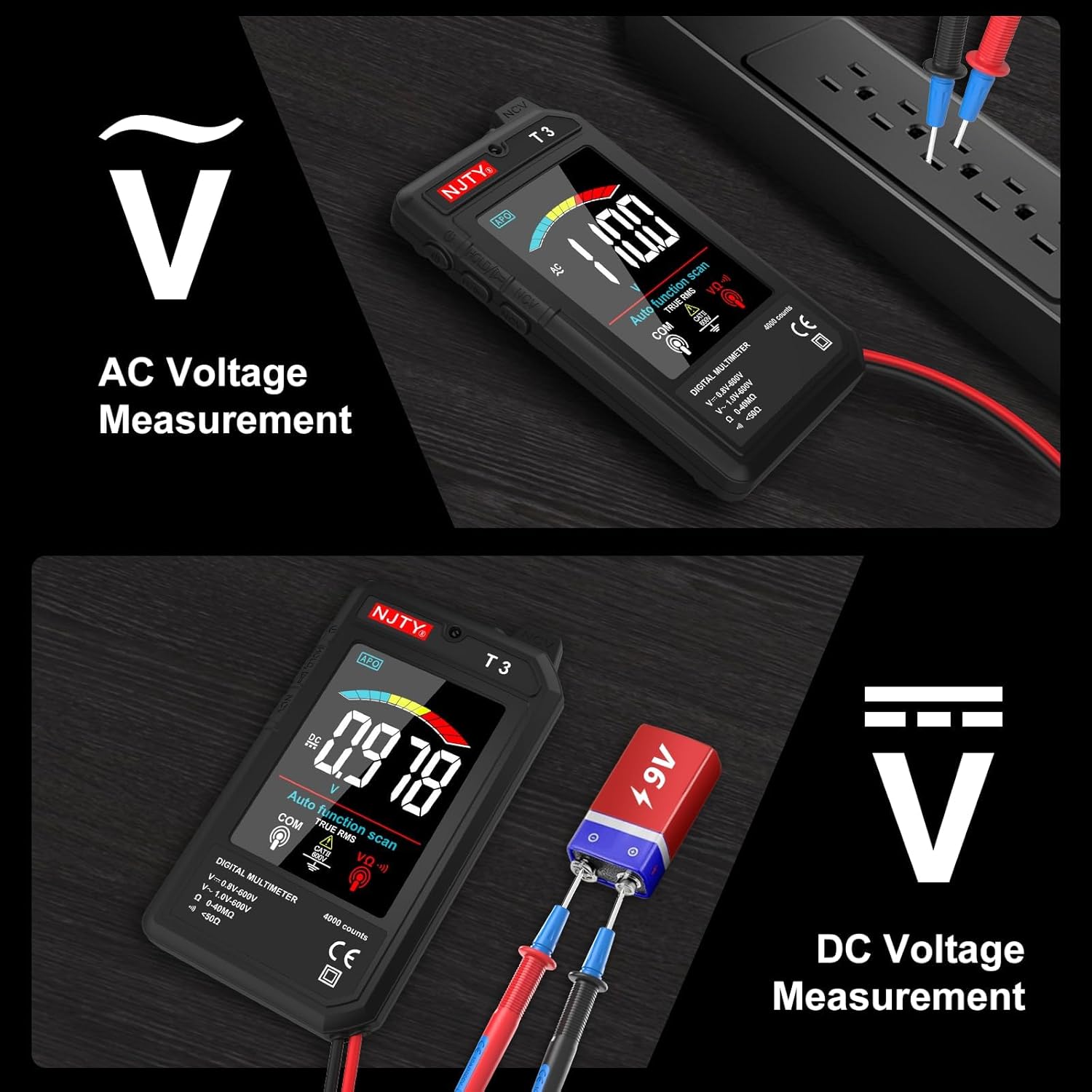
Image: The NJTY T3 Multimeter displaying AC voltage measurement from a power strip and DC voltage measurement from a 9V battery, illustrating its versatility.
Non-Contact Voltage (NCV) Detection
The NCV function allows for safe detection of live wires without direct contact. Press the NCV button to activate this mode. Hold the top of the multimeter near the wire or outlet. The device will indicate the presence of voltage through visual and audible alerts.

Image: The multimeter's NCV function in use, detecting voltage near a wall outlet. The display shows varying levels of detection, from "Voltage detected" to "Be careful of electricity."
Video: Demonstration of the NJTY T3 Smart Multimeter's NCV function and other features. This video highlights the ease of use and safety aspects of the device.
Data Hold Function
Press the "HOLD" button to freeze the current reading on the display. This is useful for recording measurements in difficult-to-read situations. Press "HOLD" again to release the reading.
Flashlight and Backlight
The multimeter includes a built-in flashlight to illuminate dark work areas. The color LCD display also features a backlight for clear visibility in low-light conditions. Refer to the device's buttons for activating these features.

Image: The NJTY T3 Multimeter's integrated flashlight illuminating a dark electrical panel, demonstrating its utility in low-light environments.
Maintenance
Cleaning
To clean the multimeter, use a soft, damp cloth. Do not use abrasive cleaners or solvents, as these can damage the casing or display. Ensure the device is powered off and disconnected from any power source before cleaning.
Battery Care
The built-in rechargeable battery requires no specific maintenance other than regular charging when indicated. Avoid fully discharging the battery for extended periods to prolong its lifespan. The automatic shut-off feature helps conserve battery power.
Storage
Store the multimeter in a cool, dry place, away from direct sunlight and extreme temperatures. Keep it away from strong magnetic fields and corrosive substances.
Troubleshooting
| Problem | Possible Cause | Solution |
|---|---|---|
| Multimeter does not power on. | Low or depleted battery. | Charge the multimeter using the Type-C charging cable. |
| Inaccurate readings. | Improper connection of test leads; environmental interference. | Ensure test leads are securely connected. Avoid strong electromagnetic fields. |
| Display shows "OL" (Overload). | Measurement exceeds the device's maximum range. | Disconnect immediately. Do not attempt to measure values beyond the specified limits. |
| NCV function not responding. | NCV function not activated; no live voltage present. | Ensure NCV mode is active. Test on a known live circuit to verify functionality. |
Specifications
| Feature | Detail |
|---|---|
| Brand | NJTY |
| Model | T3 |
| Display | 4000 Counts, 3.2-inch Color LCD |
| Power Source | Rechargeable Battery (Type-C charging) |
| AC Voltage Range | 1V-600V (Minimum input: 1V, Maximum input: 600V) |
| DC Voltage Range | 0.8V-600V (Minimum input: 0.8V, Maximum input: 600V) |
| Resistance Range | 0-40MΩ |
| NCV Detection | Yes |
| Auto Shut-off | Approximately 15 minutes of inactivity |
| Dimensions (L x W x H) | 6 x 3.4 x 1.5 inches |
| Safety Standards | UL 61010-1, IEC 61010-2-030 |
Video: An overview of the NJTY Color Large Screen Digital Multimeter, showcasing its display and various measurement capabilities.
Warranty Information
The NJTY T3 Auto-Ranging Digital Multimeter comes with a 2-year warranty from the date of purchase. This warranty covers manufacturing defects and malfunctions under normal use. It does not cover damage caused by misuse, accidents, unauthorized modifications, or improper operation. Please retain your proof of purchase for warranty claims.
Customer Support
For technical assistance, troubleshooting, or warranty inquiries, please contact NJTY customer support. Refer to the contact information provided in the packaging or visit the official NJTY website for the most up-to-date support details.
Online Resources:
- NJTY Official Store: Visit NJTY Store on Amazon


