Introduction
Thank you for choosing the VBESTLIFE V5.5 Bluetooth Single Ear Headset. This manual provides essential information for the proper setup, operation, and maintenance of your new device. Please read it thoroughly before use to ensure optimal performance and longevity.
Package Contents
Verify that all items are present in your package:
- 1 x VBESTLIFE Bluetooth Headset
- 1 x USB Type-C Charging Cable
- 1 x User Manual

Image: The VBESTLIFE Bluetooth Headset shown alongside its USB Type-C charging cable, illustrating the complete package contents.
Product Overview
The VBESTLIFE V5.5 Bluetooth Headset is designed for comfort and clear communication, featuring advanced technology for a superior audio experience.
- Bluetooth 5.5 Technology: Ensures stable signals and low power consumption for enhanced performance.
- 180° Rotatable Microphone: Allows adjustment for optimal positioning and wear on either ear.
- Noise Cancelling Microphone: Delivers clear sound during calls, even in noisy environments.
- Bone Conduction Design: Provides a safe listening experience by not sitting inside the ear, allowing awareness of surroundings.
- Long Playback Time: Up to 30 hours of music playback on a single charge.
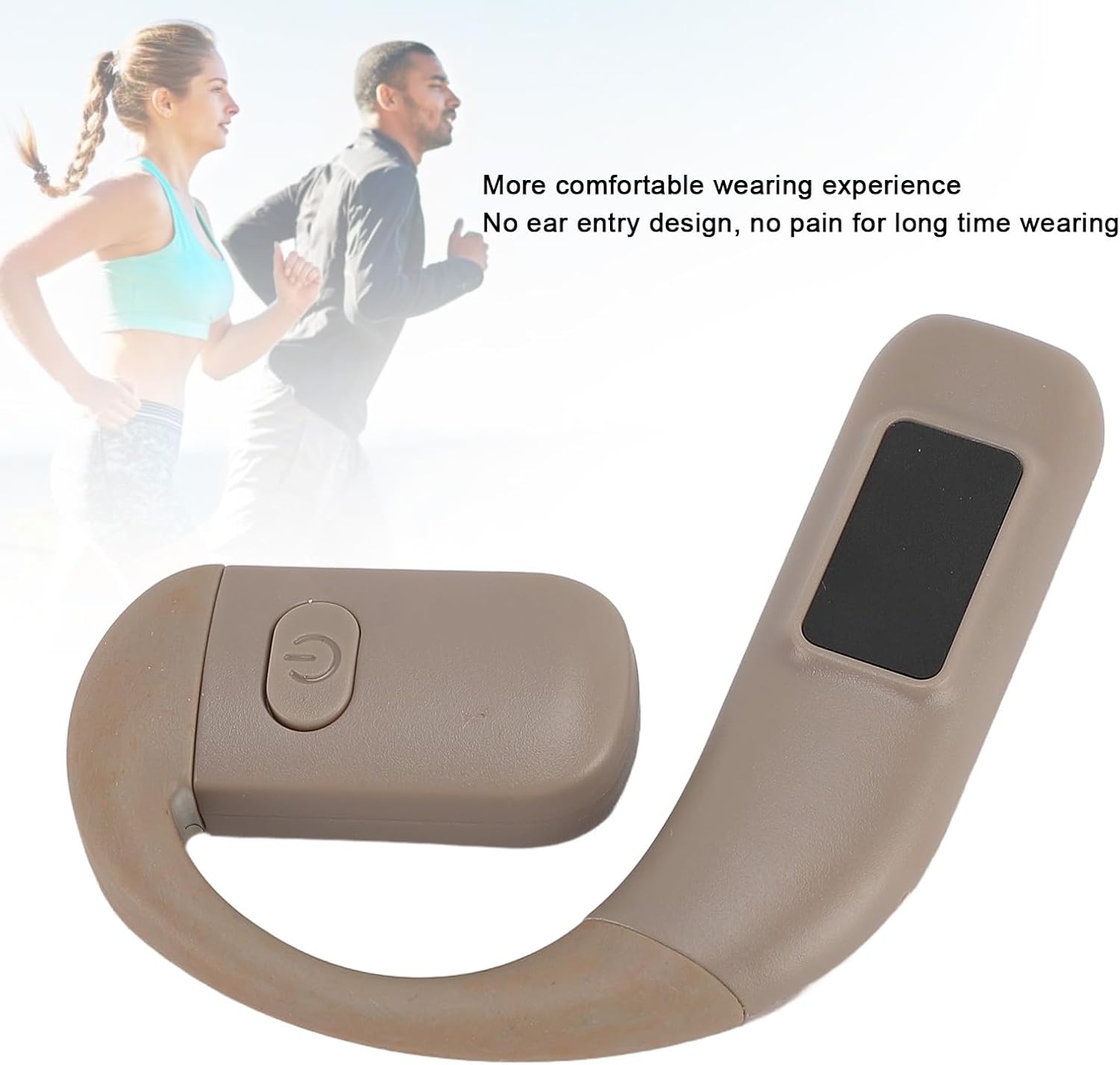
Image: The VBESTLIFE Bluetooth Headset in use, demonstrating its comfortable over-ear design suitable for active lifestyles.
Setup
1. Charging the Headset
Before first use, fully charge the headset. Use the provided USB Type-C charging cable.
- Connect the Type-C end of the charging cable to the charging port on the headset.
- Connect the USB-A end of the cable to a compatible USB power source (e.g., computer, wall adapter).
- The indicator light will show charging status (refer to LED indicator section for details).
- A full charge takes approximately 1.5 hours and provides up to 30 hours of playback.
2. Powering On/Off
- Power On: Press and hold the Power button (usually marked with a universal power symbol) for approximately 3-5 seconds until the indicator light flashes.
- Power Off: Press and hold the Power button for approximately 3-5 seconds until the indicator light turns off.

Image: A detailed view of the headset's power button, located on the side of the ear hook.
3. Bluetooth Pairing
Pair your headset with your device (smartphone, tablet, etc.) for the first time.
- Ensure the headset is powered off.
- Press and hold the Power button for about 5-7 seconds until the indicator light flashes red and blue alternately, indicating pairing mode.
- On your device, enable Bluetooth and search for available devices.
- Select "VBESTLIFE V5.5" (or similar name) from the list of found devices.
- Once connected, the indicator light on the headset will flash blue slowly or turn off, depending on the model.
- The headset will automatically reconnect to the last paired device when powered on, if the device's Bluetooth is active and within range (10-20 meters).
4. Wearing the Headset
The headset features an over-ear, bone conduction design for comfort and situational awareness.
- Gently place the ear hook over your ear.
- Adjust the speaker unit to rest comfortably near your ear canal, without entering it.
- The 180° rotatable microphone allows you to wear the headset on either your left or right ear. Rotate the microphone boom to the desired position.

Image: A side profile of the headset, highlighting the speaker placement and the rotatable microphone arm.
Operating Instructions
1. Call Management
- Answer/End Call: Press the Multi-function button once.
- Reject Call: Press and hold the Multi-function button for 2 seconds.
- Redial Last Number: Double-press the Multi-function button.
2. Music Playback
- Play/Pause: Press the Multi-function button once.
- Next Track: Press and hold the Volume Up button.
- Previous Track: Press and hold the Volume Down button.
3. Volume Control
- Increase Volume: Press the Volume Up button.
- Decrease Volume: Press the Volume Down button.
Maintenance
Proper maintenance ensures the longevity and optimal performance of your headset.
- Cleaning: Use a soft, dry, lint-free cloth to clean the headset. Do not use abrasive cleaners, solvents, or spray directly onto the device.
- Storage: Store the headset in a cool, dry place away from direct sunlight and extreme temperatures.
- Charging: Only use the provided charging cable or a certified Type-C cable. Avoid overcharging.
- Water Exposure: The headset is not waterproof. Avoid exposure to water or excessive moisture.
Troubleshooting
| Problem | Possible Solution |
|---|---|
| Headset does not power on. | Ensure the headset is fully charged. Connect to a power source and try again. |
| Cannot pair with device. |
|
| No sound or low volume. |
|
| Poor call quality. |
|
Specifications
| Feature | Detail |
|---|---|
| Model Number | VBESTLIFEi8g3s4af5r-14 |
| Bluetooth Version | V5.5 |
| Bluetooth Range | 10 to 20 Meters |
| Speaker Diameter | 16mm |
| Impedance | 32Ω |
| Charging Port | Type-C |
| Battery Type | 300mAh Li-Ion Battery (Built-in) |
| Charging Time | Approx. 1.5 hours |
| Music Playback Time | Up to 30 hours |
| Standby Time | Up to 365 days |
| Material | ABS |
| Item Weight | 1.52 ounces (approx. 43g) |
| Dimensions | 4.33 x 3.54 x 1.18 inches (Package) |
Warranty and Support
Specific warranty information is not provided in this manual. For warranty claims, technical support, or further inquiries, please contact your retailer or visit the official VBESTLIFE website.
You can find more information about VBESTLIFE products at: VBESTLIFE Store on Amazon


