
Introduction
The Sangean ATS-405J is a versatile multi-band radio designed for optimal listening across AM, FM stereo, and Shortwave (SW) frequencies. It combines advanced performance with a user-friendly control panel and a modern design. Key features include comprehensive shortwave band coverage, multiple tuning methods, a squelch function for clear reception, and alarm capabilities. This manual provides detailed instructions for setting up, operating, and maintaining your ATS-405J radio.
Safety Information
- Do not expose the unit to rain or moisture to prevent fire or electric shock.
- Avoid extreme temperatures, direct sunlight, dust, and humidity.
- Use only the specified power adapter or recommended battery types.
- Do not attempt to disassemble or modify the unit. Refer all servicing to qualified personnel.
- Keep batteries out of reach of children. Dispose of used batteries properly.
Package Contents
Please check that all items are present in the package:
- Sangean ATS-405J Multi-Band Radio
- Power Adapter
- Earphones
- Carrying Bag

Image: Sangean branded carrying bag for the ATS-405J radio, shown next to an open book on a wooden surface.
Product Overview
The Sangean ATS-405J features a clear LCD display and an intuitive control layout for easy operation. It includes a telescopic antenna for FM and Shortwave reception, and an internal ferrite bar antenna for AM reception.

Image: Front view of the Sangean ATS-405J Multi-Band Radio, displaying the speaker grille, LCD screen, and control buttons.
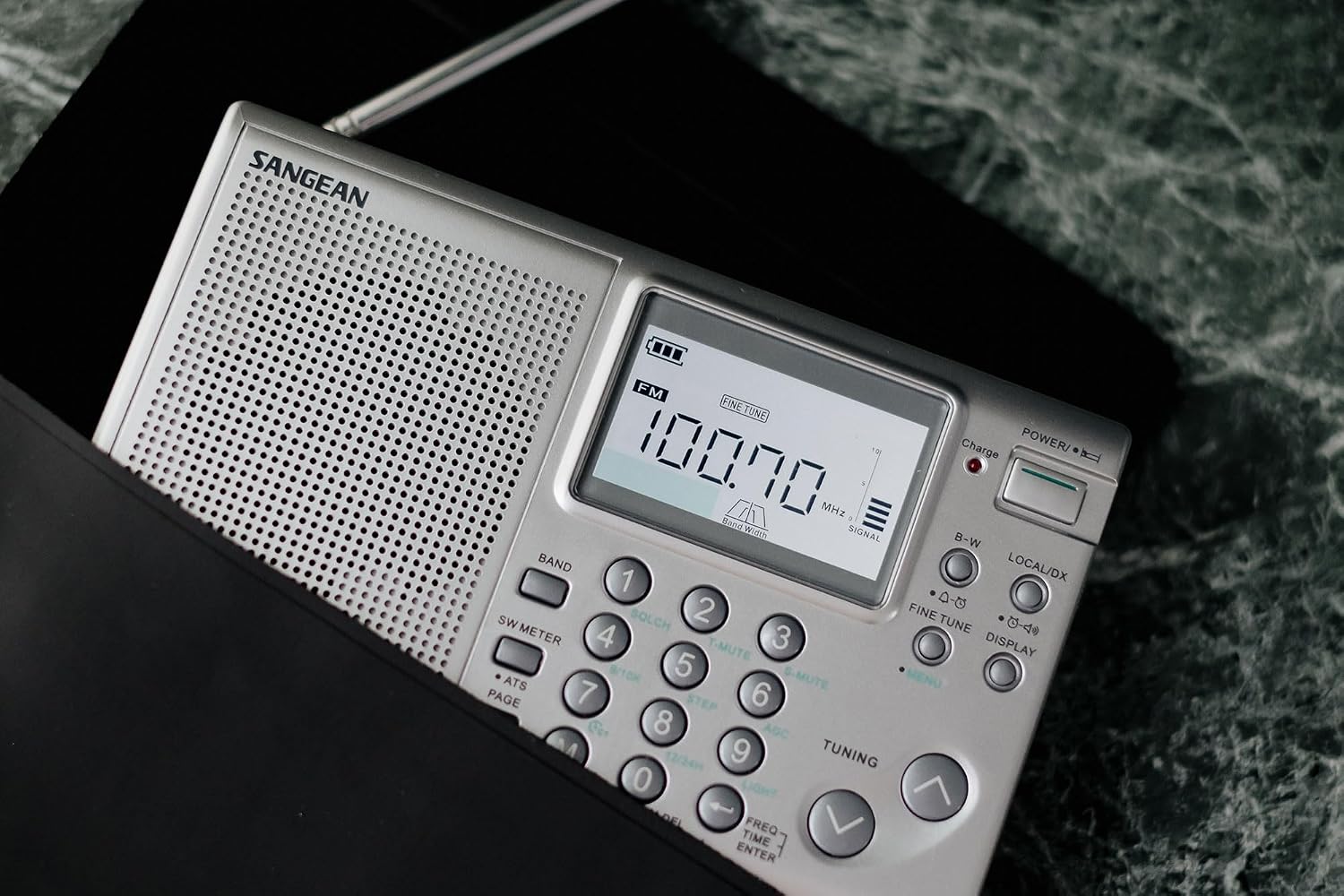
Image: Close-up of the Sangean ATS-405J's control panel, showing the numeric keypad, tuning buttons, and LCD display with frequency information.

Image: The Sangean ATS-405J radio positioned on a wooden surface with its telescopic antenna fully extended.
Setup
Power Source
The ATS-405J can be powered by the included power adapter or by four (4) AA batteries (not included).
- Using the Power Adapter: Connect the power adapter to the DC IN 7.5V jack on the side of the radio and plug it into a wall outlet.
- Using Batteries: Open the battery compartment on the rear of the radio. Insert four AA batteries, ensuring correct polarity. The internal battery switch MUST be set to the correct battery type (e.g., NiMH for rechargeable batteries). Rechargeable NiMH batteries are recommended for optimal performance.

Image: Rear view of the Sangean ATS-405J radio, showing the battery compartment, battery type switch, and a warning about setting the correct battery type.

Image: Side view of the Sangean ATS-405J, highlighting the headphone jack, DC IN port, and FM/Stereo/Mono switch.
Antenna
For optimal FM and Shortwave reception, fully extend the telescopic antenna. For AM (Medium Wave) reception, the radio uses a built-in ferrite bar antenna, so no external antenna adjustment is typically needed.
Operating Instructions
Turning On/Off and Volume
- To turn the radio ON, slide the POWER switch to the ON position.
- To turn the radio OFF, slide the POWER switch to the OFF position.
- Adjust the volume using the VOLUME control knob.
Band Selection
Press the BAND button repeatedly to cycle through AM, FM, and SW bands. The ATS-405J provides continuous coverage for the full shortwave 14-meter band, from 2.3MHz to 26.10MHz.
Tuning Methods
The radio offers five different tuning methods:
- ATS Auto Scan: Automatically scans and stores available stations.
- 10-Key Direct Frequency Input: Enter the desired frequency directly using the numeric keypad.
- Manual Tuning: Use the TUNING UP/DOWN buttons to manually adjust the frequency.
- Scan Tuning: Scans for the next available station.
- Memory Recall: Access previously stored stations from the presets.

Image: Graphic illustrating the five tuning methods: ATS Auto Scan, 10-Key Direct Frequency Input, Manual Tuning, Scan Tuning, and Memory Recall.
Station Presets
The ATS-405J allows you to store up to 108 stations (36 for AM, 36 for FM, and 36 for SW) for quick access to your favorite broadcasts.

Image: Visual representation of the 108 preset memory slots, divided into AM, FM, and SW bands.
Squelch Function
The squelch function helps eliminate weak signals by allowing you to adjust the reception threshold. This ensures a clearer listening experience by reducing background noise from very weak or non-existent signals.

Image: Graphic illustrating the squelch function, showing how it filters out weak signals for improved audio clarity.
Alarm and Sleep Timer
- Alarm: Set up to two independent alarm timers. You can choose to wake up to your favorite radio station or a buzzer sound.
- Sleep Timer: An adjustable sleep timer allows the radio to automatically turn off after a set period, useful for falling asleep to music or news.
Tone Adjustment and Filters
The radio features AM/FM Wide & Narrow filters and tone adjustment functions (Music, News, Normal) to optimize sound quality for different types of broadcasts and listening preferences.
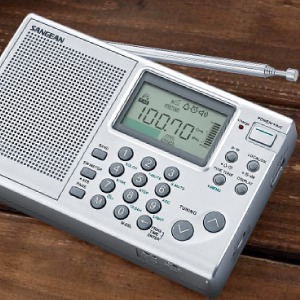
Image: Diagram showing the AM/FM Wide and Narrow filter options for audio optimization.
Lock Switch
Utilize the lock switch to prevent accidental changes to settings or frequency, especially useful when carrying the radio or to avoid unintended operation.
Maintenance
Cleaning
Wipe the radio with a soft, dry cloth. Do not use abrasive cleaners or solvents, as they may damage the finish.
Battery Care
If using rechargeable batteries, ensure they are charged regularly. The radio has a built-in battery charger with an LED indicator. If the radio will not be used for an extended period, remove the batteries to prevent leakage.

Image: Close-up view of the LED indicator, signifying the charging status of the internal batteries.
Troubleshooting
- No Power: Check if the power adapter is securely connected or if batteries are inserted correctly and have sufficient charge. Ensure the battery type switch is set correctly.
- Poor Reception: Extend the telescopic antenna fully for FM/SW. For AM, try rotating the radio for better signal. Adjust the squelch level if receiving weak, noisy signals.
- No Sound: Check the volume level. Ensure earphones are not plugged in if you intend to use the speaker.
- Buttons Unresponsive: Check if the lock switch is engaged. Disengage it if necessary.
Specifications
| Brand | Sangean |
| Model | ATS-405J |
| Color | Silver |
| Features | Squelch control, Auto tuning system, Alarm function |
| Product Dimensions (L x W x H) | 16.5 x 3.4 x 10 cm |
| Tuner Technology | Digital Tuning |
| Power Source | Power cord, or 4 x AA batteries (batteries not included) |
| Included Components | ATS-405J, Power Adapter, Earphones, Carrying Bag |
| Audio Output Mode | Stereo |
| Display Type | LCD |
| Country of Origin | China |
Warranty and Support
Warranty
This product comes with a 1-year manufacturer's warranty from the date of purchase. Please retain your proof of purchase for warranty claims. The warranty covers defects in materials and workmanship under normal use.
Customer Support
For technical assistance, troubleshooting, or warranty inquiries, please contact your retailer or the official Sangean customer support in your region. Refer to the Sangean website for contact information.

