
Introduction
This manual provides comprehensive instructions for the OLA S1 Pro+ 3rd Generation electric scooter. It covers essential information regarding the scooter's features, operation, maintenance, and safety guidelines. Please read this manual thoroughly before operating the scooter to ensure safe and efficient use.
The OLA S1 Pro+ 3rd Gen is an electric scooter designed for performance, featuring a 13 kW Peak Motor Power, an IDC range of 320 km, and a top speed of 141 km/h. It incorporates Dual ABS for enhanced safety, including mechanical front ABS and patented brake-by-wire enabled rear ABS, along with dual disc brakes.
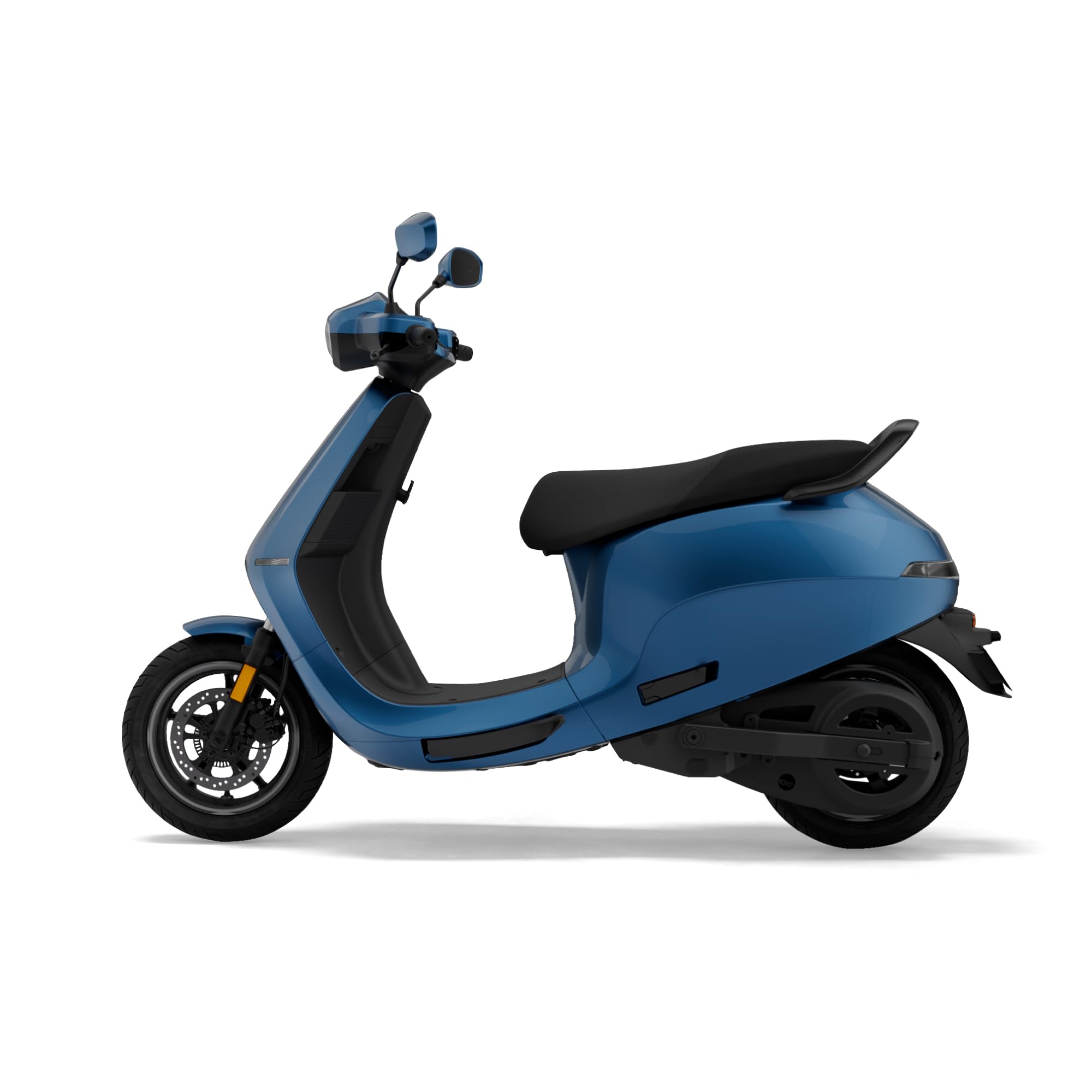
Image: Front three-quarter view of the OLA S1 Pro+ 3rd Gen Electric Scooter in Stellar Blue.
Safety Information
Always prioritize safety when operating your electric scooter. Failure to follow safety guidelines can result in injury or damage to the scooter.
- Always wear a helmet and appropriate protective gear, including gloves and sturdy footwear.
- Familiarize yourself with local traffic laws and regulations for electric scooters.
- Perform a pre-ride inspection before each use, checking brakes, tires, lights, and battery level.
- Maintain a safe distance from other vehicles and pedestrians.
- Avoid riding in adverse weather conditions, such as heavy rain, snow, or ice.
- Do not operate the scooter under the influence of alcohol or drugs.
- Ensure the scooter is turned off and secured when not in use.
- Do not exceed the maximum weight capacity of the scooter.
Setup
Before your first ride, ensure the following setup procedures are completed:
- Initial Charging: Connect the provided charger to the scooter's charging port and a standard power outlet. Allow approximately 7 hours for a full charge. The battery is IP67 rated for water and dust resistance.
- Digital Key Setup: The scooter utilizes a keyless digital key system. Follow the instructions provided in the OLA Electric App to pair your smartphone or smartwatch as the digital key. This enables proximity lock/unlock features.
- Tire Pressure Check: Verify that the tire pressure for both front and rear 110/70 - R12 tires is at the recommended level.
- Brake Inspection: Confirm that the dual disc brakes, including the Dual ABS system, are functioning correctly.

Image: Side view of the OLA S1 Pro+ 3rd Gen Electric Scooter, showing its profile.
Operating Instructions
The OLA S1 Pro+ 3rd Gen offers various features for an optimized riding experience:
- Digital Key (Keyless): Use your paired device for keyless ignition and proximity lock/unlock.
- Riding Modes:
- Hyper Mode: For maximum performance and acceleration.
- Sport Mode: Balanced performance for dynamic riding.
- Eco Mode: Optimized for extended range and efficiency.
- 7-inch Touchscreen Display:
- Connectivity: Bluetooth and Wi-Fi for seamless integration.
- Navigation System: Utilize Ola Maps for route guidance.
- Calling System: Make and receive calls via the built-in microphone.
- Music Controls: Play music through the built-in speakers.
- Cruise Control: Maintain a constant speed without throttle input.
- Reverse Mode: Facilitates easy maneuvering in tight spaces.
- Hill Hold: Prevents the scooter from rolling backward on inclines.
- Multi-Mode Traction Control: Enhances grip and stability in various conditions.
- Ola Electric App & SmartWatch App: Access ride journal, SOS alerts, and other smart features.
- Megaphone: Utilize the built-in megaphone feature for communication.

Image: Front view of the OLA S1 Pro+ 3rd Gen Electric Scooter, highlighting the headlight and handlebars.
Maintenance
Regular maintenance ensures the longevity and optimal performance of your OLA S1 Pro+ 3rd Gen scooter.
- Battery Care:
- Charge the 5.3 kWh battery regularly, avoiding complete discharge.
- Use only the official OLA charger.
- Store the scooter in a cool, dry place when not in use for extended periods.
- Tire Maintenance: Regularly check tire pressure and inspect for wear or damage. The scooter uses 110/70 - R12 tires.
- Brake System: Inspect brake pads and discs periodically. Ensure the Dual ABS system is functioning correctly.
- Cleaning: Clean the scooter with a damp cloth. Avoid high-pressure washing directly on electrical components. The scooter's body is made of ABS Nylon Fibre.
- Software Updates: Keep the scooter's software updated via the OLA Electric App for optimal performance and new features.

Image: Rear three-quarter view of the OLA S1 Pro+ 3rd Gen Electric Scooter, showing the rear wheel and taillight.
Troubleshooting
This section provides solutions to common issues you might encounter.
| Problem | Possible Cause | Solution |
|---|---|---|
| Scooter does not power on. | Low battery, digital key not detected, power button issue. | Charge the battery. Ensure your digital key (phone/smartwatch) is paired and nearby. Press the power button firmly. |
| Reduced range or performance. | Low tire pressure, riding mode, heavy load, battery degradation. | Check tire pressure. Switch to Eco mode. Reduce load. Contact service if battery performance significantly drops. |
| Brakes feel unresponsive. | Worn brake pads, air in brake lines, brake fluid low. | Have the brake system inspected by a qualified technician. Do not ride until brakes are fully functional. |
| Touchscreen not responding. | Software glitch, temporary freeze. | Restart the scooter. Ensure software is updated. If issue persists, contact OLA support. |
Specifications
| Feature | Detail |
|---|---|
| Model | S1 Pro+ 3rd Gen (5.3 Kwh) |
| Motor Power | 13 kW Peak Motor Power (PMSM Motor) |
| IDC Range | 320 km |
| Top Speed | 141 km/h |
| Battery Capacity | 5.3 kWh |
| Charge Time | Approximately 7 hours |
| Battery Rating | IP67 Rated |
| Key Type | Digital Key (Keyless) |
| Screen Type | 7-inch touchscreen with Bluetooth & Wifi connectivity, Navigation System, Calling system with microphone, Music controls with speakers, Cruise control |
| Bootspace | 34 L |
| Tyre Size | Front: 110/70 - R12, Rear: 110/70 - R12 |
| Brake System | Dual Disc Brakes, Dual ABS (mechanical front, patented brake-by-wire rear) |
| Vehicle Length | 1899 mm |
| Saddle Height | 1297 mm |
| Ground Clearance | 160 mm |
| Wheelbase | 1359 mm |
| Kerb Weight | 118 kg |
| Body Material | ABS Nylon Fibre |
| Voltage | 51 Volts (DC) |

Image: Top-down view of the OLA S1 Pro+ 3rd Gen Electric Scooter, showing the seat and handlebar layout.
Warranty and Support
For warranty information, service requests, or technical support, please contact OLA Electric Technologies Pvt Ltd. Refer to your purchase documentation for specific warranty terms and conditions.
Manufacturer: OLA, Ola Electric Technologies Pvt Ltd.
For further assistance, visit the official OLA website or contact their customer service department.


