
OLA S1 X+ 3rd Gen (4 Kwh)
Contents
OLA S1 X+ 3rd Gen (4 Kwh) Electric Scooter User Manual
Model: S1 X+ 3rd Gen (4 Kwh)
1. Introduction
Welcome to the OLA S1 X+ 3rd Gen (4 Kwh) Electric Scooter user manual. This document provides essential information for the safe and efficient operation, maintenance, and troubleshooting of your new electric scooter. Please read this manual thoroughly before operating the scooter to ensure your safety and to maximize the lifespan of your vehicle. Keep this manual for future reference.
The OLA S1 X+ 3rd Gen is designed for urban commuting, offering a blend of performance, range, and smart features. It is equipped with a 4 kWh battery, providing an IDC range of 242 km and a top speed of 125 kmph.
2. Safety Information
Your safety is paramount. Always adhere to the following safety guidelines:
- Always wear a helmet and appropriate protective gear (gloves, sturdy shoes) while riding.
- Familiarize yourself with local traffic laws and regulations before riding.
- Perform a pre-ride inspection before each use, checking brakes, tires, lights, and battery level.
- Do not operate the scooter under the influence of alcohol or drugs.
- Avoid riding in adverse weather conditions such as heavy rain, snow, or strong winds.
- Maintain a safe distance from other vehicles and pedestrians.
- Ensure the scooter is turned off and secured when not in use.
- Only use the official OLA charger provided with your scooter.
3. Product Overview
The OLA S1 X+ 3rd Gen features a robust design and intuitive controls. Below are key components and views of your scooter.
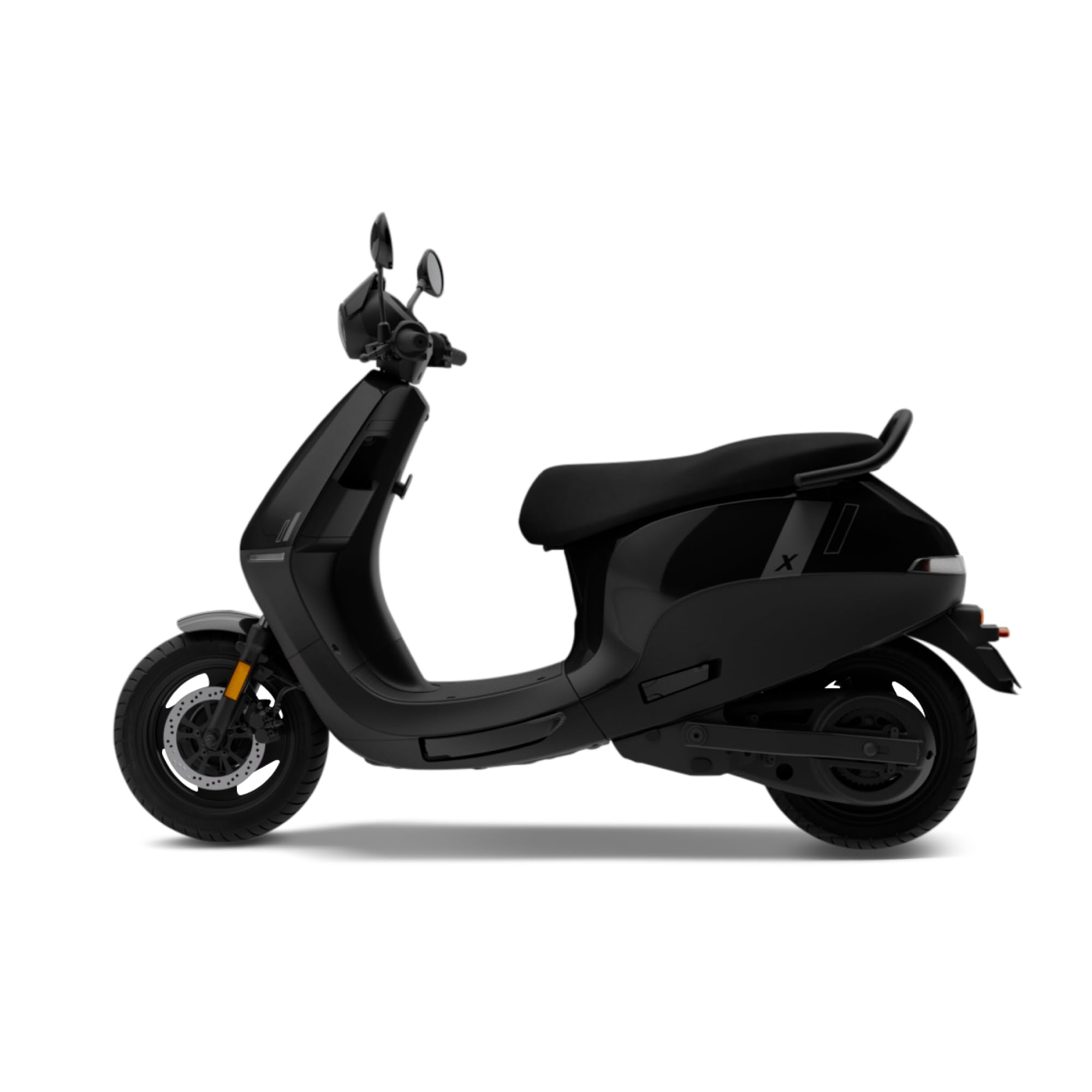
Figure 3.1: Front-left view of the OLA S1 X+ 3rd Gen Electric Scooter, showcasing its sleek design and headlight assembly.

Figure 3.2: Front-right view of the OLA S1 X+ 3rd Gen Electric Scooter, highlighting the front disc brake and wheel.

Figure 3.3: Direct front view of the OLA S1 X+ 3rd Gen Electric Scooter, showing the handlebars and display area.

Figure 3.4: Rear-left view of the OLA S1 X+ 3rd Gen Electric Scooter, displaying the tail light and rear wheel.

Figure 3.5: Top-down view of the OLA S1 X+ 3rd Gen Electric Scooter, illustrating the seat and overall body shape.
4. Setup
4.1 Unpacking and Initial Inspection
Carefully remove the scooter from its packaging. Inspect for any visible damage during transit. Report any damage to your dealer immediately.
4.2 Initial Charging
Before first use, fully charge the scooter's battery. Connect the charger to a standard power outlet and then to the scooter's charging port. The 4 kWh battery typically takes approximately 4 hours and 50 minutes for a full charge. The display will indicate charging status.
4.3 Key and Display Activation
The OLA S1 X+ 3rd Gen uses a physical key. Insert the key into the ignition and turn it to the 'ON' position. The 4.3-inch color LCD will power on, displaying essential information such as odometer, speedometer, trip meter, range, battery level, and clock.
5. Operating Instructions
5.1 Starting the Scooter
- Ensure the side stand is up.
- Turn the physical key to the 'ON' position.
- Press and hold the brake lever (either front or rear) and press the start button. The scooter will be ready to ride.
5.2 Riding Modes
The scooter offers various riding modes to suit different conditions:
- Normal Mode: Standard riding for balanced performance and range.
- Sport Mode: Provides enhanced acceleration and top speed for dynamic riding.
- Reverse Mode: Assists in maneuvering the scooter backward at low speeds. Activate via the dedicated button on the handlebar.
5.3 Braking
The scooter is equipped with a front disc brake and a rear drum brake. Apply both brakes gently and progressively for effective stopping. Avoid sudden, hard braking, especially at high speeds or on slippery surfaces.
5.4 Advanced Features
- Cruise Control: Maintain a constant speed without throttle input. Activate and deactivate using the designated button.
- Hill Hold: Prevents the scooter from rolling backward on inclines.
- Ola Electric App Integration: Connect your scooter to the Ola Electric App for features like Live Location Sharing and Ride Journal.
- SmartWatch App: Control certain scooter functions directly from your smartwatch.
6. Maintenance
Regular maintenance ensures optimal performance and longevity of your OLA S1 X+ 3rd Gen scooter.
6.1 Battery Care
- Charge the battery regularly, even if the scooter is not in frequent use, to maintain battery health.
- Avoid completely draining the battery before recharging.
- Store the scooter in a cool, dry place when not in use, away from direct sunlight and extreme temperatures.
- Only use the provided OLA charger.
6.2 Tire Pressure
Check tire pressure weekly. Refer to the tire sidewall for recommended pressure values. Proper tire pressure is crucial for safety, range, and ride comfort. The tire size is 90/90 - R12 for both front and rear.
6.3 Brake Inspection
Regularly inspect brake levers, cables, and pads for wear and proper function. If you notice reduced braking performance or unusual noises, have the brakes inspected by a qualified service technician.
6.4 Cleaning
Clean the scooter with a soft, damp cloth. Avoid using high-pressure water jets directly on electrical components. Do not use harsh chemicals or abrasive cleaners.
7. Troubleshooting
This section addresses common issues you might encounter with your OLA S1 X+ 3rd Gen scooter.
| Problem | Possible Cause | Solution |
|---|---|---|
| Scooter does not start | Low battery; Side stand down; Ignition key off; Blown fuse. | Charge battery; Ensure side stand is up; Turn key to 'ON'; Check fuses (consult service manual or technician). |
| Reduced range | Under-inflated tires; Aggressive riding style; Cold weather; Battery degradation. | Check and adjust tire pressure; Ride in 'Normal' mode; Battery performance may be reduced in cold; Consult service for battery check. |
| Brakes feel spongy or ineffective | Worn brake pads; Air in brake lines (disc brake); Loose cables (drum brake). | Have brakes inspected and serviced by a qualified technician immediately. |
| Display not working | Loose connection; Electrical fault. | Ensure ignition is on; Check battery level; Contact OLA service. |
For issues not listed here or if troubleshooting steps do not resolve the problem, please contact OLA customer support or an authorized service center.
8. Specifications
Detailed technical specifications for the OLA S1 X+ 3rd Gen (4 Kwh) Electric Scooter:
| Feature | Specification |
|---|---|
| Model | S1 X+ 3rd Gen (4 Kwh) |
| Battery Capacity | 4 kWh |
| IDC Range | 242 km |
| Top Speed | 125 kmph |
| Motor Power | 11 kW PMSM Motor |
| Charge Time | Approximately 4 hours 50 minutes |
| Battery Rating | IP67 Rated |
| Key Type | Physical Key |
| Screen Type | 4.3-inch Color LCD (Odometer, Speedometer, Trip Meter, Range, Battery, Clock) |
| Boot Space | 34 L |
| Tire Size (Front/Rear) | 90/90 - R12 |
| Brakes | Front Disc, Rear Drum |
| Vehicle Length | 1900 mm |
| Saddle Height | 1272 mm |
| Ground Clearance | 160 mm |
| Wheelbase | 1359 mm |
| Kerb Weight | 113 kg |
| Voltage | 51 Volts (DC) |
| Special Features | Sport Mode, Reverse Mode, Cruise Control, Hill Hold, Ride Journal, Ola Electric App, Live Location Sharing, SmartWatch App, DIY Mode |
9. Warranty and Support
Your OLA S1 X+ 3rd Gen Electric Scooter comes with a standard manufacturer's warranty. Please refer to the warranty card provided with your purchase for specific terms, conditions, and duration. Keep your purchase receipt as proof of purchase.
For technical assistance, service requests, or any inquiries regarding your scooter, please contact OLA customer support through the official OLA Electric website or the Ola Electric App. Ensure you have your scooter's model number and purchase details ready when contacting support.
Manufacturer: OLA, Ola Electric Technologies Pvt Ltd.
Ask a question about this manual
Ask about setup, troubleshooting, compatibility, parts, safety, or missing instructions. Manuals+ will review the question and use this page’s manual context to help answer it.