
1. Introduction
This manual provides essential information for the safe and efficient operation, maintenance, and care of your OLA S1 X 3rd Gen (4 Kwh) Electric Scooter. Please read this manual thoroughly before operating the scooter to ensure proper usage and to prevent damage or injury. Keep this manual for future reference.
The OLA S1 X 3rd Gen (4 Kwh) is a high-speed electric scooter designed for urban commuting, offering an IDC range of up to 242 km and a top speed of 123 kmph. It features a 7 kW Peak Motor Power, a 4 kWh battery, and advanced functionalities like a 4.3-inch color LCD display and various riding modes.
2. Safety Information
Your safety and the safety of others are paramount. Always adhere to the following safety guidelines:
- Wear a Helmet: Always wear an approved helmet and appropriate protective gear (gloves, sturdy footwear) when riding.
- Pre-Ride Inspection: Before each ride, check tire pressure, brake functionality, lights, and battery charge level.
- Traffic Laws: Obey all local traffic laws, regulations, and road signs.
- Weather Conditions: Exercise caution when riding in adverse weather conditions such as rain, snow, or strong winds.
- Passenger Limit: The scooter is designed for a single rider. Do not carry passengers unless explicitly permitted by local regulations and scooter design.
- Battery Safety: Use only the provided charger. Do not attempt to open or modify the battery pack. Avoid exposing the battery to extreme temperatures.
- Maintenance: Perform regular maintenance as outlined in this manual. Any repairs should be conducted by authorized service personnel.
3. Setup and Initial Use
3.1 Unpacking and Assembly
Upon receiving your OLA S1 X 3rd Gen, carefully remove it from its packaging. Inspect for any visible damage during transit. Ensure all components, including the charger and physical key, are present.
3.2 Charging the Battery
Before your first ride, fully charge the scooter's 4 kWh battery. The charging port is typically located on the scooter body. Connect the charger to the scooter and then to a standard power outlet. The charging time is approximately 4 hours and 50 minutes. The battery is IP67 rated for water and dust resistance.
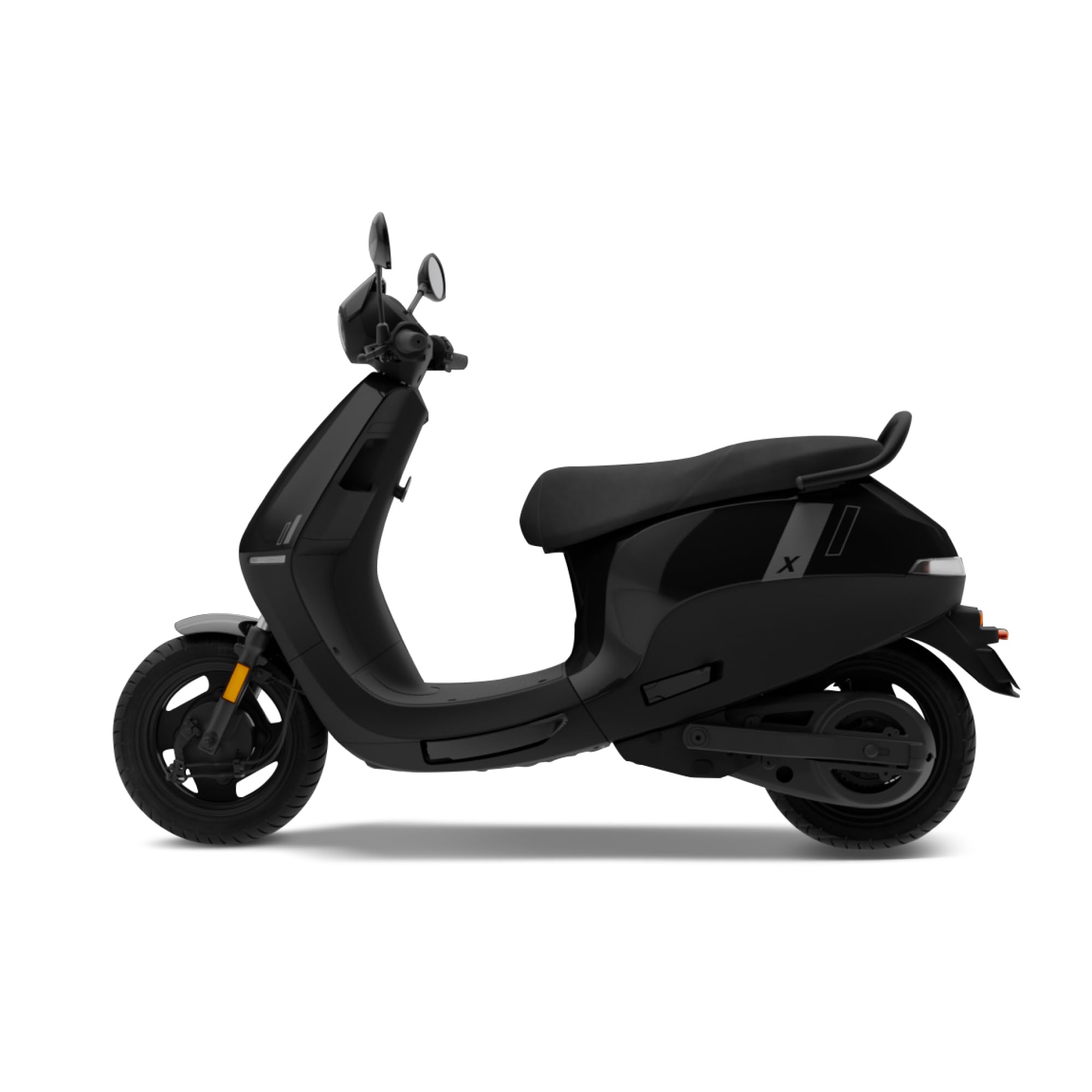
Image: OLA S1 X 3rd Gen Electric Scooter, showcasing its overall design.
3.3 Key and Ignition
The OLA S1 X 3rd Gen uses a physical key for ignition. Insert the key into the ignition slot and turn it to the 'ON' position to power on the scooter's systems.
3.4 Pre-Ride Checks
- Verify brake lever functionality (front and rear).
- Check tire pressure (recommended pressure can be found on the tire sidewall or in the specifications section).
- Ensure all lights (headlight, taillight, turn signals) are working.
- Confirm battery charge level on the display.
4. Operating Instructions
4.1 Starting and Riding
After turning the key to 'ON', the 4.3-inch color LCD display will illuminate. Select your desired riding mode (e.g., Sport Mode) using the controls on the handlebar. Gently twist the throttle to accelerate. The scooter features a PMSM Motor with 7 kW peak power for responsive acceleration.

Image: Front view of the OLA S1 X 3rd Gen, showing the headlight and handlebar controls.
4.2 Display and Controls
The 4.3-inch color LCD display provides critical information:
- Odometer: Total distance traveled.
- Speedometer: Current speed.
- Trip Meter: Distance for current trip.
- Range: Estimated remaining distance.
- Battery: Current battery charge level.
- Clock: Time display.
Handlebar controls allow for mode selection, horn, turn signals, and light operation.
4.3 Riding Modes and Features
Your scooter is equipped with several intelligent features:
- Sport Mode: Provides maximum acceleration and top speed.
- Reverse Mode: Assists in maneuvering the scooter backward at low speeds.
- Cruise Control: Maintains a set speed without continuous throttle input.
- Hill Hold: Prevents the scooter from rolling backward on inclines.
- Ola Electric App: Connects your scooter to your smartphone for additional features like Live Location Sharing and Ride Journal.
- SmartWatch App: Integration with compatible smartwatches for quick access to scooter information.
- DIY Mode: Allows for customization of certain scooter settings.
4.4 Braking System
The OLA S1 X 3rd Gen features drum brakes on both the front and rear wheels, complemented by Brake by Wire technology and Rear ABS for enhanced stopping power and control. Apply both brake levers smoothly and evenly for effective braking.

Image: Rear view of the OLA S1 X 3rd Gen, highlighting the taillight and rear wheel assembly.
4.5 Storage
The scooter includes a 34 L boot space, located under the seat, suitable for storing personal items or a helmet.
5. Maintenance
Regular maintenance ensures the longevity and optimal performance of your scooter.
5.1 Daily Checks
- Tires: Check for proper inflation (90/90 - R12 for both front and rear) and any signs of wear or damage.
- Brakes: Ensure brake levers operate smoothly and provide adequate stopping power.
- Lights: Verify all lights are functional.
- General Condition: Look for loose fasteners, unusual noises, or any fluid leaks.
5.2 Cleaning
Clean your scooter regularly with a soft cloth and mild detergent. Avoid high-pressure washers directly on electrical components. Dry thoroughly after washing.
5.3 Battery Care
- Avoid completely draining the battery.
- Charge the battery in a well-ventilated area.
- If storing the scooter for an extended period, ensure the battery is charged to approximately 50-70% and recharge it periodically.
5.4 Scheduled Servicing
Refer to your scooter's service schedule for periodic inspections and maintenance by an authorized OLA service center. This includes checks on the motor, electrical system, and other critical components.
6. Troubleshooting
This section addresses common issues you might encounter. For complex problems, contact OLA customer support or an authorized service center.
6.1 Scooter Not Starting
- Check Battery: Ensure the battery is sufficiently charged.
- Key Position: Confirm the physical key is fully inserted and turned to the 'ON' position.
- Side Stand: Ensure the side stand is retracted.
6.2 Reduced Range
- Riding Style: Aggressive acceleration and high speeds consume more battery.
- Tire Pressure: Under-inflated tires can reduce range.
- Load: Heavy loads can decrease range.
- Temperature: Cold weather can temporarily reduce battery performance.
6.3 Brake Issues
- Squealing Noise: May indicate worn brake pads or contamination. Have them inspected.
- Reduced Effectiveness: Could be due to air in the brake lines or worn components. Seek professional service.
7. Specifications
Detailed technical specifications for the OLA S1 X 3rd Gen (4 Kwh) Electric Scooter:
| Feature | Specification |
|---|---|
| Model | S1 X 3rd Gen (4 Kwh) |
| IDC Range | 242 km |
| Top Speed | 123 kmph |
| Motor Power (Peak) | 7 kW |
| Motor Type | PMSM Motor |
| Battery Capacity | 4 kWh |
| Charge Time | 4 hrs 50 mins |
| Battery Rating | IP67 Rated |
| Key Type | Physical Key |
| Screen Type | 4.3-inch color LCD |
| Boot Space | 34 L |
| Tyre Size (Front/Rear) | 90/90 - R12 |
| Brakes (Front/Rear) | Drum |
| Vehicle Length | 1900 mm |
| Saddle Height | 1272 mm |
| Ground Clearance | 160 mm |
| Wheelbase | 1359 mm |
| Kerb Weight | 113 kg |
| Voltage | 51 Volts (DC) |
| Special Features | Rechargeable, Sport Mode, Reverse Mode, Cruise Control, Hill Hold, Ride Journal, Ola Electric App, Live Location Sharing, SmartWatch App, DIY Mode |
8. Warranty and Support
8.1 Warranty Information
Your OLA S1 X 3rd Gen Electric Scooter comes with a limited warranty. Please refer to the warranty card included with your purchase or visit the official OLA website for detailed terms and conditions regarding coverage, duration, and exclusions. Keep your purchase receipt as proof of ownership.
8.2 Customer Support
For technical assistance, service appointments, or any inquiries regarding your scooter, please contact OLA customer support. Contact details can typically be found on the official OLA website or in your purchase documentation. When contacting support, please have your scooter's model number and VIN (Vehicle Identification Number) ready.


