
Introduction
This manual provides detailed instructions for the installation, operation, and maintenance of your Albott 2 Zone Mini Split AC System. This system features two independent 9,000 BTU indoor units connected to a single outdoor condenser, offering efficient and flexible climate control for two separate areas. Please read this manual thoroughly before installation and use to ensure proper function and safety.
Safety Information
Important: Always follow basic safety precautions when installing, operating, and maintaining this appliance to reduce the risk of fire, electric shock, personal injury, or property damage.
- Installation must be performed by qualified and authorized personnel in accordance with local and national electrical codes.
- Ensure the power supply matches the specifications listed on the unit's nameplate.
- Do not operate the unit with wet hands or when standing on a wet surface.
- Keep children and pets away from the outdoor unit and ensure proper ventilation.
- Turn off the power supply before performing any maintenance or cleaning.
- Do not insert objects into the air inlet or outlet.
- Use only manufacturer-recommended replacement parts.
Package Contents
Verify that all components listed below are included in your package. If any items are missing or damaged, contact customer support immediately.

Image: Overview of the Albott 2 Zone Mini Split AC System package contents, including the outdoor unit, two indoor units, two remote controls with batteries, and various installation kit components.
Main Components:
- 1 x Outdoor Unit
- 2 x Indoor Units (9,000 BTU each)
- 2 x Remote Controls with Batteries
Installation Kit (may vary slightly):
- Copper Pipes (various diameters)
- Drain Hoses
- Wall Sleeves
- Plasticine Putty
- Tapping Screws
- Expansion Bolts
- Drainage Joints
- Bandage Tape
- Communication Cables
- Insulation Foam
- Wall Covers
- Mounting Rubber Pads
Note: The external power cord is not included and must be purchased separately according to local requirements.
Setup and Installation
Professional installation by a certified HVAC technician is highly recommended for this mini split system to ensure proper function, safety, and warranty validity. Incorrect installation can lead to system malfunction, energy inefficiency, and safety hazards.
Key Installation Steps (Overview):
- Site Selection: Choose appropriate locations for the outdoor unit and each indoor unit, ensuring adequate clearance for airflow and maintenance.
- Mounting Indoor Units: Securely mount the indoor units on the wall, ensuring they are level.
- Mounting Outdoor Unit: Place the outdoor unit on a stable, level surface or mount it securely using a wall bracket.
- Refrigerant Piping: Connect the copper refrigerant lines between the indoor and outdoor units. Ensure proper flaring and tightening to prevent leaks.
- Drainage: Install drain hoses to ensure proper condensate removal from indoor units.
- Electrical Wiring: Connect the power supply and communication cables according to the wiring diagram provided in the full installation manual. This step requires a qualified electrician.
- Vacuuming and Refrigerant Charging: Evacuate the refrigerant lines to remove air and moisture, then charge the system with the correct amount of R-32 refrigerant.
- Leak Test: Perform a leak test on all connections.
- Test Run: Conduct a test run to verify proper operation in all modes.

Image: Diagram illustrating the independent temperature control capabilities of the Albott 2 Zone Mini Split AC System, showing indoor units cooling different rooms to desired temperatures.
WiFi Setup:
Your Albott Mini Split AC System is WiFi enabled, allowing remote control via a smartphone application. Refer to the dedicated WiFi setup guide included with your product for detailed instructions on connecting your units to your home network and pairing them with the mobile app. This typically involves downloading the Albott smart home app, creating an account, and following the in-app instructions to add your devices.
Operating Instructions
Each indoor unit can be controlled independently using its dedicated remote control or the Albott smartphone app.

Image: An Albott indoor unit with icons representing its various functions, including Inverter Technology, Turbo Function, Child Lock, 24 Hours Timer, Auto Swing Louvers, LED Display, Self-Cleaning Function, Screen Off, Sleep Mode, and Multiple Fan Speeds.
Basic Operation Modes:
- Cool Mode: Sets the unit to cool the room to the desired temperature.
- Heat Mode: Sets the unit to heat the room to the desired temperature.
- Dry Mode (Dehumidifier): Reduces humidity in the room without significant cooling.
- Fan Mode: Circulates air without heating or cooling.
- Auto Mode: Automatically selects the appropriate mode (cool, heat, or fan) based on the ambient temperature and your set temperature.
Special Features:
- Independent Dual Zone Control: Each 9,000 BTU indoor unit operates independently, allowing you to set different temperatures and modes for two separate rooms.
- Smart WiFi App Control: Use the Albott smartphone app to control your AC system remotely, adjust settings, and monitor status from anywhere.
- 25 SEER2 Energy Efficient Performance: The system is designed for high energy efficiency, reducing electricity consumption while maintaining comfort.
- Advanced Outdoor Defrost Function: The outdoor unit automatically initiates a defrost cycle in cold conditions to maintain heating performance and prevent ice buildup.
- Quiet Operation with Sleep Mode: The unit operates at low noise levels, especially in Sleep Mode, which also adjusts temperature settings gradually for optimal comfort during sleep.
- 24 Hours Timer: Program the unit to turn on or off automatically at specific times.
- Auto Swing Louvers: Adjust the airflow direction automatically for even temperature distribution.
- Self-Cleaning Function: Helps to remove dust and odors from the indoor coil, improving air quality.
- LED Display & Screen Off: The indoor unit features an LED display for status indication, which can be turned off for undisturbed sleep.
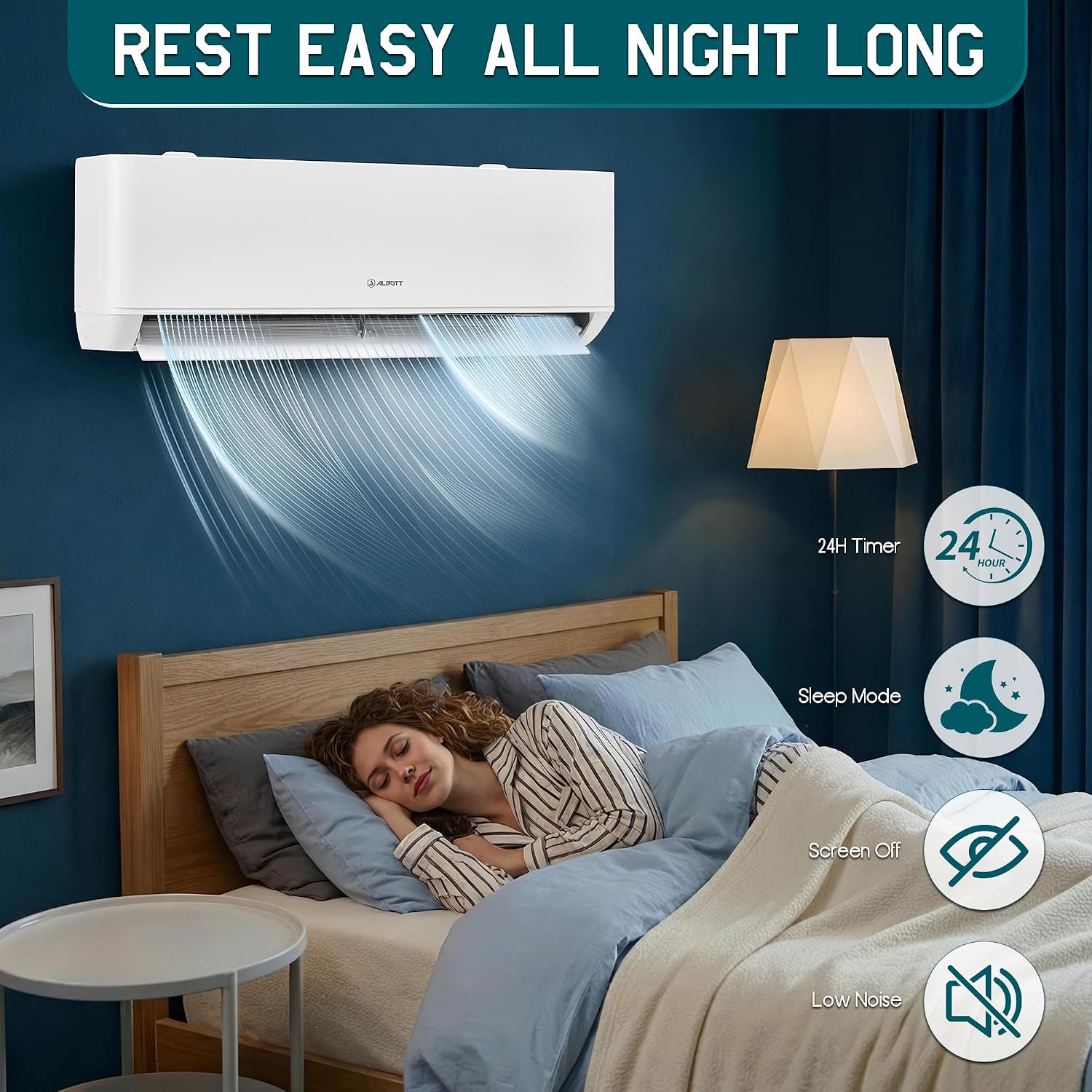
Image: An Albott indoor unit operating in a bedroom, highlighting features like 24-hour timer, sleep mode, screen off, and low noise for comfortable night-time use.
Maintenance
Regular maintenance ensures optimal performance, energy efficiency, and longevity of your Albott Mini Split AC System. Always disconnect power to the unit before performing any maintenance.
Indoor Unit Maintenance:
- Air Filter Cleaning: Clean the air filters every two weeks or more frequently depending on usage and air quality. Open the front panel, remove the filters, wash them with lukewarm water and mild detergent, rinse thoroughly, and allow them to dry completely before reinserting.
- Self-Cleaning Function: Utilize the built-in self-cleaning function periodically to clean the indoor coil and prevent mold and odor buildup. Refer to your remote control or app instructions for activating this feature.
- Surface Cleaning: Wipe the indoor unit's exterior with a soft, damp cloth. Do not use harsh chemicals or abrasive cleaners.

Image: Diagram illustrating the self-cleaning mode of the Albott indoor unit, showing how it helps remove dust and odors to maintain a cleaner environment and improve air quality.
Outdoor Unit Maintenance:
- Coil Cleaning: Periodically inspect and clean the outdoor coil to remove dirt, leaves, and debris. Use a soft brush or a garden hose with low pressure.
- Clear Obstructions: Ensure that there are no obstructions around the outdoor unit that could impede airflow.
- Defrost Function: The unit features an automatic defrost function. Ensure the area around the outdoor unit is clear to allow for proper drainage during defrost cycles.

Image: A detailed view of the Albott outdoor unit, highlighting its defrost function which ensures superior performance even in cold weather by preventing ice buildup on the coils.
Troubleshooting
Before contacting customer support, refer to the following table for common issues and their potential solutions.
| Problem | Possible Cause | Solution |
|---|---|---|
| Unit does not turn on. | No power supply; circuit breaker tripped; remote control batteries dead. | Check power connection; reset circuit breaker; replace remote control batteries. |
| Insufficient cooling/heating. | Dirty air filters; blocked outdoor unit; wrong mode selected; room too large. | Clean air filters; clear obstructions from outdoor unit; select correct mode; ensure unit capacity matches room size. |
| Unusual noise. | Loose parts; foreign objects in fan; unit not level. | Check for loose parts; remove any obstructions; ensure unit is installed on a level surface. |
| Water leakage from indoor unit. | Clogged drain hose; improper installation. | Clear drain hose; contact a professional for inspection if installation is suspected. |
| WiFi connection issues. | Router issues; incorrect password; unit too far from router. | Restart router; re-enter WiFi password; move unit closer to router or use a range extender. |
If the problem persists after attempting these solutions, please contact Albott customer support.
Specifications
Detailed technical specifications for the Albott 2 Zone Mini Split AC System (Model: 2 Zone 20000 BTU (9k+9k)).

Image: A visual comparison highlighting the 25 SEER2 energy efficiency rating of the Albott Mini Split AC System compared to other units, indicating superior energy savings.
| Feature | Detail |
|---|---|
| Brand | Albott |
| Model | 2 Zone 20000 BTU (9k+9k) |
| Capacity | 1.5 tons (9,000 BTU + 9,000 BTU indoor units) |
| Cooling Power | 18000 British Thermal Units (Total) |
| Seasonal Energy Efficiency Ratio (SEER2) | 25 |
| Voltage | 220 volts |
| Noise Level | 29 dB (Indoor Unit, lowest setting) |
| Refrigerant | R-32, GWP: 675 |
| Product Dimensions (Outdoor Unit) | 33.86"D x 13.78"W x 23.62"H |
| Special Features | Auto Clean, Dehumidifier, Dust Filter, Inverter Compressor, WiFi Enabled, Sleep Mode, 24H Timer, Auto Defrost |
Warranty and Support
Albott products are manufactured to high-quality standards and are backed by a limited warranty. Please refer to the warranty card included with your product for specific terms, conditions, and duration of coverage. Keep your purchase receipt as proof of purchase for warranty claims.
Customer Support:
For technical assistance, troubleshooting beyond this manual, or warranty inquiries, please contact Albott customer support. Contact information can typically be found on the Albott website or on the warranty card provided with your unit.
When contacting support, please have your model number (2 Zone 20000 BTU (9k+9k)) and purchase date readily available.
