
1. Introduction
This instruction manual provides essential information for the installation, operation, and maintenance of the Generic HY-SS-04 Android Car Radio Canbus Box Adaptor Decoder. This device is designed to integrate an aftermarket Android car radio with your vehicle's existing electrical system, allowing the radio to communicate with the car's Canbus network for functions such as steering wheel controls, door status, reverse gear signals, and more. Please read this manual thoroughly before installation to ensure correct usage and compatibility.
2. Product Overview
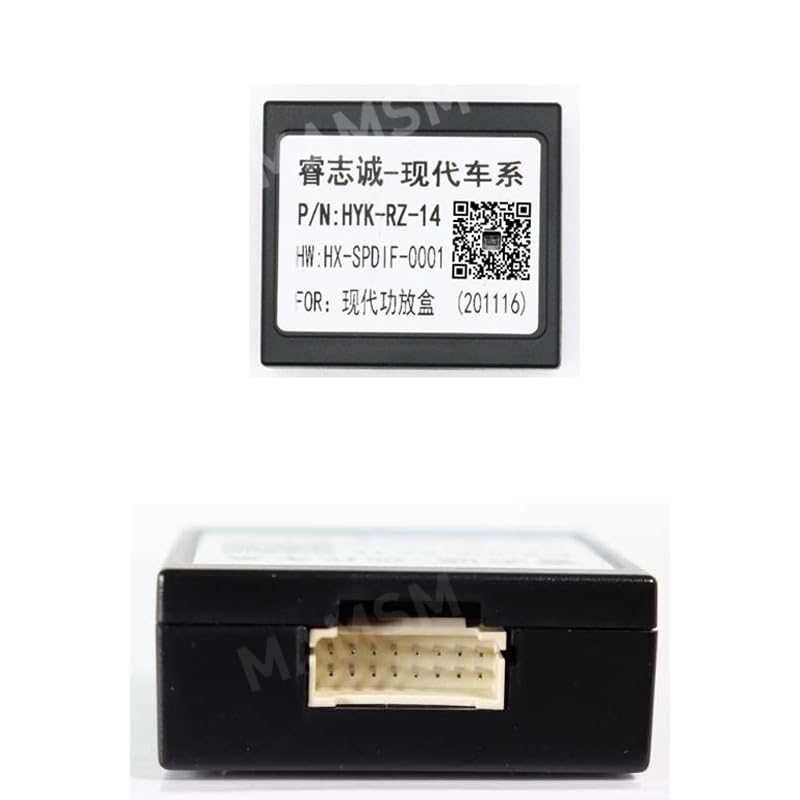
Image 2.1: Canbus Box HYK-RZ-14 with its multi-pin connector. This image shows a typical Canbus box variant, similar in function to the HY-SS-04, designed to adapt vehicle signals for an Android car radio.
Scan QR code for more information (WeChat)The Canbus Box Adaptor Decoder acts as an interface between your vehicle's Canbus system and your Android car radio. It translates digital signals from the car (e.g., steering wheel button presses, vehicle speed, reverse status, door open/close) into a format that the Android radio can understand and utilize. This ensures that essential vehicle features remain functional and integrated with your new head unit.

Image 2.2: An assortment of Canbus Decoder Boxes, including models like HYK-RZ-12, HYK-RZ-13, HYK-RZ-14, and HY-SS-04. This illustrates the variety of specific Canbus box models available for different vehicle compatibility requirements.
Scan QR code for more information (WeChat)3. Compatibility
It is crucial to verify the specific Canbus box model required for your vehicle's make, model, and year. Incorrect selection may lead to non-functional features or damage. The following list details compatibility for various Canbus box models:
3.1. HYK-RZ-11 + HYK-RZ-14 Combination
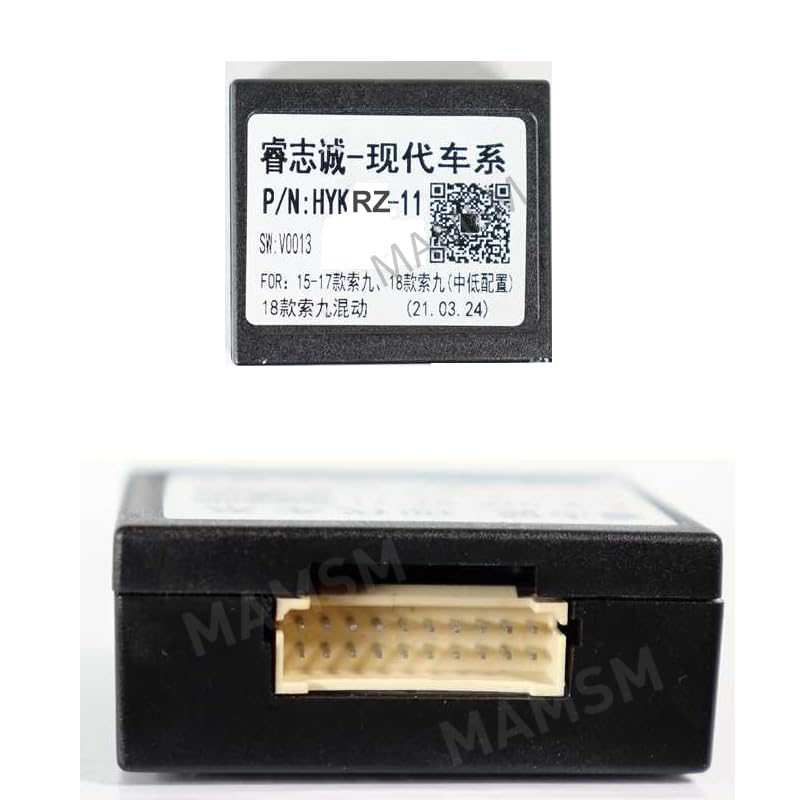
Image 3.1.1: Canbus Box HYK-RZ-11, often used in combination with HYK-RZ-14 for specific Hyundai models.
Scan QR code for more information (WeChat)- For 2015-2017 Hyundai Sonata 9
3.2. HYK-RZ-12 + HYK-RZ-14 Combination
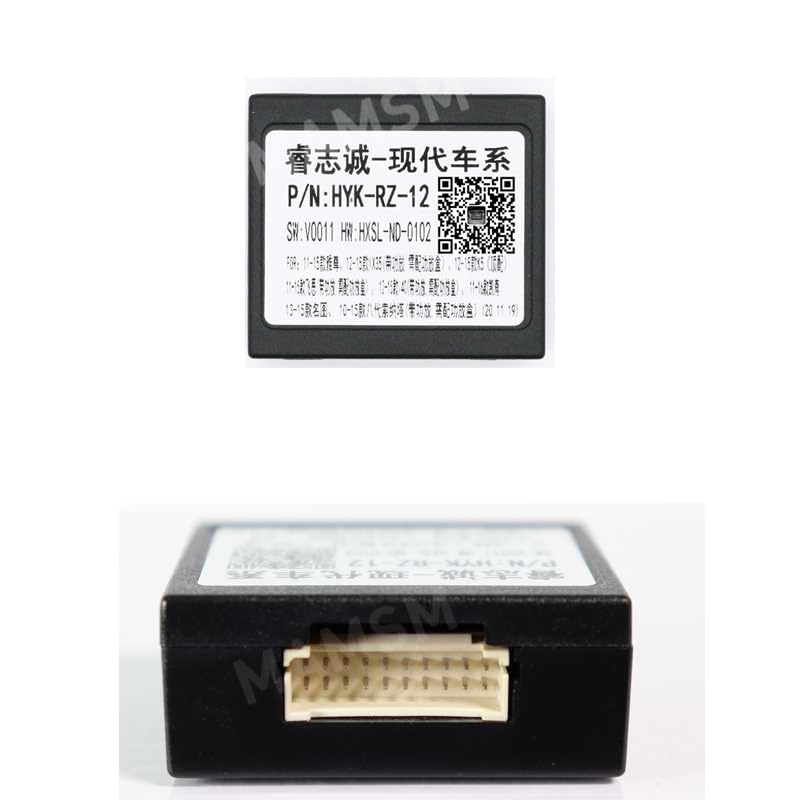
Image 3.2.1: Canbus Box HYK-RZ-12, typically paired with HYK-RZ-14 for certain Hyundai models.
Scan QR code for more information (WeChat)- For 2011-2014 Hyundai Sonata 8
- For 2011-2017 Hyundai Veloster
3.3. HYK-RZ-13 (Standalone or with HYK-RZ-14)
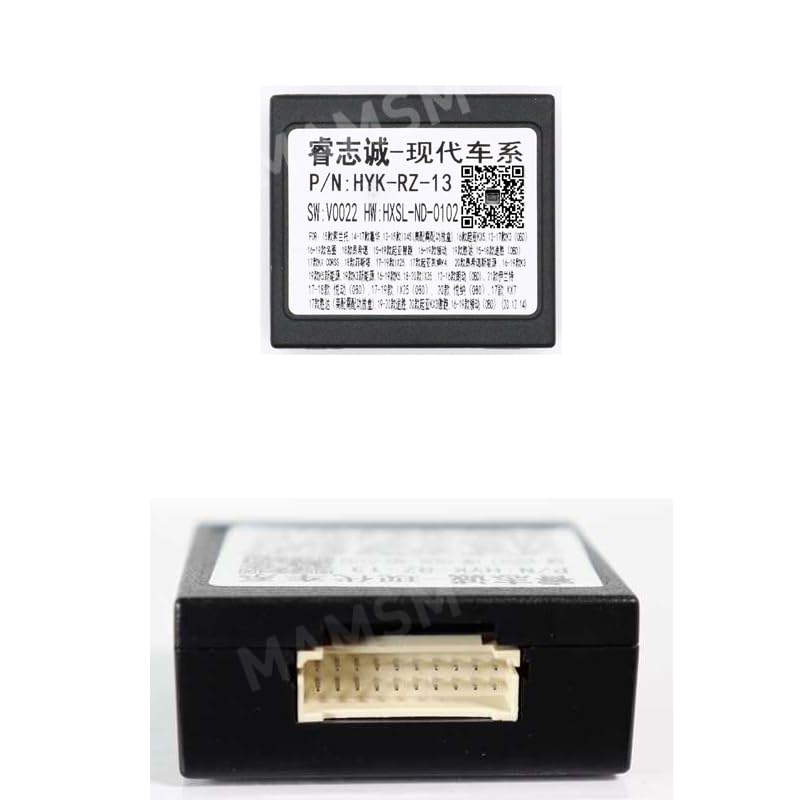
Image 3.3.1: Canbus Box HYK-RZ-13, compatible with a wide range of Hyundai and Kia vehicles.
Scan QR code for more information (WeChat)- For 2015-2018 Hyundai Tucson/IX35
- For 2012 Hyundai Santa Fe/IX45 (also with HYK-RZ-14)
- For 2015 Hyundai Elantra
- For 2013-2017 Hyundai Mistra/CF
- For 2018 Hyundai Encino/Kona
- For 2018 Kia Sportage
- For 2018 Hyundai Sonata 9
- For 2011-2015 Kia Accent/K5
- For 2015-2018 Kia Sportage/KX-5
- For 2015 Kia Sorento
- For 2018+ Kia Sportage/KX5
- For 2016 Kia K5
- For 2013-2014 Kia Sorento
3.4. HY-SS-04 (Primary Model)
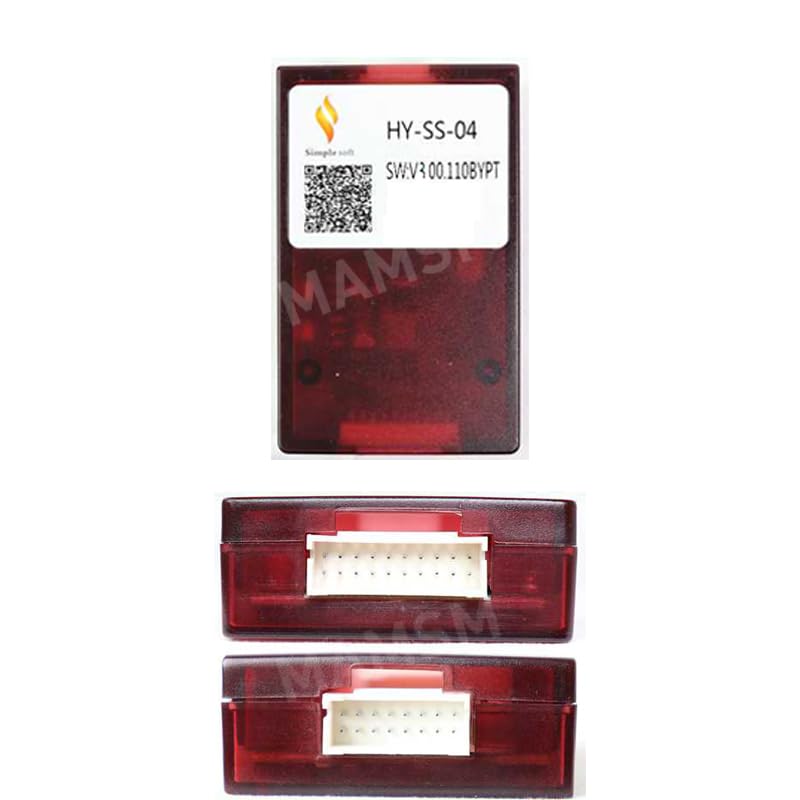
Image 3.4.1: The HY-SS-04 Canbus Box, featuring dual connectors for comprehensive vehicle integration.
- For 2010 Hyundai Tucson IX35
- For 2012 Hyundai Santa Fe/IX45
- For 2015 Hyundai Tucson
- For 2015 Hyundai Elantra
- For 2011-2014 Hyundai Sonata 8
- For 2016 Hyundai Sonata 9
- For 2018 Kia Sportage
- For 2008 Hyundai Azera/TG AV
- For 2019 Hyundai Santa Fe
- For 2019 Hyundai H1
- For 2010 Hyundai Veracruz
- For 2020 Hyundai Sonata
- For Hyundai Ioniq/IONIQ
- For 2011-2012 Hyundai Azera
- For 2021 Hyundai Ceed
- For 2015 Sorento L Medium & Sonata & 2016 KX5
- For 2015-2018 Kia Sportage/KX-5
- For 2015 Kia Sorento
- For 2019 Kia Rio
- For 2017 Kia Niro
- For 2015 Left/Right Peptide Kia 2014 Sedona/Carnival9
- For 2014-2019 Kia Soul
- For 2010 models (unspecified)
Note: This list is based on manufacturer information. Always cross-reference with your vehicle's specific model, year, and existing wiring harness to ensure full compatibility before purchase and installation. Consult a professional installer if unsure.
4. Setup and Installation
Installation of a Canbus box requires basic knowledge of car audio wiring and vehicle electrical systems. It is highly recommended that installation be performed by a qualified professional to prevent damage to the vehicle or the product.
4.1. Pre-Installation Checklist
- Ensure the vehicle's ignition is off and the battery's negative terminal is disconnected.
- Confirm the Canbus box model matches your vehicle's compatibility requirements (refer to Section 3).
- Gather necessary tools: wiring crimpers, electrical tape, wire strippers, multimeter, trim removal tools.
- Identify the wiring harness for your Android car radio and the vehicle's factory harness.
4.2. Installation Steps (General Guidelines)
- Remove Factory Radio: Carefully remove the vehicle's existing factory radio using appropriate trim removal tools.
- Identify Wiring: Locate the vehicle's factory wiring harness. This typically includes power, ground, speaker wires, and the Canbus data lines.
- Connect Canbus Box: Connect the Canbus box to the vehicle's factory wiring harness and the Android car radio's harness. Ensure all connections are secure and correctly matched according to the wiring diagrams provided with your specific Android radio and Canbus box (if any).
- Secure Wiring: Route and secure all wiring to prevent pinching or interference.
- Test Functionality: Before fully reassembling the dashboard, reconnect the battery and test the Android radio's functions, including steering wheel controls, reverse camera activation, door open warnings, and illumination.
- Final Assembly: If all functions operate correctly, carefully reassemble the dashboard and secure the new Android car radio.
Warning: Incorrect wiring can cause serious damage to your vehicle's electrical system or the car radio. If you are not confident in your ability to perform the installation, seek professional assistance.
5. Operating Instructions
The Canbus box operates automatically once correctly installed. It functions as an intermediary, translating signals between your vehicle and the Android car radio. There are no user-adjustable settings or direct controls on the Canbus box itself.
- Steering Wheel Controls: After installation, the steering wheel buttons should control the Android radio's volume, track changes, mode selection, and other programmable functions. These are typically configured within the Android radio's settings.
- Vehicle Information Display: Depending on your vehicle and Android radio, the Canbus box may enable the display of vehicle information (e.g., door status, climate control settings, parking sensor data) on the radio screen.
- Ignition/Accessory Power: The Canbus box provides the correct ignition and accessory power signals to the Android radio, ensuring it turns on and off with the vehicle.
- Reverse Signal: It provides a reverse gear signal to the Android radio, automatically activating a connected reverse camera when the vehicle is put into reverse.
6. Maintenance
The Canbus box is a sealed electronic component and requires minimal maintenance.
- Keep Dry: Ensure the unit remains dry and free from moisture.
- Secure Connections: Periodically check that all wiring connections are secure and free from corrosion, especially if experiencing intermittent issues.
- Software Updates: Any software updates for the Canbus functionality would typically be part of the Android car radio's firmware updates, not directly for the Canbus box itself. Consult your Android radio's manual for update procedures.
7. Troubleshooting
If you encounter issues after installing the Canbus box, consider the following troubleshooting steps:
- No Power to Radio:
- Check all power and ground connections.
- Verify vehicle's fuses are intact.
- Ensure the Canbus box is correctly connected to the vehicle's ignition signal.
- Steering Wheel Controls Not Working:
- Confirm the Canbus box is fully compatible with your vehicle and radio.
- Check the Canbus data line connections.
- Access the steering wheel control learning function in your Android radio's settings and attempt to re-program the buttons.
- Reverse Camera Not Activating:
- Verify the reverse signal wire from the Canbus box is connected to the radio's reverse input.
- Ensure the camera itself is powered and functioning.
- Other Vehicle Functions Not Integrated:
- Double-check all wiring connections between the Canbus box, vehicle, and radio.
- Confirm the Canbus box model is the correct one for your specific vehicle's trim level and features. Some advanced features may require a different Canbus box or additional modules.
- Consult the Android radio's settings for Canbus configuration options.
- Intermittent Issues:
- Inspect all connections for looseness or poor contact.
- Check for any signs of physical damage to the Canbus box or wiring.
If problems persist after following these steps, contact a professional car audio installer or the product's technical support.
8. Specifications
| Feature | Detail |
|---|---|
| Type | Canbus Box Adaptor Decoder |
| Model | HY-SS-04 (and compatible variants like HYK-RZ-11, HYK-RZ-12, HYK-RZ-13, HYK-RZ-14) |
| Brand | Generic |
| Condition | New |
| Manufacturer | HUNTAN |
| Compatibility | Specific Hyundai and Kia models (refer to Section 3 for detailed list) |
9. Warranty and Support
Specific warranty information for this Generic product is not provided in the available documentation. Please refer to your retailer or point of purchase for details regarding warranty coverage and return policies.
For technical support or further inquiries, please consult the QR codes provided on the product packaging or labels, which may direct you to manufacturer support channels. Alternatively, contact the seller or a qualified car audio professional.


