
1. Product Overview
The Conyat M22 Bluetooth Shower Speaker is designed to provide high-quality audio in various environments, including wet conditions. It features IPX7 waterproofing, Bluetooth 5.4 connectivity for stable connections, and a built-in microphone for hands-free calls. The speaker also includes vibrant colorful LED lights and supports wireless stereo pairing for an immersive sound experience.
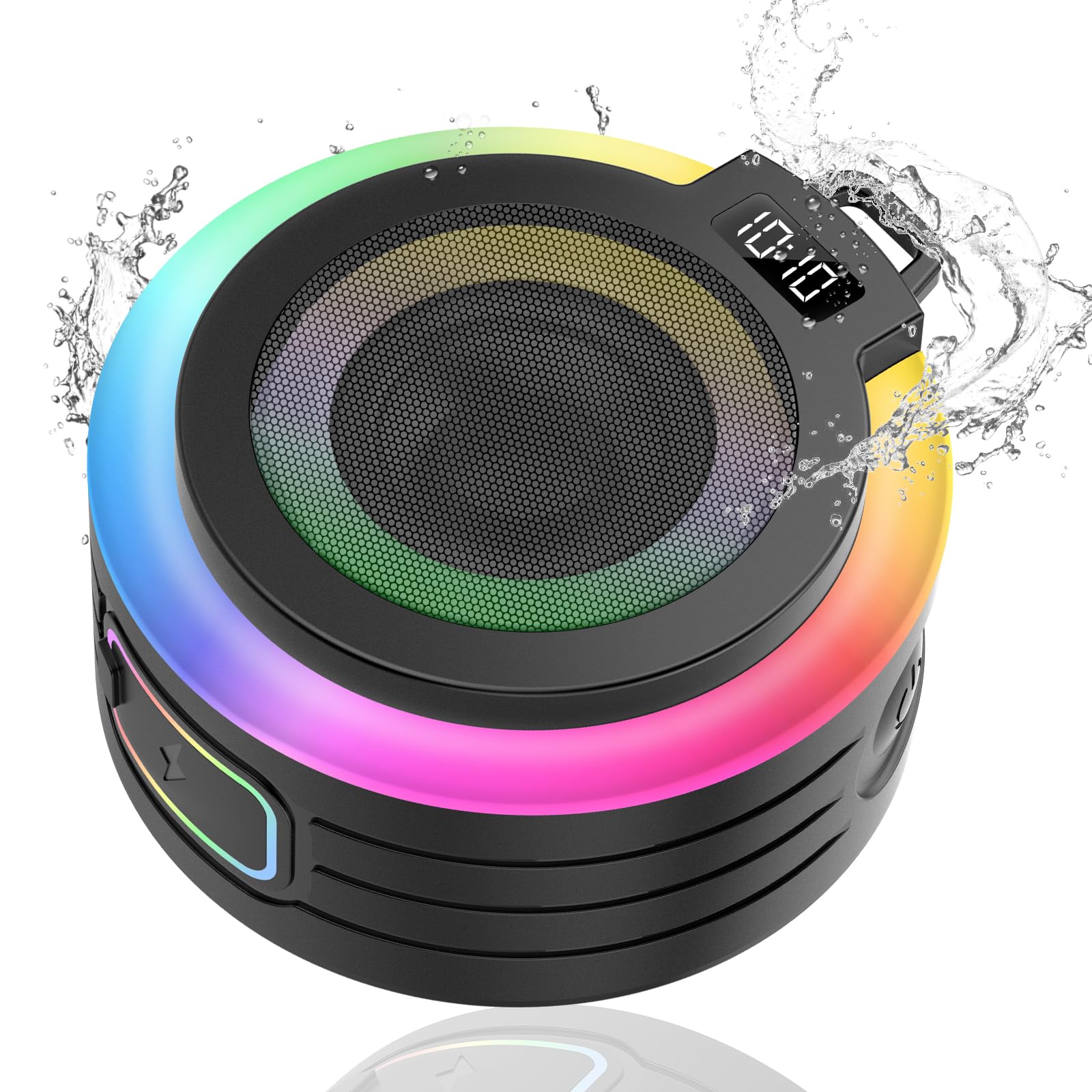
Image: Conyat M22 Bluetooth Shower Speaker, showcasing its colorful LED lights and compact design.
2. What's in the Box
Please check the package contents to ensure all items are present:
- Bluetooth Shower Speaker (M22) x 1
- Instruction Manual x 1
- Suction Cup x 1
- Rope (Lanyard) x 1
- USB-C Charging Cable x 1

Image: All components included in the Conyat M22 Bluetooth Shower Speaker package.
3. Setup
3.1 Charging the Speaker
Before first use, fully charge the speaker. Connect the provided USB-C charging cable to the speaker's charging port and the other end to a USB power adapter (not included). A full charge takes approximately 3 hours and provides over 8 hours of playtime at 50% volume.

Image: The Conyat M22 speaker being charged via its USB-C port.
3.2 Power On/Off
- To power on, press and hold the Power button (
 ) until the LED lights illuminate.
- To power off, press and hold the Power button again.
3.3 Bluetooth Pairing
- Ensure the speaker is powered on and in pairing mode (LED lights may flash).
- On your device (smartphone, tablet, etc.), enable Bluetooth and search for available devices.
- Select "Conyat M22" from the list of devices.
- Once connected, the speaker will indicate successful pairing, and the LED lights may change pattern.
The speaker uses Bluetooth 5.4 technology for a stable connection up to 10 meters.

Image: The Conyat M22 speaker establishing a Bluetooth 5.4 connection with a mobile phone.
4. Operating Instructions
4.1 Button Functions
The speaker features five easy-to-use buttons for control:
| Button | Function |
|---|---|
| Power On/Off () | Press and hold to turn the speaker on or off. |
| Next Song / Decrease Volume () | Short press for next song. Long press to decrease volume. |
| Play / Pause () | Short press to play or pause music. |
| Previous Song / Increase Volume () | Short press for previous song. Long press to increase volume. |
| LED Control () | Short press to cycle through different light modes. Long press to turn LED lights off. |

Image: Detailed description of the speaker's button functions.
4.2 Colorful Light Show
The speaker features seven romantic LED colors and multiple changing themes. Press the LED Control button to cycle through the available light effects. To conserve battery, you can long press the LED Control button to turn the lights off.

Image: The Conyat M22 speaker's vibrant colorful light show in action.
4.3 Wireless Stereo Pairing (TWS)
For an immersive 360-degree surround sound experience, you can pair two Conyat M22 speakers together:
- Ensure both speakers are powered on and not connected to any device.
- On one speaker (this will be the primary speaker), double-press the Power button. It will enter TWS pairing mode.
- The two speakers will automatically connect to each other. You will hear an audible confirmation.
- Once paired, connect your device to the primary speaker via Bluetooth as described in section 3.3.

Image: Two Conyat M22 speakers configured for wireless stereo sound.
4.4 Hands-free Calling
The built-in microphone allows for wireless hands-free calls when connected to your smartphone. When a call comes in, press the Play/Pause button to answer or end the call.

Image: The Conyat M22 speaker facilitating a convenient hands-free call.
5. Maintenance
5.1 Cleaning
To clean the speaker, use a soft, damp cloth. Do not use abrasive cleaners or solvents, as these may damage the surface or internal components. Ensure the charging port cover is securely closed before cleaning or exposing to water.
5.2 Waterproofing (IPX7)
The Conyat M22 speaker is IPX7 waterproof, meaning it can be submerged in water up to 1 meter for 30 minutes. For optimal performance and longevity, ensure the charging port cover is tightly sealed before exposing the speaker to water. Avoid prolonged submersion or exposure to high-pressure water jets.

Image: The Conyat M22 speaker highlighting its IPX7 waterproof capability.
6. Troubleshooting
- Speaker does not turn on: Ensure the speaker is fully charged. Connect it to a power source using the USB-C cable and allow it to charge for at least 30 minutes before attempting to power on again.
- Cannot pair with device:
- Make sure the speaker is in pairing mode (LEDs may be flashing).
- Ensure Bluetooth is enabled on your device and it is within 10 meters of the speaker.
- Forget "Conyat M22" from your device's Bluetooth settings and try pairing again.
- Restart both the speaker and your device.
- No sound or low volume:
- Check the volume levels on both the speaker and your connected device.
- Ensure the speaker is properly paired and connected.
- If using TWS, ensure both speakers are correctly paired to each other and then to your device.
- Poor battery life: The LED lights consume power. To extend battery life, long press the LED Control button to turn off the lights when not needed.
- Sound quality issues: Ensure the speaker is within Bluetooth range and there are no significant obstructions between the speaker and your device.
7. Specifications
| Feature | Detail |
|---|---|
| Model Name | M22 |
| Brand | Conyat |
| Connectivity Technology | Bluetooth 5.4 |
| Wireless Communication Range | Up to 10 meters (33 feet) |
| Speaker Type | 3D, Stereo (with TWS pairing) |
| Speaker Maximum Output Power | 5 Watts |
| Waterproof Rating | IPX7 |
| Battery Life | Over 8 hours (at 50% volume) |
| Charging Time | Approximately 3 hours |
| Power Source | Battery Powered (1 x 12V battery included) |
| Product Dimensions | 6"D x 6"W x 3.8"H |
| Item Weight | 11.3 ounces |
| Special Features | Built-in Mic, Colorful LED Lights, Portable Design, Suction Cup, Lanyard |
8. Warranty and Support
The Conyat M22 Bluetooth Shower Speaker comes with a Limited Warranty. For specific details regarding warranty coverage, please refer to the warranty card included in your package or contact Conyat customer service.
Customer Support
Conyat is committed to providing excellent customer service. If you encounter any issues or have questions about your product, please contact us. We offer:
- 24-Hour Customer Service
- 30-Day Worry-Free Trial
- 12-Month Quality Guarantee

Image: Conyat customer support commitments.