
Monster E69
Monster Open Ear AC326 Wireless Earbuds User Manual
Model: E69
1. Introduction
Thank you for choosing the Monster Open Ear AC326 Wireless Earbuds. These earbuds are designed to provide a comfortable, open-ear listening experience, allowing you to enjoy high-quality audio while remaining aware of your surroundings. This manual will guide you through the setup, operation, and maintenance of your new earbuds.
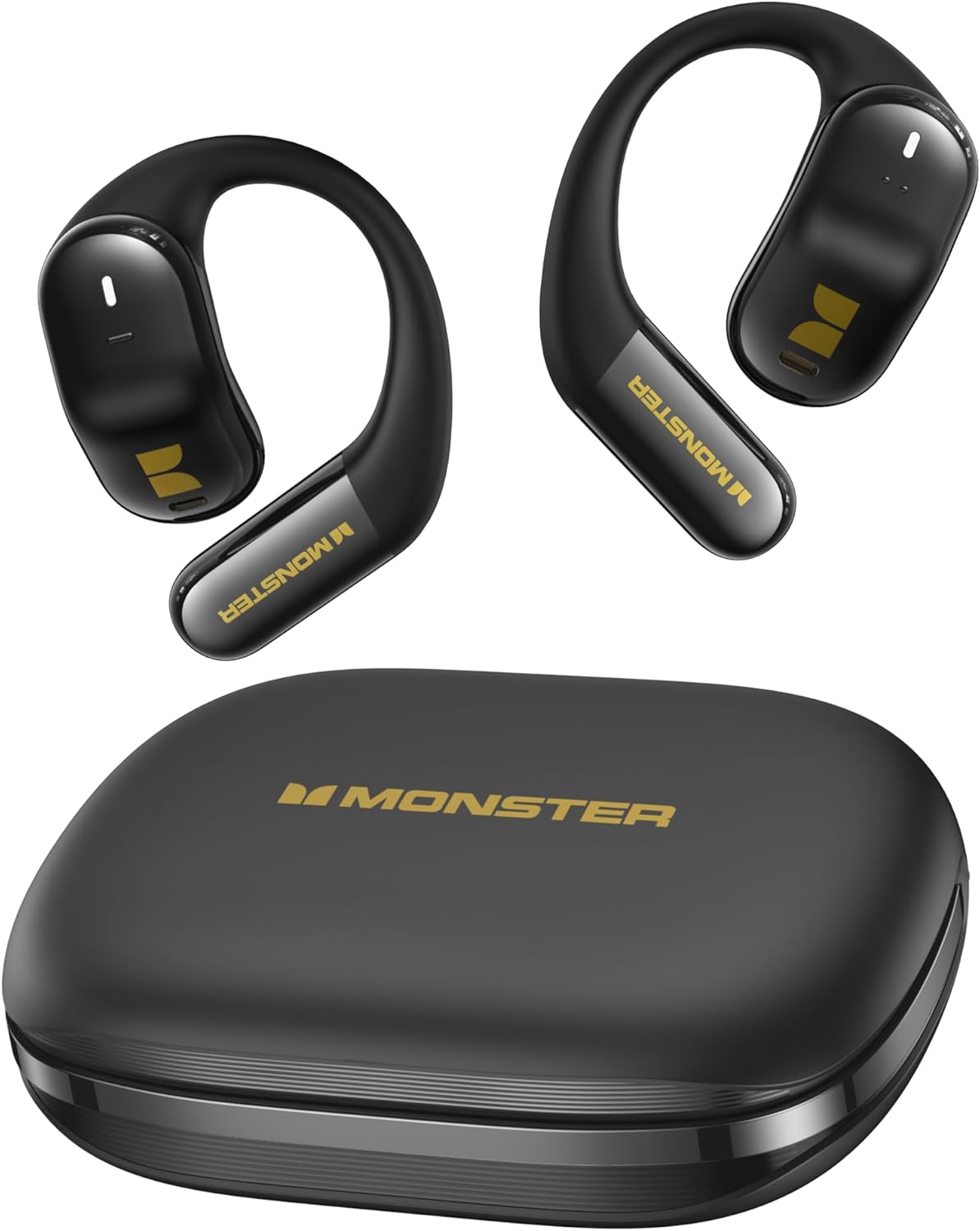
Figure 1.1: Monster Open Ear AC326 Wireless Earbuds and Charging Case. This image displays the black earbuds with their unique clip-on design and the matching black charging case, showcasing the overall product.

Figure 1.2: Open-Ear Design in Use. This image illustrates a person wearing the earbuds during a run, highlighting how the open-ear design allows for environmental awareness.
2. Getting Started: Setup
2.1 Charging the Earbuds and Case
Before first use, fully charge the earbuds and the charging case. Connect the provided USB-C cable to the charging port on the case and to a power source. The indicator lights on the case will show the charging status. A full charge provides up to 35 hours of total playtime with the charging case.
2.2 Pairing with Your Device
- Ensure the earbuds are in the charging case and the case lid is open.
- On your device (smartphone, tablet, etc.), enable Bluetooth.
- Select "Monster AC326" from the list of available Bluetooth devices.
- Once connected, a voice prompt will confirm successful pairing.
2.3 Wearing the Earbuds
The AC326 earbuds feature a comfort clip-on design for a secure and comfortable fit. Gently place the earbud over your ear, ensuring the speaker aligns with your ear canal. The liquid silicone airbag and approximate 135° comfortable angle ensure a snug fit without entering the ear canal.

Figure 2.1: Snug-Fit Design. This diagram illustrates how the earbud fits snugly in the ear canal, highlighting the 135° comfortable angle and liquid silicone airbag for optimal comfort.

Figure 2.2: Comfortable and Stable Wearing. This image shows a woman wearing one earbud, demonstrating the secure and comfortable fit of the open-ear design.
3. Operating Your Earbuds
3.1 Basic Controls
The AC326 earbuds feature touch controls for easy management of your audio and calls. Specific touch gestures for play/pause, track skipping, volume adjustment, and call handling will be detailed in the full product guide. Generally, a single tap on either earbud controls play/pause, while multiple taps or long presses manage other functions.
3.2 360° Spatial Audio
Experience immersive sound with 3D six-axis head tracking and spatial audio output. This feature creates a dynamic soundstage that adapts to your head movements, providing a more engaging listening experience for compatible content.

Figure 3.1: 360° Spatial Audio. This graphic depicts sound waves emanating around a person wearing the earbuds, illustrating the immersive 3D audio experience with head tracking.
3.3 Call Management
Equipped with dual-mic ENC (Environmental Noise Cancellation) technology, the AC326 earbuds ensure call clarity and effective noise reduction. Use the touch controls to answer, end, or reject calls. The ENC technology minimizes background noise, making your voice clearer to the person on the other end.

Figure 3.2: Dual-Mic AI Call Noise Reduction. This image shows a woman smiling while talking on her phone with the earbuds, emphasizing the clear call quality provided by the dual-mic ENC technology.
4. Maintenance
4.1 Cleaning
Regularly clean your earbuds and charging case to maintain optimal performance and hygiene. Use a soft, dry, lint-free cloth to wipe the surfaces. Do not use harsh chemicals or abrasive materials. For the charging contacts, use a dry cotton swab if necessary.
4.2 Water Resistance (IPX5)
The AC326 earbuds are IPX5 water resistant, meaning they can withstand splashes of water from any direction. They are suitable for workouts and light rain. However, they are not designed for submersion in water or for use during swimming. Ensure the earbuds are dry before placing them back in the charging case to prevent damage.

Figure 4.1: IPX5 Water Resistant and Bluetooth 6.0. This image highlights the IPX5 water resistance rating, showing earbuds being splashed with water, and also indicates Bluetooth 6.0 connectivity.
4.3 Storage
When not in use, store the earbuds in their charging case to protect them and keep them charged. Store the case in a cool, dry place away from extreme temperatures and direct sunlight.
5. Troubleshooting
If you encounter any issues with your Monster Open Ear AC326 Wireless Earbuds, please refer to the following common solutions:
- No Sound/Poor Sound Quality:
- Ensure earbuds are charged.
- Check Bluetooth connection and re-pair if necessary.
- Adjust volume on both the earbuds and your connected device.
- Clean any debris from the speaker mesh.
- Earbuds Not Pairing:
- Ensure Bluetooth is enabled on your device and the earbuds are in pairing mode (usually by opening the case).
- Forget the device from your device's Bluetooth settings and try pairing again.
- Ensure earbuds are sufficiently charged.
- Charging Issues:
- Verify the charging cable and power adapter are working correctly.
- Ensure charging contacts on both earbuds and case are clean and free of obstruction.
- Uncomfortable Fit:
- Adjust the position of the earbud on your ear to find the most comfortable and secure fit.
- Ensure the liquid silicone airbag is properly positioned.
If the issue persists, please contact Monster customer support for further assistance.
6. Specifications
| Feature | Specification |
|---|---|
| Model Name | E69 (MH22219) |
| Brand | Monster |
| Form Factor | Open Ear, Clip-On |
| Connectivity Technology | Wireless (Bluetooth 6.0) |
| Driver Size | 14.2mm Dynamic Driver |
| Battery Life (Earbuds) | Up to 10 hours |
| Total Playtime (with Case) | Up to 35 hours |
| Battery Cell Composition | Lithium Ion |
| Water Resistance | IPX5 |
| Material | Silicone |
| Compatible Devices | Smartphones, Tablets, Laptops, Desktops, Gaming Consoles, Smart Speakers |
| Key Features | 360° Spatial Audio, Dual-Mic AI Call Noise Reduction |
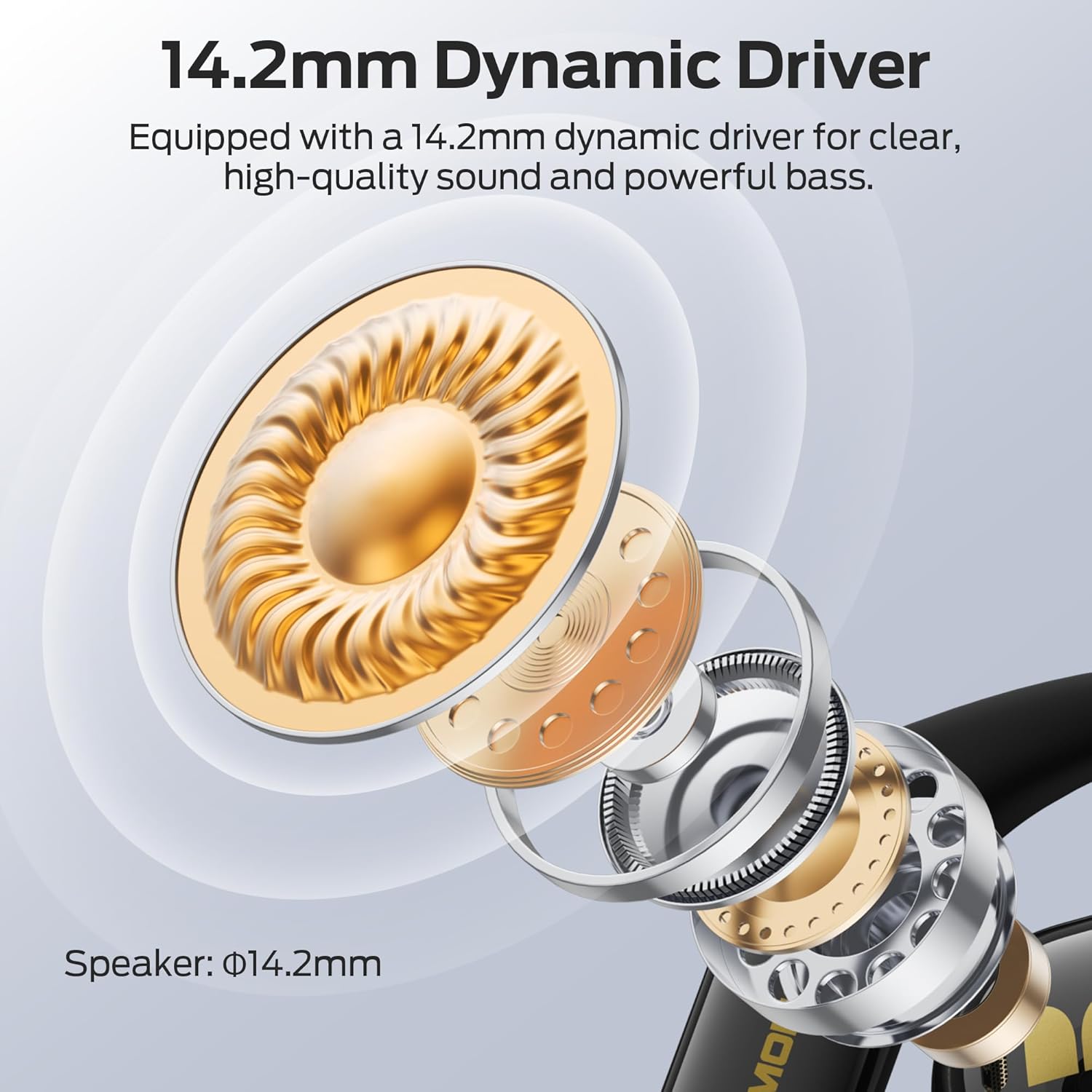
Figure 6.1: 14.2mm Dynamic Driver. This cutaway diagram illustrates the internal components of the earbud, highlighting the 14.2mm dynamic driver responsible for clear, high-quality sound and powerful bass.
7. Warranty and Support
For information regarding product warranty, please refer to the warranty card included with your purchase or visit the official Monster website. For technical support, troubleshooting beyond this manual, or service inquiries, please contact Monster customer support through their official channels.
Related documentsE69


Ask a question about this manual
Ask about setup, troubleshooting, compatibility, parts, safety, or missing instructions. Manuals+ will review the question and use this page’s manual context to help answer it.