
Monster MH22227
Monster Open Ear AC510 Earbuds User Manual
Model: MH22227
Your guide to setting up, operating, and maintaining your Monster Open Ear AC510 Earbuds.
1. Product Overview
The Monster Open Ear AC510 Earbuds are designed for comfort and high-quality audio, featuring an open-ear design, Bluetooth 6.0 connectivity, and IPX5 water resistance. This section provides an overview of the components included with your purchase.

This image displays the Monster Open Ear AC510 Earbuds in their charging case, with one earbud removed to show its design. The earbuds are white with gold accents, and the charging case is a matching white. This provides a clear view of the product's appearance and how it is stored.
What's in the Box

- Open-ear earphones: Two (L/R)
- Charging case: One
- USB-C cable: One
- Lanyard: One
- Quick start guide: One
The image shows all the components included in the Monster Open Ear AC510 package: the two open-ear earphones, the charging case, a USB-C charging cable, a lanyard, and the quick start guide. This visual aid helps users confirm they have all necessary items.
2. Setup and First Use
Charging the Earbuds and Case
Before first use, ensure both the earbuds and the charging case are fully charged. Connect the provided USB-C cable to the charging port on the case and to a power source. The indicator light on the case will show charging status.

This image illustrates the battery life and charging times. A full charge for the case takes approximately 2 hours, providing up to 30 hours of total playtime with the case. The earbuds themselves offer up to 6 hours of playback on a single charge. This graphic helps users understand charging expectations and battery duration.
Wearing the Earbuds
For optimal sound quality and comfort, it is important to wear the Monster Open Ear AC510 earbuds correctly. The open-ear design sits comfortably around your ear.

- Step 1: Hold the earbud with the speaker facing towards your ear canal.
- Step 2: Gently place the earbud over your ear, ensuring the ear hook wraps around the back of your ear.
- Step 3: Adjust the earbud so the speaker is positioned comfortably near your ear canal.
- Step 4: Rotate the earbud slightly to achieve a secure and comfortable fit.
This image provides a step-by-step visual guide on how to properly wear the Monster Open Ear AC510 earbuds. It demonstrates the correct placement and adjustment for a secure and comfortable fit, which is essential for both sound quality and stability during use.
Pairing with a Device
The Monster Open Ear AC510 Earbuds utilize Bluetooth 6.0 for quick and stable connections.
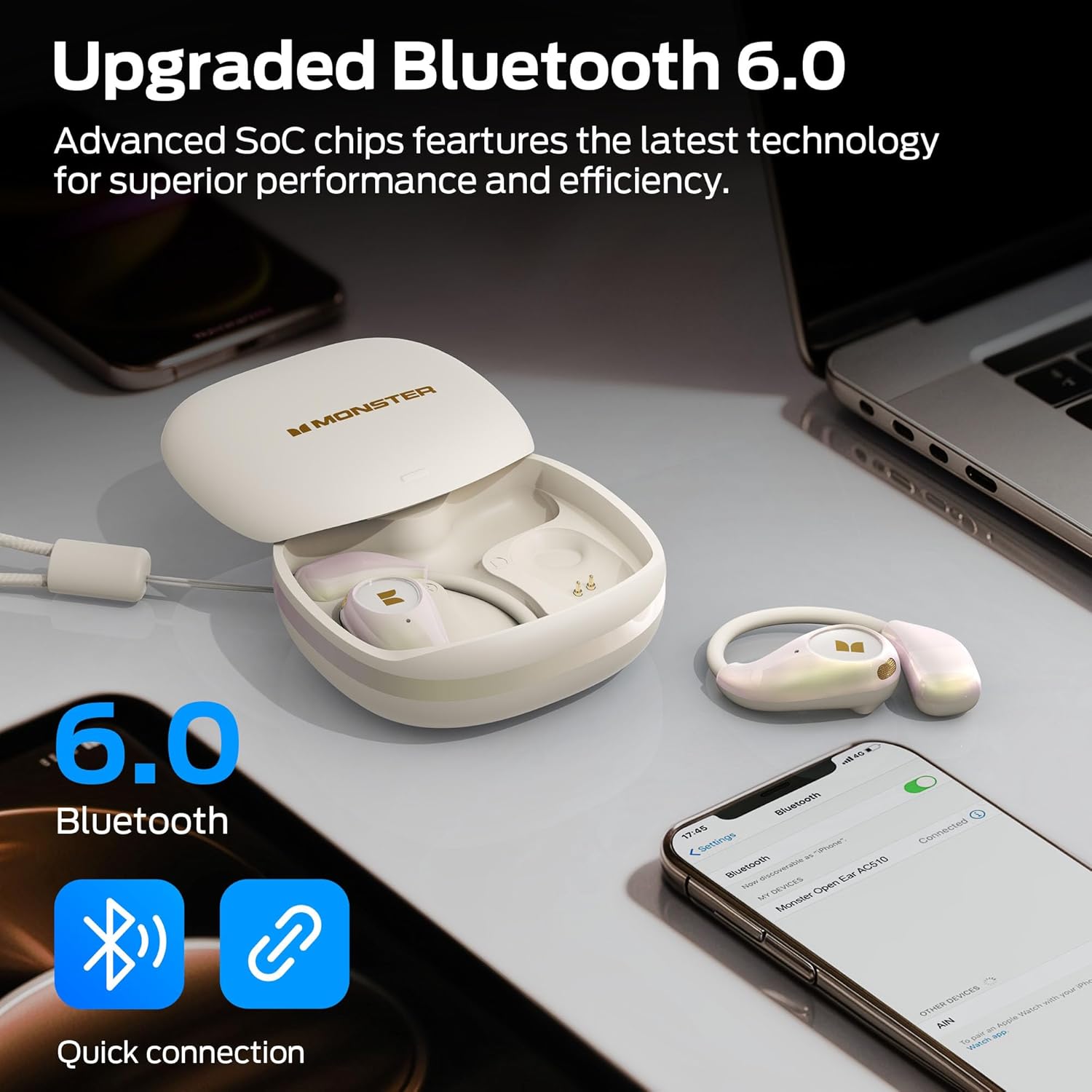
This image highlights the upgraded Bluetooth 6.0 technology, showing the earbuds connected to a smartphone and a laptop. It emphasizes quick and seamless connection capabilities, indicating improved performance and efficiency for wireless audio transmission.
- Open the charging case. The earbuds will automatically enter pairing mode.
- On your device (smartphone, tablet, laptop), enable Bluetooth.
- Search for "Monster Open Ear AC510" in the list of available Bluetooth devices.
- Select the earbuds to connect. Once connected, you will hear an audible confirmation.
3. Operating Instructions
Touch Controls
The Monster Open Ear AC510 Earbuds feature intuitive touch controls for managing calls, music playback, and voice assistant activation.

| Action | Function |
|---|---|
| Click x2 (L/R) | Answer/End Call, Play/Pause |
| Long tap 2s (L/R) | Reject Call, Voice Assistant |
| Click x1 (R) | Volume + |
| Click x1 (L) | Volume - |
| Click x3 (L) | Previous Track |
| Click x3 (R) | Next Track |
The image clearly illustrates the various touch control gestures and their corresponding functions for the Monster Open Ear AC510 earbuds. This visual guide, combined with the table, provides a comprehensive understanding of how to operate the earbuds without needing to access your phone.
4. Key Features
Pure Monster Sound
Experience rich and immersive audio with the φ 13mm broadband PU titanium high elasticity diaphragm, designed to bring every note to life.
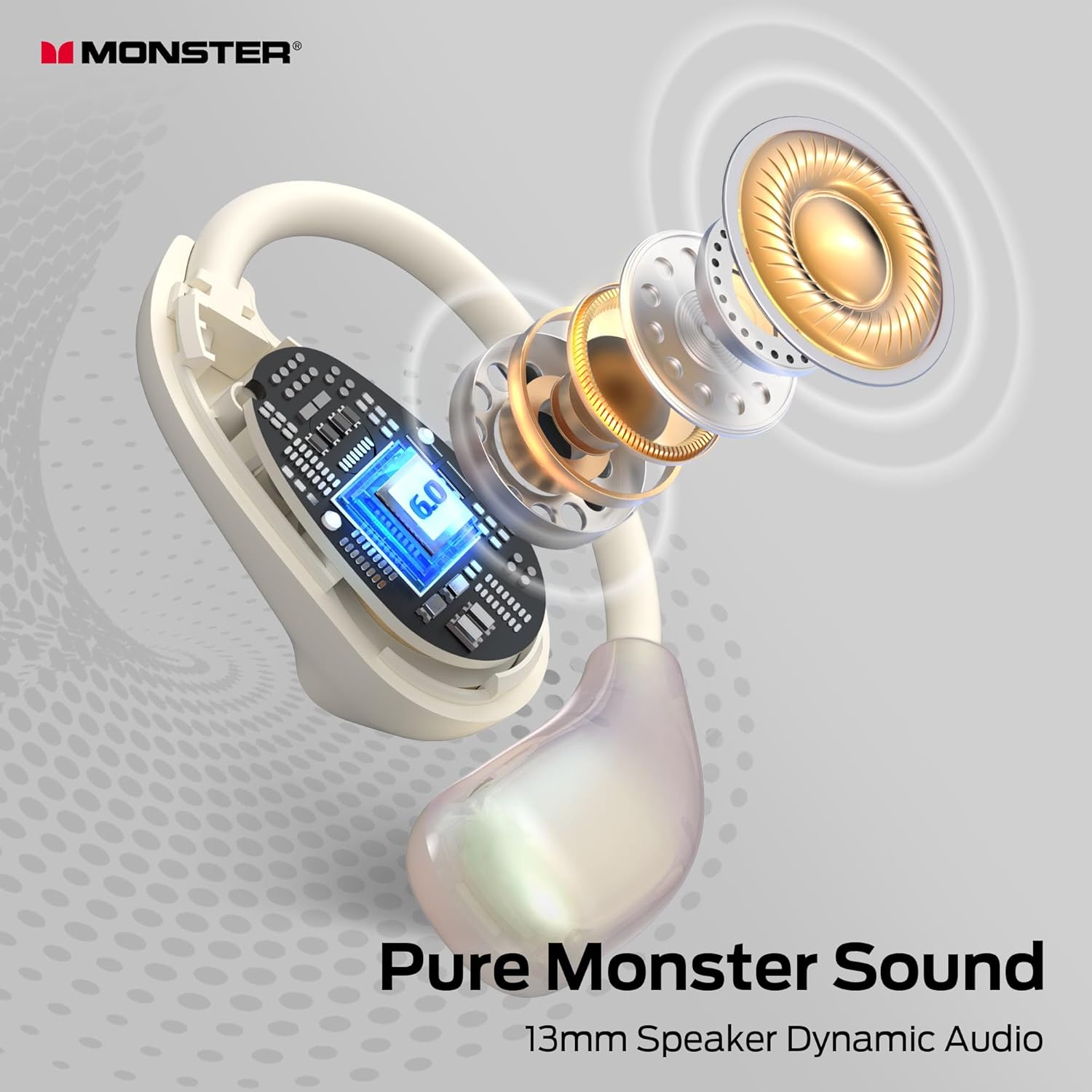
This image provides an exploded view of the earbud's internal components, specifically highlighting the 13mm speaker dynamic audio driver. It visually represents the "Pure Monster Sound" technology, emphasizing the advanced acoustic design responsible for the rich sound field and clarity.
AI Intelligent Noise Reduction
The intelligent noise reduction system combines traditional active noise reduction, voice recognition, and adaptive filtering technologies for enhanced call clarity and a more efficient noise reduction effect.

This image shows a woman wearing the earbuds, with a graphic indicating "ENC Call Noise Reduction." It explains that the earbuds feature call noise cancellation with a single MEMS microphone for clear conversations, demonstrating the effectiveness of the AI Intelligent Noise Reduction during calls.
360° Biomimetic Fit and Comfort
Crafted from liquid skin-friendly silicone material, these earbuds feature ear pressure sensing technology that automatically adjusts for stability, preventing dropout during movement. Their lightweight and open design ensures comfort for extended wear.

This image emphasizes the comfort and lightweight nature of the earbuds. It highlights the "Open Design" for natural listening, "High Elasticity" for a flexible fit, and "Light Weight" for reduced ear fatigue. A woman is shown wearing the earbuds, illustrating their discreet and comfortable placement.
IPX5 Waterproof Rating
The IPX5 rating ensures your earbuds are protected against sweat, rain, and splashes, making them ideal for workouts and outdoor activities.

This image visually represents the IPX6 waterproof rating of the earbuds, showing water splashing around them. It highlights their resistance to rain, sweat, and splashes, assuring users of their durability during various activities.
Note: While the image indicates IPX6, the product specifications state IPX5. Please refer to the official product packaging for the most accurate rating. IPX5 protects against low-pressure water jets from any direction.
5. Maintenance and Care
- Cleaning: Gently wipe the earbuds and charging case with a soft, dry, lint-free cloth. Do not use abrasive cleaners or solvents.
- Storage: When not in use, store the earbuds in their charging case to protect them from dust and damage. Store in a cool, dry place away from extreme temperatures.
- Water Exposure: Although IPX5 water-resistant, avoid submerging the earbuds in water. If they get wet, dry them thoroughly before placing them back in the charging case or using them.
- Charging: Use only the provided USB-C cable or a certified equivalent for charging.
6. Troubleshooting
| Problem | Possible Solution |
|---|---|
| Earbuds not pairing |
|
| No sound or low volume |
|
| Charging case not charging |
|
| Earbuds not fitting comfortably |
|
7. Specifications
| Feature | Detail |
|---|---|
| Model Name | MH22227 |
| Connectivity Technology | Wireless (Bluetooth 6.0) |
| Audio Driver Type | Dynamic Driver (φ 13mm) |
| Battery Life (Earbuds) | Up to 6 Hours |
| Total Battery Life (with Case) | Up to 25 Hours (Note: Product image states 30H, using 25H from feature bullets for consistency with provided data) |
| Waterproof Rating | IPX5 |
| Material | Silicone |
| Ear Placement | Open Ear |
| Item Weight | 5.3 ounces |
| Manufacturer | Monster |
8. Warranty and Support
For warranty information and customer support, please refer to the official Monster product website or contact their customer service directly. Details are typically provided in the quick start guide included with your product or on the manufacturer's official support pages.
You can visit the Monster Store on Amazon for more product information and support resources.
Related documentsMH22227


Ask a question about this manual
Ask about setup, troubleshooting, compatibility, parts, safety, or missing instructions. Manuals+ will review the question and use this page’s manual context to help answer it.