
GameSir X5 Lite
GameSir X5 Lite Mobile Gaming Controller Instruction Manual
Brand: GameSir
Model: X5 Lite
1. Introduction
The GameSir X5 Lite is a lightweight and ergonomic mobile gaming controller designed for both Android and iPhone 15/16 Series devices with USB-C connectivity. It features Hall Effect joysticks for precise control and durable membrane buttons, enhancing your mobile gaming experience across a wide range of titles and platforms.

Figure 1: GameSir X5 Lite Mobile Gaming Controller in use with a tablet.
2. Setup Guide
2.1 Unboxing and Initial Inspection
Upon unboxing, ensure all components are present: the GameSir X5 Lite controller and any included documentation or accessories. Inspect the controller for any visible damage.
2.2 Connecting Your Device
The GameSir X5 Lite connects directly to your mobile device via its integrated USB-C port. The controller features a flexible USB-C connector to accommodate various phone and tablet designs, including those with cases.
- Gently extend the left side of the controller to reveal the USB-C connector.
- Align your device's USB-C port with the controller's connector. The flexible design allows for slight adjustments.
- Carefully insert your device into the USB-C connector.
- Extend the right side of the controller to securely hold your device in place. The controller is stretchable up to 213mm, fitting a wide range of smartphones and tablets, including iPad Mini 6/7.
- The controller is plug-and-play; your device should automatically recognize it.
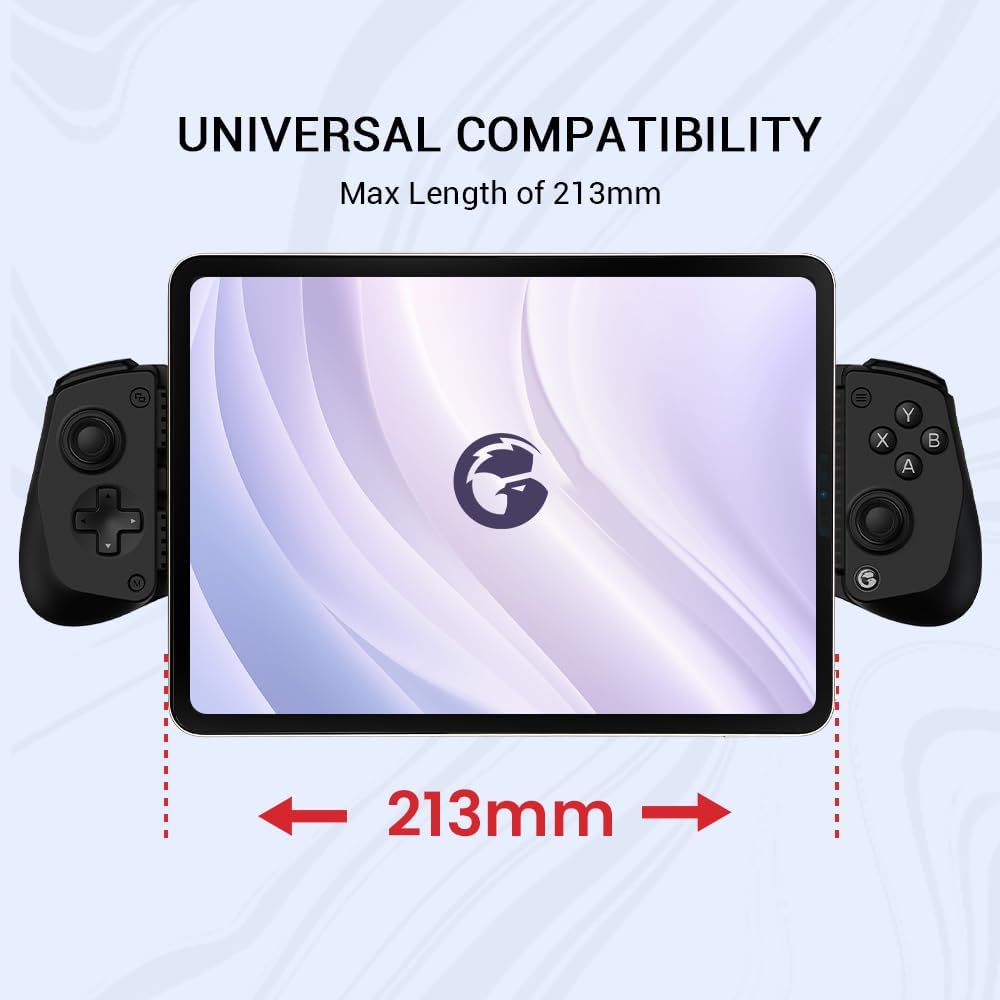
Figure 2: Universal Compatibility - The controller extends up to 213mm to fit various devices.

Figure 3: Detailed view of the movable Type-C port and ergonomic grips.
3. Operating Instructions
3.1 Basic Controls
The GameSir X5 Lite features a standard controller layout for intuitive gameplay:
- Hall Effect Joysticks: Provide 360° seamless pinpoint control with high precision and durability, eliminating stick drift.
- ABXY Buttons: Cushioned and durable membrane buttons offer comfortable and quiet feedback.
- D-Pad: For directional input.
- Shoulder Buttons (LB, RB) and Triggers (LT, RT): For additional in-game actions.
- Menu Button: Typically used for in-game menus or system functions.
- GameSir Button: For specific controller functions or accessing the GameSir App.
3.2 Special Functions
- Turbo Function: Customize buttons to trigger Turbo mode for rapid input. Simply set the M + A/B/X/Y/LB/RB/LT/RT buttons.
- ABXY Layout Change: Press M+A to change the ABXY button layout.
- Volume Control: Hold the light button and use the directional pad (up or down) to adjust volume.
- Turn Light Off: Hold the menu and 'A' button for 5 seconds. This setting is remembered for future use.

Figure 4: Versatile Combo Key Functions.
3.3 GameSir App Customization
For advanced customization and settings, download the official GameSir app on your mobile device (primarily available for Android devices). The app allows you to:
- Perform gamepad tests to ensure all buttons and joysticks are functioning correctly.
- Adjust joystick settings, including rocker dead zone.
- Customize button layouts and functions.
- Access product manuals and connection tutorials.

Figure 5: GameSir App Customization Interface.
4. Compatibility
The GameSir X5 Lite is designed for broad compatibility with modern mobile devices and gaming platforms:
- Device Compatibility: Compatible with iPhone 15/16 Series (USB-C) and Android devices, including smartphones and tablets (e.g., iPad Mini 6/7).
- Game Compatibility: Supports a wide array of mobile games, including popular titles like Genshin Impact and Zenless Zone Zero. It also supports Xbox Game Pass, cloud gaming services, Steam/Moonlight streaming games, and remote play.
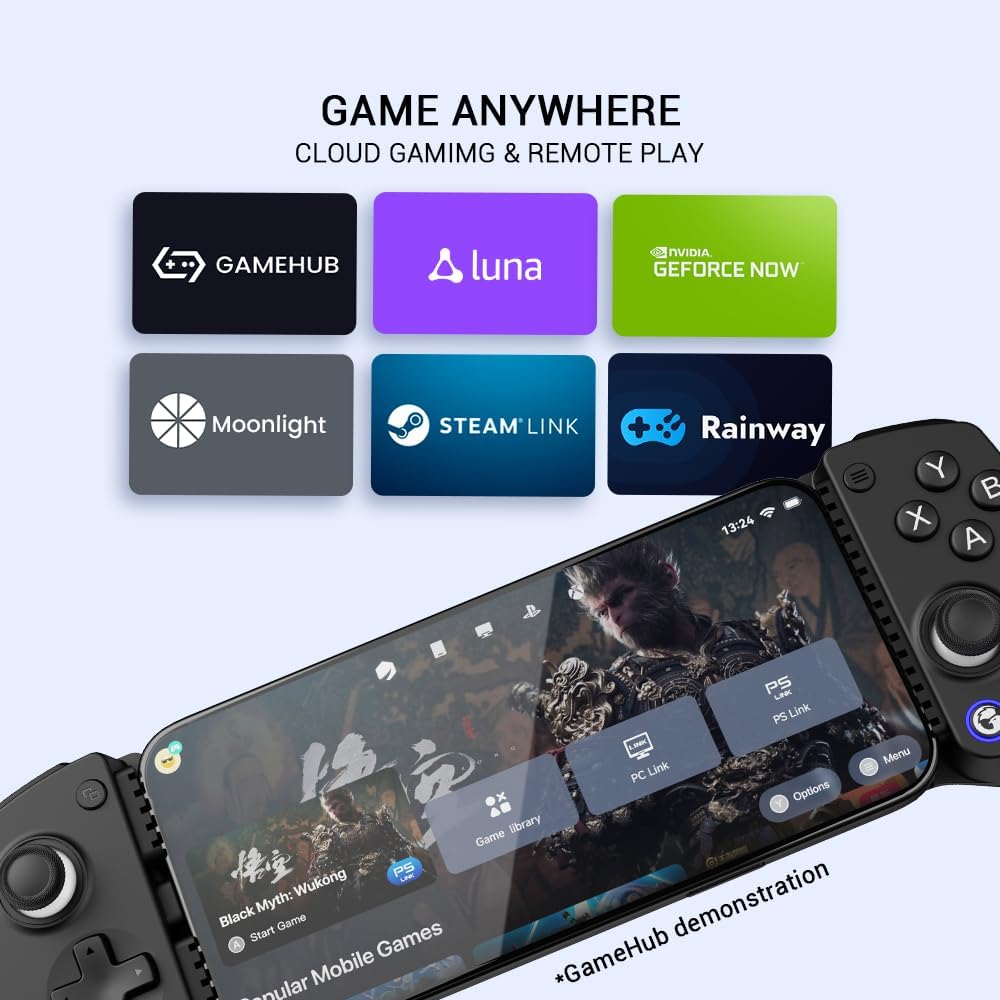
Figure 6: Supports various cloud gaming and streaming platforms.

Figure 7: Play games with native controller support on iOS and Android.
5. Key Features
- Expanded Screen Compatibility: Stretchable up to 213mm, fitting iPad Mini 6/7 and Android tablets. Compatible with iPhone 15/16 and Android devices. Ultra-stable Type-C connection ensures lag-free gaming across all supported screens.
- Mobile Gaming Compatibility: Play most desired games, supporting Xbox Game Pass, Zenless Zone Zero, cloud gaming, Steam/Moonlight streaming games, and remote play.
- Hall Effect Sticks: GameSir Hall Effect sensing sticks deliver 360° seamless pinpoint control, providing the precision and durability that mobile gamers demand.
- Ergonomic and Lightweight Design: Stay comfortable during long gaming sessions with the X5 Lite. Weighing just 135.4g, its lightweight design and ergonomically laser-engraved textured grips ensure a secure, comfortable hold for hours of gameplay.
- Cushioned and Durable Membrane Buttons: The X5 Lite is equipped with cushioned and durable membrane triggers and buttons. The cushioned feedback provides a comfortable experience while ensuring quieter operation.
- Turbo Function: Mobile game controller features a Turbo function with customizable buttons. Simply set the M + A/B/X/Y/LB/RB/LT/RT buttons to trigger Turbo, and M+A to change the ABXY layout.
- Pass-through Charging: X5 Lite offers pass-through charging, allowing gamers to continue playing while charging your device. This feature ensures uninterrupted gameplay, even during extended sessions.
- Software Customization: By downloading the GameSir app on your mobile, gamers can customize the controller to suit their needs. Some features can also be accessed through on-the-fly button combinations, ensuring seamless adjustments during gameplay.

Figure 8: Pass-Through Charging for uninterrupted gameplay.
6. Maintenance
To ensure the longevity and optimal performance of your GameSir X5 Lite controller, follow these maintenance guidelines:
- Cleaning: Use a soft, dry cloth to wipe down the controller regularly. For stubborn dirt, slightly dampen the cloth with water or a mild, non-abrasive cleaner. Avoid excessive moisture.
- Storage: Store the controller in a cool, dry place away from direct sunlight and extreme temperatures. When not in use, retract the telescopic mechanism to its compact size to protect the internal components.
- Handling: Avoid dropping the controller or subjecting it to strong impacts. Do not force the USB-C connector or the telescopic mechanism beyond their intended limits.
7. Troubleshooting
If you encounter issues with your GameSir X5 Lite, try the following solutions:
- Controller Not Connecting:
- Ensure your device's USB-C port is clean and free of debris.
- Verify the controller's USB-C connector is fully and correctly inserted into your device.
- Restart your mobile device.
- Check if your device's operating system is up to date.
- Buttons/Joysticks Unresponsive:
- Use the GameSir App's gamepad test function to diagnose specific button or joystick issues.
- Ensure the game you are playing supports controller input.
- If using the GameSir App, try restoring default settings.
- Lag or Input Delay:
- Ensure no other background applications are consuming excessive resources on your device.
- Verify a stable physical connection between the controller and your device.
If problems persist, refer to the official GameSir support resources or contact customer service.
8. Specifications
| Feature | Detail |
|---|---|
| Product Dimensions | 7.48 x 3.35 x 1.81 inches |
| Item Weight | 4.8 ounces (135.4g) |
| Connectivity Technology | USB C (Wired) |
| Controller Type | Gamepad |
| Compatible Devices | IOS (iPhone 15/16 Series), Android (Smartphones & Tablets up to 213mm length) |
| Special Features | Ergonomic, Hall Effect Joysticks, Cushioned Membrane Buttons, Pass-through Charging, Turbo Function, Software Customization |
| Color | Black |
| Manufacturer | GameSir |
| Country of Origin | China |
9. Warranty and Support
GameSir offers a 12-month Replacement Service for this product. If you encounter any problems with your GameSir X5 Lite, please contact GameSir customer support via Amazon messaging. They aim to reply within 24 hours and provide solutions for product-related issues.
For further assistance, visit the official GameSir store on Amazon or their website for detailed FAQs and support resources.
10. Official Product Video
Video: GameSir X5 Lite Mobile Gaming Controller. This official video provides a visual overview of the controller's features and functionality.


