Introduction
This manual provides detailed instructions for the installation and use of the QZSN HD-RZ-06 Canbus Box and associated wiring harness. This product is designed to facilitate the integration of an aftermarket car radio into a Honda Civic 2016 vehicle, ensuring proper communication between the new radio and the vehicle's existing systems.
Safety Information
Before beginning installation, ensure the vehicle's battery is disconnected to prevent electrical shorts or damage. Consult a professional if you are unsure about any steps. Incorrect installation can lead to vehicle damage or malfunction. Always wear appropriate personal protective equipment.
Package Contents
The package includes the following components:
- 1 x QZSN HD-RZ-06 Canbus Box
- 1 x Main Wiring Harness for Honda Civic 2016
Setup and Installation
This section details the steps required to install the Canbus box and wiring harness.
1. Preparation
Disconnect the negative terminal of the vehicle's battery. Remove the existing car radio or head unit from the dashboard, following your vehicle's specific instructions. Ensure you have all necessary tools.
2. Connecting the Canbus Box
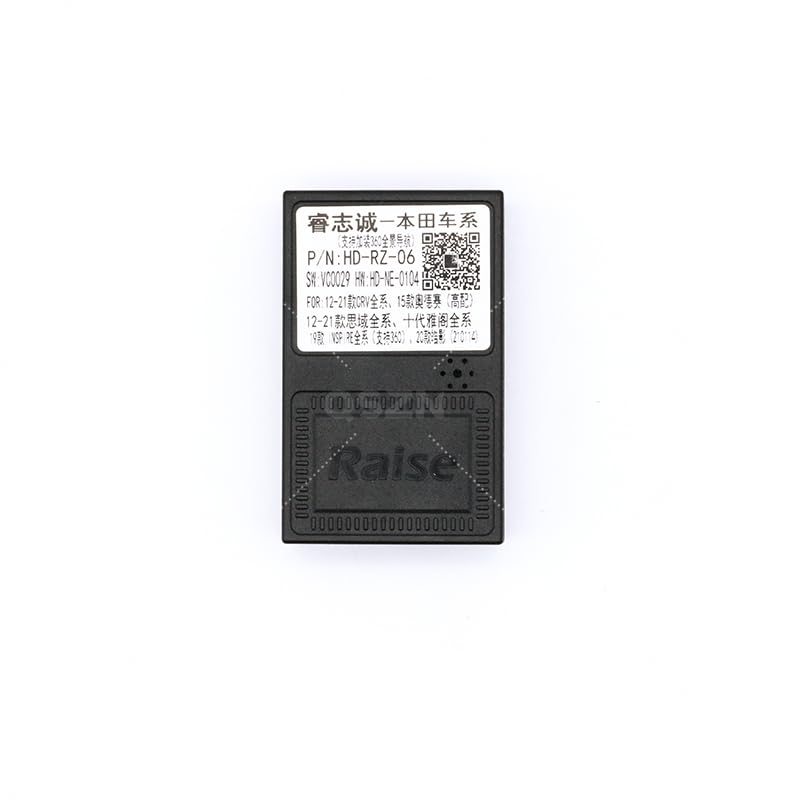
Locate the Canbus box (HD-RZ-06). Connect the dedicated Canbus harness connector to the Canbus box. The Canbus box is a small black rectangular unit with a multi-pin connector.
Description: Image showing the QZSN HD-RZ-06 Canbus box, a small black rectangular device with a multi-pin connector port. The label on the box indicates "P/N: HD-RZ-06".
Description: Close-up view of the Canbus box showing the connector port and the label with product information and a QR code. The QR code links to http://weixin.qq.com/r/t0xpcb7EQuM9rfoS9xml.
3. Wiring Harness Connection
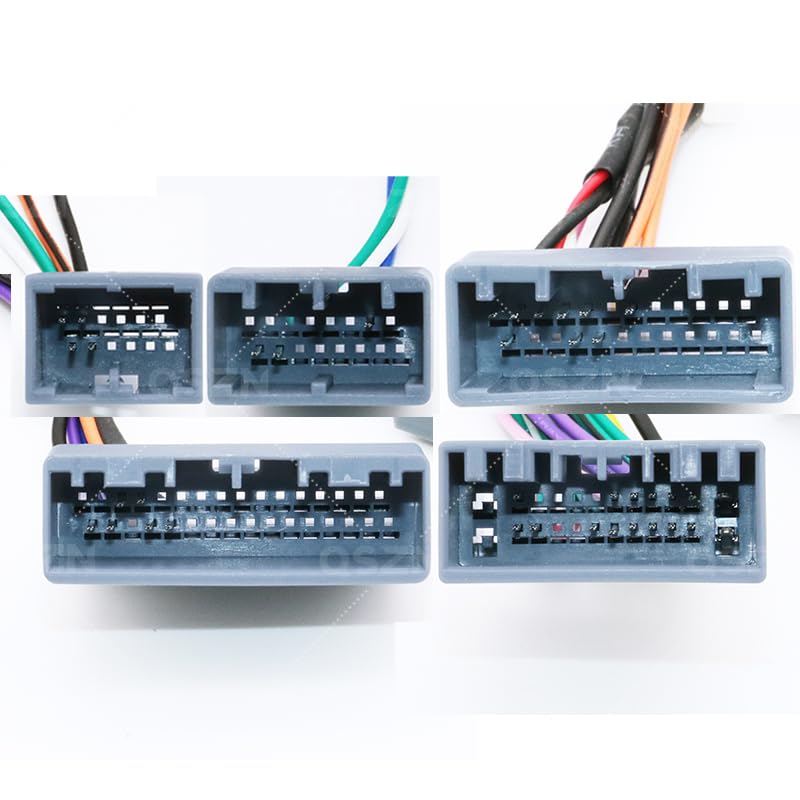
Connect the main wiring harness to the vehicle's factory radio connector. Ensure all connections are secure and fully seated.
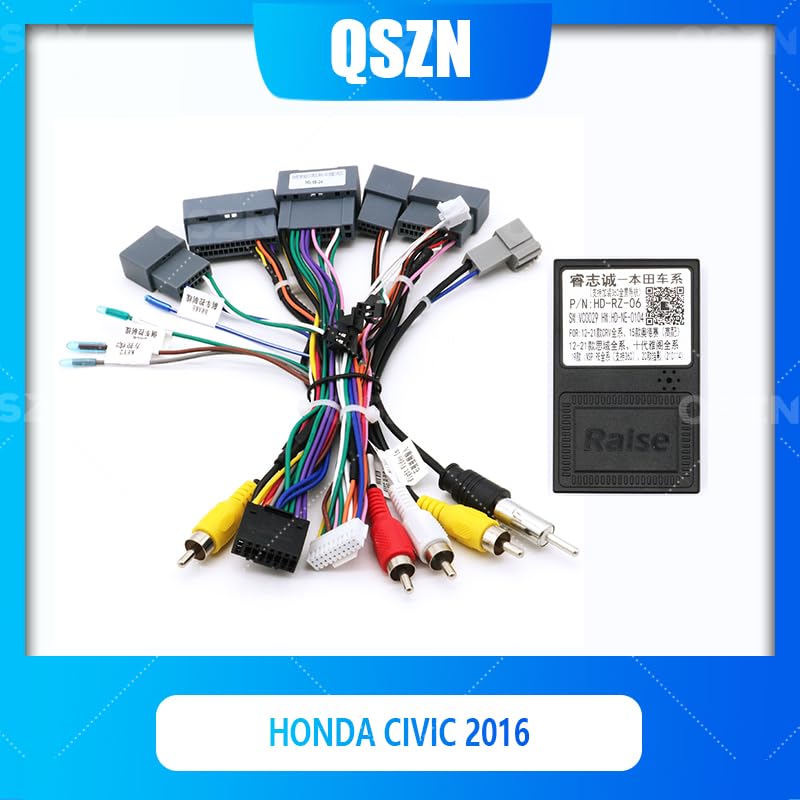
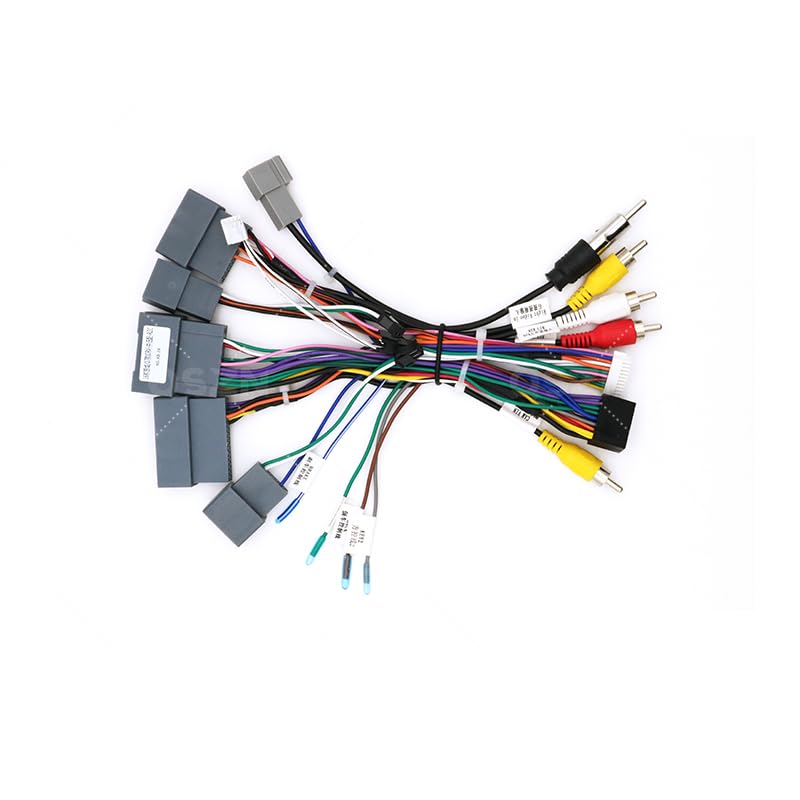
Description: An image displaying the complete wiring harness assembly, including various connectors, RCA cables, and the Canbus box. This harness connects the new car radio to the vehicle's electrical system.
Description: A detailed view of the various connectors on the wiring harness, showing different pin configurations and wire colors. These connectors interface with the vehicle's existing wiring.
4. Connecting to Aftermarket Radio
Connect the other end of the wiring harness to your aftermarket car radio. Match the corresponding wires and connectors according to your radio's installation guide. Ensure connections for power (ACC, B+), ground, speaker outputs, and any auxiliary inputs/outputs (like RCA for audio/video) are correctly made.
5. Testing and Reassembly
Before fully reassembling the dashboard, reconnect the vehicle's battery. Turn on the ignition and test the functionality of the new car radio, including audio, steering wheel controls (if supported by Canbus), and any other integrated features. If all functions correctly, proceed to reassemble the dashboard securely.
Operating Instructions
The QZSN HD-RZ-06 Canbus Box operates automatically once correctly installed. It translates vehicle data (such as ignition status, steering wheel control signals, and illumination) into a format compatible with your aftermarket car radio. No manual configuration is typically required for the Canbus box itself.
Refer to your aftermarket car radio's user manual for specific operating instructions and feature utilization.
Maintenance
The Canbus box and wiring harness are designed for maintenance-free operation. Ensure all connections remain secure and free from moisture, excessive heat, or physical damage. Periodically check for any loose connections if issues arise, especially after vehicle servicing.
Troubleshooting
If you encounter issues after installation, refer to the following common problems and solutions:
- No Power to Radio: Check the main power connections (B+ and ACC) and the ground wire. Ensure the vehicle's battery is fully charged and correctly reconnected. Verify fuses.
- No Sound: Verify all speaker wire connections are secure and correctly polarized. Check the radio's volume and audio settings.
- Steering Wheel Controls Not Working: Ensure the Canbus box is correctly connected and recognized by the radio. Some aftermarket radios may require specific settings or programming for steering wheel controls to function.
- Intermittent Functionality: Check all harness connections for looseness, corrosion, or damage. Ensure wires are not pinched.
If problems persist after attempting these solutions, consult a professional car audio installer or contact support.
Specifications
| Feature | Detail |
|---|---|
| Model | HD-RZ-06 |
| Compatibility | Honda Civic 2016 |
| Type | Canbus Box & Wiring Harness |
| Material | Plastic, Copper Wiring |
| Origin | Mainland China |
Warranty Information
This product is covered by a standard manufacturer's warranty against defects in materials and workmanship. Please retain your proof of purchase for warranty claims. The warranty does not cover damage resulting from improper installation, misuse, accidental damage, or unauthorized modifications. For specific warranty terms, please refer to the documentation provided with your purchase.
Support
For technical assistance, installation guidance, or further inquiries, please contact your retailer or the manufacturer directly. Additional resources and information may be available by scanning the QR code found on the Canbus box label or by visiting the following link: http://weixin.qq.com/r/t0xpcb7EQuM9rfoS9xml.


