1. Introduction
This manual provides detailed instructions for the installation and operation of the QSZN 16-Pin Power Wiring Harness with Canbus Decoder. This product is designed to facilitate the integration of an aftermarket Android car radio stereo into specific BMW E39 and E46 vehicle models, ensuring proper power supply and communication with the vehicle's CAN bus system.
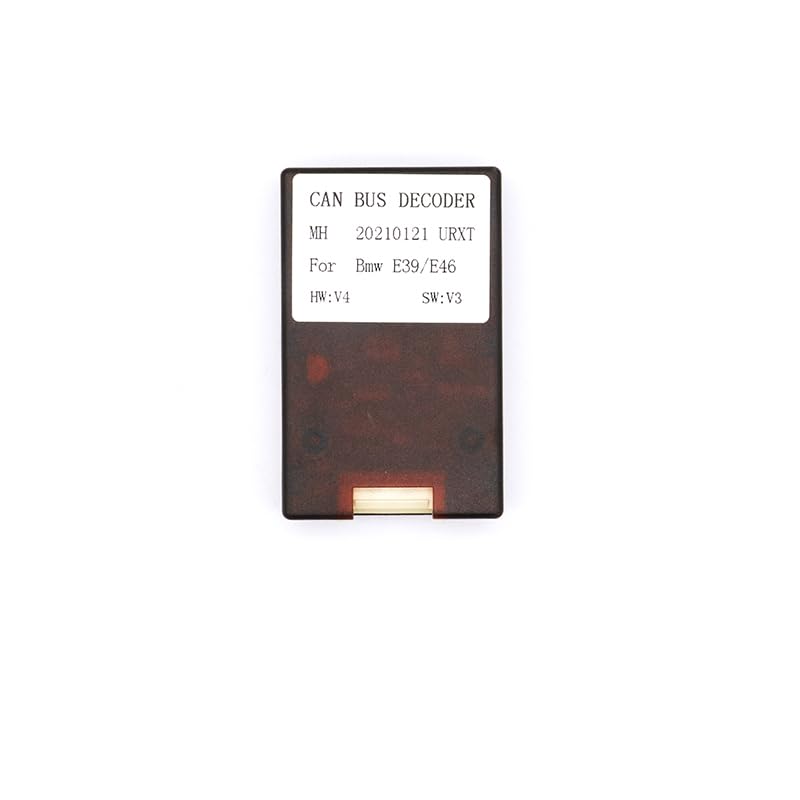
Image 1.1: Overview of the QSZN 16-Pin Power Wiring Harness and Canbus Decoder. This image displays the main components including the wiring harness, connectors, and the CAN bus decoder module, indicating compatibility with BMW E39 and E46 models from 1999-2005.
2. Compatibility
This wiring harness and Canbus decoder are compatible with the following vehicle models:
- BMW E39 (1999-2005)
- BMW E46 (1999-2005)
It is designed for use with aftermarket Android car radio stereos that utilize a standard 16-pin power connector.
3. Package Contents
Verify that all components are present in the package:
- 1x QSZN 16-Pin Power Wiring Harness
- 1x Canbus Decoder Module
4. Safety Information
Before beginning installation, please read and understand all safety warnings and instructions. Improper installation can lead to vehicle damage, electrical malfunction, or personal injury.
- Disconnect the vehicle's battery negative terminal before starting any electrical work.
- Ensure all connections are secure and properly insulated to prevent short circuits.
- If you are unsure about any part of the installation process, consult a qualified professional installer.
- Do not modify the wiring harness or Canbus decoder.
5. Setup & Installation
Follow these steps to install the wiring harness and Canbus decoder:
- Prepare the Vehicle: Ensure the vehicle's ignition is off and disconnect the negative terminal of the car battery.
- Remove Existing Radio: Carefully remove the factory car radio from the dashboard. Refer to your vehicle's service manual for specific instructions on radio removal.
- Connect the Canbus Decoder: Locate the dedicated connector on the 16-Pin Power Wiring Harness for the Canbus decoder. Connect the Canbus decoder module to this connector. Ensure it clicks securely into place.
- Connect to Vehicle Wiring: Connect the vehicle-specific connector of the QSZN 16-Pin Power Wiring Harness to the corresponding harness in your BMW E39 or E46.
- Connect to Android Radio: Connect the 16-pin connector of the QSZN harness to the power input of your aftermarket Android car radio stereo.
- Test Connections: Before fully reassembling the dashboard, reconnect the car battery and turn on the ignition. Test the functionality of the Android radio, including power, audio, and steering wheel controls (if applicable and supported by the radio).
- Secure Wiring: Once functionality is confirmed, carefully route and secure all wiring to prevent pinching or interference.
- Reassemble Dashboard: Reinstall the Android car radio and reassemble the dashboard components.
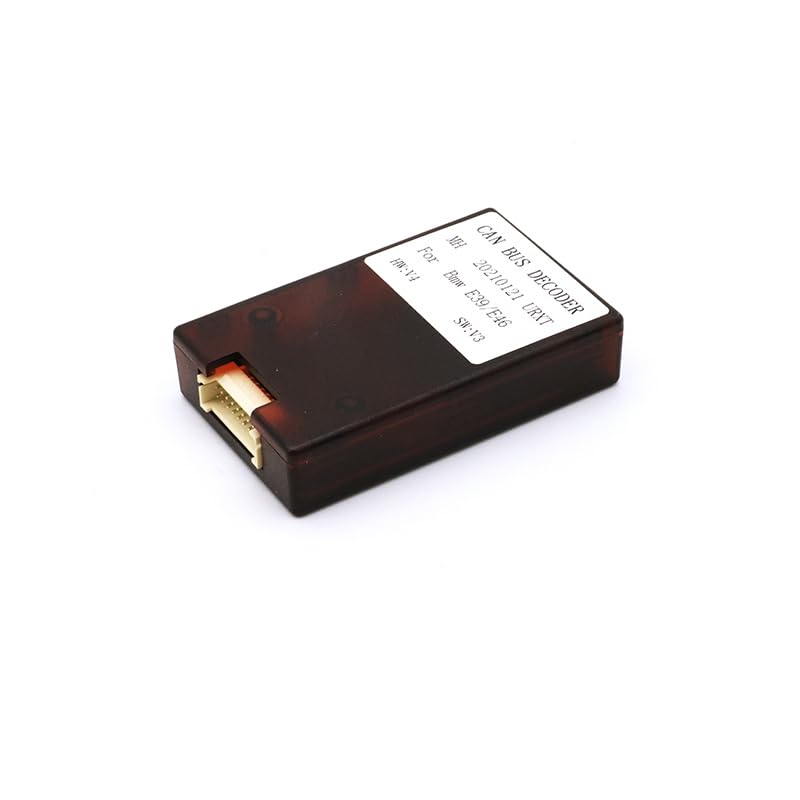
Image 5.1: Close-up view of the Canbus Decoder Module. This image shows the module with its label indicating "CAN BUS DECODER" and compatibility for BMW E39/E46, along with hardware and software versions.
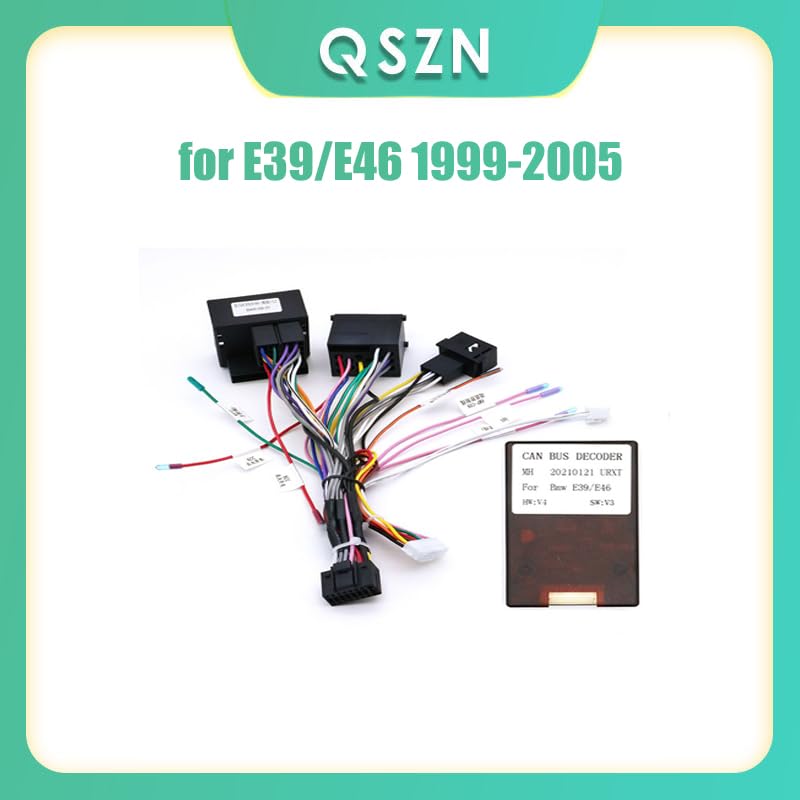
Image 5.2: The QSZN 16-Pin Power Wiring Harness with the Canbus Decoder connected. This image illustrates the complete harness assembly, showing the various connectors and wires that will interface with the vehicle and the new Android head unit.
6. Operating Instructions
The Canbus decoder module translates vehicle data into signals that your aftermarket Android radio can understand. This typically enables features such as:
- Ignition (ACC) Signal: Provides the radio with the correct ignition status, allowing it to turn on and off with the vehicle.
- Illumination Signal: Dims the radio's display when headlights are turned on.
- Steering Wheel Control (SWC) Integration: Allows the use of factory steering wheel buttons to control the Android radio (e.g., volume, track skip). Note: Specific SWC functionality may depend on the Android radio's software and configuration.
- Reverse Gear Signal: Activates the reverse camera input on the radio when the vehicle is put into reverse.
No specific user operation is required for the Canbus decoder itself; it functions automatically once correctly installed.
7. Troubleshooting
| Problem | Possible Cause | Solution |
|---|---|---|
| Radio does not power on. | Loose power connection, blown fuse, incorrect wiring. | Check all power connections. Verify vehicle fuses. Ensure the 16-pin harness is fully seated in both the vehicle and the radio. |
| Steering wheel controls do not work. | Canbus decoder not connected, radio not configured for SWC, incompatible radio. | Ensure the Canbus decoder is correctly connected. Check your Android radio's settings for steering wheel control configuration. Some radios require manual programming. |
| No sound from speakers. | Speaker wires disconnected, radio settings, amplifier issues (if applicable). | Verify speaker wire connections. Check radio's audio settings (e.g., fader/balance). If your BMW has a factory amplifier, ensure the harness provides the correct amplifier turn-on signal. |
| Radio stays on after ignition is off. | Incorrect ACC (ignition) wire connection or Canbus signal issue. | Ensure the Canbus decoder is functioning correctly and providing the ACC signal. Verify the ACC wire from the harness is connected to the radio's ACC input. |
8. Specifications
- Product Type: 16-Pin Power Wiring Harness with Canbus Decoder
- Material Type: Plastic
- Item Weight: 0.2 kg
- Out Power: 12W
- Voltage: 12V
- Interface: Standard 16-Pin connector for Android radios, vehicle-specific connectors for BMW E39/E46.
- Canbus Decoder: Integrated for vehicle communication.
9. Warranty and Support
This product comes with a standard manufacturer's warranty. For specific warranty terms and conditions, please refer to the documentation provided at the time of purchase or contact your retailer.
For technical support or assistance with installation, please contact the product manufacturer or your authorized dealer. When contacting support, please have your product model number and purchase information ready.


