Introduction
This manual provides detailed instructions for the installation and operation of the Generic HD-RZ-06 Android Canbus Box and its accompanying wiring harness cable. This product is designed to facilitate the integration of aftermarket Android car radio multimedia systems into 2017 Honda CRV vehicles, enabling features such as steering wheel control retention and vehicle data communication.
Safety Information
- Always disconnect the vehicle's battery before beginning any electrical installation to prevent short circuits and electrical shock.
- Ensure all connections are secure and properly insulated to avoid electrical hazards.
- If you are unsure about any step of the installation process, consult a qualified automotive technician.
- Do not modify the wiring harness or Canbus box. Unauthorized modifications may void the warranty and cause damage to the vehicle's electrical system.
Package Contents
Verify that all components are present before starting the installation:
- HD-RZ-06 Canbus Box
- Main Wiring Harness Cable for Honda 2017 CRV
- Auxiliary RCA/USB/Video Input/Output Cables
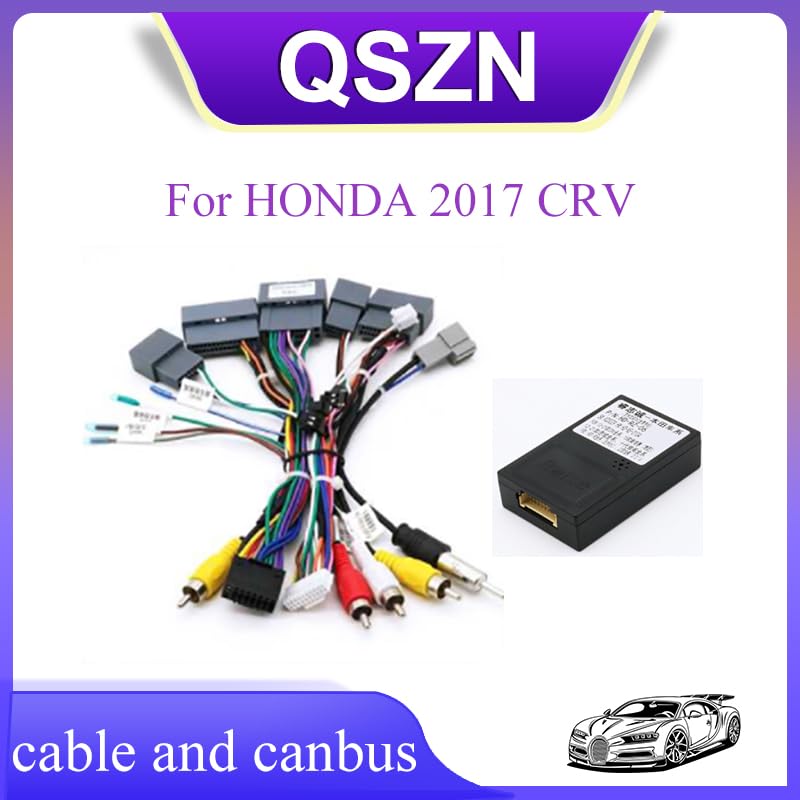
Image: An overview of the HD-RZ-06 Canbus box and the various wiring harness components, including the main connector and auxiliary RCA/USB cables.
Setup and Installation
Follow these steps carefully for proper installation of the Canbus box and wiring harness.
Step 1: Prepare the Vehicle
- Park the vehicle on a level surface and engage the parking brake.
- Turn off the ignition and remove the key.
- Disconnect the negative terminal of the vehicle's battery.
- Carefully remove the factory car radio from the dashboard. Refer to your vehicle's service manual for specific instructions on dashboard disassembly.
Step 2: Connect the Canbus Box
- Locate the dedicated connector on the main wiring harness designed for the HD-RZ-06 Canbus box.
- Connect the HD-RZ-06 Canbus box to this connector. Ensure it clicks securely into place.
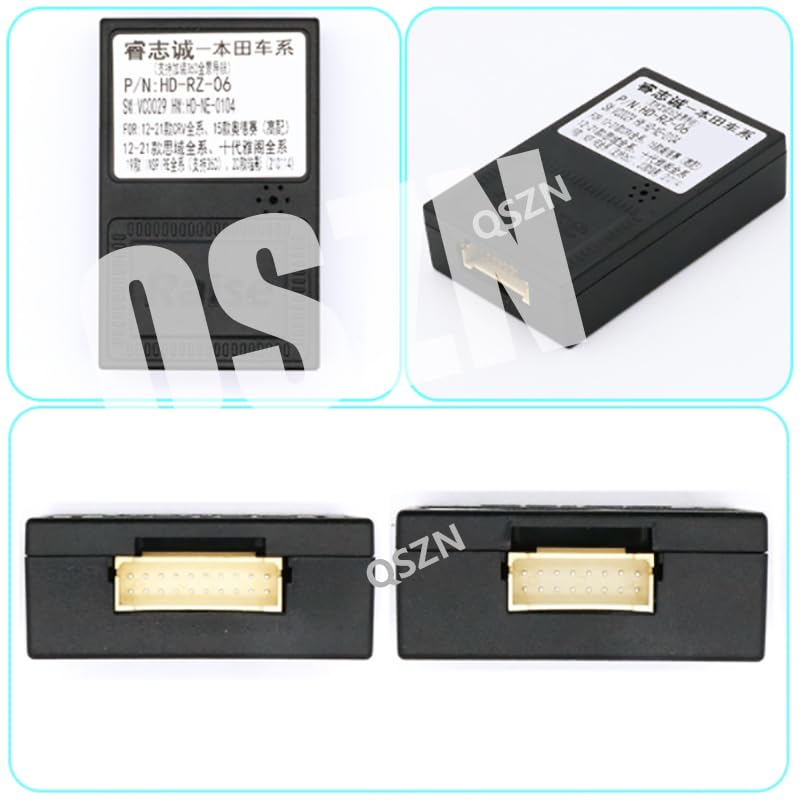
Image: A detailed view of the HD-RZ-06 Canbus box, showing its input connector. This box processes vehicle data for the aftermarket radio.
Step 3: Connect the Wiring Harness to the Vehicle
- Connect the vehicle-specific end of the main wiring harness to the corresponding factory connectors in your Honda 2017 CRV's dashboard. These typically include power, ground, speaker, and antenna connections.
- Ensure all factory connectors are properly seated into the new harness.
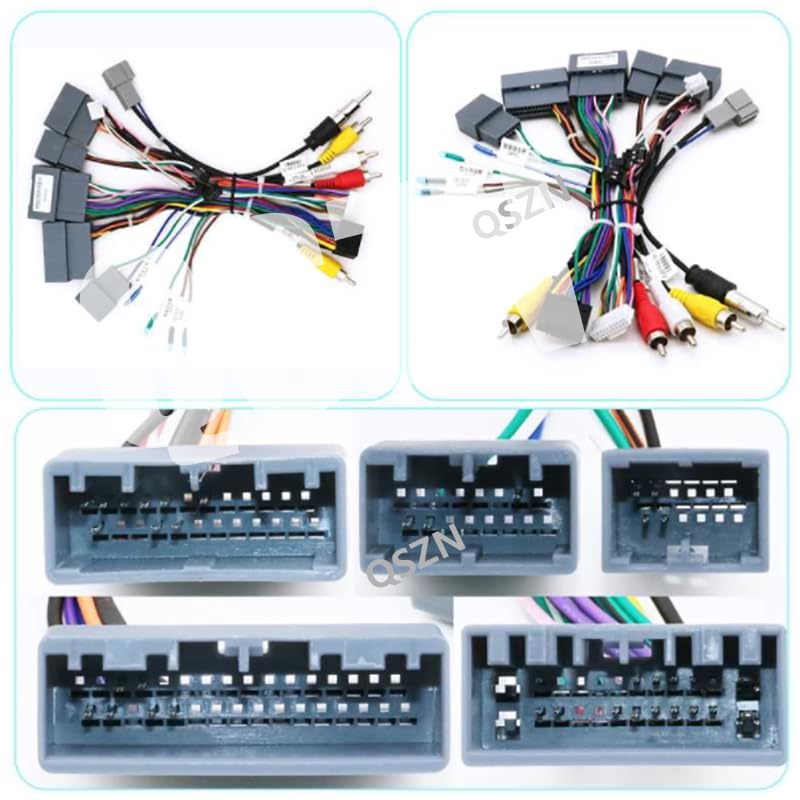
Image: A close-up of the various connectors on the wiring harness, including the main power/speaker connectors and auxiliary RCA inputs/outputs, designed for integration with the vehicle's existing wiring.
Step 4: Connect to the Aftermarket Android Radio
- Connect the other end of the main wiring harness to your aftermarket Android car radio. This typically involves matching the ISO connectors or specific plugs provided with your radio.
- Connect any auxiliary cables (RCA for audio/video, USB, camera inputs) from the harness to the corresponding ports on your Android radio as needed for desired functionalities.
Step 5: Test and Reassemble
- Before fully reassembling the dashboard, reconnect the vehicle's battery.
- Turn on the ignition and power on the Android radio.
- Test all functions, including audio, steering wheel controls, reverse camera (if installed), and any other integrated features.
- If all functions operate correctly, carefully reassemble the dashboard components.
Operating Instructions
The HD-RZ-06 Canbus box primarily acts as an interface between your Honda 2017 CRV's vehicle data network and your aftermarket Android multimedia system. Once correctly installed, it enables the following functionalities:
- Steering Wheel Control Retention: Your existing steering wheel buttons for audio control (volume, track skip, mode) should function with the new Android radio. Configuration may be required within the Android radio's settings.
- Vehicle Information Display: Depending on your Android radio's capabilities, the Canbus box may transmit vehicle data such as door status, climate control information, or parking sensor data to be displayed on the radio screen.
- Ignition and Illumination Signals: Provides correct ignition (ACC) and illumination signals to the aftermarket radio, ensuring it powers on/off with the vehicle and dims with the headlights.
Refer to your Android car radio's user manual for specific instructions on configuring steering wheel controls or accessing vehicle information displays.
Maintenance
The HD-RZ-06 Canbus box and wiring harness are designed for maintenance-free operation. No regular maintenance is required. Ensure that all connections remain secure and free from moisture or physical damage.
Troubleshooting
| Problem | Possible Cause | Solution |
|---|---|---|
| Android radio does not power on. | Loose power connection, incorrect wiring, blown fuse. | Check all power and ground connections. Verify the vehicle's fuse for the radio. Ensure the main harness is correctly connected to the vehicle and the radio. |
| Steering wheel controls do not work. | Canbus box not connected, incorrect Canbus configuration in radio, radio not compatible. | Ensure the HD-RZ-06 Canbus box is securely connected. Check the Android radio's settings for steering wheel control learning or Canbus protocol selection. Confirm radio compatibility with Canbus integration. |
| No sound from speakers. | Loose speaker connections, incorrect speaker wiring. | Verify all speaker wire connections between the harness and the radio, and between the harness and the vehicle. |
| Vehicle information (e.g., door status) not displayed. | Canbus box not communicating, radio software issue, radio not supporting feature. | Ensure the Canbus box is properly connected. Check the Android radio's system settings for Canbus data display options. Some radios may require specific software or apps to display this information. |
Specifications
- Model: HD-RZ-06
- Compatibility: Honda CRV 2017 (specific models may vary, verify vehicle compatibility)
- Input Voltage: 12V DC
- Item Weight: Approximately 0.2 kg
- Item Dimensions: Approximately 10 x 10 x 10 cm (Canbus box)
- Function: Android Car Radio Multimedia Canbus Adaptor and Wiring Harness
- Origin: Mainland China
Warranty and Support
This product is covered by a standard manufacturer's warranty against defects in materials and workmanship. For specific warranty terms and conditions, please refer to the documentation provided at the time of purchase or contact your retailer. For technical support or assistance with installation, please contact the product vendor or a qualified automotive electronics specialist.


