1. Introduction
This manual provides detailed instructions for the installation, operation, and maintenance of the QSZN Hiworld FDF2 16-PIN Android Canbus Box and Wiring Harness Adaptor. This product is designed to integrate an aftermarket Android car radio with your vehicle's existing electrical system, enabling functions such as steering wheel controls, door status, and other vehicle data communication through the Canbus protocol.
Compatible Vehicles:
- Ford Ranger
- Ford Focus
- Ford Edge
- Ford Kuga
- Ford Everest
2. Package Contents
Please verify that all items listed below are present in your package:
- 1 x QSZN Hiworld FDF2 Canbus Box
- 1 x 16-PIN Wiring Harness Adaptor
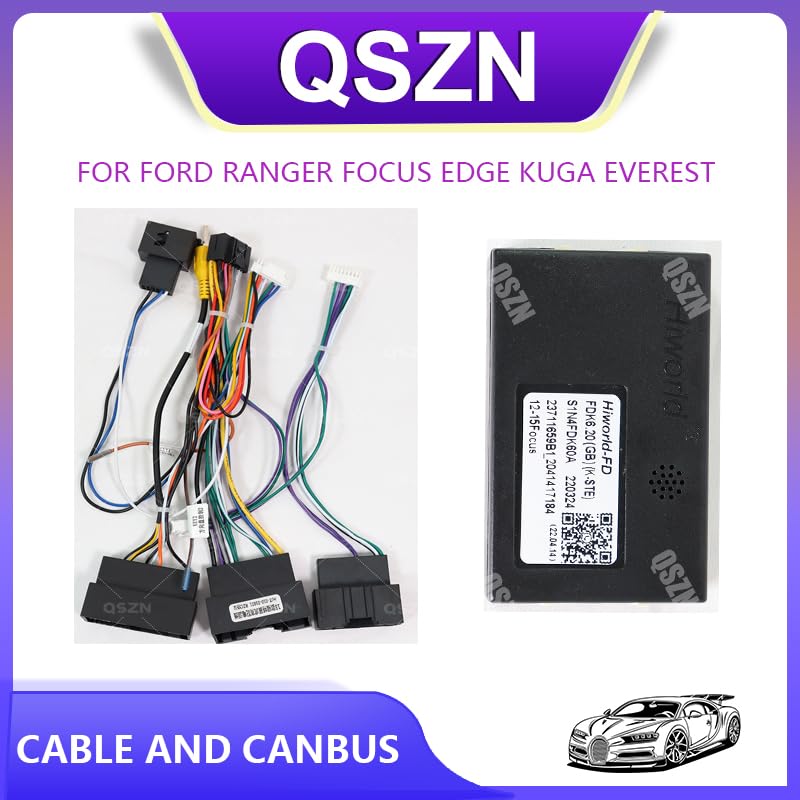
Image 2.1: The QSZN Hiworld FDF2 Canbus Box and its accompanying wiring harness adaptor.
3. Setup and Installation
Installation of the Canbus box and wiring harness requires basic knowledge of car audio wiring. If you are unsure, it is recommended to seek professional assistance.
3.1. Safety Precautions
- Always disconnect the vehicle's negative battery terminal before beginning any electrical work to prevent short circuits and damage.
- Ensure the vehicle's ignition is off.
- Use appropriate tools and wear protective gear.
3.2. Installation Steps
- Remove Existing Car Radio: Carefully remove your vehicle's factory car radio or existing aftermarket unit. Refer to your vehicle's service manual for specific instructions on dash disassembly.
- Identify Vehicle Wiring: Locate the vehicle's factory wiring harness connector. This is where the new adaptor will connect.
- Connect Wiring Harness Adaptor: Connect the vehicle-specific end of the QSZN 16-PIN Wiring Harness Adaptor to your vehicle's factory wiring harness. Ensure a secure and snug fit.
- Connect Canbus Box: Locate the dedicated connector on the wiring harness adaptor designed for the Canbus box. Plug the QSZN Hiworld FDF2 Canbus Box into this connector. Ensure the connection is firm.
- Connect to Android Head Unit: Connect the remaining end of the 16-PIN Wiring Harness Adaptor to the corresponding port on your aftermarket Android car radio.
- Secure Wiring: Route all cables neatly and securely to prevent pinching or interference. Ensure the Canbus box is placed in a location where it will not be damaged or interfere with other components.
- Test Functionality: Reconnect the vehicle's negative battery terminal. Turn on the ignition and test the Android car radio. Verify that steering wheel controls, reverse camera input (if applicable), and other vehicle-specific functions are working correctly.
- Reassemble Dash: Once all functions are confirmed, carefully reassemble the vehicle's dashboard components.

Image 3.1: Close-up of the QSZN wiring harness connectors, showing the various pins for connection.

Image 3.2: Side view of the QSZN Hiworld FDF2 Canbus Box, illustrating the specific port for harness connection.
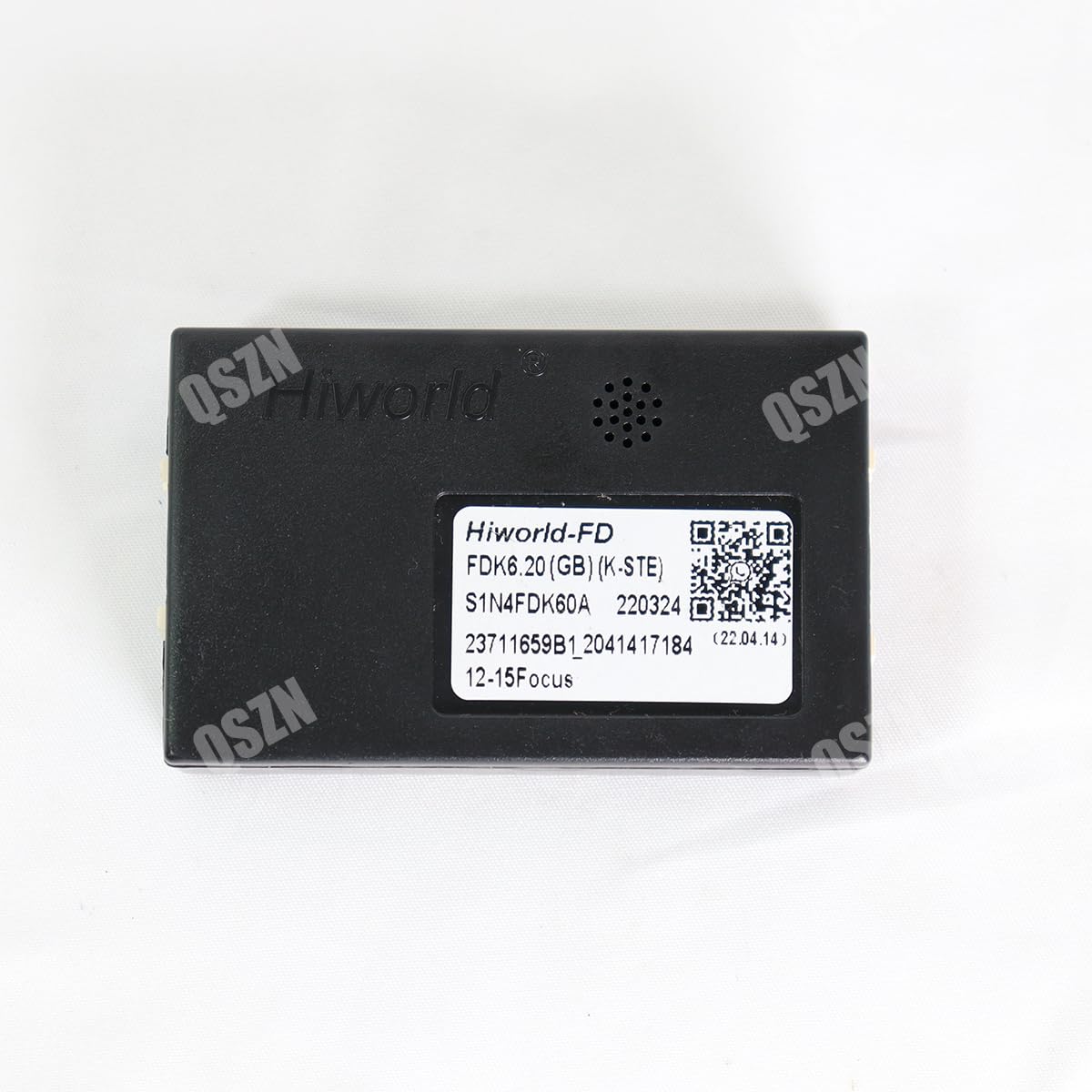
Image 3.3: The QSZN Hiworld FDF2 Canbus Box, displaying its identification label and QR code for product information or support. The QR code links to WhatsApp Support.
4. Operating Instructions
The QSZN Hiworld FDF2 Canbus Box operates automatically once correctly installed. Its primary function is to translate vehicle data (such as ignition status, speed, reverse gear, handbrake, and steering wheel control signals) into a format that your aftermarket Android car radio can understand and utilize.
- Steering Wheel Controls: After installation, your Android head unit should automatically detect and allow configuration of your vehicle's steering wheel controls. Refer to your Android head unit's manual for specific instructions on mapping these controls.
- Vehicle Information: Depending on your Android head unit's capabilities, the Canbus box may enable the display of certain vehicle information (e.g., door open warnings, climate control status) on the head unit screen.
5. Maintenance
The QSZN Hiworld FDF2 Canbus Box is a sealed electronic component and requires minimal maintenance.
- Connection Integrity: Periodically check that all wiring connections remain secure and free from corrosion.
- Environmental Protection: Ensure the Canbus box is installed in a dry location, away from direct moisture and extreme temperatures.
- Cleaning: If necessary, gently wipe the exterior of the Canbus box with a dry, soft cloth. Do not use liquid cleaners or solvents.
6. Troubleshooting
If you encounter issues after installation, perform the following basic troubleshooting steps:
- No Power to Head Unit:
- Check all power connections from the vehicle to the wiring harness and to the head unit.
- Verify vehicle fuses related to the car radio.
- Steering Wheel Controls Not Working:
- Ensure the Canbus box is securely connected to the wiring harness.
- Check the settings within your Android head unit for steering wheel control configuration. Some head units require manual learning or selection of the correct Canbus protocol.
- Incorrect Vehicle Data Display:
- Confirm the Canbus box is the correct model for your specific vehicle and year.
- Check for firmware updates for your Android head unit, as these can sometimes improve Canbus compatibility.
- Intermittent Functionality:
- Inspect all connections for looseness or damage.
- Ensure no wires are pinched or shorting.
If problems persist, contact customer support for further assistance.
7. Specifications
| Type | Canbus Box |
| Model | Hiworld FDF2 |
| Voltage | 12V |
| Item Weight | 0.2 kg |
| Item Size (approx.) | 10 x 10 x 10 cm |
| Material | Plastic |
| Compatibility | Ford Ranger, Focus, Edge, Kuga, Everest |
8. Warranty Information
Specific warranty terms and conditions for the QSZN Hiworld FDF2 Canbus Box are provided by the seller at the time of purchase. Please retain your proof of purchase for any warranty claims. For detailed information regarding warranty coverage, duration, and procedures, please contact your original point of sale.
9. Support
For technical assistance, installation queries, or troubleshooting support, please contact our customer service team. You can reach us via the following methods:
- WhatsApp Support: Scan the QR code on the product packaging or Canbus box, or click this link: WhatsApp Support


