
1. Introduction
This manual provides detailed instructions for the installation, operation, and maintenance of the Generic GM-RZ-09 Android Wiring Harness CANBUS Box. This product is designed to facilitate the integration of an aftermarket Android car stereo system with your vehicle's existing electrical system, enabling functions such as steering wheel controls and vehicle data communication.
Please read this manual thoroughly before installation and use to ensure proper functionality and to prevent damage to your vehicle or the product.
2. Compatibility
The GM-RZ-09 CANBUS Box and wiring harness are compatible with the following Chevrolet vehicle models and years:
- Chevrolet Malibu: 2009-2014
- Chevrolet Aveo: 2011-2014
- Chevrolet Cruze: 2009-2011
- Chevrolet Trax: 2014
- Chevrolet Orlando: 2009-2018 (for 9-inch head units)
Important: Verify your vehicle's make, model, and year against this list to ensure compatibility. Incorrect product selection may lead to non-functional components or damage.
3. Package Contents
Upon opening the package, please ensure all components are present and undamaged:
- 1x GM-RZ-09 CANBUS Box
- 1x Android Wiring Harness Cable Adapter
Note: The package may contain either the CANBUS box, the cable, or both, depending on the specific purchase option. This manual covers the combined CANBUS box and cable adapter.
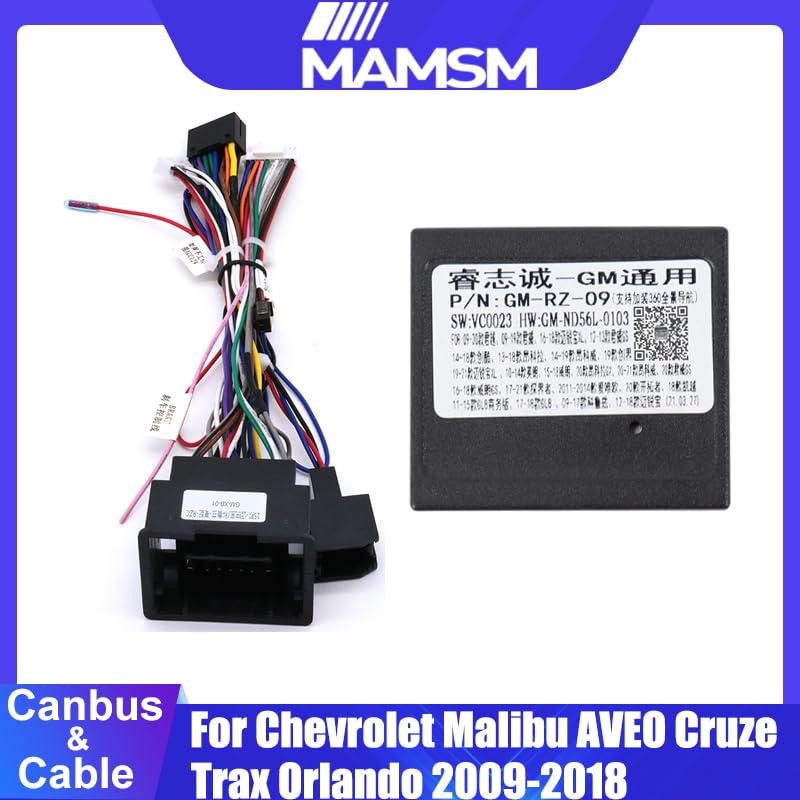
Image 3.1: The GM-RZ-09 CANBUS box connected to the wiring harness, showing the main components included in the package.
4. Setup and Installation
Installation of the GM-RZ-09 CANBUS Box and wiring harness requires basic automotive electrical knowledge. If you are unfamiliar with car audio installation, professional installation is highly recommended.
4.1 Safety Precautions
- Disconnect the vehicle's negative battery terminal before beginning any electrical work to prevent short circuits and electrical shock.
- Ensure all connections are secure and properly insulated to avoid loose wires and potential hazards.
- Refer to your vehicle's service manual for specific dashboard removal and wiring diagrams.
4.2 Installation Steps
- Remove Existing Head Unit: Carefully remove your vehicle's factory head unit. This typically involves removing trim panels and unscrewing the head unit from the dashboard.
- Identify Vehicle Connectors: Locate the main wiring harness connectors from your vehicle that previously connected to the factory head unit.
- Connect CANBUS Box: Connect the GM-RZ-09 CANBUS box to the provided wiring harness adapter. Ensure the connector is fully seated.
- Connect Wiring Harness: Plug the vehicle-specific end of the wiring harness adapter into your vehicle's factory wiring harness connectors.
- Connect to Android Head Unit: Connect the other end of the wiring harness adapter to your aftermarket Android head unit. This typically involves matching color-coded wires or plugging into a dedicated port on the head unit.
- Test Connections: Before fully reassembling the dashboard, reconnect the vehicle's battery and test the Android head unit's functionality, including power, audio, and especially steering wheel controls.
- Secure Components: Once confirmed working, secure the CANBUS box and excess wiring to prevent rattles or interference. Reassemble the dashboard panels.
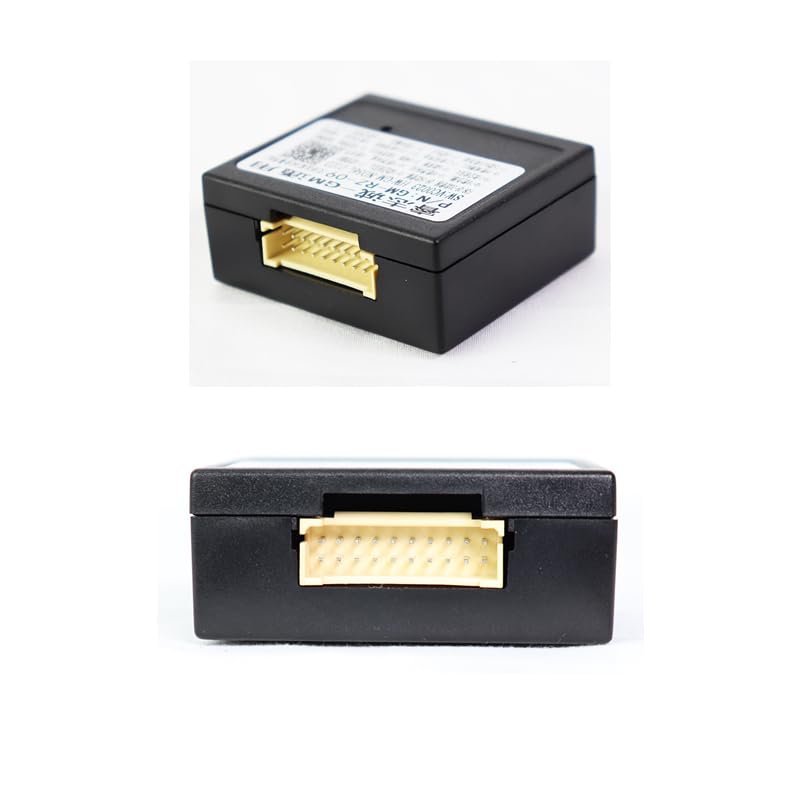
Image 4.1: Close-up view of the connector port on the GM-RZ-09 CANBUS box, where the wiring harness plugs in.

Image 4.2: The complete wiring harness assembly, showing the various color-coded wires and the main vehicle connectors.
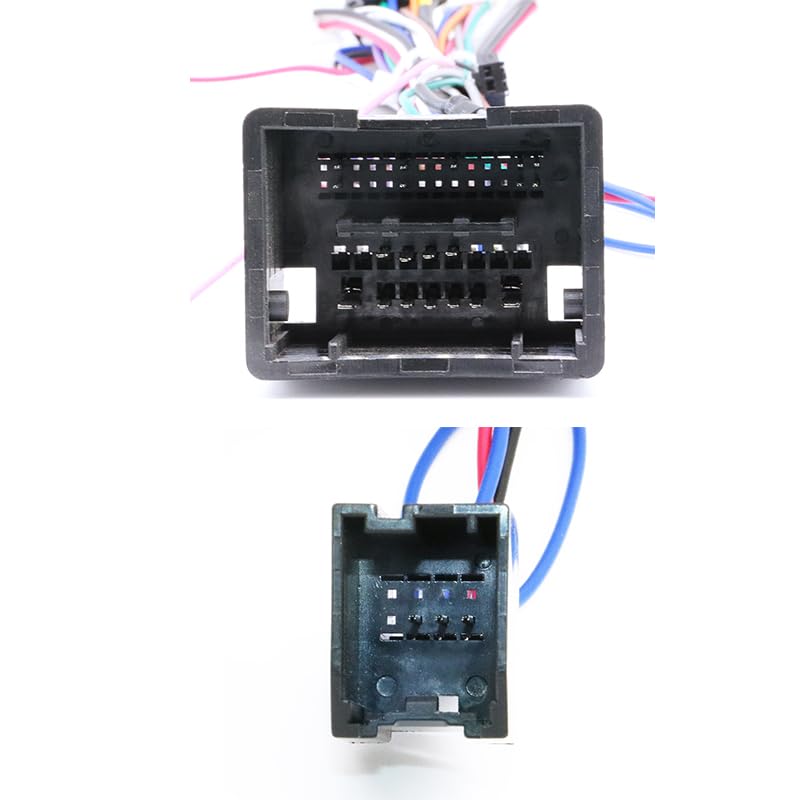
Image 4.3: Detailed view of the vehicle-side connectors on the wiring harness, designed to interface with the factory wiring.
5. Operating Instructions
The GM-RZ-09 CANBUS Box primarily functions as an interface between your vehicle's CAN-Bus system and your aftermarket Android head unit. Its main purpose is to translate vehicle data into a format that the Android unit can understand, enabling features such as:
- Steering Wheel Control Integration: Allows your vehicle's factory steering wheel buttons to control functions on the Android head unit (e.g., volume, track skip, mode).
- Vehicle Information Display: Depending on the Android head unit's capabilities, it may display vehicle information such as door status, climate control settings, or parking sensor data.
- Ignition (ACC) Signal: Provides the necessary ignition signal to turn the Android head unit on and off with the vehicle.
- Reverse Gear Signal: Supplies a reverse signal to the head unit, typically used to automatically switch to a backup camera display.
No direct user interaction with the CANBUS box itself is required after installation. All controls are managed through your Android head unit's interface and your vehicle's existing controls.
6. Maintenance
The GM-RZ-09 CANBUS Box is a sealed electronic component and requires minimal maintenance. Follow these general guidelines:
- Keep Dry: Ensure the CANBUS box and its connections are kept dry and away from moisture.
- Secure Placement: Verify that the box is securely mounted or tucked away to prevent physical damage from vibrations or impacts.
- Clean Connections: If troubleshooting is required, ensure all electrical connections are clean and free of corrosion.
7. Troubleshooting
If you encounter issues after installation, consider the following troubleshooting steps:
- No Power to Head Unit:
- Check vehicle's fuse box for blown fuses.
- Verify all power connections from the harness to the head unit and vehicle.
- Ensure the vehicle's battery is properly connected and charged.
- Steering Wheel Controls Not Working:
- Confirm the CANBUS box is correctly connected to both the vehicle harness and the Android head unit.
- Access the steering wheel control settings within your Android head unit's menu and attempt to re-learn or configure the buttons.
- Ensure your Android head unit supports CANBUS decoding for steering wheel controls.
- Incorrect Vehicle Data Display:
- Verify that the CANBUS box model (GM-RZ-09) is correct for your specific vehicle model and year.
- Check the Android head unit's settings for CANBUS protocol selection; sometimes a specific protocol needs to be chosen.
- Intermittent Functionality:
- Inspect all connections for looseness or poor contact.
- Ensure no wires are pinched or damaged during dashboard reassembly.
If problems persist after attempting these steps, contact customer support or consult a professional installer.
8. Specifications
- Model: GM-RZ-09
- Type: CANBUS Box
- Voltage: 12V
- Material: Polyvinyl Chloride (PVC)
- Compatibility: Specific Chevrolet models (2009-2018) as listed in Section 2.
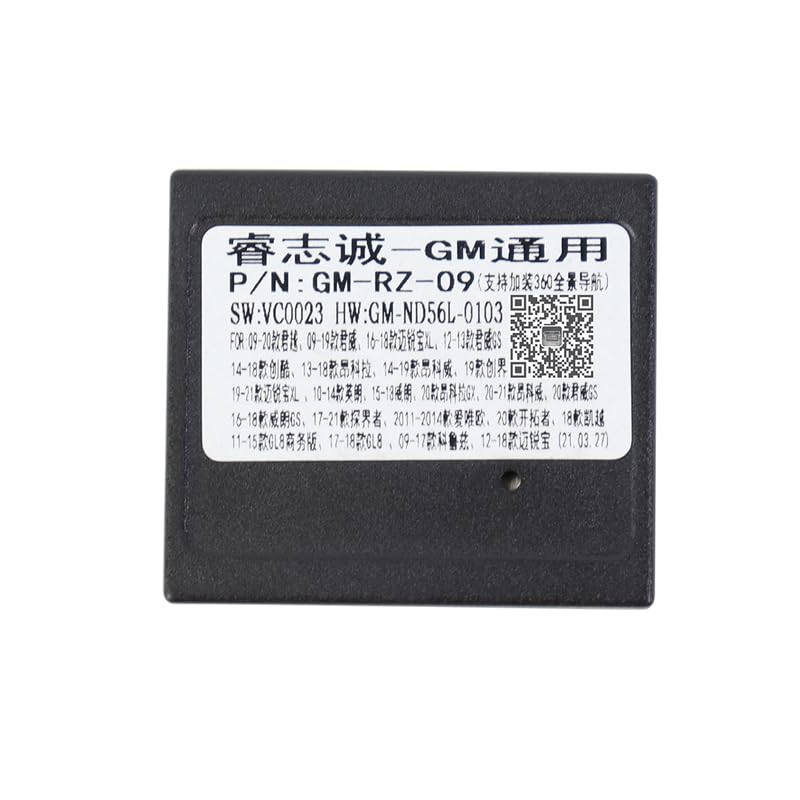
Image 8.1: Close-up of the GM-RZ-09 CANBUS box label, showing model number and other identifying information. A QR code is visible, which links to additional support information.
9. Support
For further assistance, technical support, or warranty inquiries, please contact the seller or manufacturer. Additional information may be available via the following resource:
- Online Support: Scan QR Code for Support (This link corresponds to the QR code found on the product label for additional information or support.)


