
Dyonery DS200
Dyonery DS200 Full Adjustable Bed Frame and 14-inch Copper-Gel Memory Foam Mattress User Manual
Model: DS200 | Brand: Dyonery
Introduction
Thank you for choosing the Dyonery DS200 Full Adjustable Bed Frame and 14-inch Copper-Gel Memory Foam Mattress. This manual provides essential information for the safe and efficient use of your new adjustable bed system. Please read these instructions carefully before assembly and operation, and retain them for future reference.
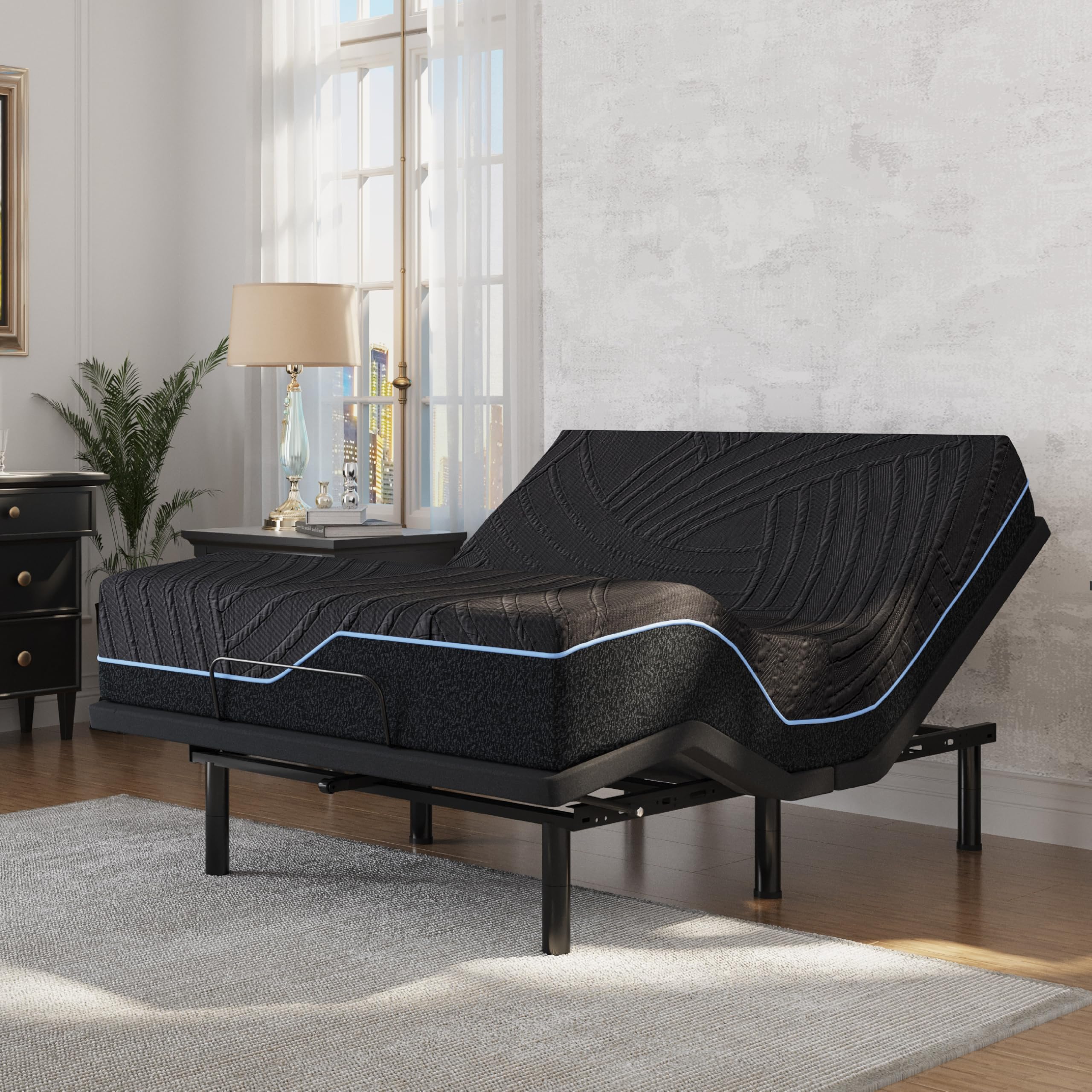
Image: The Dyonery DS200 Full Adjustable Bed Frame with its 14-inch Copper-Gel Memory Foam Mattress, shown in a bedroom setting.
Important Safety Information
- Weight Limit: Do not exceed the maximum weight capacity of 750 lbs (340 kg) for the adjustable bed frame. Exceeding this limit may cause damage to the product and potential injury.
- Leg Adjustment: Exercise caution when adjusting the multi-height legs to prevent injury. Ensure all legs are securely fastened before use.
- Children and Pets: Keep children and pets away from the adjustable bed's moving parts. Ensure they do not play under or around the bed during operation.
- Power Cord: Ensure the power cord is not pinched or damaged. Do not operate the bed if the power cord or plug is damaged.
- Liquid Exposure: Avoid spilling liquids on the bed frame or remote control.
- Medical Devices: Consult your physician before using this product if you have a pacemaker or similar medical device, as the motors may interfere with its operation.

Image: An illustration highlighting the 750 lbs maximum weight capacity of the adjustable bed frame.
Package Contents
Before beginning assembly, please verify that all components are present and undamaged:
- 1 x Dyonery DS200 Adjustable Bed Frame
- 1 x 14-inch Copper-Gel Memory Foam Mattress
- 1 x Wireless Remote Control
- Adjustable Legs (5" and 7" sections for customizable height)
- Power Adapter and Cables
- Mattress Retainer Bar
Assembly Instructions
The Dyonery Adjustable Bed Frame is designed for quick and hassle-free assembly, requiring no tools. The entire setup process can be completed in approximately 5 minutes.
- Unpack Components: Carefully remove all items from the packaging and place them on a clean, flat surface.
- Unfold Frame: Unfold the adjustable bed frame sections. Ensure they are fully extended and locked into place.
- Attach Legs: Screw the adjustable legs into the designated threaded holes on the underside of the frame. You can combine the 5-inch and 7-inch leg sections to achieve a total height of 5, 7, 10, or 12 inches, allowing for under-bed storage.
- Install Retainer Bar: Attach the mattress retainer bar at the foot of the bed frame. This prevents the mattress from sliding during adjustments.
- Connect Power: Connect the power adapter to the bed frame's control box and then plug it into a grounded electrical outlet.
- Place Mattress: Carefully place the 14-inch Copper-Gel Memory Foam Mattress onto the assembled bed frame.

Image: Visual representation of the bed frame assembly process, highlighting the tool-free installation and leg attachment.
Operating Instructions
Your Dyonery DS200 Adjustable Bed Frame is controlled by a wireless remote, offering various comfort positions.
Wireless Remote Control
The wireless remote allows for convenient adjustment of the head and foot sections. It also features a flashlight function for added utility.

Image: Close-up view of the wireless remote control, showing various buttons for bed adjustments.
Adjusting Head and Foot Incline
- Use the HEAD UP and HEAD DOWN buttons to adjust the head section from 0 to 57 degrees.
- Use the FOOT UP and FOOT DOWN buttons to adjust the foot section from 0 to 38 degrees.
- Press the FLAT button to return the bed to a completely flat position.
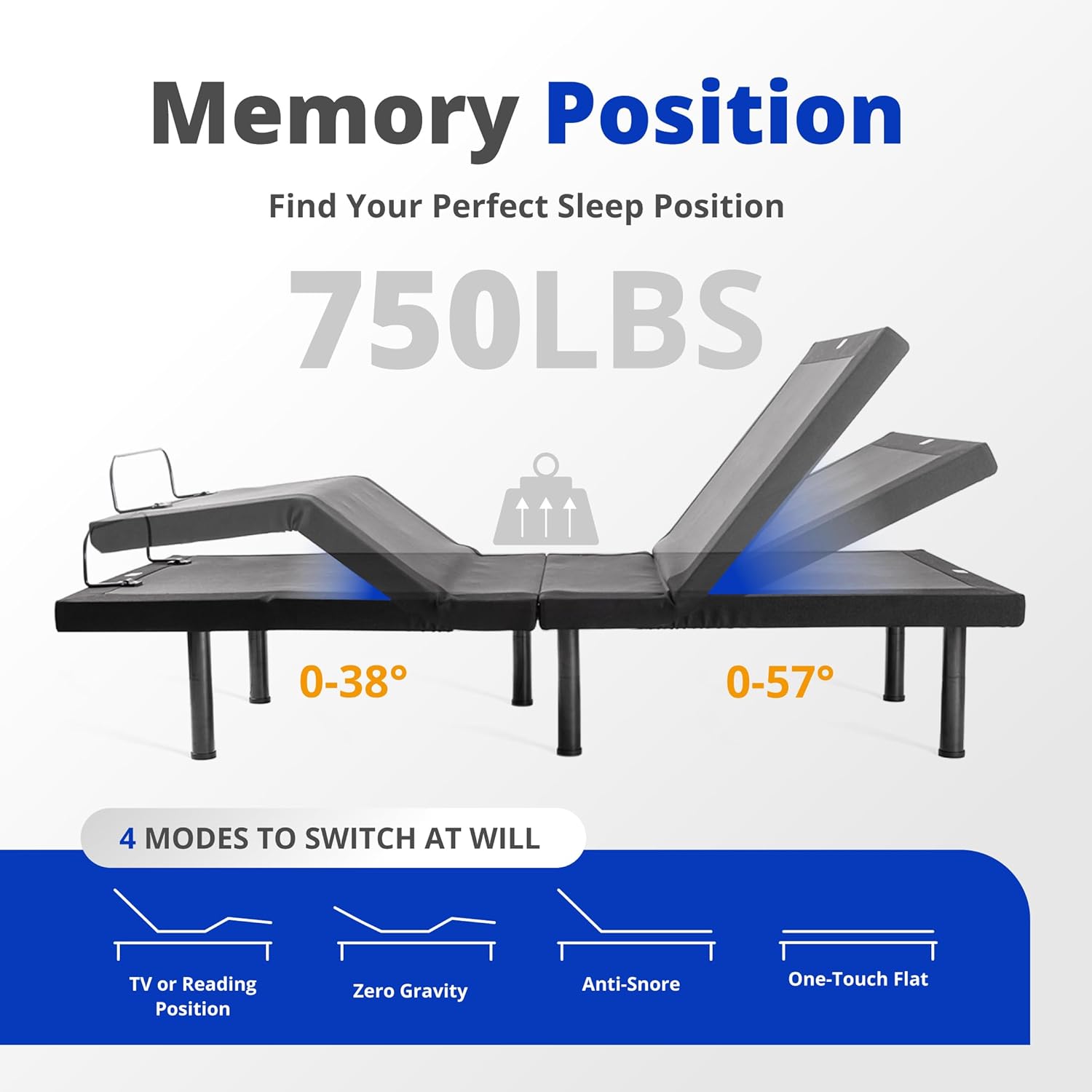
Image: Diagram illustrating the adjustable head (0-57°) and foot (0-38°) incline capabilities of the bed frame.
Preset Positions
The remote control includes several preset positions for enhanced comfort:
- Anti-Snore: Elevates the head slightly to help reduce snoring.
- Zero Gravity: Elevates both the head and feet to create a feeling of weightlessness, promoting circulation and relieving pressure.
- Lounge: A comfortable position for reading or watching TV.
- Memory Positions (M1, M2): Customize and save your preferred head and foot positions for quick access. Refer to the remote's specific instructions for saving memory positions.

Image: The Dyonery adjustable bed with mattress, shown in an elevated head and foot position, suitable for various comfort settings.
Operation Video Guide
Video: This video demonstrates the pairing of the wireless remote control and the various adjustment functions of the Dyonery DS200 Adjustable Bed Frame.
Mattress Care and Maintenance
The 14-inch Copper-Gel Memory Foam Mattress is designed for comfort and durability. Proper care will extend its lifespan.
- Temperature Regulation: The Copper-Gel Memory Foam helps regulate humidity, odor, and temperature, ensuring a dry and breathable sleep surface.
- Cover Removal: The mattress features a cleverly designed hidden zipper, allowing for easy removal of the cover for cleaning without needing to flip the mattress. Follow the care instructions on the mattress label for washing the cover.
- Support: The Flex Support Base Foam provides essential support to keep your spine aligned.
- Protection: Consider using a mattress protector to shield against spills and stains.

Image: Cross-section view of the Dyonery Sleep System mattress, detailing its layers including cooling knit fabric, fiberglass-free inner cover, ventilated copper-gel aerofusion memory foam, and flex support base foam.
Troubleshooting
If you encounter any issues with your Dyonery Adjustable Bed Frame, please refer to the following common solutions:
| Problem | Possible Cause | Solution |
|---|---|---|
| Bed does not respond to remote. | No power, remote not paired, or remote batteries low. |
|
| Motor makes unusual noise. | Obstruction under the bed or loose components. |
|
| Bed does not fully flatten or incline. | Obstruction or weight distribution issue. |
|
If the problem persists after attempting these solutions, please contact Dyonery customer support.
Specifications
| Brand | Dyonery |
| Model Number | DY-MS200-DYBM14-FULL |
| Size | Full |
| Material | Metal (Frame) |
| Product Dimensions (L x W x H) | 75"L x 54"W x 12"H |
| Mattress Style | 14" Copper Mattress 2.0+ |
| Special Feature | Adjustable Head & Foot Incline |
| Head Incline Range | 0-57° |
| Foot Incline Range | 0-38° |
| Maximum Weight Recommendation | 750 Pounds (340 kg) |
| Assembly | Required (Tool-free, approx. 5 minutes) |
| Included Components | 1 adjustable bed frame, 1 mattress |
| Color | Black |
| UPC | 840418669884 |
Warranty and Customer Support
For warranty information or if you require assistance with your Dyonery Adjustable Bed Frame and Mattress, please contact Dyonery customer support. Details regarding specific warranty terms are typically provided with your purchase documentation or can be obtained by contacting the manufacturer directly.
Contact Information: Please refer to the contact details provided on the Dyonery official website or your purchase receipt for customer service.
Ask a question about this manual
Ask about setup, troubleshooting, compatibility, parts, safety, or missing instructions. Manuals+ will review the question and use this page’s manual context to help answer it.