Introduction
Thank you for purchasing the Saiyin Soundbar with 4-inch Subwoofer. This 2.1 channel audio system is designed to enhance your home entertainment experience with powerful sound and versatile connectivity. This manual provides detailed instructions for setup, operation, maintenance, and troubleshooting to ensure optimal performance and longevity of your device.
What's in the Box
Please check the package contents carefully. If any items are missing or damaged, please contact customer support.
- 1 x Saiyin Soundbar
- 1 x Passive Subwoofer
- 1 x Remote Control
- 1 x Power Adapter
- 1 x Optical Cable
- 1 x 3.5mm Audio Cable
- 1 x User Manual
- Mount Screws (for wall mounting)

Product Overview
The Saiyin Soundbar system consists of a compact soundbar and a dedicated 4-inch subwoofer, designed to deliver a rich and immersive audio experience. The soundbar features dual full-range speakers, while the subwoofer provides deep, resonant bass.


Setup
1. Connecting the Subwoofer
The passive subwoofer connects to the soundbar via a wired connection. Ensure the subwoofer cable is securely plugged into the designated port on the soundbar.
2. Connecting to Your Device
The Saiyin Soundbar offers multiple connectivity options:
- Bluetooth 5.3: For wireless connection to smartphones, tablets, and other Bluetooth-enabled devices.
- Optical: For high-quality digital audio connection to TVs and other optical output devices.
- AUX (3.5mm): For analog audio connection to PCs, projectors, and other devices with a 3.5mm audio jack.

3. Adjusting TV Settings for Optical Cable
When using the optical cable, it is crucial to adjust your TV's audio settings to ensure proper sound output and prevent issues like silence or noisy output. Follow these general steps:
- Navigate to your TV's Settings menu.
- Select Sound Output or Audio Output.
- Choose Optical as the output method.
- In Digital Audio Output Format or Expert Settings, select PCM/Stereo Sound.
- To avoid silent or noisy output, disable Dolby/DTS on your TV and within any streaming apps (e.g., Netflix, Amazon Prime Video, Hulu, YouTube).

Operating Instructions
1. Power On/Off
Press the power button on the remote control or the soundbar to turn the unit on or off. The LED indicator will show red in standby mode.
2. Mode Selection
Use the "BT", "OPT", or "AUX" buttons on the remote control to switch between Bluetooth, Optical, and AUX input modes. The LED indicator will change color to reflect the active mode (Blue for Bluetooth, Purple for Optical, Green for AUX).
3. Volume and Bass Adjustment
- Use the Volume +/- buttons on the remote to adjust the overall volume (23 steps).
- Use the Bass +/- buttons on the remote to adjust the subwoofer's bass level (10 levels).


4. DSP with 3 EQ Sound Effects
The soundbar features three pre-set Equalizer (EQ) modes to optimize audio for different content types:
- Movie Mode: Boosts treble and deepens bass for an immersive cinematic experience.
- Music Mode: Improves vocal clarity and provides balanced sound for music playback.
- News Mode: Enhances vocals and improves the virtual surround effect, making dialogue clearer.

5. Remote Control Compatibility
The included remote control is compatible with Fire TV. Additionally, Saiyin can provide remotes compatible with Roku Box or Roku TVs upon request. This allows for seamless integration with your existing home entertainment setup.

Maintenance
To ensure the longevity and optimal performance of your Saiyin Soundbar, follow these maintenance guidelines:
- Cleaning: Use a soft, dry cloth to wipe down the soundbar and subwoofer. Do not use liquid cleaners or abrasive materials, as they may damage the finish.
- Placement: Place the soundbar and subwoofer on a stable, flat surface. Avoid placing them near heat sources, direct sunlight, or in areas with high humidity.
- Ventilation: Ensure adequate ventilation around the units to prevent overheating. Do not block any ventilation openings.
- Power: Disconnect the power adapter from the wall outlet if the unit will not be used for an extended period.
Troubleshooting
If you encounter any issues with your Saiyin Soundbar, please refer to the following common problems and solutions:
| Problem | Possible Cause | Solution |
|---|---|---|
| No sound from soundbar |
|
|
| No bass from subwoofer |
|
|
| Bluetooth pairing issues |
|
|
| Distorted sound |
|
|
Specifications
| Feature | Detail |
|---|---|
| Model Name | Saiyin Sound Bar DS6341 |
| Item Model Number | SDS6341-USSY01 |
| Speaker Type | Soundbar with Subwoofer |
| Surround Sound Channel Configuration | 2.1 |
| Speaker Maximum Output Power | 70 Watts |
| Frequency Response | 20 KHz |
| Connectivity Technology | Bluetooth, Auxiliary, Optical |
| Wireless Communication Technology | Bluetooth 5.3 |
| Subwoofer Diameter | 4 Inches |
| Subwoofer Connectivity | Wired |
| Product Dimensions | 3.54"D x 5.16"W x 17.56"H (Soundbar) |
| Mounting Type | Tabletop/Wall Mount |
| Material | Acrylonitrile Butadiene Styrene (ABS) |
| Control Method | Remote |
| Power Source | Corded Electric |
| Item Weight | 6.71 pounds |
Warranty and Support
Saiyin is committed to providing high-quality products and excellent customer service. Your Saiyin Soundbar comes with a limited warranty.
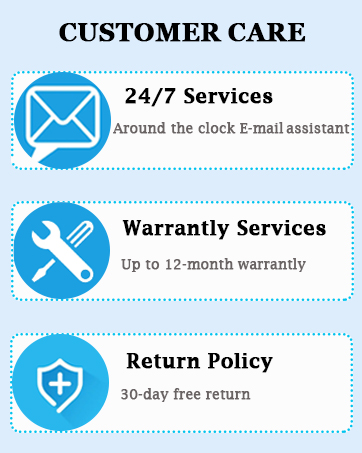
- Warranty Services: Up to 12-month warranty.
- Return Policy: 30-day free return.
If you have any questions or require assistance with your Saiyin Soundbar, our customer support team is available 24/7 to help you.
For further support, please visit the official Saiyin store or contact us directly through the provided channels in your product documentation.


