
Introduction
Thank you for choosing the Orayafid YY-R7 Solar Outdoor Weatherproof 2.4 GHz Wireless WiFi Repeater. This device is designed to extend your existing Wi-Fi network coverage, providing a robust and reliable internet connection in outdoor and remote environments. Featuring a high-efficiency solar panel and a powerful 20000 mAh battery, the YY-R7 ensures continuous operation, even in challenging conditions. Its IP65 weatherproof rating guarantees durability against various outdoor elements.
Safety Information
- Read all instructions carefully before installation and use.
- Do not attempt to disassemble or modify the device. This may void the warranty and cause damage.
- Ensure the solar panel is installed in a location with maximum direct sunlight exposure for optimal charging.
- Keep the device away from open flames, excessive heat, and corrosive substances.
- Use only the provided mounting hardware and accessories.
- Avoid placing the device in areas prone to strong electromagnetic interference.
Package Contents
Verify that all items are present in your package:
- Solar Panel with Integrated WiFi Repeater
- Mounting Bracket
- Screw Kit (screws and wall plugs)

Image: Contents of the Orayafid YY-R7 package, showing the solar panel with repeater, mounting bracket, and a bag of screws.
Product Features
- Extended Wi-Fi Coverage: Amplifies your existing 2.4 GHz Wi-Fi network, providing speeds up to 300 Mbps. Ideal for security cameras, streaming, and general browsing in outdoor areas.
- High-Efficiency Solar Power: Equipped with a 15W solar panel featuring a 24% conversion efficiency. The panel is protected by durable tempered glass for longevity and resilience against outdoor elements.
- Long-Lasting Battery: Integrated 20000 mAh rechargeable lithium battery ensures prolonged operation, even during extended cloudy periods. The battery supports up to 500 recharge cycles and includes a built-in protection circuit.
- Weatherproof Design: IP65 certified, this device is built to withstand extreme weather conditions, including heavy rain and snow, ensuring uninterrupted service and durability.
- Easy Installation: Features a 360-degree adjustable mounting bracket for quick and simple installation, allowing optimal positioning for signal reception and transmission.
- Multiple Device Connectivity: Capable of connecting up to 8 devices simultaneously, providing reliable internet access for various smart devices and systems.

Image: The Orayafid YY-R7 Solar WiFi Repeater installed outdoors, illustrating its function as a WiFi extender with solar power and security features.
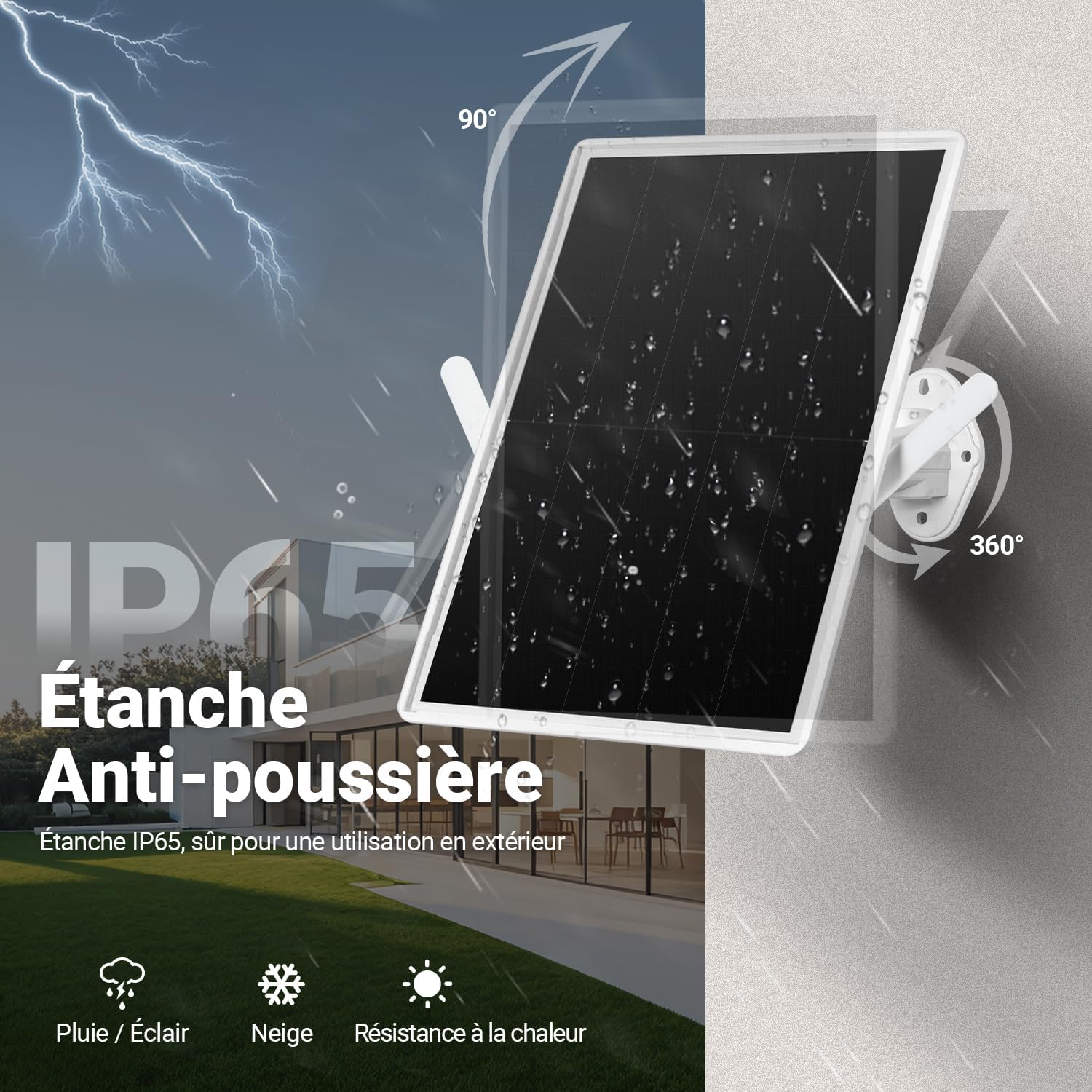
Image: Visual representation of the IP65 weatherproof and dustproof design, showing the device's resilience against rain, lightning, snow, and heat.
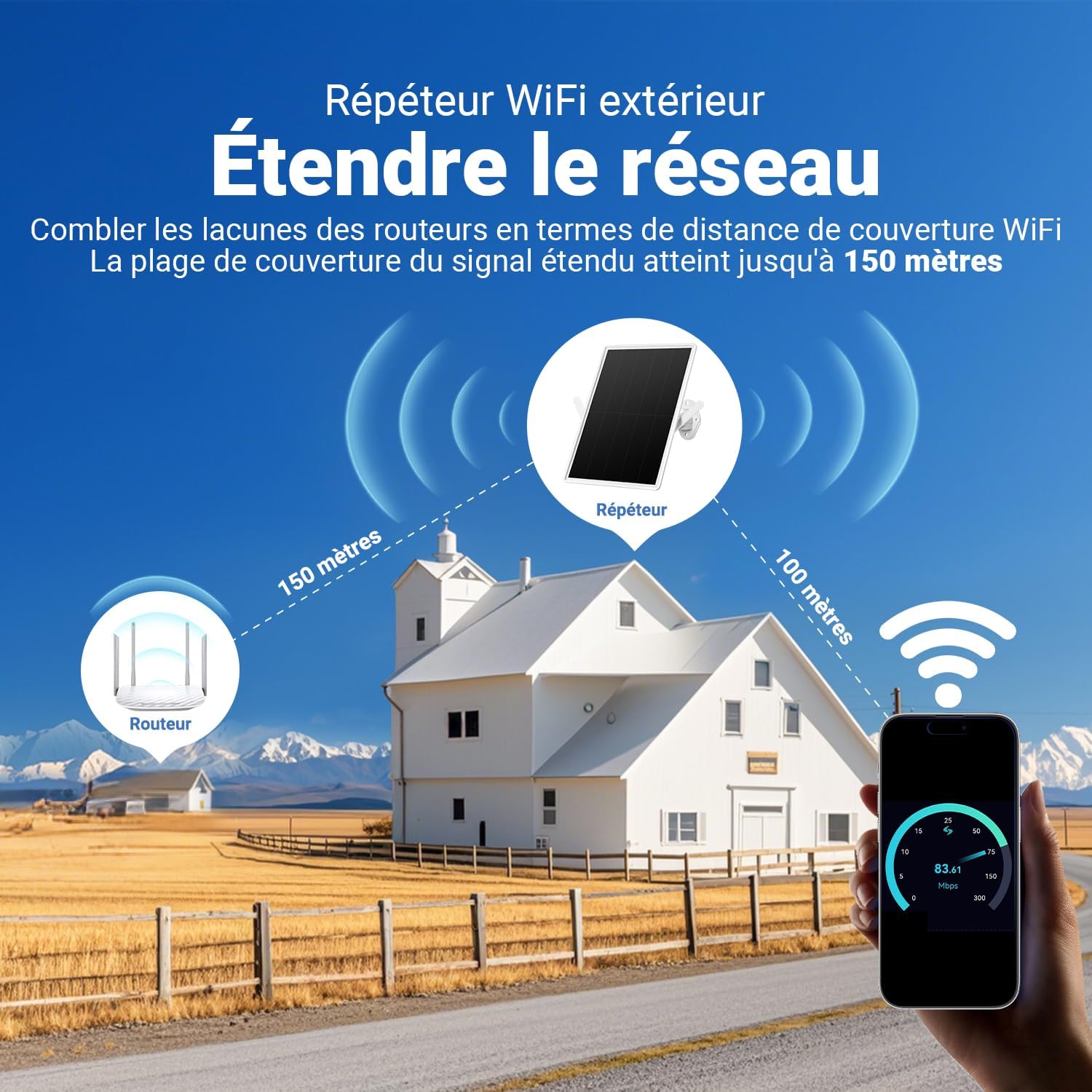
Image: A diagram illustrating how the Orayafid YY-R7 extends network coverage, showing signal paths from a main router to the repeater and then to a device up to 150 meters away.

Image: An illustration demonstrating the Orayafid YY-R7's ability to connect up to 8 devices, including cameras, mobile phones, tablets, and laptops, with enhanced network speed.

Image: A detailed diagram explaining the solar power mechanism, including tempered glass, monocrystalline silicon, and the 20000 mAh rechargeable lithium battery, highlighting efficient light transmission and durable charging.
Setup Guide
1. Choose an Installation Location
- Select a location that receives maximum direct sunlight throughout the day for optimal solar charging.
- Ensure the location is within range of your existing Wi-Fi router to receive a stable signal for extension.
- Consider the area where you need extended Wi-Fi coverage.
2. Mount the Device
- Using the mounting bracket as a template, mark the drilling points on the desired surface (wall, pole, etc.).
- Drill holes and insert the wall plugs (if mounting on masonry).
- Secure the mounting bracket using the provided screws.
- Attach the solar panel with the integrated repeater to the mounting bracket.
- Adjust the 360-degree bracket to orient the solar panel towards the sun and the repeater for optimal signal transmission.
3. Connect to Your Existing Wi-Fi Network
The Orayafid YY-R7 typically connects to your existing Wi-Fi network via a web-based setup interface or WPS (Wi-Fi Protected Setup).
- Initial Power-On: Ensure the device is powered on. The internal battery should have some charge, or it will begin charging from the solar panel.
- Connect to Repeater's Wi-Fi: On your computer or smartphone, search for available Wi-Fi networks. Connect to the network named similar to "Orayafid_Repeater" or "YY-R7_XXXXXX" (where XXXXXX is part of the MAC address). There is usually no password for the initial connection.
- Access Setup Page: Open a web browser and enter the default IP address (e.g., 192.168.10.1) or domain name (e.g., orayafid.com) provided in the quick start guide (not included in this manual).
- Configure Repeater Mode: Follow the on-screen instructions to select "Repeater Mode" or "Extender Mode."
- Select Your Network: Scan for available Wi-Fi networks and select your home/office Wi-Fi network. Enter its password when prompted.
- Set Repeater Network Name (Optional): You can choose to keep the same network name (SSID) as your main router or create a new one for the extended network.
- Apply Settings: Save the settings. The repeater will restart and connect to your main router.
- Verify Connection: Once restarted, connect your devices to the new or extended Wi-Fi network provided by the repeater.
Operating Instructions
Power Management
- The device is designed for continuous operation, powered by its solar panel and internal battery.
- The solar panel charges the 20000 mAh battery during daylight hours. The battery then powers the repeater during the night or cloudy periods.
- No manual power on/off is typically required after initial setup, as the system manages power automatically.
Status Indicators
Refer to the device's LED indicators (if present) for status information:
- Power LED: Indicates the device is powered on.
- Wi-Fi/Signal LED: Indicates Wi-Fi activity or signal strength. A solid light usually means a good connection, while blinking might indicate data transfer or a weak signal.
- Charging LED: Indicates when the battery is being charged by the solar panel.
Maintenance
- Solar Panel Cleaning: Periodically clean the surface of the solar panel with a soft, damp cloth to remove dust, dirt, or debris. A clean panel ensures maximum charging efficiency.
- Connection Check: Regularly inspect all physical connections and mounting hardware to ensure they are secure and free from corrosion or damage.
- Software Updates: Check the manufacturer's website periodically for any firmware updates that may improve performance or add new features. Follow the provided instructions for updating.
- Battery Care: The internal lithium battery is designed for long life. Avoid prolonged storage in extreme temperatures (hot or cold) to preserve battery health.
Troubleshooting
| Problem | Possible Cause | Solution |
|---|---|---|
| Device not powering on. | Insufficient solar charge; battery depleted. | Ensure the solar panel is receiving direct sunlight. Allow several hours for initial charging. |
| No Wi-Fi signal from repeater. | Repeater not configured; weak signal from main router; repeater malfunction. | Re-run the setup process. Relocate the repeater closer to the main router. Check repeater status indicators. |
| Poor signal strength or slow speeds. | Obstructions; distance from main router or client device; interference. | Adjust repeater's position and orientation. Minimize obstructions. Check for other 2.4 GHz devices causing interference. |
| Cannot access repeater's setup page. | Incorrect IP address; not connected to repeater's Wi-Fi. | Ensure your device is connected to the repeater's Wi-Fi network. Verify the correct IP address or domain name. Try resetting the repeater to factory defaults (refer to specific product instructions for reset method). |
| Repeater frequently disconnects. | Unstable power; weak signal from main router; firmware issue. | Ensure consistent solar charging. Improve signal strength from the main router. Check for firmware updates. |
Specifications
| Feature | Detail |
|---|---|
| Brand | Orayafid |
| Model Number | YY-R7 |
| Wireless Standard | IEEE 802.11 b/g/n |
| Frequency Band | 2.4 GHz |
| Max. Data Rate | 300 Mbps |
| Solar Panel Power | 15W |
| Solar Conversion Efficiency | 24% |
| Battery Capacity | 20000 mAh Lithium |
| Weatherproof Rating | IP65 |
| Color | White |
| Included Components | Solar panel with repeater, mounting bracket, screw kit |
| UPC | 784728455273 |
| GTIN | 784728455273 |
Warranty and Support
For warranty information and technical support, please refer to the documentation included with your purchase or visit the official Orayafid website. Keep your purchase receipt as proof of purchase for warranty claims.