
Monster D135 BK
Monster Cube 1 Portable Bluetooth Speaker User Manual
Model: D135 BK
Brand: Monster
Introduction
The Monster Cube 1 Portable Bluetooth Speaker is designed to deliver powerful and clear audio in a compact, durable, and highly portable form factor. Featuring IPX7 waterproofing, advanced Bluetooth 6.0 connectivity, and a long-lasting battery, it is suitable for various environments, from indoor use to outdoor adventures.
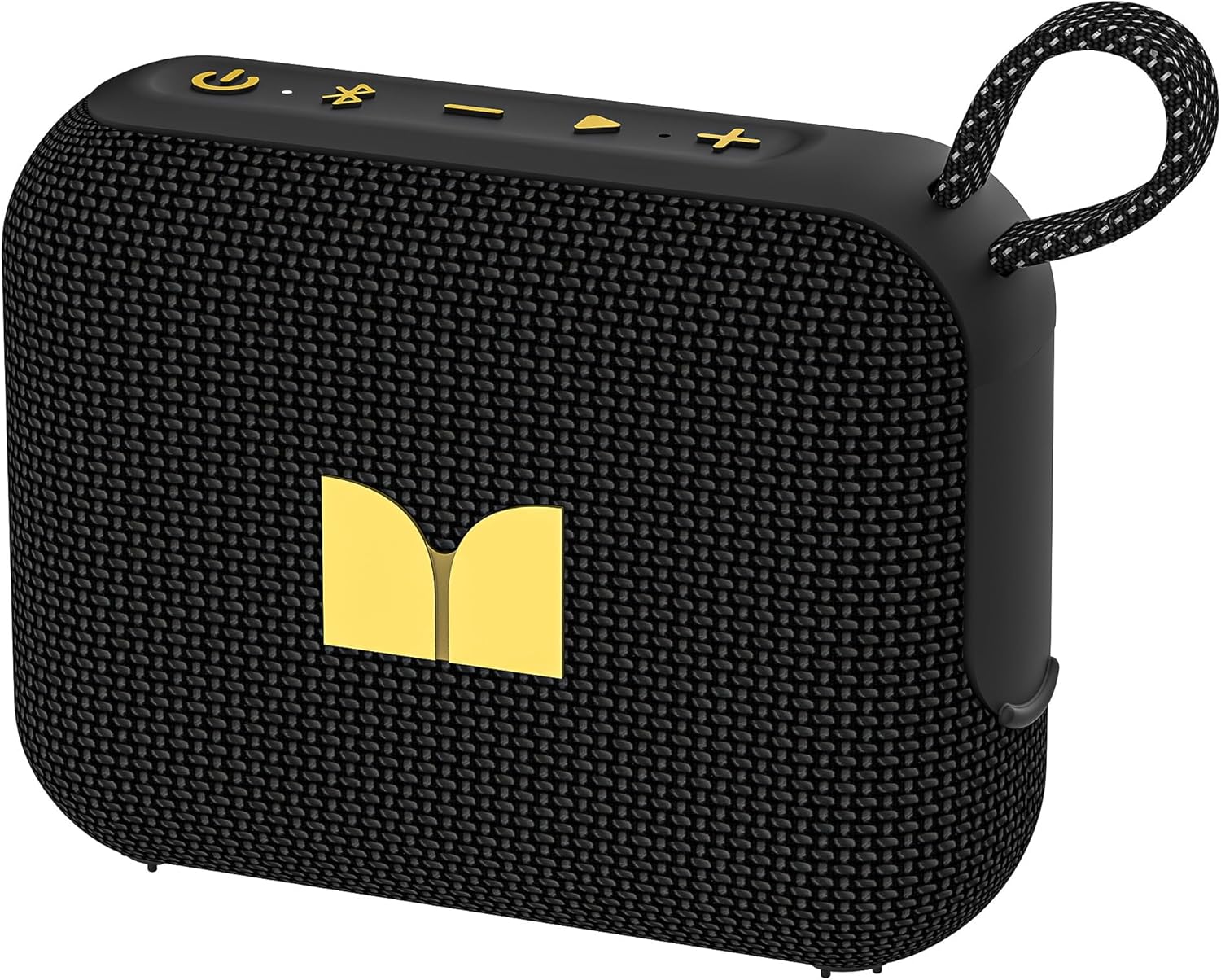
Image: The Monster Cube 1 speaker, showcasing its compact design and integrated strap.
What's in the Box
Upon unboxing your Monster Cube 1 speaker, please ensure all the following items are present:
- Monster Cube 1 Portable Bluetooth Speaker
- USB-C Charging Cable
- Quick Start Guide
- Warranty Letter

Image: The Monster Cube 1 speaker, its packaging, USB-C cable, and documentation.
Product Features
The Monster Cube 1 speaker incorporates several features designed for an optimal audio experience:
Surprisingly Punchy Sound
Despite its compact size, this portable speaker delivers powerful and punchy sound with 12W output, ensuring clear and dynamic audio performance.

Image: An internal view of the speaker highlighting its 12W audio output capability.
Outdoor-Ready and Portable Design
The lightweight design and included strap make this mini speaker portable enough to carry anywhere, whether you're showering, camping, hiking, or biking.

Image: The speaker conveniently clipped to a backpack, ready for travel.
Multi-Speaker Connection
For an even bigger sound experience, pair two Monster Cube 1 speakers for True Wireless Stereo (TWS) sound or wirelessly connect up to 100 auxiliary Cube 1 speakers using Bluetooth broadcast mode.

Image: Two individuals holding speakers, demonstrating the multi-speaker pairing capability.
IPX7 Waterproof Rating
This waterproof speaker is designed to withstand harsh outdoor conditions and can even float. Whether you're enjoying a shower, camping in the wilderness, having a beach picnic, or sailing on a lake, this speaker ensures your favorite tunes are always with you.

Image: The speaker floating in water, showcasing its IPX7 waterproof design.
Advanced Bluetooth 6.0
With Bluetooth 6.0, enjoy seamless audio performance where every note is sharp, and every beat is perfectly in sync. Wirelessly stream music from your phone, tablet, or any other Bluetooth-enabled device.

Image: A user wirelessly connected to the speaker via Bluetooth 6.0.
20-Hour Playback
Enjoy up to 20 hours of non-stop music on a single charge with this portable Bluetooth speaker, perfect for extended outdoor adventures, all-day gatherings, or lounging by the pool.

Image: The speaker in an outdoor setting, emphasizing its long battery life.
Setup
Charging the Speaker
Before first use, fully charge your Monster Cube 1 speaker. Connect the supplied USB-C cable to the charging port on the speaker and the other end to a USB power adapter (not included) or a computer's USB port. The charging indicator light will show the charging status.

Image: The USB-C charging port on the speaker.
Powering On/Off
To power on the speaker, press and hold the Power button for approximately 2 seconds until you hear an audible prompt. To power off, press and hold the Power button again for approximately 2 seconds.
Video: Demonstrates powering on and off the Monster Cube 1 speaker, along with Bluetooth pairing.
Operating Instructions
Bluetooth Pairing
- Ensure the speaker is powered on. It will automatically enter Bluetooth pairing mode, indicated by a flashing Bluetooth indicator light.
- On your device (smartphone, tablet, etc.), enable Bluetooth and search for available devices.
- Select "Monster Cube 1" from the list of devices.
- Once connected, the Bluetooth indicator light will remain solid, and you will hear a confirmation tone.

Image: Illustrates the Bluetooth connection process between a phone and the speaker.
Multi-Speaker Pairing (TWS Mode)
To pair two Monster Cube 1 speakers for True Wireless Stereo (TWS) sound:
- Ensure both speakers are powered on and not connected to any Bluetooth device.
- On one speaker (this will be the primary speaker), double-press the Bluetooth button. It will enter TWS pairing mode.
- The primary speaker will automatically search for and connect to the second speaker.
- Once connected, both speakers will play audio in stereo. You can then connect your device to the primary speaker via Bluetooth as described above.
TF Card Playback
The Monster Cube 1 supports music playback directly from a TF (MicroSD) card. Insert a TF card with your music files (MP3, WAV, etc.) into the TF card slot. The speaker will automatically switch to TF card mode and begin playing music.
Image: The TF card slot on the speaker, allowing for direct music playback.
Call Function
When connected to a smartphone via Bluetooth, the speaker can be used for hands-free calls:
- Answer/End Call: Press the Play/Pause button once.
- Reject Call: Press and hold the Play/Pause button for 2 seconds.
- Redial Last Number: Double-press the Play/Pause button.
Image: The speaker being used for a hands-free call in a home setting.
Maintenance
- Cleaning: Use a soft, damp cloth to clean the speaker's surface. Do not use harsh chemicals or abrasive cleaners.
- Storage: Store the speaker in a cool, dry place away from direct sunlight and extreme temperatures.
- Battery Care: To prolong battery life, avoid fully discharging the speaker frequently. Charge it regularly, even if not in use for extended periods.
- Water Exposure: While IPX7 waterproof, ensure the charging port cover is securely closed before exposing the speaker to water. After exposure to water, dry the speaker thoroughly before charging.
Troubleshooting
| Problem | Possible Cause | Solution |
|---|---|---|
| Speaker does not power on. | Low battery; Power button not held long enough. | Charge the speaker; Press and hold the Power button for 2 seconds. |
| Cannot pair via Bluetooth. | Speaker not in pairing mode; Device Bluetooth off; Too far from device. | Ensure speaker is flashing Bluetooth light; Turn on device Bluetooth; Move speaker closer to device (within 10 meters). |
| No sound. | Volume too low; Paused playback; Incorrect input source. | Increase speaker/device volume; Press Play/Pause; Ensure correct mode (Bluetooth/TF Card). |
| TWS pairing failed. | Speakers already connected to other devices; Too far apart. | Disconnect speakers from other devices; Ensure both speakers are in TWS pairing mode and close to each other. |
Specifications
| Feature | Detail |
|---|---|
| Model Name | Cube 1 |
| Speaker Type | Portable Speaker |
| Product Dimensions | 5.3"D x 2"W x 5"H |
| Item Weight | 0.2 Kilograms (7 ounces) |
| Speaker Maximum Output Power | 12 Watts |
| Connectivity Technology | Bluetooth 6.0 |
| Audio Output Mode | Stereo |
| Waterproof Rating | IPX7 |
| Battery Life | Up to 20 hours |
| Power Source | Battery Powered (1 A battery included) |
| UPC | 810079703913 |
Warranty and Support
The Monster Cube 1 Portable Bluetooth Speaker comes with a Limited Warranty. For detailed warranty terms and conditions, please refer to the included Warranty Letter in your product packaging.
Should you have any questions, require technical assistance, or need support regarding your Monster Cube 1 speaker, please do not hesitate to contact Monster's customer service. They provide 24-hour customer service for pre-sales and after-sales support.
You can also visit the official Monster Store for more information and product updates: Monster Official Store
Related documentsD135 BK


Ask a question about this manual
Ask about setup, troubleshooting, compatibility, parts, safety, or missing instructions. Manuals+ will review the question and use this page’s manual context to help answer it.