
1. Introduction
The cuarko Android Auto Wireless Adapter is designed to convert your car's wired Android Auto system into a wireless one, providing seamless access to your smartphone's Android Auto features without the need for a USB cable. This adapter enhances your driving experience by allowing wireless control of navigation, music, voice assistant, and phone calls directly from your vehicle's display.

Image: The cuarko Android Auto Wireless Adapter, showing the main unit, braided USB cable, and a USB-C to USB-A converter. A car stereo display with Android Auto interface is visible in the background.
2. Product Features
- Wireless Android Auto: Converts wired Android Auto to wireless, enabling seamless access to navigation, music, voice assistant, and calls.
- NFC Technology: Supports NFC for quick and easy pairing with compatible smartphones.
- Durable Construction: Features an ultra-durable 5.8mm thick braided wire with strain relief and an aluminum alloy frame tested for over 20,000 uses, ensuring longevity and resistance to impact and corrosion.
- Efficient Heat Dissipation: Incorporates a high-performance glass panel to enhance thermal dissipation.
- Compact Design: Mini size (38x42x10mm) with a flexible cable for space-saving installation.
- Fast & Stable Performance: Powered by a cutting-edge intelligent chip, offering 40% faster response times and 50% greater stability compared to similar products, utilizing 5.8 GHz WiFi for real-time synchronization.
- Automatic Reconnection: Once paired, the adapter automatically reconnects to your phone every time you start your car.
- Lifetime OTA Updates: Ensures the adapter stays up-to-date with the latest features and improvements.
- Original Car Control Preservation: Supports control via touch screen, OEM knobs, and steering wheel controls.
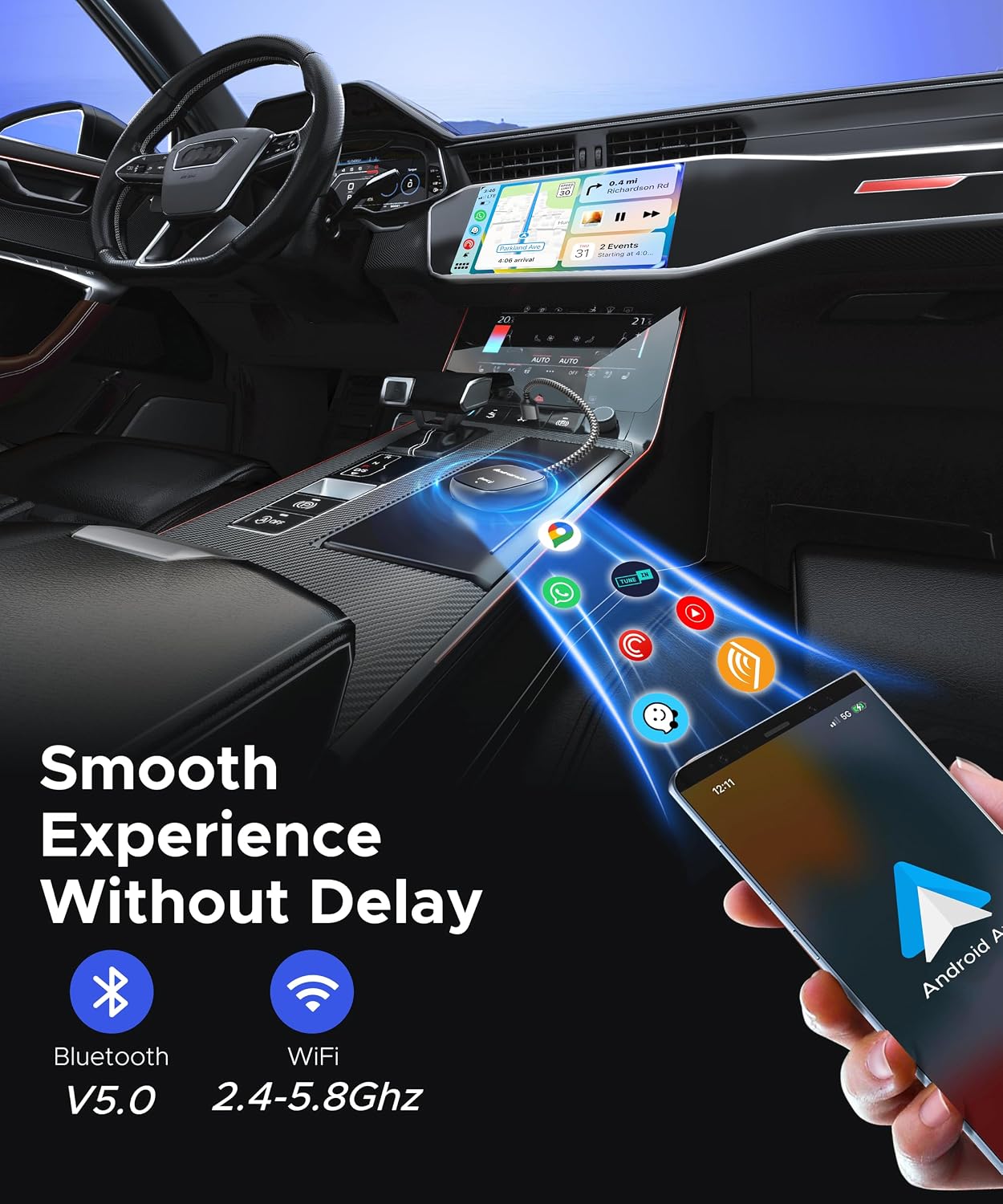
Image: A smartphone wirelessly connected to a car's infotainment system, illustrating a smooth experience without delay, supported by Bluetooth V5.0 and 2.4-5.8GHz WiFi.

Image: Detailed view of the adapter's robust construction, highlighting faster heat dissipation, anti-twisting strain relief, mini size, and the strengthened braided wire which is 30% thicker than standard cables for longer lifespan and better transmission.
3. Package Contents
Upon opening the package, please verify that all items are present and in good condition. The package should contain:
- 1 x cuarko Android Auto Wireless Adapter
- 1 x USB-A to USB-C Converter (if applicable, for cars with USB-C ports)
- 1 x User Manual (this document)
4. Setup Guide
Follow these steps to set up your cuarko Android Auto Wireless Adapter:
- Step 1: Plug & Play
Insert the cuarko Android Auto Wireless Adapter into your vehicle's USB port. Ensure your car's infotainment system supports wired Android Auto. If your car has a USB-C port, use the provided USB-A to USB-C converter.
- Step 2: Pair & Connect
On your smartphone, enable Bluetooth and Wi-Fi. You can pair the adapter using either NFC (by tapping your phone to the adapter if your phone supports NFC) or manually via Bluetooth. Search for the adapter's Bluetooth name (e.g., "Android Auto XXXX") and follow the on-screen prompts to pair. Once paired, your phone will connect to a temporary Wi-Fi network established by the adapter.
- Step 3: Use Android Auto
Once successfully paired, Android Auto will launch wirelessly on your car's display. You can now experience wireless freedom with seamless integration for GPS navigation, music playback, messaging, and calls.

Image: A visual guide demonstrating the three simple steps for setup: 1) Plug the adapter into the car's USB port, 2) Pair your phone via Bluetooth or NFC, and 3) Enjoy wireless Android Auto on your car's screen.
5. Operating Instructions
After successful setup, the cuarko Android Auto Wireless Adapter will automatically connect to your smartphone each time you start your vehicle.
- Accessing Android Auto: Android Auto will appear on your car's infotainment screen. You can navigate through applications such as Google Maps, Spotify, YouTube Music, Phone, and other compatible apps.
- Control Methods: The adapter supports various control methods, allowing you to interact with Android Auto using:
- Voice Commands: Use voice assistants (e.g., "Hey Google") for navigation, music control, and making calls.
- Touch Screen: Directly interact with the car's touch screen display.
- OEM Knob: Utilize your car's original equipment manufacturer (OEM) control knob.
- Steering Wheel Controls: Use your vehicle's steering wheel buttons for audio and call management.
- Supported Applications: The adapter enables wireless access to your Android phone apps on your vehicle screen, including navigation, music, and communication apps.
- Limitations: Please note that this adapter does not support video streaming applications such as YouTube or Netflix.

Image: A driver interacting with Android Auto using voice commands, touch screen, OEM knob, and steering wheel controls, demonstrating how the adapter preserves original car control functionality.
6. Compatibility
To ensure optimal performance, please confirm the compatibility of your vehicle and smartphone with the cuarko Android Auto Wireless Adapter.
- Vehicle Compatibility:
- Compatible with over 800 car models and aftermarket stereos featuring OEM factory wired Android Auto.
- Generally compatible with cars from 2015 onwards that have wired Android Auto.
- Smartphone Compatibility:
- Compatible with Google Pixel, Samsung, and OnePlus Android phones.
- Requires Android 12 or higher versions for optimal performance.
- Important Notes:
- This adapter does not support Apple CarPlay.
- This adapter does not support Xiaomi and Huawei phones.

Image: A visual representation of compatibility, indicating the adapter is for wired Android Auto cars, Android phones with Android 11 and above (note: product description states Android 12+ recommended), and specifically for Android phones. It explicitly states "Note: NOT for CarPlay".
7. Troubleshooting
If you encounter issues with your cuarko Android Auto Wireless Adapter, please refer to the following common troubleshooting steps:
- Adapter Not Connecting / No Android Auto Display:
- Ensure your car's infotainment system has wired Android Auto functionality. The adapter converts wired to wireless, it does not add Android Auto to cars that lack it.
- Unplug the adapter from the USB port, wait 10 seconds, and plug it back in.
- Verify that Bluetooth and Wi-Fi are enabled on your smartphone.
- Check your phone's Android version. It should be Android 12 or higher for optimal performance.
- Confirm your phone is not a Xiaomi or Huawei model, as these are not supported.
- Try pairing the adapter with a different compatible phone or in a different compatible car to isolate the issue.
- Frequent Disconnections or Lag:
- Ensure there are no other strong Wi-Fi or Bluetooth signals interfering in the vehicle.
- Keep your phone in close proximity to the adapter.
- Check for any available OTA updates for the adapter, as these can improve stability.
- Restart both your phone and the car's infotainment system.
- Audio Issues (No Sound or Choppy Audio):
- Ensure your car's audio input is set to Android Auto.
- Check the volume levels on both your phone and the car's stereo.
- Disconnect and reconnect the adapter.
If these steps do not resolve the issue, please contact cuarko customer support for further assistance.
8. Specifications
| Feature | Specification |
|---|---|
| Model Number | 148d9eb3-d336-4756-84b8-e7c0c1dd014f |
| Brand | cuarko |
| Connectivity Technology | USB, Wi-Fi, Bluetooth |
| Special Features | Built-in NFC Function, Convert Wired Android Auto to Wireless, Glass Panel, Super Durable Cable |
| Compatible Devices | Smartphone (Android 12+ recommended) |
| Connector Type | USB-A / USB-C (with converter) |
| Audio Output Mode | Stereo |
| Audio Output Type | Speakers (via car stereo) |
| Color | Black |
| Item Weight | 1.76 ounces (approx. 50 grams) |
| Package Dimensions | 6.02 x 2.8 x 0.75 inches (approx. 15.3 x 7.1 x 1.9 cm) |
9. Warranty and Support
Your cuarko Android Auto Wireless Adapter is backed by a comprehensive warranty to ensure your peace of mind.
- Warranty Period: The product comes with a 12-month warranty, extendable by an additional 12 months upon registration, totaling 24 months of coverage from cuarko.
- Coverage: This warranty covers defects in materials and workmanship under normal use.
- Customer Support: For any problems, compatibility issues, or warranty claims, please contact cuarko customer support. They aim to respond within 18 hours.
For the most up-to-date support information and contact details, please refer to the official cuarko website or the contact information provided with your purchase.

