Introduction
Thank you for choosing the Generic 2-in-1 Electric Nail Clipper and Polisher. This device is designed for safe and efficient nail care, combining trimming and polishing functions. It is suitable for users of all ages, including children, adults, and the elderly, offering a convenient and hygienic solution for maintaining healthy nails.
Please read this manual thoroughly before first use to ensure proper operation, maintenance, and safety.
Product Overview
The Generic CH-706 Electric Nail Clipper features a compact design with integrated functions for trimming and polishing nails. Key components include:
- Trimming Slot: For safely inserting fingers to trim nails.
- Polishing Head: A rotating head for smoothing and shining nail edges.
- Speed Adjustment Buttons: To select between two operating speeds.
- LED Light: Provides illumination for precise trimming.
- Nail Debris Collector: A built-in compartment to collect trimmed nail fragments.
- Charging Port: For recharging the internal battery.

Figure 1: Overview of the Electric Nail Clipper, highlighting its ergonomic shape and control buttons.
Setup
Charging the Device
Before first use, fully charge the electric nail clipper. Connect the provided charging cable to the device's charging port and a suitable USB power source. The indicator light will show the charging status and turn off or change color when fully charged.
Initial Inspection
Inspect the device for any visible damage. Ensure all components are securely in place. Do not use if the device appears damaged.
Operating Instructions
Power On/Off and Speed Selection
Press the power button to turn on the device. The device has two speed settings:
- 1st Gear: Suitable for infants and individuals with softer nails.
- 2nd Gear: Recommended for adults and individuals with harder nails.
Press the speed adjustment button to cycle between the two speeds. Press and hold the power button to turn off the device.

Figure 2: Demonstrating the use of the control buttons for power and speed adjustment.
Trimming Nails
- Turn on the device and select the desired speed.
- Gently insert your fingernail or toenail into the trimming slot. Ensure the nail is positioned correctly to avoid contact with skin.
- Allow the device to trim the nail. Move your finger slightly to trim the entire nail edge evenly. The built-in LED light will illuminate the trimming area for better visibility.
- The device is designed with a safety mechanism to prevent accidental injury. Do not force your finger into the slot.
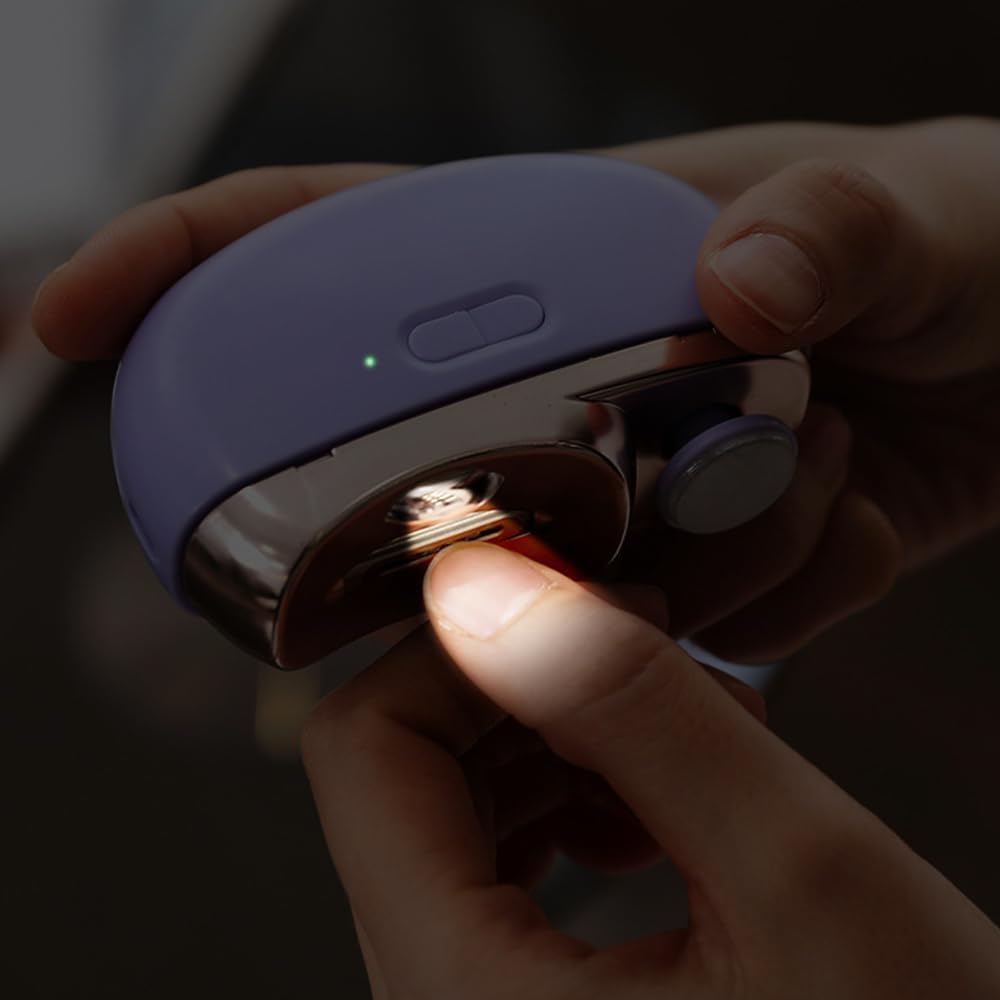
Figure 3: Proper insertion of a finger into the trimming slot for safe nail cutting, with LED light active.
Polishing Nails
- After trimming, turn the device to expose the polishing head.
- Gently press the edge of your nail against the rotating polishing head.
- Move your nail along the polishing head to smooth and shine the edges.
- Do not apply excessive pressure or polish for extended periods in one spot to avoid heat buildup.
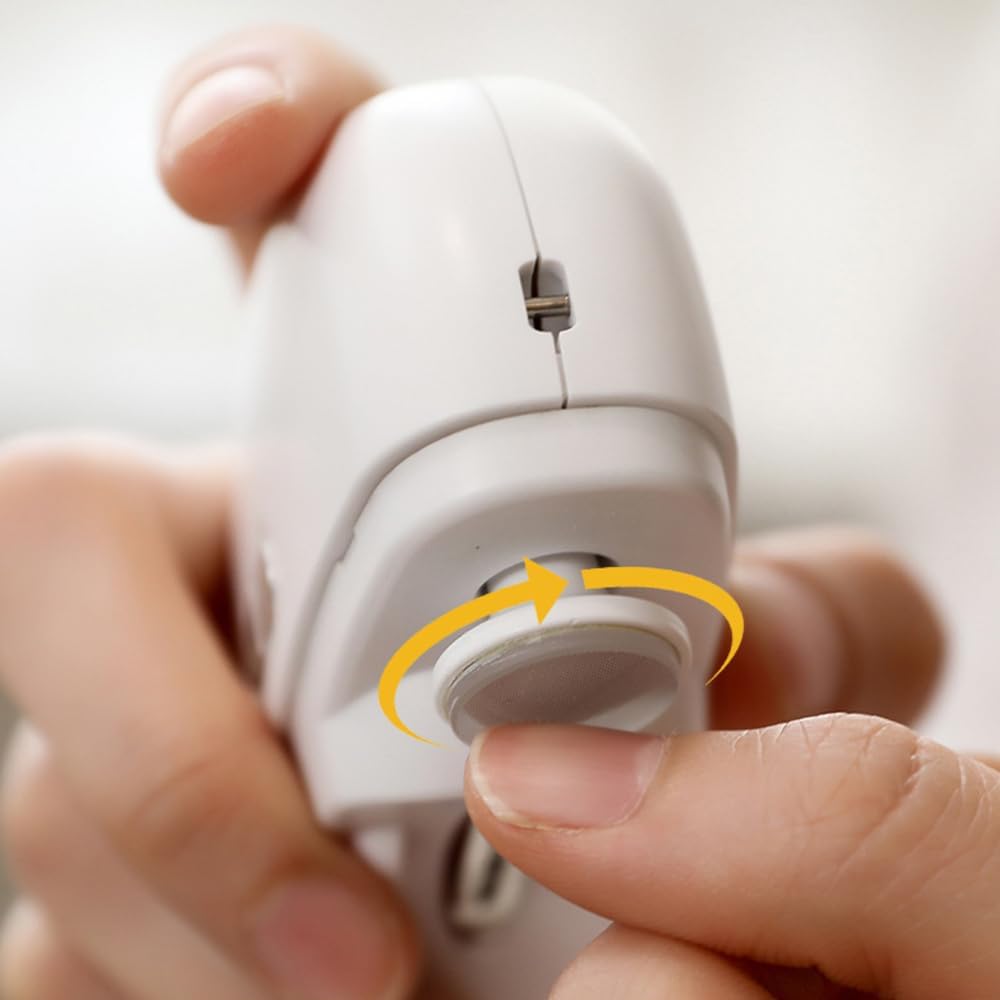
Figure 4: Using the integrated polishing head to refine nail edges.
Maintenance
Emptying the Nail Debris Collector
The device features a built-in nail debris collector to keep your environment clean. After each use, or when the collector is full, gently slide open the collector compartment and empty the accumulated nail debris into a waste bin. Close the compartment securely after emptying.

Figure 5: Opening the debris collector for easy and hygienic disposal of nail clippings.
Cleaning the Device
Wipe the exterior of the device with a soft, dry, or slightly damp cloth. Do not use harsh chemicals or abrasive cleaners. Ensure the device is completely dry before storing or recharging. Do not immerse the device in water.
Storage
Store the nail clipper in a cool, dry place, away from direct sunlight and out of reach of children.
Troubleshooting
| Problem | Possible Cause | Solution |
|---|---|---|
| Device does not turn on. | Battery is depleted. | Charge the device fully using the provided cable. |
| Poor trimming/polishing performance. | Nail debris accumulation; blades/polishing head are dirty. | Empty the nail debris collector and clean the trimming/polishing area. |
| Device stops unexpectedly during use. | Low battery; excessive pressure applied. | Recharge the device. Reduce pressure during use. |
Specifications
| Feature | Detail |
|---|---|
| Product Name | 2-in-1 Electric Nail Clippers |
| Model | CH-706 |
| Brand | Generic |
| Material | Stainless Steel (Blades) |
| Product Dimensions | 3.35 x 2.68 x 1.3 inches |
| Product Weight | 4.23 ounces (approx. 120 grams) |
| Speed Settings | 2-speed (1st gear for infants, 2nd for adults) |
| Features | Rechargeable, Built-in LED, Nail Debris Collector |
| Color | White |
Warranty and Support
For warranty information and customer support, please refer to the documentation provided at the time of purchase or contact the retailer where the product was acquired. Keep your proof of purchase for any warranty claims.


